EN
EN

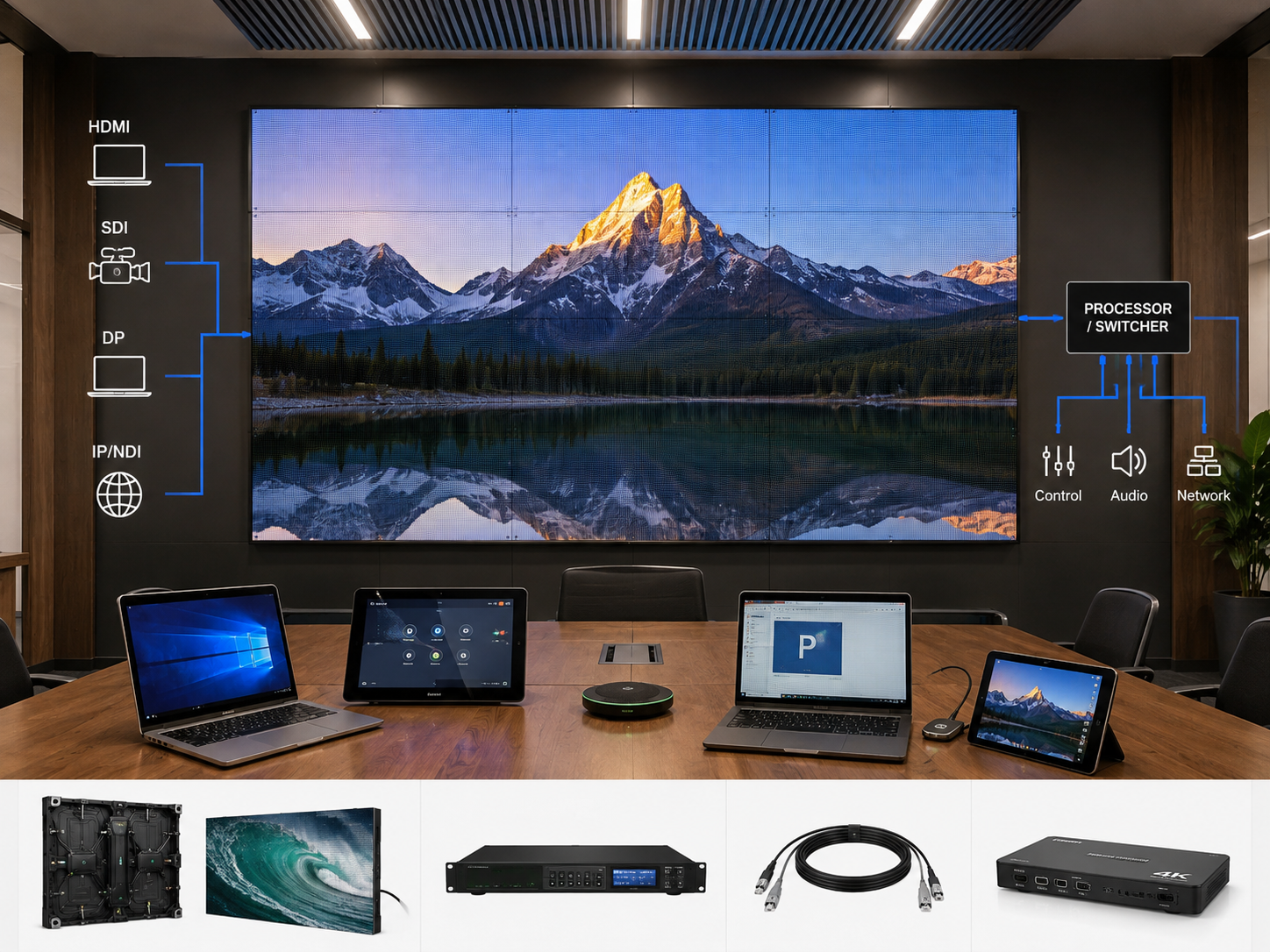
Modern meeting spaces rarely depend on one presentation laptop. Room PCs, guest laptops, wireless presentation systems, conferencing appliances, cameras and network video can all need access to the same LED canvas. As a result, evaluating led video wall suppliers for this environment requires more than counting processor ports. The important question is whether each expected source can enter the signal workflow at a controlled resolution, switch without disruptive resynchronisation, and appear in the required full-screen or multi-window layout.
This planning guide stays focused on that meeting-room problem. It covers source inventory, HDMI/SDI/DisplayPort/IP roles, EDID and timing conflicts, seamless switching, picture-in-picture, multi-window requirements and the interface schedule that should exist before final I/O architecture is confirmed.
The meeting-room signal path in one view
Map Meeting Sources Before Counting Processor Inputs
Port quantity alone is a weak starting point. A four-input room can still require more processing resources when a conferencing appliance provides two independent outputs and a camera must remain visible beside presentation content.
Instead, the project should begin with the devices that actually create images. For an indoor LED Wall Panel application, the source list should be established before switching and display modes are frozen.
Fixed room PCs are predictable, but their display behaviour still matters
A permanent room PC is usually easier to control than a temporary laptop. Its graphics output, desktop mode and connection path can be tested before the room enters service. Even so, operating-system changes or display reconnection can alter the detected resolution.
Therefore, a source record should include the physical connector, normal output timing, audio requirement and desktop mode. When the PC also drives a confidence monitor, the record should note whether displays are duplicated or extended.
Guest laptops create the widest range of connection behaviour
A guest connection may start as HDMI, DisplayPort or USB-C video. However, table boxes, docks and adapters can add several stages before the signal reaches the processor. Each stage can affect display negotiation.
For that reason, the room brief should define a limited set of supported connection paths. A managed guest workflow is easier to commission than an undefined promise that every adapter combination will work.
Wireless presentation is still a real source
Wireless sharing can make the table cleaner, but it does not remove signal planning. The receiver still produces video through a physical or network interface, and that output needs a defined resolution and display role.
Meanwhile, a wireless system used only for full-screen slides has a different processing requirement from one expected to share the canvas with remote participants. The source inventory should capture that distinction.
Video conferencing appliances may generate more than one useful feed
A conferencing platform can output remote participants, shared content or a combined layout. Some room designs also use separate outputs for participants and presentation material.
Consequently, the source schedule should record each required independent output. If two feeds must appear on the LED wall at the same time, they should be treated as two live processing inputs rather than one conferencing device.
Cameras only need direct wall inputs when the room actually displays them independently
Meeting cameras often feed the conferencing appliance directly. In that case, a separate processor input may add no practical value.
By contrast, training spaces and hybrid presentation rooms may need a presenter camera beside slides. That requirement should include the camera interface, intended window position and whether the view ever becomes full screen.
IP sources need a defined decode point
NDI or another network video workflow does not end at the Ethernet cable. A decoder, software endpoint or compatible processing device must eventually turn the stream into the format expected by the LED workflow.
Accordingly, the source list should identify where the IP path becomes a display input. Network bandwidth, stream type, simultaneous stream count and local network configuration remain project-confirmed items.
| ID | Source | Normal Output | Display Role | Simultaneous? | Open Check |
|---|---|---|---|---|---|
| SRC-01 | Room PC | HDMI / DP | Slides, dashboards | Confirm | Desktop timing |
| SRC-02 | Guest laptop | HDMI / USB-C / DP | Temporary presentation | Confirm | Adapter + EDID |
| SRC-03 | Wireless sharing | HDMI / IP | BYOD presentation | Confirm | Fixed output timing |
| SRC-04 | VC participants | HDMI | Remote participants | Often | Output mode |
| SRC-05 | VC content | HDMI | Shared presentation | Often | Second output need |
| SRC-06 | Presenter camera | SDI / HDMI / IP | PIP / live view | Project-specific | Direct wall need |
| SRC-07 | Network video | NDI / IP | Remote video feed | Confirm | Decode point |
| SRC-08 | Media player | HDMI | Welcome / standby | Usually no | Default state |
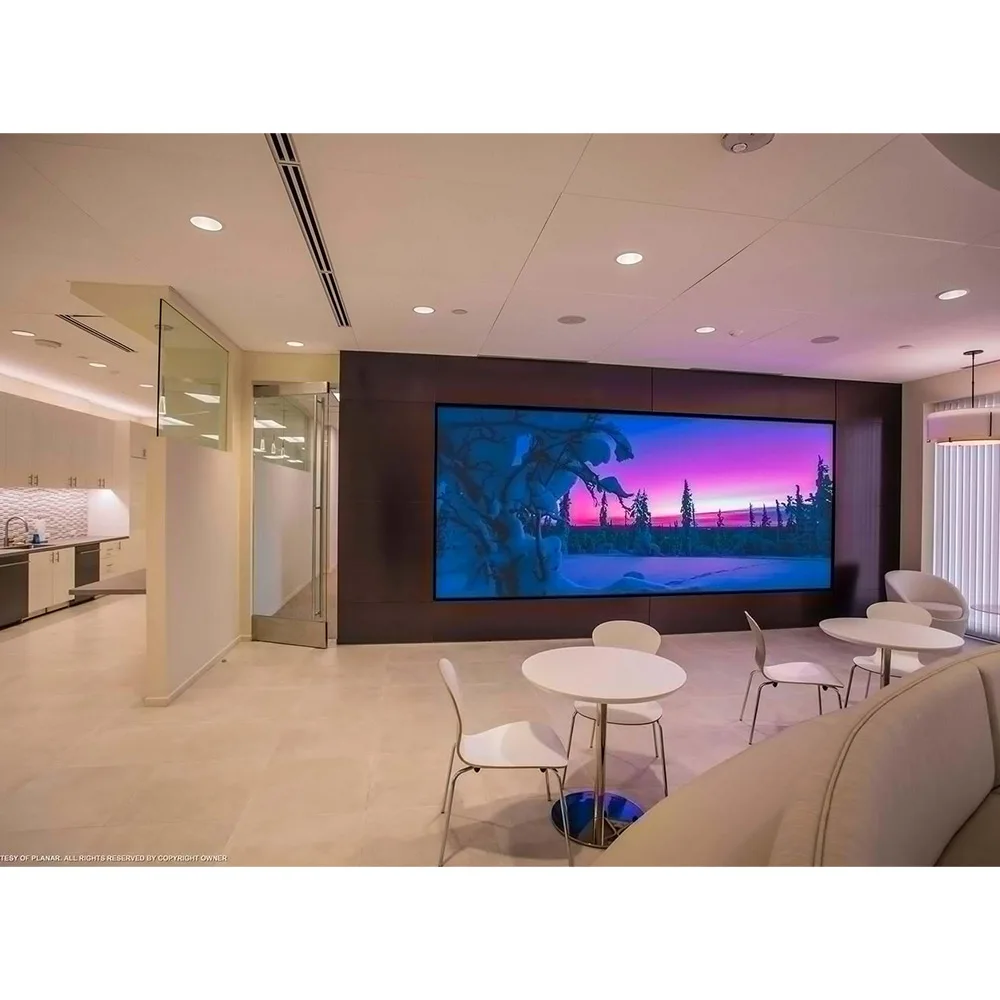
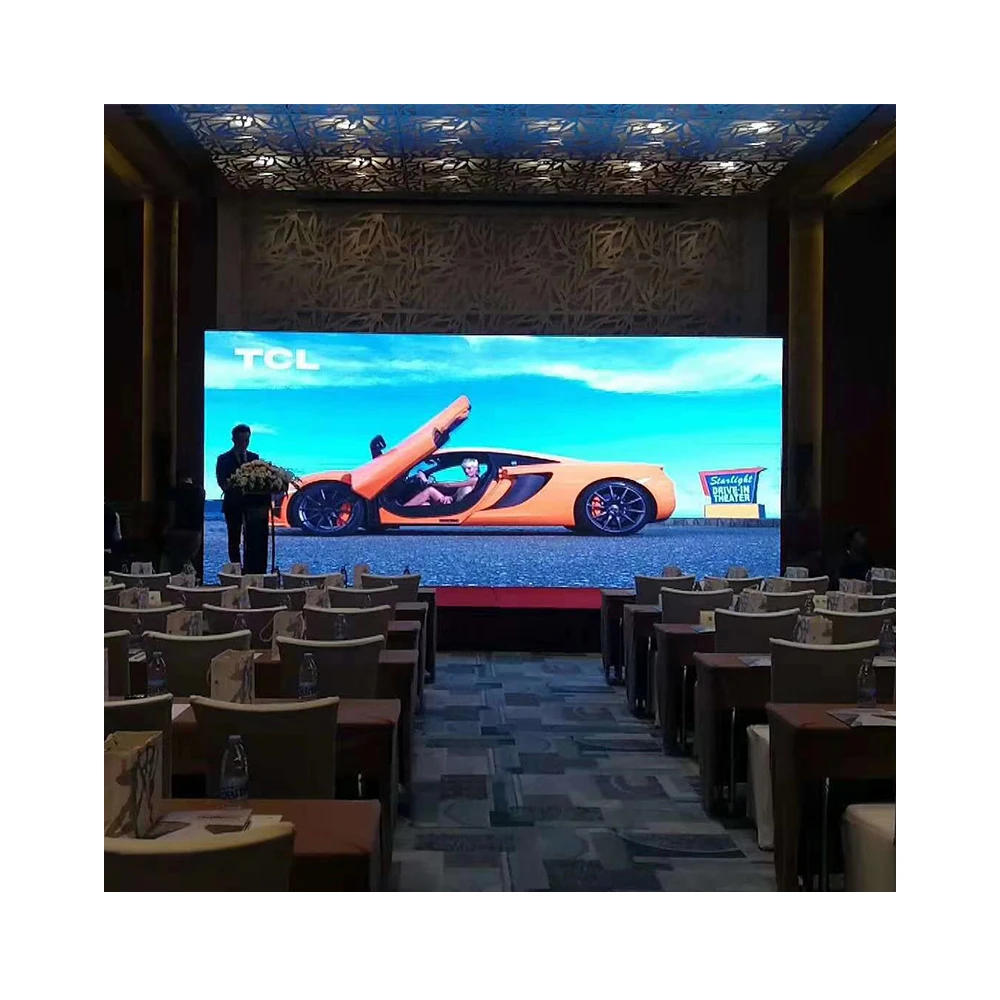
Indoor LED Video Wall Format for Fixed Meeting Spaces
A meeting-space display should remain a stable destination for the AV chain. Source switching, EDID control and window composition should happen upstream rather than forcing daily changes to cabinet mapping.
The image is taken directly from the corresponding product page. No product appearance has been redrawn.
View Indoor LED Video WallGive HDMI, SDI, DisplayPort and IP a Clear Role
Interface selection should follow the source and operating workflow. A connector with a higher theoretical capability does not automatically make a better meeting-room choice.
Instead, the brief should record where each signal originates, whether conversion is necessary, and what format should reach the processing stage. This keeps everyday operation simple while leaving unusual sources visible as exceptions.
HDMI usually carries the presentation workload
PCs, wireless receivers, media players and video conferencing equipment commonly provide HDMI outputs. Therefore, HDMI often becomes the main presentation format in a boardroom or training room.
Even so, the connector name does not define the final operating mode. Resolution, refresh rate, color behaviour, adapter stages and device handshakes still need to match the project workflow.
DisplayPort often begins at the workstation
Workstations, business desktops and docking systems commonly use DisplayPort. USB-C connections may also carry DisplayPort video when the source supports the required mode.
If the main processor workflow is HDMI-based, controlled DP conversion may be appropriate. However, adapter direction and supported timing should be verified rather than inferred from connector shape.
SDI belongs where production-style camera feeds actually exist
SDI is more relevant when a meeting room also supports training, recording, town halls or production cameras. In that environment, a camera can enter the processing workflow without being treated like a laptop source.
Still, an SDI input should solve a real display need. If the camera only feeds a conferencing appliance, duplicating the same signal at the wall processor can create unnecessary I/O complexity.
NDI/IP changes the transport layer, not the need for an endpoint
Network video can make source routing more flexible across a facility. However, the stream still needs a compatible decoder or processing endpoint before it becomes part of the LED display workflow.
Therefore, an IP input entry should record the source, stream type, decode location and resulting display interface. Network capacity and switch configuration should remain project-confirmed rather than assumed.
| Interface | Typical Role | Useful Fit | Question to Confirm |
|---|---|---|---|
| HDMI | Presentation and conferencing sources | Room PCs, wireless receivers, media players | Which timing should the source negotiate? |
| DisplayPort | Computer-originated video | Workstations, desktops, docks | Direct input or controlled conversion? |
| SDI | Professional camera feed | Training, broadcast-style rooms, town halls | Does the camera need independent wall display? |
| NDI / IP | Network video transport | Remote feeds and network cameras | Where does decoding occur? |
| USB-C video | Guest presentation connection | Modern laptops and docks | Does the source support the required video mode? |
Keep the Processor Discussion Tied to the I/O Brief
Video processing should be selected after source formats, switching behaviour and live-window requirements are documented. That order keeps the discussion on room operation rather than turning the project into a controller-brand comparison.
The processor shown here is a real accessory listed on the site. Final suitability still depends on the confirmed project I/O and display requirements.
View Video Processor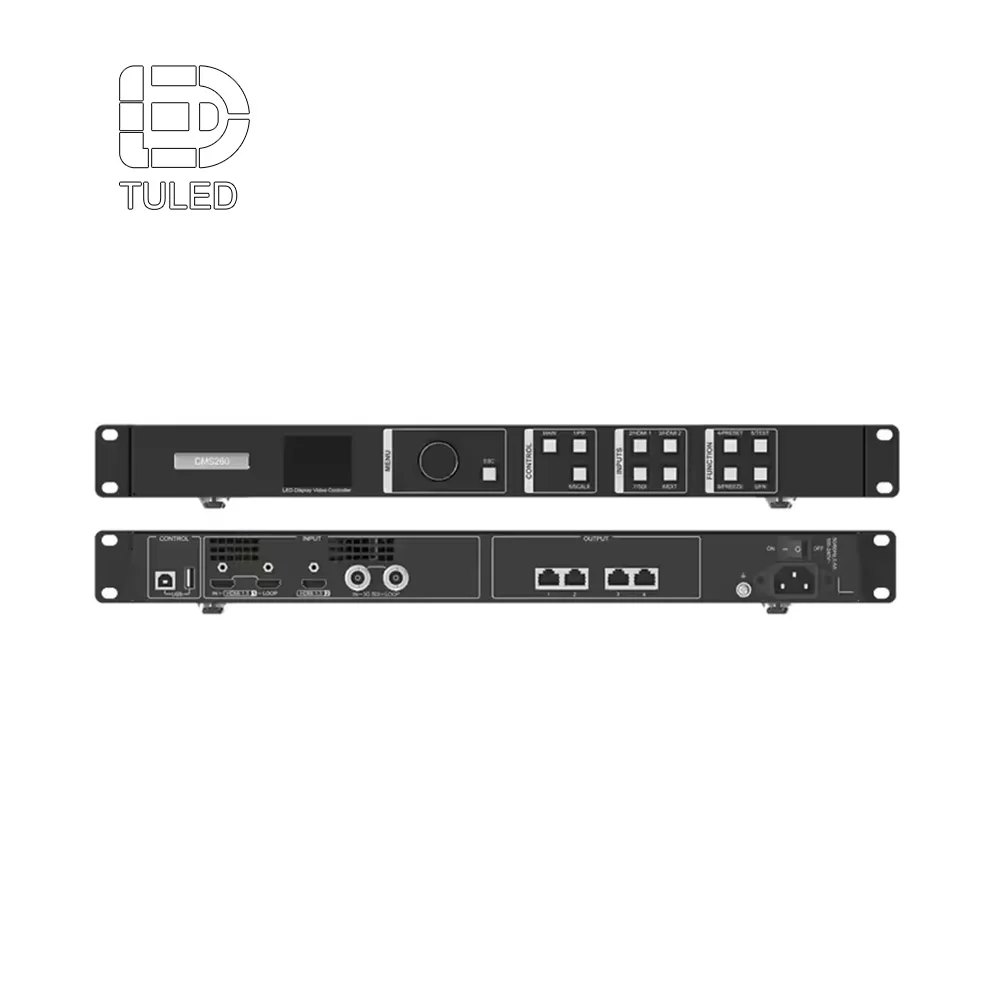
EDID and Timing Conflicts Explain Many “Random” Black Screens
When a laptop changes and the wall suddenly goes black, the panel itself may not be the problem. The source may have selected a timing that another stage in the processing chain does not accept as expected.
EDID, or Extended Display Identification Data, is part of the mechanism that tells a source which display modes are available. In a multi-device AV chain, the source may read that information from a switcher or processor rather than directly from the visible LED wall.
A source should see a predictable presentation target
In a simple monitor connection, negotiation is straightforward. A meeting wall adds table interfaces, adapters, switching, scaling and LED processing between the laptop and the final canvas.
Accordingly, a controlled presentation environment is often easier to support. Fixed sources can use known output settings, while temporary sources enter a defined scaling workflow.
Resolution mismatch is not only a sharpness problem
A source and LED canvas may use different dimensions or aspect ratios. The processing system then has to decide whether to fit, crop, stretch or letterbox the image.
For spreadsheets, drawings and presentation decks, uncontrolled cropping can remove useful information. Therefore, the brief should describe the preferred scaling rule instead of asking only for “4K support.”
Refresh-rate changes can increase visible resynchronisation
Two sources can use the same pixel dimensions while operating at different refresh rates. During a switch, the processor may need to lock onto the new signal before presenting it.
Consequently, standardising normal source timings where practical can make room behaviour more predictable. Exceptions can remain, but they should be documented rather than discovered during a live meeting.
When the screen goes black, check the chain in this order
| Test | Condition | Observe | Expected Result |
|---|---|---|---|
| Cold start | Entire AV chain starts from off | Detected timing and desktop layout | Known room mode appears |
| Processor restart | Source stays powered | Reconnect behaviour | Source returns predictably |
| Guest connection | Supported laptop paths | EDID detection and scaling | Stable supported mode |
| Adapter path | USB-C / DP conversion | Resolution and refresh rate | Target timing remains available |
| Sleep / wake | PC resumes from sleep | Handshake recovery | Image returns without manual repair |
| Multi-window | Several live sources active | Scaling and proportions | Every window remains readable |
Write Seamless Switching and Multi-Window Behaviour Into the Brief
“Seamless switching required” is not detailed enough for commissioning. The brief should describe what should remain visible while one source changes to another.
Likewise, picture-in-picture and multi-window requirements should describe real meeting modes. A simple list of processor features does not show how the room will operate.
Define seamless switching as an observable room experience
In a formal presentation, source resynchronisation may need to remain hidden from the room. The processor can maintain a stable final output while preparing the next input internally.
In a simpler training space, a short transition may be acceptable. The specification should state which source changes require a clean transition and which can tolerate a visible resync.
Control buttons should call display states, not unexplained inputs
A button labelled “Conference” may need more than an input change. It might recall remote participants, shared content and a defined two-window composition.
Therefore, room-control actions should map to visible display states. This gives the control programmer and commissioning team the same interpretation of each preset.
Picture-in-picture needs geometry
PIP should identify the primary source, secondary source, approximate window size, preferred location and scaling rule. Otherwise, several technically valid layouts may still produce the wrong meeting experience.
Example PIP brief
- Presentation remains the primary window.
- Presenter camera occupies roughly one quarter of the usable canvas.
- Both sources preserve their original aspect ratio.
- The camera window can move between left and right presets.
- Either source can be recalled full screen.
Count simultaneous live sources, not saved layouts
A room can store many presets while requiring only two or three live windows at the same time. Those are different planning numbers.
Accordingly, the brief should state the maximum simultaneous composition. That requirement is more useful for I/O and processing decisions than a long list of saved modes.
| Mode | Main Content | Supporting Content | Windows | Display Rule |
|---|---|---|---|---|
| MODE-01 | Room PC | None | 1 | Preserve readable aspect ratio |
| MODE-02 | Guest laptop | None | 1 | Clean full-screen change |
| MODE-03 | Remote participants | Shared content | 2 | Preset recalls both feeds |
| MODE-04 | Presentation | Presenter camera | 2 | Presentation main + camera PIP |
| MODE-05 | Presentation | Camera + participants | 3 | Defined three-window geometry |
| MODE-06 | Media player | None | 1 | Default standby state |
Build the Equipment Interface Table Before Final Hardware Selection
The interface schedule is the document that connects source inventory with processing design. It shows which connector leaves each source, what stages sit in between, which input receives the signal and how that source appears on the LED canvas.
At this stage, signal-processing products within Other Accessories can be reviewed against the documented input and display requirements. The processor decision should follow the completed interface map rather than start the design.
Separate source devices, processor inputs and display windows
These three layers are often mixed together. However, one source device can provide two independent outputs, while one physical input can appear in several display presets.
Keeping the layers separate prevents incorrect I/O counts. It also makes future layout changes easier because adding a preset may not require another physical source or connector.
Source layer
Room PC, guest connection, conferencing outputs, camera, wireless receiver and network decoder.
Input layer
Physical HDMI, SDI, DP or decoded IP paths entering switching and processing.
Display layer
Full-screen, two-window, PIP and three-window meeting states recalled during operation.
Record conversions instead of hiding them inside the cable route
A workstation connected through DP-to-HDMI conversion should not be recorded as a native HDMI source. Likewise, an SDI camera passing through a converter should keep that conversion stage visible.
This detail becomes valuable during troubleshooting. When an image disappears, the interface table shows every active stage instead of forcing the technical team to reconstruct the path from memory.
Leave unknown project values visibly open
A useful engineering table does not guess. When a camera format, decoder output or source refresh rate is still unknown, the field should remain marked “Confirm.”
That is better than filling a quotation with assumed values that later become hidden constraints. Open fields also show exactly what information is still required before hardware selection is complete.
| Path | Source | Output | Intermediate | Input | EDID | Mode |
|---|---|---|---|---|---|---|
| PATH-01 | Room PC | HDMI / DP | Project-specific | IN-01 | Controlled | MODE-01 |
| PATH-02 | Guest table | HDMI | Table interface | IN-02 | Controlled | MODE-02 |
| PATH-03 | Wireless | HDMI | None / confirm | IN-03 | Fixed preferred | MODE-02 |
| PATH-04 | VC participants | HDMI | None | IN-04 | Controlled | MODE-03 |
| PATH-05 | VC content | HDMI | None | IN-05 | Controlled | MODE-03 |
| PATH-06 | Camera | SDI / HDMI | Converter if required | IN-06 | Source-specific | MODE-04/05 |
| PATH-07 | IP video | NDI / IP | Decoder | IN-07 | Decoder policy | MODE-05 |
Minimum fields for a usable interface schedule
- Source ID and function
- Physical output connector
- Normal resolution
- Normal refresh rate
- Audio requirement
- Fixed or temporary source
- Destination device
- Input connector and number
- Conversion stage
- Scaling requirement
- EDID policy
- Confirmation status
- Mode ID
- Live-window count
- Window source assignment
- Aspect-ratio rule
- Transition behaviour
- Failure / recovery state
Commission the Planned Room, Not Just the Individual Inputs
Commissioning should confirm the operating sequence already described in the source and display-mode schedules. It should not become the stage where missing source roles are discovered.
A useful test therefore moves through real room states. It checks source changes, PIP recalls, multi-window presets, restarts, laptop reconnection and default display behaviour.
Use real meeting content
Test patterns can verify basic signal presence, but they do not expose every operational issue. Small text reveals scaling problems, spreadsheets expose cropping and cameras reveal motion behaviour.
Accordingly, commissioning content should include slides, fine text, charts, motion video, camera imagery and a realistic conferencing layout.
Repeat source transitions
One successful switch does not demonstrate stable room behaviour. A useful sequence might move from Room PC to Wireless, then Conference, Guest HDMI, Camera PIP and back to the standby source.
During each change, the test should record black frames, source relocking, incorrect aspect ratio, window movement and any manual recovery needed.
Test failure states intentionally
Laptops enter sleep mode, wireless receivers restart and temporary cables are disconnected. These events should have a planned visual result.
Depending on the room, the LED canvas may return to a default media source, hold a controlled background or remain on the selected input. The important point is that the behaviour should be intentional and testable.
Practical commissioning sequence
What the Final Multi-Source Brief Should Contain
A useful RFQ should not say only “multiple HDMI inputs required.” That wording leaves source count, source type, simultaneous layouts and EDID behaviour unresolved.
Instead, the technical package can remain compact while still being specific. Five documents are usually enough to communicate the operating intent clearly.
This structure also keeps the page separate from long-distance signal-distribution planning. Optical routes, processor location, building-wide transmission redundancy and remote rack placement require another set of site data and should not be mixed into the meeting-source brief.
Likewise, controller brand comparison is not necessary at this stage. Once source quantity, I/O formats, EDID behaviour, live-window count and switching expectations are stable, compatible hardware can be evaluated against those functional requirements.
FAQ
Why should a conference-room LED wall start with an interface inventory?
An interface inventory separates real source devices from simple connector counts. It also shows which feeds remain permanent, which change frequently and which must appear at the same time. As a result, I/O quantity can be planned around actual meeting behaviour instead of an assumed number of HDMI ports.
What roles do HDMI, SDI, DisplayPort and NDI/IP usually play?
HDMI commonly carries presentation and conferencing outputs, while DisplayPort often begins at computers and workstations. SDI is more relevant to professional camera feeds. Meanwhile, NDI/IP supports network video transport but still requires a defined decoding or processing endpoint before the stream becomes part of the LED display workflow.
Why can EDID, resolution or refresh-rate mismatch cause a black or distorted image?
The source selects an output mode based on the display capabilities presented through the AV chain. If that negotiation changes or produces an unexpected timing, the next processing stage may need to resynchronise or rescale the image. Symptoms can include a temporary black screen, changed desktop layout, cropping, stretching or unused canvas areas.
How should seamless switching, PIP and multi-window needs be written into a project brief?
The brief should describe visible behaviour. It should state which transitions must hide resynchronisation, how many live windows are required, which source occupies each window, how aspect ratios are handled and which presets correspond to actual meeting modes. This creates requirements that can be tested during commissioning.
What information belongs in the equipment-to-equipment interface table?
The table should include source ID, output connector, expected timing, intermediate conversion, receiving input, EDID policy, audio requirement, display mode and confirmation status. Multi-window projects can also record window assignment, scaling rule and aspect-ratio behaviour.
Turn the Meeting Workflow Into Three Concrete Actions
A stable meeting wall starts with source behaviour rather than processor port count. HDMI, SDI, DisplayPort, USB-C video and IP feeds can coexist, but each path needs a defined role, timing target and display mode.
- Build the source inventory. Record every permanent and temporary source, output interface, normal timing and simultaneous-display requirement.
- Define display states. Document full-screen, conferencing, PIP and multi-window modes before selecting processing capacity.
- Complete the interface schedule. Keep adapters, conversions, EDID policy and unconfirmed fields visible so engineering decisions can be traced.
Send the source list before requesting the I/O architecture
For an architecture review with led video wall suppliers, prepare the number of source devices, HDMI/SDI/DisplayPort/USB-C/IP interfaces, normal source resolutions and refresh rates, conferencing outputs, independent camera feeds and network-video decode points.
The same brief should state the target LED canvas, required seamless transitions, full-screen presets, PIP layouts and maximum number of simultaneous live windows. With those fields confirmed, the I/O path can be reviewed around actual meeting behaviour rather than an undefined request for “multiple inputs.”
Submit Source & Display Requirements