EN
EN

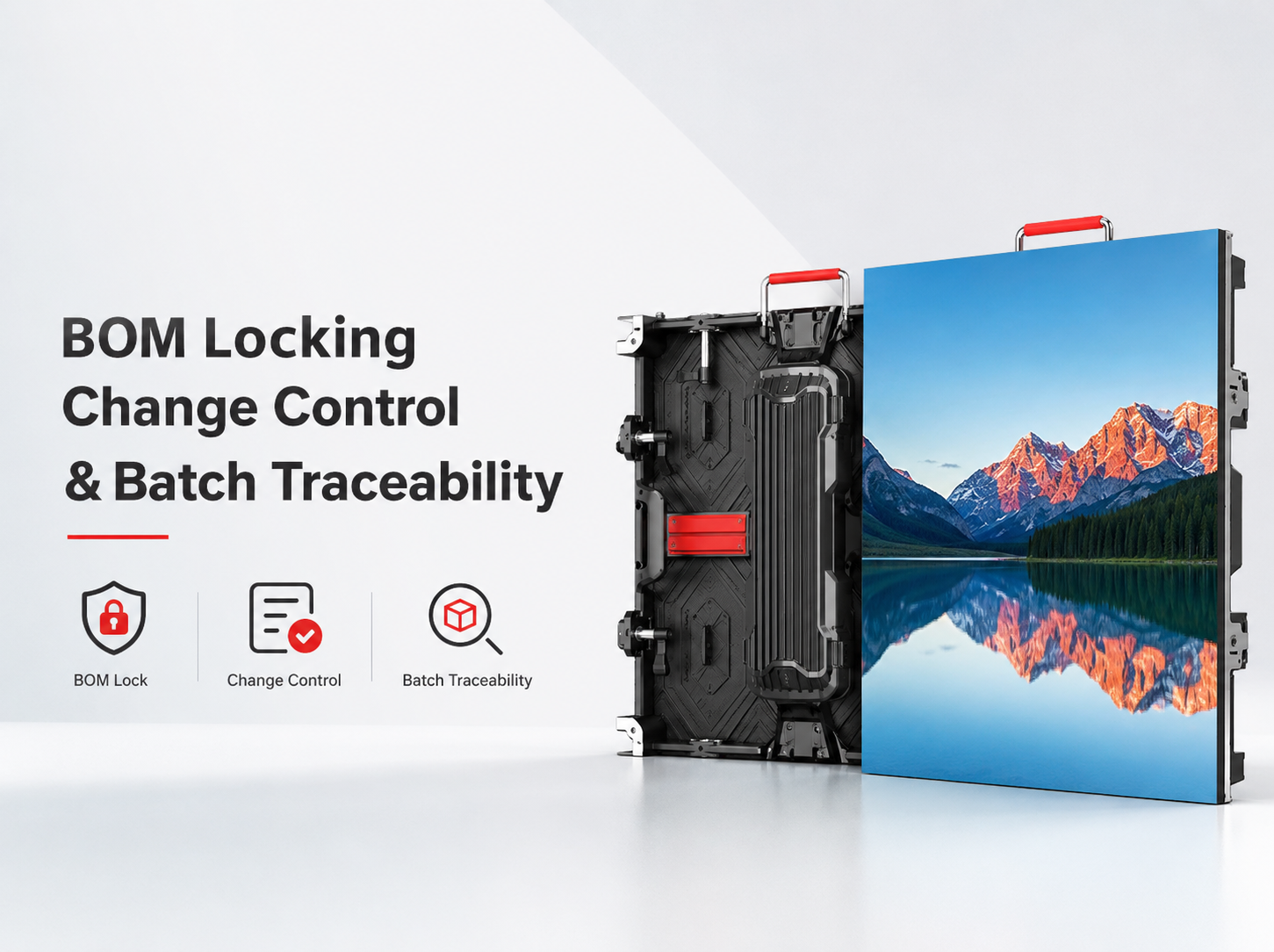
A repeat LED order can match the original drawing and still behave differently. The reason often sits below the visible specification. LED packages, driver ICs, power supplies, receiving cards, PCB revisions, firmware, or configuration files may change between production runs. For a long-term project, choosing the right led display screen supplier is only the first step; repeat orders also need a controlled technical baseline.
That baseline should include a controlled BOM, defined substitution rules, archived software versions, and a traceability chain that survives repeat orders. With those controls in place, later production can be compared against a known reference before changes reach assembly, commissioning, spare-stock planning, or field service.
Which Components Can Quietly Change Between Repeat Orders?
Not every item in the BOM needs the same level of control. A carton label or low-risk fastener is different from an LED package, driver IC, power supply, receiving card, or PCB revision that can change display behaviour, compatibility, calibration, service work, or later spare-part matching.
For long-term LED Display Wholesale programs, that distinction matters. A practical BOM lock protects the technical baseline while still allowing normal production management around components that do not affect the released system.
Five things a repeat-order baseline should make easy to confirm
Why “SMD LED” is not specific enough for a repeat order
An entry such as “SMD LED” leaves too much room for repeat-production interpretation. Instead, the released BOM can record the approved manufacturer, package family, part reference, and any project-specific selection information that is important for continuity.
Lot information should remain separate from the approved component definition. A long-running program may naturally use later manufacturing lots. The objective is not to preserve one physical lot forever; it is to prevent an uncontrolled change of component source or technical definition.
- LED manufacturer or approved source
- Package family and part reference
- Relevant incoming lot reference
- Module production batch
- Associated PCB revision
- Approval requirement for any replacement source
A driver IC change can affect more than the component list
Driver IC substitution is not simply a purchasing change. It may interact with module design, scan behaviour, grayscale handling, refresh settings, and receiving-card configuration. For that reason, the driver model should remain connected to the PCB revision that was released with it.
An alternative can still be technically acceptable after review. However, the change should enter an approval path before becoming production material. A controlled record is more reliable than a note saying that the replacement is “similar” or “same quality.”
The same voltage and wattage do not always mean the same power supply
Recording only output voltage or nominal wattage may leave several possible supply models inside the same order. The baseline can identify the approved manufacturer and model together with the electrical and interface requirements relevant to the project.
If several models have already passed the required review, those alternatives can appear in an approved-source list. This is different from allowing an unspecified replacement during production.
Receiving-card changes need both hardware and software context
Receiving-card records should go beyond a brand name. The baseline can include the model, hardware revision where available, firmware reference, and released configuration-file reference.
A later hardware change immediately raises the correct question: does the existing configuration remain valid? Without that link, a repeat order may contain a technically different control environment even when the finished cabinet looks unchanged.
A module can look identical while the PCB revision has changed
Two modules can look identical from the viewing side while using different internal PCB revisions. A later board may change routing, connectors, component layout, driver architecture, or another manufacturing detail.
The PCB part number and revision should therefore appear in the controlled BOM. When a board revision also introduces a new driver IC or connector arrangement, the Change Notice should describe the combined engineering change rather than treating each difference as an unrelated line item.
| BOM Item | Baseline Record | Control | If It Changes |
|---|---|---|---|
| LED package | Manufacturer, family, part reference, relevant lot data | Locked or approval-controlled | Compare old/new source and review project impact |
| Driver IC | Manufacturer, model, PCB relationship | Approval-controlled | Check PCB and configuration compatibility |
| Power supply | Manufacturer, model, required interfaces | Locked or approved alternatives | Review fit, connection and electrical compatibility |
| Receiving card | Model, revision, firmware and configuration relationship | Approval-controlled | Review hardware and software together |
| PCB | Part number and revision | Revision-controlled | Describe revision and linked component changes |
| Firmware / files | Released version and archive reference | Version-controlled | Confirm target hardware and batch implementation |

The finished cabinet can remain visually familiar while the internal baseline changes
Repeat orders are often compared by cabinet appearance, dimensions, and final display specification. However, BOM control operates one level deeper. Internal LED sources, PCB revisions, receiving cards, firmware, or power hardware may change without creating an obvious external difference.
The finished assembly should point back to a production record. That record makes later maintenance, spare matching, and repeat-order review possible without relying on visual comparison.
Review the 960×960 LED Display PlatformA typical repeat-order decision: if the cabinet size, pixel pitch, and external drawing remain unchanged but a receiving card becomes unavailable, the replacement should not be approved only because it has a similar headline function. The review should confirm the new hardware revision, configuration compatibility, existing spare-stock impact, validation result, and the first production batch that will use it.
Why “Equivalent” Components Need Clear Substitution Rules
A BOM lock becomes useful only when the rules around change are clear. Phrases such as “same quality component” or “no change without notice” sound strict, yet they do not explain which substitutions require approval or what information a change proposal must contain.
For a buyer, the useful distinction is not simply “change” or “no change.” It is whether a substitution is prohibited, requires approval, or is already covered by a defined equivalent range. That leaves room for low-risk production changes without losing control of parts that affect image behaviour, electrical compatibility, configuration, or later servicing.
Prohibited substitution
The released source, model, or revision cannot change without a formal baseline revision and recorded approval.
Approval required
An alternative can be proposed before production, but technical impact and validation must be reviewed before release.
Controlled equivalent
Alternatives are permitted only inside predefined form, fit, function, material, and interface requirements.
What does “equivalent” actually need to match?
The word “equivalent” becomes risky when it has no project definition. A component can match one headline value while differing in mechanical fit, connector layout, thermal behaviour, control compatibility, or software support.
Equivalence should be written around the dimensions that actually matter for that component. A power supply may need interface and mounting checks. A receiving card may need hardware and configuration compatibility. An LED replacement may need a continuity review against the released module baseline.
Why a part is changing matters—but it is not the approval
A change request should explain the commercial or manufacturing reason behind the proposal. Examples can include availability changes, component discontinuation, supply interruption, or a controlled design revision.
But the reason is not the approval. “Original component unavailable” explains why another part is being considered. It does not demonstrate that the replacement fits the existing electrical, mechanical, or software baseline.
Four questions that make a proposed substitution easier to judge
Old part, new part, assembly and revision.
Availability, discontinuation or controlled revision.
Hardware, software, visual output or service parts.
Review method, result and release status.
The repeat PO should point to the technical baseline, not only the model name
A repeat PO can carry the same display name while the internal technical definition has moved forward. The commercial order should reference the released project BOM or approved configuration revision.
A practical note can state that production follows the released BOM and configuration baseline referenced by the order, while approval-controlled components cannot be substituted before a documented change review. This connects purchasing with the engineering record without turning the PO itself into a technical manual.
What a useful substitution review should make clear
- Existing part reference
- Proposed part reference
- Reason for change
- Affected module or cabinet
- Affected PCB revision
- Electrical compatibility
- Mechanical compatibility
- Connector compatibility
- Firmware impact
- Configuration-file impact
- Validation method
- Validation record
- First affected batch
- Approval date
- Released BOM revision
Why the Same Hardware Can Still Behave Differently
Two repeat batches can use very similar hardware and still behave differently after commissioning. The reason may be the receiving-card firmware, configuration file, mapping data, or another project-specific setting rather than a visible cabinet change.
Firmware and configuration records should sit beside the hardware BOM rather than inside personal folders or old support messages. The archive needs to show which released file belongs to which hardware revision and production batch.
Firmware version and configuration revision are not the same record
Firmware and configuration are related, but they are not the same record. Firmware identifies software running on hardware. A configuration file records project-specific operating information used with that hardware environment.
Each should carry an independent version or release reference. The production record can then show exactly which combination entered a specific batch.
PCB revision
Driver IC
Release date
Status
Revision
Target hardware
Production date
Change reference
“Latest file” is not a safe production instruction
The instruction “use the latest configuration” is ambiguous. A newer file may belong to a different PCB revision, module arrangement, receiving card, cabinet layout, or another project.
Production should use a released project file with a clear version identifier. A simple naming system is enough when the file name, revision, target hardware, release date, and status remain unambiguous.
A configuration file only makes sense with its target hardware
Several technically correct files can exist at the same time. The archive therefore needs to identify the receiving-card model, PCB revision, module type, and other relevant hardware references connected to each released configuration.
Whenever hardware changes, one explicit review question should follow: does the currently released firmware and configuration baseline remain valid? If that answer has not been established, the change remains incomplete.
Older released versions may still matter years later
Installed screens may continue operating with an older released combination long after a new version enters production. A new release should not erase the previous project baseline.
Historical files may remain necessary for spare modules, service replacements, fault investigation, or older production batches. A basic status system such as Draft, Review, Released, Superseded, and Archived is usually clearer than several similarly named files with no status.
What you should be able to retrieve later
- Project code
- Receiving-card model
- Hardware revision where relevant
- PCB revision
- Firmware version
- Configuration revision
- Standardized file name
- Release date
- Production batch
- Previous released version retained
- Change reason
- Compatibility review
- Released archive location
- Production copy checked against archive
Can You Trace a Finished Cabinet Back to Its Production Baseline?
After shipment, traceability becomes useful only when someone can start with one finished cabinet and reconstruct what actually went into it. A serial number by itself is not enough unless it leads back to the BOM revision, production batch, component information, software versions, and quality records.
The traceability system should follow the actual manufacturing hierarchy. It does not need a complicated code inside every serial number. It needs reliable relationships between the records.
A batch number can carry the shared production baseline
Many cabinets in one production run may share the same BOM revision, LED source, PCB revision, receiving-card setup, firmware, and configuration. Repeating every field manually against every cabinet can create unnecessary record duplication.
A production batch can carry those common records. Each finished serial then links back to the batch. If a controlled component changes halfway through production, the batch record should create a clear breakpoint rather than blending both configurations under one identifier.
A serial number works better as a key than as a full technical description
A serial number can encode limited production information, but it does not need to contain the entire technical history. A simpler approach uses the serial as the stable key into the production record.
That method keeps the serial format manageable while allowing additional traceability fields later. More importantly, it avoids changing the serial-number structure every time the quality record gains another useful field.
Production date adds context, but the batch number carries the technical history
Production dates help establish when a technical revision entered manufacturing. A date still cannot prove which LED lot, PCB revision, driver IC, receiving card, or configuration entered a specific assembly.
The same limitation applies to shipping dates. A shipment record shows logistics timing. The batch and serial chain carries the technical history.
| Record Field | What It Connects |
|---|---|
| Project code | Technical files to the long-term program |
| Purchase order reference | Commercial order to the production release |
| BOM revision | Production batch to the approved component baseline |
| PCB revision | Module hardware to its released board version |
| LED source / lot | Module batch to relevant LED material records |
| Driver IC | PCB baseline to controlled driver hardware |
| Receiving card | Cabinet hardware to firmware and configuration |
| Firmware / configuration | Production batch to the released software baseline |
| Module batch | Individual modules to common production data |
| Cabinet serial | Finished assembly to module and batch history |
| Production date | Revision history to manufacturing timing |
| Change Notice | Approved deviation to the affected production batch |
| QC / packing record | Finished production to inspection and shipment history |
Spare parts need the same identity as installed parts
Spare modules, power supplies, and receiving cards may remain unused until much later. Their technical identity can therefore matter more than that of components installed immediately after shipment.
Spare inventory should retain enough information to identify which installed baseline it matches. If a later order introduces another PCB revision or control-card version, old and new service stock should remain distinguishable.
A simple way to see whether traceability actually works
A large database does not automatically create useful traceability. A stronger test starts with one cabinet serial and asks whether the relevant production batch can be found quickly.
From there, the record should reveal the BOM revision, PCB revision, component baseline, firmware, configuration, and any approved Change Notice. If that path depends on memory or scattered messages, the traceability chain still has a gap.
What Should Be Reviewed Before a Repeat Order Enters Production?
Repeat orders often move faster because the cabinet, drawings, and commercial specification already feel familiar. That is exactly when internal changes are easiest to miss: the order looks the same on paper even though a component, PCB revision, receiving card, firmware version, or approved substitute may have changed since the last batch.
The repeat-order review should therefore begin with the latest approved production baseline. The goal is not to repeat supplier qualification or sample approval. It is to identify what changed after the previous released batch.
Start with the last approved batch—not the original quotation
The correct reference is not always the original quotation. A project may already contain approved substitutions or version updates from an earlier repeat batch.
The review should use the latest released BOM, PCB revision, receiving-card hardware, firmware version, configuration revision, and approved alternative list. A compact review can then ask:
- Are all locked components still available?
- Has any approved part changed revision?
- Has the PCB revision changed?
- Has receiving-card hardware changed?
- Has firmware changed?
- Has the released configuration file changed?
- Will existing service stock remain compatible?
- Does a previously temporary substitution need a new decision?
The useful Change Notice arrives before changed material enters production
A change notice sent after production has started becomes a record of what happened rather than a control point. The useful stage is after the difference becomes known but before changed material enters the affected run.
If the proposed change needs validation, the notice should remain open until the required result is available. Only then can the new component or software version enter the released baseline.
A supply problem and an engineering approval are two different events
Discovering that a component has become unavailable is one event. Approving the proposed replacement is another. Combining those steps creates pressure to treat supply conditions as engineering evidence.
A cleaner workflow records the availability issue, proposes an alternative, completes the required review, and then releases the approved change. The final BOM revision reflects the decision instead of the temporary problem.
Not every change needs the same level of review
A document-format correction should not trigger the same review as a PCB revision. Likewise, a predefined low-risk equivalent does not need the same engineering path as a receiving-card or driver-IC change.
The classification should still be established before production pressure appears. Otherwise, the perceived urgency of an order can quietly determine whether a technical change receives proper review.
What a useful Change Notice should capture
BOM and configuration revision
Current manufacturer, model or revision
Replacement manufacturer, model or revision
Why the baseline can no longer continue
Hardware, software, mechanical or service effect
Required method and completed result
First affected production batch
Status, date and approval conditions
Send the previous baseline before the repeat quantity becomes the main discussion
A repeat-order review becomes more efficient when the previous project reference arrives with the technical baseline. Relevant information can include the last order reference, released BOM, locked components, approved alternatives, receiving-card revision, firmware, configuration files, and service-stock requirement.
Where a project requires a structured BOM Lock or Change Control review, the engineering information can be submitted through Contact Us. Providing the existing baseline at the start keeps the discussion focused on continuity rather than restarting a generic product inquiry.
Where Repeat Orders Most Often Lose Version Control
Even a detailed specification can fail when the production workflow relies on assumptions. Several patterns are particularly useful as release checks because they expose where version control is likely to break.
“Same model” is treated as “same BOM”
A commercial model name can remain unchanged across internal revisions. The PO should point to a released technical baseline.
Only the LED source is locked
Driver ICs, PCB revisions, receiving cards, power supplies and software can also affect repeat-order continuity.
PCB revisions arrive silently
A board revision can introduce linked component or interface changes even when the module front remains identical.
Firmware has no batch reference
A valid firmware update still needs an implementation record showing which production run received it.
Files live in personal folders
Released files need a shared project archive with clear revision, hardware relationship and status.
Temporary changes become permanent
A temporary substitution should state its batch limit instead of quietly entering all future production.
Before the Next Production Run, What Still Needs Checking?
By the time a repeat order is ready for production, the buyer should not need to reopen every old document. The final review only needs to expose unresolved differences between the approved baseline and the batch about to be built.
After the baseline is released, the implemented batch should still be verified during pre-shipment LED screen QC so the approved BOM, control files, module batches, accessories, and packing records match what is actually leaving the factory.
BOM Baseline
- Confirm current BOM revision
- Check LED source
- Check driver IC
- Check power-supply model
- Check receiving-card hardware
- Confirm PCB revision
Firmware & Files
- Confirm firmware version
- Confirm configuration revision
- Check hardware compatibility
- Preserve previous release
- Confirm production copy
Traceability
- Assign production batch
- Record relevant component lots
- Record module batches
- Record cabinet serials
- Separate spare-stock batches
Change Approval
- List all baseline deviations
- Issue Change Notices
- Complete required validation
- Record approval status
- Update permanent revisions
FAQ
Which BOM items are most important to lock for repeat LED display orders?
Prioritize components that can change visual consistency, electrical behaviour, control compatibility, calibration, or future service-part matching. LED packages, driver ICs, power supplies, receiving cards, and PCB revisions commonly deserve explicit control. Firmware and configuration files should remain linked to the hardware baseline as released production versions.
When should a component substitution trigger approval?
Approval is appropriate when a proposed replacement falls outside a predefined controlled-equivalent range or can affect hardware, software, mechanical fit, visual output, or service compatibility. The change request should identify the old and new part, reason, affected assembly, validation method, approval status, and first affected production batch before the material enters production.
What should a buyer send before a repeat production run is reviewed?
Send the previous order reference, latest released BOM revision, locked components, approved alternatives, PCB revision, receiving-card hardware, firmware version, configuration-file reference, spare-stock requirement, repeat quantity, and any known supply changes. That package gives the factory a specific baseline to compare instead of relying on “same as last order.”
Keeping Repeat Orders Consistent as Components Change
Long-term LED procurement becomes difficult when the finished specification remains fixed but the internal production baseline slowly changes. A controlled BOM closes that gap by linking approved components, permitted substitutions, firmware, configuration files, production batches, serial numbers, and repeat-order approvals.
Before the next production run, the practical priorities are straightforward:
- Release one technical baseline. Confirm the locked LED, driver IC, power supply, receiving card, PCB revision, firmware and configuration references.
- Review changes before production. Record the proposed replacement, impact, validation result, approval status and first affected batch.
- Preserve the traceability chain. Keep BOM revisions, batches, serial numbers, software versions, QC records and spare-stock references connected.
Prepare the previous baseline before the next repeat order
A useful review package should include the previous order reference, latest released BOM revision, no-substitution components, approved alternatives, PCB revision, receiving-card hardware, firmware version, configuration-file reference, required spare stock, repeat quantity, and any known supply changes.
For a long-running program, this information gives the supplier a defined baseline for BOM Lock and Change Control instead of relying on “same as last order.” It also creates a clear point for reviewing substitutions before the affected batch reaches production.
Submit Repeat-Order BOM & Version Requirements