EN
EN


A strong wholesale led sign range should work as a product system rather than a collection of similar screens. Instead of adding another model whenever a different pixel pitch appears, the range should cover distinct applications, installation conditions, control workflows, cabinet requirements, and service expectations. As a result, product selection becomes easier to explain, quotations stay more consistent, and engineering receives cleaner project information.
In practice, the strongest reseller range is usually compact. Entry, mid-range, and premium tiers should each solve a recognisable project problem without creating several products that compete for the same inquiry. This guide focuses on that product-line decision: how to divide applications, define meaningful tier differences, standardise recurring specifications, remove duplicate SKUs, and keep one RFQ and after-sales information structure across the full range.
Build the LED Sign Range Around Applications, Not Pixel Pitch Alone
Pixel pitch matters because it affects image detail, viewing conditions, and final display configuration. However, it should not define the complete sales catalogue. Two displays with similar pitch can require very different cabinets, access methods, content control, environmental planning, and installation work.
Instead, product planning should begin with repeated deployment patterns. An indoor reception display, a storefront advertising board, an outdoor roadside sign, and a portable promotional display may all show branded content. Yet the operating conditions and engineering decisions behind those applications differ enough to justify separate product families.
Start with the operating environment
Indoor and outdoor use should normally form an early branch in the range. Still, those labels should lead to a project discussion rather than act as complete specifications. Indoor installations often place more weight on close viewing, physical integration, neat service access, and controlled ambient light.
By contrast, outdoor installations bring exposure, visibility, cabinet protection, ventilation, structure, cable routing, and maintenance access into the decision. A sheltered entrance or semi-outdoor site creates another grey area. Consequently, sunlight, humidity, rain direction, temperature, mounting position, and local site conditions still need confirmation.
Separate fixed installations from frequently handled systems
Mechanical use also creates a strong product boundary. A permanently installed screen follows a different operating pattern from equipment that moves between locations. As a result, cabinet handling, locking, cable connections, service access, and installation workflow may deserve different priorities.
For fixed projects, the range can concentrate on stable installation, accessible servicing, organised cable routing, and integration with the supporting structure. Meanwhile, frequently handled systems can place greater weight on assembly efficiency, cabinet handling, connection points, and repeated setup. This distinction often creates a clearer commercial family than adding another pitch.
Map viewing behaviour before choosing the detailed configuration
Viewing distance is useful, although distance alone is not enough. A close-range information screen may need to present detailed content, while a roadside advertising display may rely on large graphics and short messages. Accordingly, content scale and viewing behaviour should sit beside pitch during qualification.
Content type matters as well. Logos, menus, schedules, promotional graphics, live video, public information, and data feeds do not create identical requirements. In addition, the frequency of content changes can affect the operating workflow and control package.
Define the content workflow before assigning controller options
Controller choices can quietly create SKU inflation. For example, one application may use straightforward scheduled content, while another needs remote updates, several linked screens, live inputs, or coordination with another media system. If every controller combination becomes a separate product, the catalogue grows faster than the market coverage.
Instead, each family should have a default control path and a defined upgrade route. The sales-facing decision can begin with how content needs to operate. Engineering can then confirm the suitable controller, sending system, receiving system, network method, or processor after the workflow is clear.
A practical rule for creating a product family
A catalogue family should answer a repeated project question. If the application, cabinet concept, control workflow, service method, and sales explanation remain almost identical, several technical configurations can often remain under one family instead of becoming separate SKUs.
| Application pattern | Main planning question | Useful standard core | Keep project-confirmed |
|---|---|---|---|
| Indoor fixed signage | How close is normal viewing? | Cabinet family, service concept, control baseline | Pitch, dimensions, mounting, signal source |
| Outdoor fixed signage | What exposure and visibility conditions apply? | Outdoor cabinet family, service logic, RFQ fields | Brightness, structure, power, exposure |
| Commercial information display | How often does the content change? | Common formats, simple content workflow | Network, mounting, final source |
| Portable promotion | How often will the system move? | Handling concept, connection workflow | Transport, accessories, setup conditions |
| Large project sign | Which constraints make the project non-standard? | Reusable component families and documentation | Geometry, structure, access, electrical planning |
Once the application family is clear, pitch becomes far more useful. Several pitches can sit inside one commercial family if the cabinet concept, service method, control workflow, documentation, and installation process remain similar. In other words, an engineering configuration does not always need its own catalogue identity.
Separate Entry, Mid-Range and Premium Tiers by Real Project Differences
A three-tier range only works when each level represents a meaningful change in application, construction, operation, service, or engineering scope. Otherwise, entry, mid-range, and premium become labels placed on nearly identical specification sheets.
Instead, each tier should answer a different level of project complexity. Entry can cover predictable applications with controlled choices. Mid-range can add flexibility that appears repeatedly in real inquiries. Premium can address projects where cabinet design, access, control, integration, documentation, or engineering coordination becomes significantly more demanding.
Entry
Best for repeatable applications with a focused cabinet concept, a simple operating path, and a limited option set. The goal is fewer unnecessary decisions, not lower professional value.
Mid-Range
Suitable when recurring projects need broader cabinet, control, service, or installation choices. Options remain controlled so the tier does not become a custom engineering list.
Premium
Fits demanding deployments where mechanical integration, control architecture, service access, environmental conditions, or project documentation need deeper coordination.
Entry should reduce unnecessary decisions
Entry positioning works best when the deployment pattern is predictable. Accordingly, this tier should avoid optional features that rarely affect project success. A defined cabinet family, known service method, focused controller path, and concise accessory list can keep quotation work clean.
Still, entry does not mean that every field becomes fixed. Dimensions, pitch, mounting, or signal source may remain configurable when the application requires them. The difference is that the surrounding decision tree stays simple.
Mid-range should absorb common upgrades
The middle tier often becomes the working core of the range. For that reason, it should absorb options that appear repeatedly across projects. Broader cabinet choices, additional service directions, expanded control options, or greater installation flexibility can fit here when those requests are common.
However, frequency should remain the test. An unusual feature requested once does not automatically deserve a permanent position. Keeping occasional requirements as project options protects the catalogue from slow, uncontrolled expansion.
Premium should solve higher-complexity deployments
Premium positioning should come from engineering value rather than a longer accessory list. For example, a difficult access location may need deeper maintenance planning. A complex media environment may require more control coordination. An architectural installation may demand more mechanical review.
At the same time, premium should not automatically mean the smallest pitch or the highest brightness. A fine-pitch screen can serve a straightforward indoor project, while a larger-pitch outdoor display can involve substantial structural, environmental, and service planning.
Treat brightness as an application variable
Brightness is easy to turn into a simple feature ladder, although that approach can weaken the range. Required visibility depends on ambient light, viewing direction, display location, content, and operating conditions. Consequently, a premium indoor application does not automatically need a higher brightness target than every entry product.
A better tier distinction is how brightness is handled. Entry can stay within a narrower application window. Mid-range can support broader environmental matching. Premium projects can reserve room for deeper site review when visibility conditions are unusual.
Use cabinet design as a stronger commercial separator
Cabinet design often creates clearer differences because it affects installation, handling, alignment, service access, cable routing, and future maintenance. Entry can centre on a focused standard cabinet concept. Meanwhile, mid-range can add controlled flexibility around access or installation.
Premium projects may need a different level of mechanical coordination. Architectural recesses, restricted rear access, unusual dimensions, structural interfaces, or demanding service conditions can justify deeper cabinet planning. In each case, the difference has a practical project reason.
Let control complexity follow the operating workflow
Control method creates another useful divider. A simple sign may only need scheduled playback through a straightforward operating path. By contrast, multi-location projects may require remote content updates, central management, additional inputs, or platform integration.
Accordingly, entry can use a clean default path. Mid-range can offer several defined control choices. Premium can reserve advanced management or integration for projects that actually need it. This structure gives the sales team clear questions without exposing every controller combination as another SKU.
| Decision area | Entry | Mid-Range | Premium |
|---|---|---|---|
| Application | Predictable deployments | Broader recurring projects | Complex deployments |
| Brightness planning | Defined application window | Broader environment matching | Deeper project review where needed |
| Cabinet approach | Focused standard family | More service or installation options | Advanced mechanical coordination |
| Control workflow | Simple default path | Expanded controlled choices | Advanced integration when justified |
| Service access | Standard defined method | Additional flexibility | Project-led service strategy |
| Documentation | Standard quotation package | Expanded project records | Detailed technical coordination |
A useful internal test is simple: each tier should be explainable in one sentence without opening a specification sheet. If the distinction requires a long component comparison, the range probably contains too much overlap.
Standardise the Core and Keep Site-Driven Variables Open
Standardisation creates value when it removes repeated decisions. Accordingly, product names, application families, tier definitions, RFQ fields, documentation formats, terminology, and recurring option logic should remain consistent across the range.
However, forcing every project into one fixed technical answer creates another problem. Screen dimensions, mounting interface, environmental exposure, network conditions, control configuration, power planning, and local requirements can depend heavily on the site.
Standardise the commercial family before every engineering detail
A stable commercial family needs a recognisable purpose. For example, indoor fixed signage can remain one family even when the final pitch or dimensions change. Outdoor fixed signage can follow the same principle when the core cabinet and service logic remain recognisable.
In practice, this keeps sales-facing materials compact while engineering retains enough room for project configuration. New module combinations can then sit inside existing families rather than automatically creating new top-level products.
Standardise the questions even when the answers vary
One of the strongest range controls is a common field structure. Every project can record installation environment, dimensions, viewing conditions, content source, control workflow, mounting concept, service access, power information, network conditions, and destination.
The final values may differ, yet the information path remains stable. This approach is especially useful when planning an LED Sign Board direction because a visually simple display can still involve several installation, control, cabinet, and service decisions.
Keep screen geometry project-confirmed where necessary
Overall dimensions often depend on available installation area, content ratio, architecture, structure, and viewing position. Consequently, every new width and height combination does not need a separate SKU.
Instead, the product family can remain stable while the final project record captures screen width, screen height, cabinet layout, module arrangement, and mounting interface. This distinction between catalogue identity and project geometry sharply reduces duplicate product codes.
Keep environmental and structural details open until the site is understood
Outdoor and sheltered projects need more than an indoor-or-outdoor checkbox. Sunlight, humidity, rain exposure, temperature, dust, ventilation, installation orientation, and maintenance access can change the appropriate configuration.
Likewise, structure, fixing, electrical planning, earthing, surge protection, and other local requirements should be reviewed for the actual project. Where local engineering or compliance rules apply, qualified local professionals should confirm those requirements rather than relying on a generic catalogue statement.
Standardise the control decision tree
Control hardware can vary, although the questions leading to that hardware can stay consistent. For example, the RFQ can record whether content is scheduled or live, local or remote, single-screen or multi-screen, and whether another platform needs integration.
Once those operating conditions are clear, engineering can confirm the final controller path. As a result, the catalogue does not need a separate SKU for every sending card, receiving card, media player, processor, network option, or software combination.
| Item | Good candidate for standardisation | Usually project-confirmed |
|---|---|---|
| Product family name | Yes | — |
| Tier definition | Yes | — |
| RFQ field list | Yes | Submitted values |
| Cabinet family | Often | Final mechanical layout |
| Control decision framework | Yes | Final controller configuration |
| Documentation format | Yes | Project values and drawings |
| Screen dimensions | Limited standard options may help | Yes when site-driven |
| Brightness requirement | Application framework | Final requirement |
| Mounting interface | Standard questions | Final site interface |
| Environmental exposure | Standard questions | Final site conditions |
| Local compliance items | Checklist categories | Project-specific confirmation |
OEM branding, packaging language, logo treatment, and private-label presentation can remain optional commercial fields. However, they should not create another product hierarchy here. The core range still needs to be organised around application, tier, cabinet logic, control, and service rather than branding variations.
Use Real Product Formats as Range References, Not Automatic Tier Labels
A product line becomes easier to understand when the catalogue includes visually distinct formats. However, a specific cabinet should not automatically be labelled entry or premium. The same physical format can fit different project levels depending on installation, control, service, and engineering scope.
Instead, real factory products can work as reference directions during range planning. The examples below show different form factors already present on the website. Each product image links directly to its corresponding product page, and the image switches to another real image from the same page when supported.
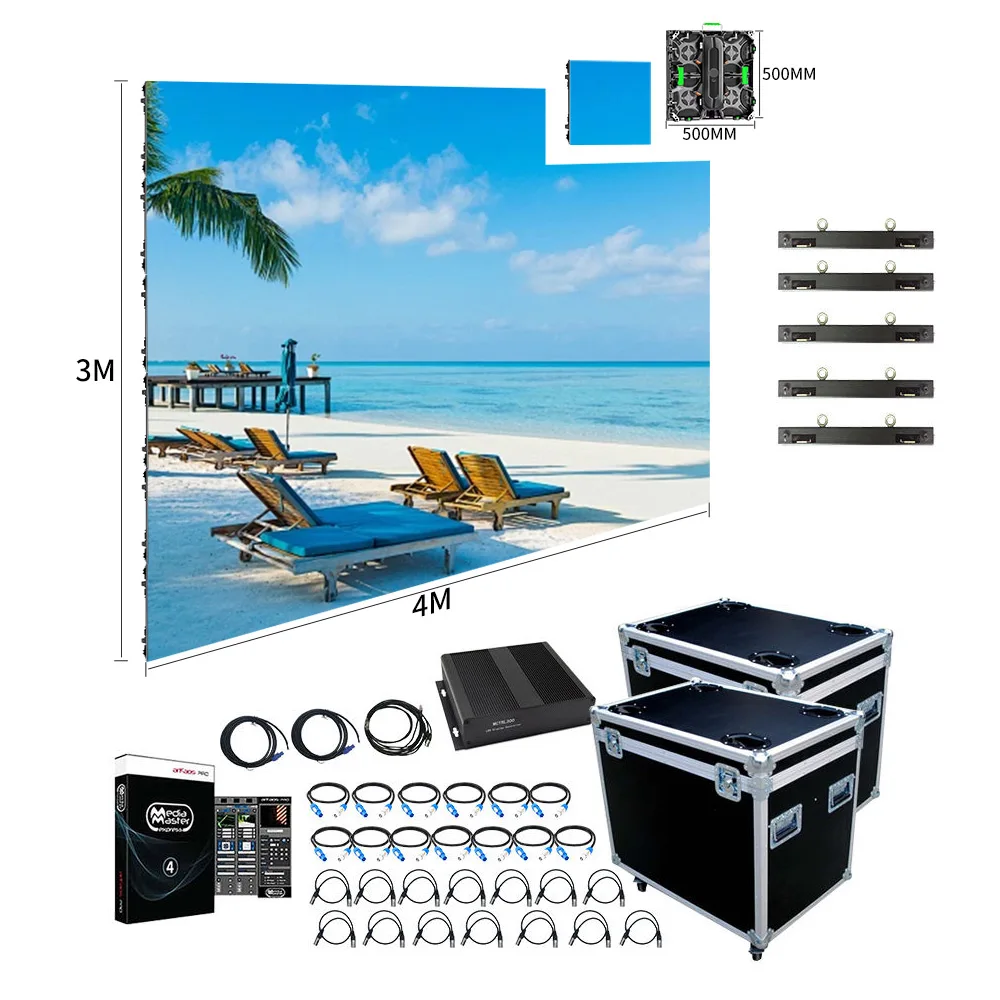
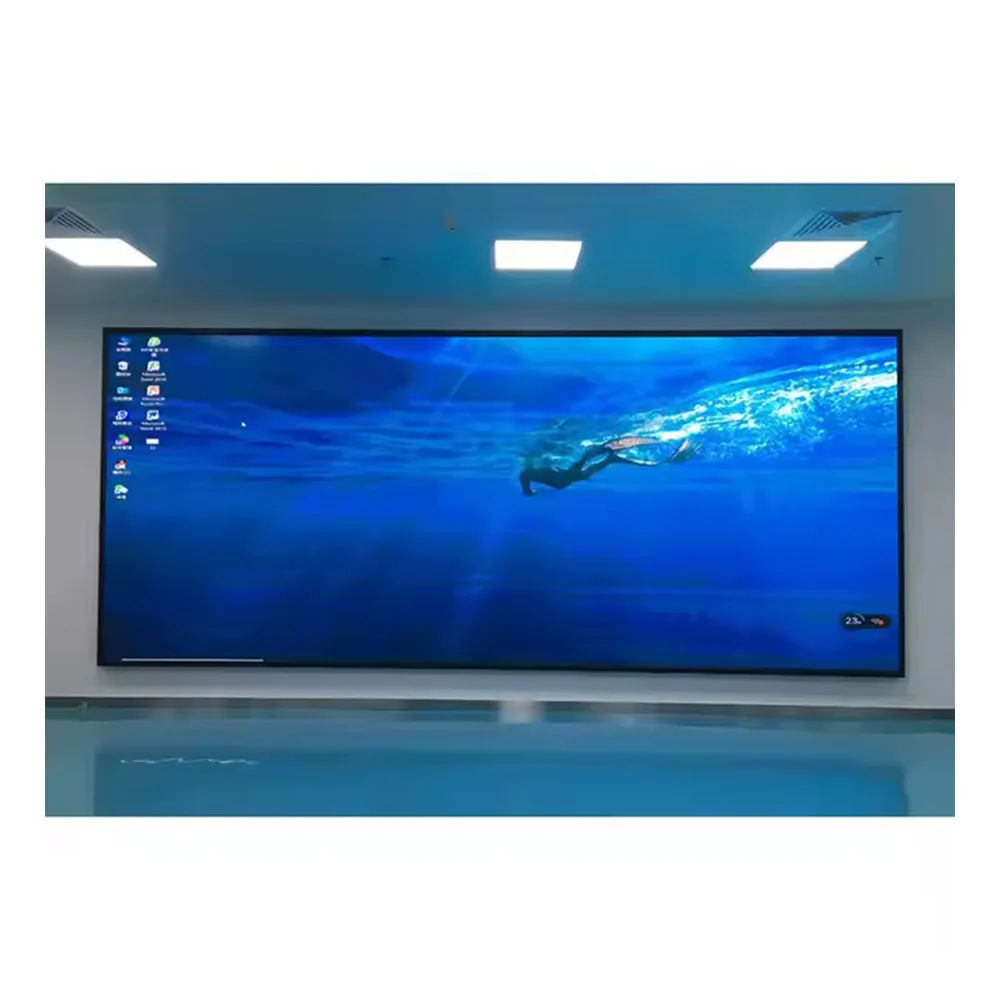
500×500 Cabinet Direction
A compact cabinet format can form part of a range where handling, modular layout, installation flexibility, or repeated project use matters. Final tier placement should still follow the application.
View 500×500 Display
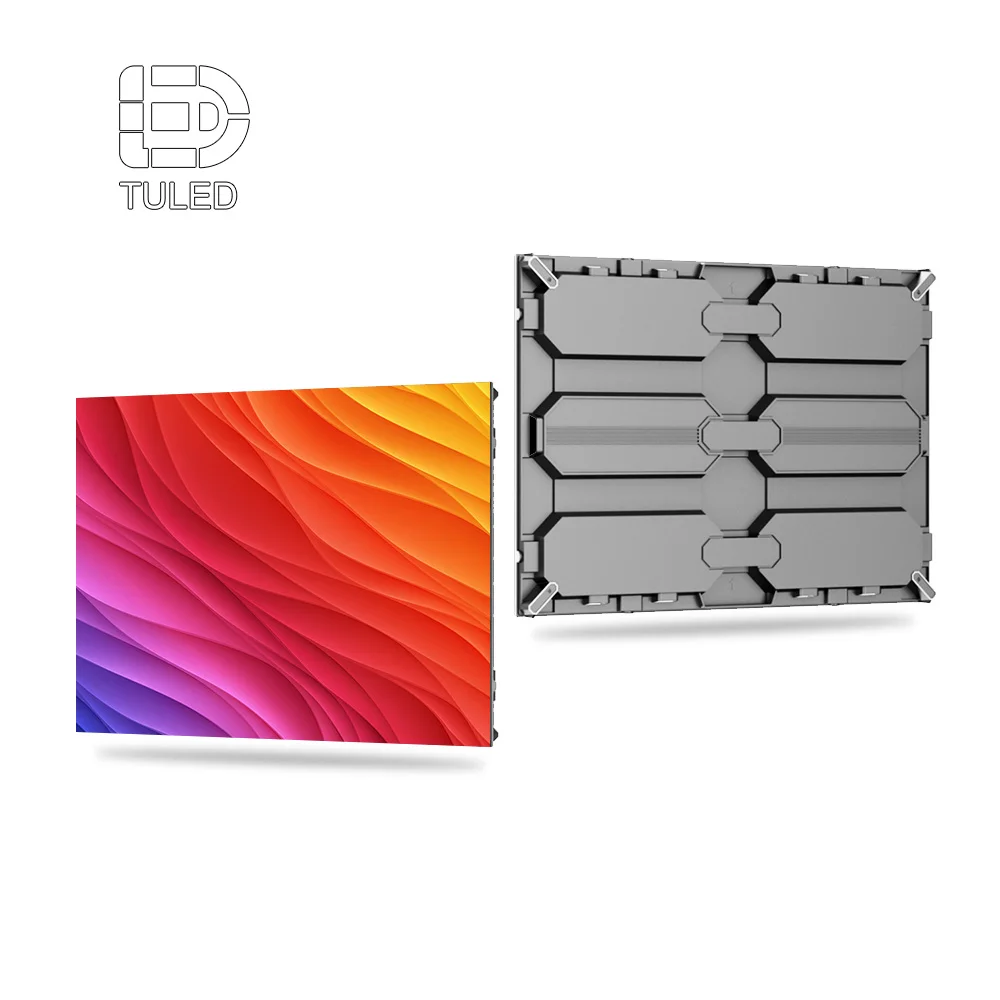
960×960 Cabinet Direction
A larger standard cabinet format can support fixed-installation product planning. However, service access, site geometry, environmental conditions, and final control requirements still determine the commercial fit.
View 960×960 Display
LED Poster Direction
A floorstanding format addresses a visibly different deployment pattern. Accordingly, it can sit beside fixed sign families without creating another pitch-led duplicate in the core catalogue.
View LED Poster DisplayThis approach keeps product imagery useful without forcing each pictured item into a fixed price tier. In practice, the visual product direction helps define the family, while the actual entry, mid-range, or premium position comes from the complete project scope.
Reduce Similar SKUs Before Quotation Becomes Confusing
A large catalogue can create the impression of broad coverage, yet it often slows down daily quotation work. When several models solve nearly the same project problem, the sales team must compare more specifications before deciding which product should lead.
Over time, this creates overlapping price sheets, duplicated product codes, inconsistent descriptions, and several quotation paths for the same application. Consequently, range control should happen before another similar model enters the sales catalogue.
Compare products by commercial role
Two products can use different modules or cabinet dimensions while performing almost the same commercial role. Therefore, technical difference alone should not guarantee separate SKU status.
Instead, compare the products through several project questions:
- Does the intended application change?
- Does the installation method change?
- Does the cabinet or service workflow change?
- Does the control workflow change?
- Does quotation qualification change?
- Does after-sales support require a different process?
If most answers remain the same, the products may belong under one family with configurable options. By contrast, substantial differences across several areas can justify a separate sales-facing position.
Give every SKU one clear reason to exist
A useful SKU statement should fit into one short sentence. For example, one family may exist for straightforward indoor fixed signs. Another may exist for permanent outdoor signage where cabinet protection and access planning change.
Meanwhile, another family can address portable display requirements or higher-complexity installations. If two product statements sound almost identical, the catalogue probably contains unnecessary overlap.
Use a one-in, one-review rule
Every proposed SKU should trigger a comparison against existing families. The question is not whether the component set differs. Instead, the review should determine whether the application or commercial workflow changes enough to justify a separate position.
If the difference is minor, the configuration can enter an option matrix. As a result, new modules, controller choices, cabinet revisions, or accessories do not automatically expand the sales catalogue.
Keep sales-facing choices smaller than engineering choices
Engineering may manage many valid combinations behind a product family. However, the sales team does not need to expose all of them at the beginning of an inquiry. Too many early choices make qualification slower and increase quotation inconsistency.
A more useful early sequence starts with application family, tier, approximate screen geometry, installation type, content workflow, and service requirement. Engineering can confirm the detailed technical combination after those fields are stable.
Use consistent option names across the full range
Inconsistent terminology creates hidden complexity. For example, one maintenance method should not have different names in entry and premium documents. Likewise, signal inputs, control methods, service directions, mounting descriptions, and accessory groups should follow shared wording.
This common vocabulary helps sales, engineering, purchasing, production, logistics, and support interpret the same project in the same way. It also makes future product comparison much easier across the broader LED display factory range.
Avoid a simple good-better-best feature stack
A three-tier catalogue can easily become a feature ladder. Entry receives a short list, mid-range receives a longer list, and premium receives everything. However, this creates permanent cost and specification assumptions that may not fit the project.
A better model uses project fit. Entry represents controlled scope, mid-range represents recurring flexibility, and premium represents greater deployment complexity. Essential site requirements still override the tier label when necessary.
| Review area | Keep separate when... | Merge when... |
|---|---|---|
| Application | Deployment type is clearly different | Both serve the same deployment pattern |
| Cabinet | Mechanical workflow changes materially | Difference is a selectable configuration |
| Service | Maintenance approach changes | Service method stays effectively the same |
| Control | Operating path is fundamentally different | Controller choice is simply configurable |
| Documentation | Different engineering package is needed | Same information package works |
| Sales explanation | Role is distinct in one sentence | Description overlaps another family |
Give All Three Tiers One RFQ and After-Sales Information System
Product-line planning does not end with a catalogue. A scalable range also needs one information system that follows a project from early inquiry through quotation, engineering confirmation, production, shipment, and support.
The actual values will differ between tiers, but the field structure should remain familiar. Consequently, an entry project can move into a more complex tier without restarting the qualification process or rebuilding the project file from scattered messages.
Begin the RFQ with application context
A useful inquiry form should not begin with a long component list. Instead, it should establish where the display operates, what content it shows, how large the installation may be, how the content is updated, and how future servicing will happen.
Once the application is clear, cabinet, pitch, control, signal, power, mounting, and accessory questions become easier to evaluate. This order also reduces the risk of selecting technical components before the operating need is understood.
Record the physical installation area
Site geometry affects more than overall screen size. Available width and height, mounting surface, surrounding obstructions, cable routes, service clearance, structural interface, and access direction can all change the final configuration.
Site photos and drawings can also help when the project becomes more complex. However, the required document depth can scale with the tier. A straightforward standard project may need fewer records than an installation with architectural or structural constraints.
Record the visual task
Content should be described in practical terms. Text, logos, menu information, promotional images, scheduled video, live feeds, public information, or mixed media can create different display priorities.
Viewing range matters at the same time. Approximate closest viewing position, typical viewing distance, movement through the area, and key sightlines give engineering more context than a pitch request alone.
Record the control workflow in plain operational language
Control questions should describe what the display needs to do. For instance, the RFQ can ask whether content comes from a local source, whether scheduled playback is required, whether live video is needed, and whether updates happen remotely.
In addition, several questions can reveal when the control scope needs to move beyond the standard path:
- Will several screens share content?
- Is a network connection available at the site?
- Is remote monitoring required?
- Will an external video source connect to the display?
- Does another management platform need integration?
- Will several locations need coordinated updates?
These questions allow the project to move naturally between entry, mid-range, and premium control scopes. Meanwhile, engineering retains responsibility for confirming the final hardware and software combination.
Record cabinet access before the structure is final
Maintenance access should not be added after the display layout is fixed. A screen can fit the visible installation area while leaving poor access for module, power, control, or cable work later.
Accordingly, the RFQ should capture front access, rear access, surrounding clearance, handling restrictions, maintenance direction, and installation sequence. Restricted sites can then move into a more suitable cabinet or tier before quotation is finalised.
Record environmental conditions without guessing the final solution
Outdoor RFQs should capture relevant exposure rather than assuming one universal outdoor specification. Direct sunlight, rain direction, dust, temperature, humidity, ventilation, corrosive exposure, and other site conditions can affect the engineering review.
Similarly, electrical conditions and local engineering requirements should remain visible project fields. The product catalogue can identify what needs confirmation, while qualified local professionals can confirm site-specific electrical, structural, or regulatory requirements where applicable.
Separate technical scope from commercial scope
Quantity, destination, target schedule, accessory needs, packaging requirements, and documentation requirements belong in the commercial section. However, quantity should not decide the product tier on its own.
A large order of straightforward displays may still fit a controlled entry family. By contrast, a single difficult installation can require premium engineering because the site, service, control, or integration work is unusually complex.
Reusable RFQ Field Checklist
- Installation environment
- Fixed or frequently handled use
- Main application
- Content type
- Content update frequency
- Target width
- Target height
- Available installation area
- Site restrictions
- Photos or drawings where useful
- Viewing range
- Main content format
- Ambient-light conditions
- Pitch under consideration
- Brightness requirement for confirmation
- Cabinet family
- Front or rear access
- Service clearance
- Mounting interface
- Mechanical constraints
- Local or remote content
- Scheduled or live media
- Signal source
- Network availability
- Integration requirement
- Quantity
- Target budget range
- Destination
- Target schedule
- Accessory and documentation needs
Make the quotation follow the same field order
Once qualification is complete, the quotation should follow the RFQ structure rather than reorganising the project into another format. This makes the selected family, tier, dimensions, cabinet direction, service method, control scope, accessories, documentation, and open items easier to compare.
Open questions should remain visible. For example, a field can be marked confirmed, optional, pending review, or project-dependent. This is clearer than hiding unresolved engineering decisions inside general quotation notes.
Use one naming structure for project files
File organisation becomes more important as the product range expands. Consequently, drawings, quotation versions, control information, production records, packing records, configuration files, and support documents should use one project-linked naming structure.
The exact internal format can vary. Still, each file should connect clearly to the project and selected family. This makes similar cabinets easier to distinguish when several projects are active at the same time.
Give every shipment a support baseline
After-sales documentation should not depend entirely on tier. Every delivered system needs enough information to identify the final configuration, cabinet or module reference, control setup, relevant connections, accessories, spare parts, and order-linked documents.
Premium projects may require deeper drawings or integration records. However, the baseline structure should remain familiar across the range. That consistency helps support teams find the correct information without rebuilding the project history.
Plan spare parts as part of the product family
Spare-parts planning works better when it begins before shipment. A family can define which categories normally need confirmation, such as modules, power components, receiving components, cables, connectors, or other project-specific parts.
Exact quantities should still match the confirmed project. In addition, installed quantity, access difficulty, destination, operating importance, and maintenance plan can influence the final spare package.
Lock the approved configuration before production
Once a project moves from quotation into production, one approved configuration record should control the handoff. It can capture screen geometry, selected family, pitch, cabinet layout, service direction, controller path, signal plan, accessories, documentation, and special notes.
Changes after approval should be recorded rather than handled informally. Otherwise, production records, drawings, shipment files, and support information can slowly diverge from the final requirement.
Define the triggers that move a project between tiers
Tier changes should not feel arbitrary. For example, an entry project can move into mid-range when service access, cabinet flexibility, control requirements, or installation conditions exceed the standard scope.
Likewise, a mid-range project can move into premium when mechanical integration, environmental conditions, control architecture, or engineering coordination becomes substantially more complex. These internal triggers make quotation logic easier to defend and keep the range commercially consistent.
Do not downgrade an essential project requirement
A tier system simplifies commercial choice, but it should never remove a site requirement. If access, environmental exposure, structural conditions, control workflow, or another project constraint requires a different configuration, the project scope should change instead of forcing the installation into an unsuitable entry package.
FAQ
Why should an LED sign range be divided by application instead of pixel pitch alone?
Pixel pitch describes only one part of the final display. By contrast, application planning also considers environment, viewing behaviour, installation, cabinet construction, service access, content workflow, and control requirements. As a result, application-led families give each SKU a clearer commercial role and reduce unnecessary overlap.
Which dimensions should separate entry, mid-range, and premium products?
The strongest differences usually come from application complexity, cabinet concept, service access, control workflow, installation flexibility, documentation depth, and engineering involvement. Brightness can also matter, although it should reflect the operating environment rather than become a simple higher-is-better ladder.
Which specifications are suitable for standardisation?
Product-family names, tier definitions, RFQ fields, terminology, documentation formats, recurring cabinet families, and control decision logic usually benefit from standardisation. Meanwhile, dimensions, mounting interface, final brightness, environmental conditions, power arrangement, network requirements, structure, and local compliance items often need project confirmation.
How can highly similar SKUs be reduced without limiting project flexibility?
Commercial SKUs should represent different application roles rather than every technical variation. Before adding another product, compare application, cabinet, service method, control workflow, installation, documentation, and support process. If most areas remain unchanged, the difference can usually stay inside a configuration matrix.
What information package should support all three tiers?
A common package should cover application, dimensions, viewing conditions, cabinet and service requirements, content workflow, controller needs, signal source, network access, mounting, power conditions, environmental exposure, destination, accessories, documentation, and open engineering questions. After confirmation, the same framework can connect drawings, configuration records, packing information, spare parts, and support files.
Build a Smaller Range That Covers More Real Projects
A strong reseller product line does not need dozens of nearly identical products. Instead, it needs clear application families, meaningful tier differences, a controlled standard core, and a repeatable project-information system.
Before expanding the catalogue, three actions provide a useful final check:
- Map the application role. Confirm environment, installation pattern, content workflow, cabinet needs, viewing behaviour, and service access before creating another family.
- Separate standards from project variables. Keep naming, tier logic, RFQ structure, terminology, and documents consistent while leaving site-driven engineering fields open.
- Review overlapping SKUs. Merge products that perform the same commercial role and keep technical differences inside a controlled configuration sheet.
Prepare the range brief before requesting a three-tier proposal
A useful range brief should include target application groups, expected budget bands, indoor or outdoor split, typical screen dimensions, installation methods, viewing conditions, content workflow, control needs, service-access requirements, destination markets, expected quantities, and recurring project constraints.
Where available, site photos, drawings, network information, power conditions, and required accessories can also be included. With those fields confirmed, a wholesale led sign range can be evaluated around application fit, repeatability, engineering scope, SKU clarity, and long-term support rather than a long list of overlapping specifications.
Send Product Line Requirements