EN

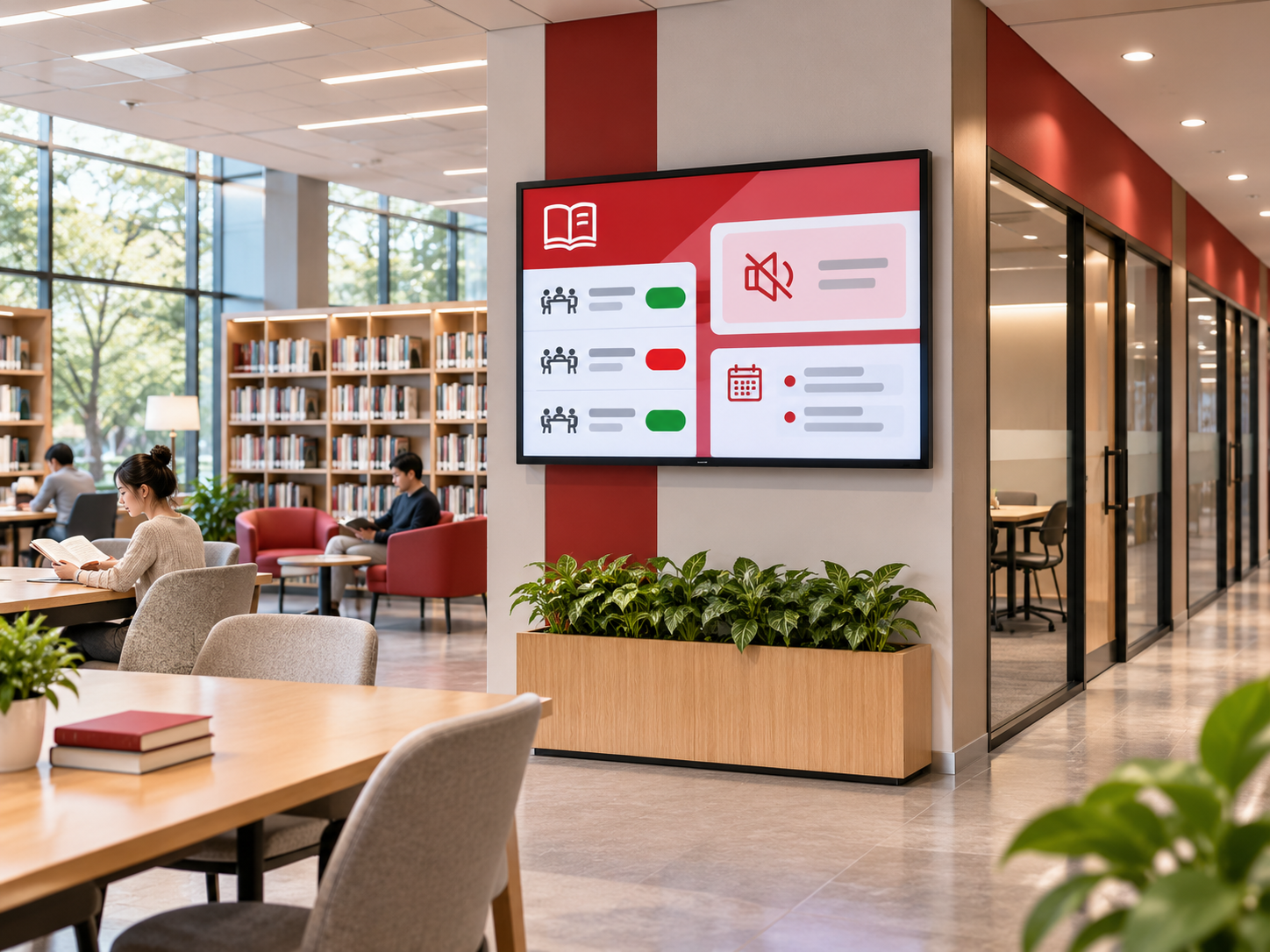
A visitor arrives at the library with a study-room reservation but cannot tell which door to use. At the entrance, another visitor is looking for an afternoon workshop. Elsewhere, someone settles into a reading area without realizing that a quieter space is available just around the corner.
None of these situations is particularly complicated. They become frustrating when the information people need is separated from the place where they need it.
Public library LED information boards can help by making room availability, quiet-zone guidance and event updates visible at the right locations. The aim is not to turn a library into a digital advertising space. It is to reduce uncertainty while preserving the calm, welcoming atmosphere that makes the building useful.
For library managers, that changes the starting point of a display project. Rather than asking how many screens the building needs, it is more useful to ask which questions visitors repeatedly have, where those questions arise and whether staff can keep the answers current.
Room Availability Should Answer More Than "Is It Free?"
Study rooms and meeting spaces are among the most practical places to use timely digital information. A visitor standing outside a room wants to know whether it can be used now, how long it will remain available and whether a reservation is about to begin.
A booking website may already contain all that information. The difficulty is that visitors still have to connect the reservation to the correct physical room. A clearly positioned public library LED room availability display can make that connection easier.
Imagine three study rooms along the same corridor. One is available for the next hour, another has a booking in progress, and the third will become available shortly. A single information board near the corridor entrance could present those differences without requiring visitors to check every door.
There is an important distinction between "available" and "available until 2:00 PM." Someone who only needs a short conversation may be comfortable using Room A. Someone preparing for a two-hour study session can immediately see that it may not be suitable.
The screen should also use the same room names as the booking platform and the signs on the doors. If a reservation confirmation refers to "Meeting Room 3" while the corridor board calls it "Study Zone C," the display introduces another question instead of answering one.
For a single room entrance, a compact LCD or e-paper scheduling display may be more practical than a larger LED board. LED becomes more relevant at shared information points, where visitors need to compare several room statuses or read directions from farther away. This distinction can prevent a library from choosing a display that is unnecessarily large for the information it needs to show.
Booking status and physical occupancy are different
An unreserved room is not necessarily empty, and an occupied room is not necessarily booked. Unless the library has a separate, reliable source of occupancy information, its digital board should describe reservation status rather than claim to know whether someone is inside.
This matters in libraries that allow walk-in use between reservations. A notice can explain that a room is temporarily available, but it should not imply that the room has been formally booked for the visitor.
When reservation data can be transferred from an existing system, the library should confirm how often it updates and what happens if that connection is interrupted. If automatic synchronization is unavailable, a manageable staff publishing process may still be useful. In either case, an outdated "Available" message can be more misleading than no message at all.
Quiet-Zone Notices Work Best When They Feel Like Guidance
A public library rarely has just one kind of atmosphere. Silent reading areas may sit close to collaborative study spaces, children's programs or rooms used for community events. Visitors are not always familiar with those boundaries, particularly when entering a branch for the first time.
A digital notice at the entrance to a quiet zone can help people adjust before they enter. It might identify the space as a quiet reading area, remind visitors to silence their devices and indicate where group conversations are welcome.
But the language matters. "No talking" may communicate a rule, while "For group discussions, please use the study rooms on Level 2" offers a practical alternative. Both can be short; the second is more helpful to someone who has simply chosen the wrong area.
The screen itself should respect the space. Fast transitions, high brightness and constantly changing graphics are poor companions to focused reading. A calm, largely static message at the entrance is usually more appropriate than an animated board facing study desks.
Not every quiet area needs a digital screen. If a rule never changes, a permanent sign may be simpler and less intrusive. Digital signage becomes more valuable when a space changes function, temporary guidance is necessary or several notices need to be coordinated across the building.
For libraries planning consistent signs across multiple entrances or floors, the site's wholesale led sign category is a relevant starting point for comparing sign formats. The buying decision should still begin with the type and amount of information each location needs, not the assumption that every doorway requires the same hardware.
Essential directions should also remain accessible without relying entirely on a powered display. Room labels, appropriate static wayfinding and other accessible information methods continue to matter when a digital sign is unavailable.
Event Updates Should Help Visitors Find the Room, Not Just Promote the Program
Library events bring a different communication challenge. Visitors may have seen a reading group, workshop or children's activity advertised online, but once they enter the building, they need immediate information: Is it happening today? What time does it start? Where should they go?
An effective event display puts those details ahead of decorative artwork. A large photograph may make a promotional poster attractive, but a visitor walking through the entrance is more likely to notice a clearly presented event name, time and room number.
For a library with several activities in one day, the screen might prioritize the next few events rather than show the complete monthly calendar. If a room changes, the updated location should take precedence over the original announcement.
This is also where screen orientation becomes relevant. A long list of reservations is naturally suited to a wider layout, while a short event announcement may work well in a vertical format, especially near an entrance where wall space is limited.
A vertical display for entrance announcements
The Floorstanding LED Poster Display from LEDDisplayFactory is one format worth considering for this kind of information point. Its vertical screen and freestanding structure offer a different installation approach from a fixed horizontal information board.

FOR LIBRARY ENTRANCE AND EVENT AREAS
Floorstanding LED Poster Display
This type of screen can be evaluated for upcoming event notices, room directions and temporary program changes near an entrance. Its portrait orientation is most useful when the content is short and arranged vertically rather than spread across several columns.
Before selecting it, consider available floor space, pedestrian movement, accessible circulation and whether the proposed content system can publish the library's updates. The product photograph is a hardware reference, not a completed library installation.
View LED Poster DisplayThe important decision is not whether an event board can show impressive visuals. It is whether someone entering the library can understand a current announcement before reaching the service desk.
That also means removing expired events promptly. A beautifully designed screen showing yesterday's workshop is no longer helpful, regardless of its resolution.
Which Display Format Actually Fits a Public Library?
Room information, quiet-area notices and event updates have different reading patterns. Trying to display all three in the same way often produces either crowded screens or unnecessarily large installations.
Consider a visitor approaching a corridor. They may need to compare several room numbers at once. A horizontal board gives that information space to sit together. Near an event entrance, someone may only need to read a session title and location; a vertical display might work just as well.
There is also a difference between information people check while walking and information they read while standing still. Text that looks clear on a computer screen may be difficult to understand when viewed from the other side of an entrance hall.
When a wider digital information board makes sense
A shared board can be particularly useful where several rooms or facilities are reached from the same point. The visitor can check availability before walking down the corridor rather than discovering the information at each individual door.
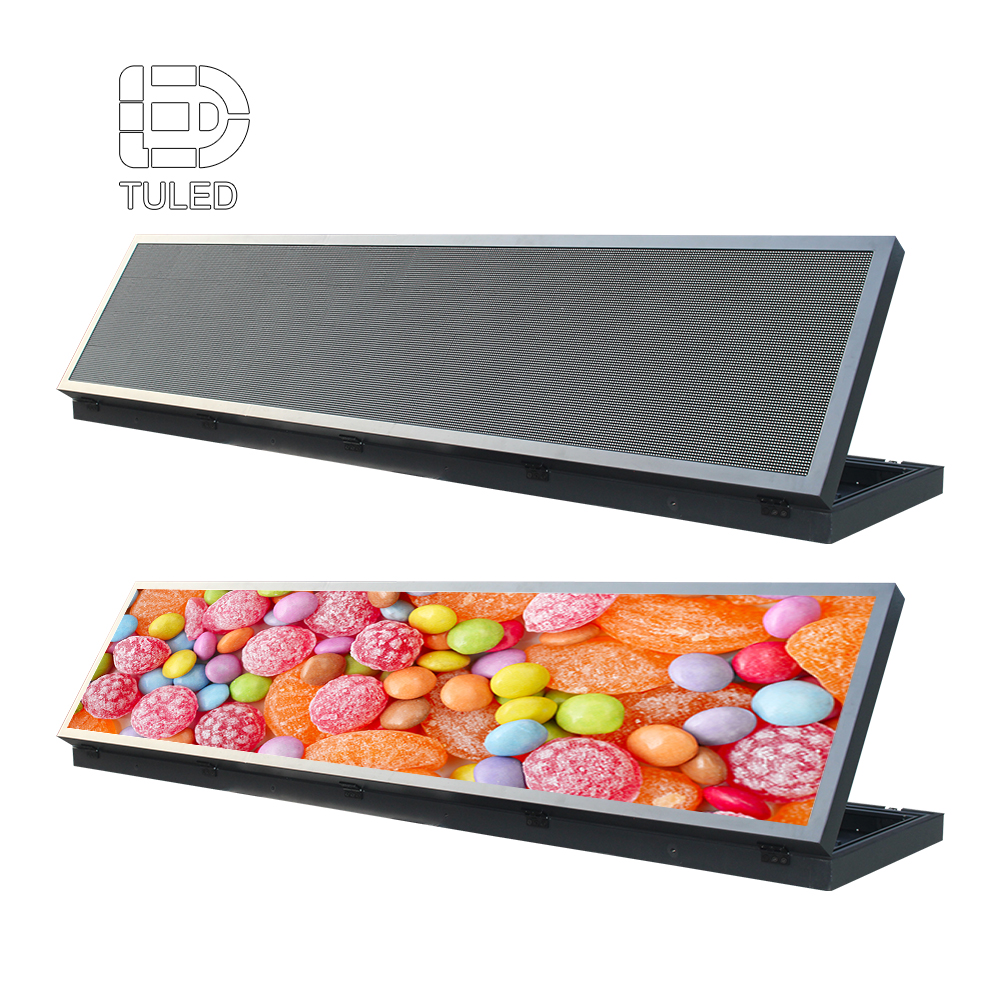
A long-format LED board may be worth evaluating when several room statuses need to remain visible at once. LEDDisplayFactory's LED Digital Display Board provides a hardware-format reference, but the pictured configuration should not be assumed suitable for an indoor library corridor. Buyers should first confirm whether the proposed version supports appropriate indoor mounting, comfortable brightness levels and readable text at the intended viewing distance.
DISPLAY FORMAT FOR REVIEW
LED Digital Display Board
A long-format information board may be useful at a shared location where visitors compare several room statuses or read short directional notices. Its suitability depends on whether the selected screen can present those messages clearly from the intended viewing positions.
The product image shows an angled display-board configuration, not a wall-mounted library corridor installation. Before considering this format for indoor use, confirm the available mounting options, viewing angle, brightness adjustment, text legibility and compatibility with the library's proposed content system.
View Digital Display BoardThe two formats offer different ways to present information. A portrait display may suit short event announcements near an entrance, while a wider board may provide more room for a shared availability list. The better choice depends on the space, viewing distance and content requirements—not screen orientation alone.
Reading distance and screen dimensions matter more than visual spectacle
Pixel pitch affects how clearly a screen can reproduce text at a given viewing distance. A finer pitch may support more detailed content when people stand nearby, but it does not make a cluttered layout easier to read.
For a board intended to display room names and availability times, the better test is to show realistic information at the distance visitors will actually stand. If the text is too small or the screen is overloaded, changing the content layout may be more effective than choosing higher resolution alone.
Available wall space can also influence the decision. Where standard dimensions do not suit a particular corridor or information point, a custom size led screen configuration may be considered. The final size should reflect the usable message area, installation space and maintenance access, rather than simply filling the available wall.
Brightness deserves similar care. A screen near a daylight-filled entrance may face different conditions from one beside a quiet reading room. The goal is comfortable readability under normal use, not maximum visual intensity.
A Useful Library Display Project Begins with the Information
Before comparing quotations, library managers should be able to explain what each proposed screen will communicate and who will maintain that information.
For example, room bookings may be managed through a reservation platform, while events are maintained in a separate calendar. Quiet-zone guidance might only change when a space is temporarily reassigned. These do not necessarily require the same update method.
The library should decide which information needs frequent updates, which can be scheduled in advance and what visitors should see when current data is unavailable.
Suppose a room-booking connection stops updating. Leaving the previous "Available" status on screen may cause someone to rely on information that is no longer current. A notice directing visitors to the service desk may be more appropriate until reliable data is restored.
Similarly, a postponed workshop should not continue appearing as a confirmed event. Digital information is helpful only when the update process is dependable.
What should be included in the project discussion?
A useful supplier brief does not need to be a lengthy technical specification. It should communicate the library's actual needs clearly enough for a proposed display to be evaluated.
Start with photographs or drawings of the intended locations, approximate mounting dimensions and typical viewing positions. Add examples of the messages visitors will see: perhaps a room-status list, a quiet-zone notice and an event announcement.
It is also important to explain how those messages will be updated. If the library has an existing booking or event system, its technical team should identify the available integration methods before assuming automatic synchronization is possible.
Finally, test the screen layout with longer room names, updated locations and unavailable information. A design that works with three short examples may struggle when a real announcement needs an extra line or a second language.
For a closer look at message hierarchy and legibility, the related accessible LED display content guide explains how text, contrast and priority messages affect public-information screens.
There is no need to install an LED board in every corner of a library. Some notices are better handled by permanent signs, and some detailed information belongs on a website or booking platform. The most successful display plan uses screens selectively, where timely information genuinely makes the visitor's next decision easier.
Frequently Asked Questions
Can a library LED board update study-room availability automatically?
Should quiet-zone LED screens show moving announcements?
Is one large LED screen better than several smaller signs?
Good Library Signage Makes Information Easier to Find
The most effective public library LED information boards rarely need to compete for attention. Their value comes from answering ordinary questions at the moment visitors need the answers.
A clear room-status board helps people find a suitable study space. A well-positioned quiet-zone notice helps protect the reading environment. A timely event announcement helps visitors reach the right room without unnecessary confusion.
For a new installation, begin with those visitor needs. Then select the display format, dimensions and update process that support them. A smaller, carefully positioned screen with reliable information can be more useful than a larger display filled with content nobody has time to read.
Planning LED Information Boards for a Public Library?
LEDDisplayFactory offers display formats that can be evaluated for library information areas, from digital display boards to floorstanding poster screens and custom panel configurations.
Share your intended locations, available dimensions, approximate viewing distances and examples of the room or event information you want to display. These details provide a practical starting point for reviewing suitable hardware and identifying any software-integration requirements.
Discuss Your Library Display Project