EN
EN

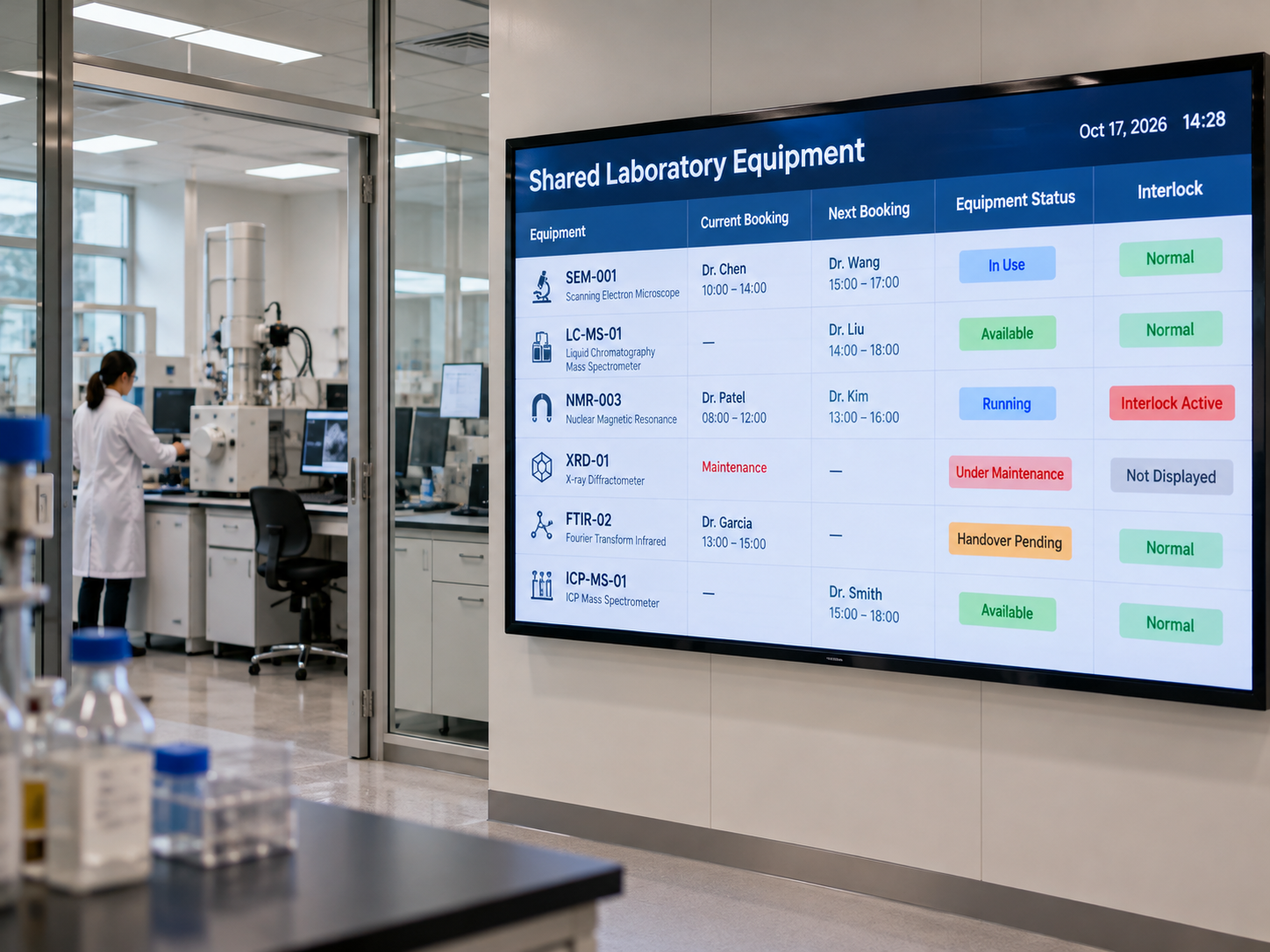
A laboratory instrument can be reserved for an experiment without being ready for use. A research lab LED equipment status display should distinguish the booking schedule, the equipment's actual condition, and any authorized interlock indication. Those are three different sources of information. None should be presented as a substitute for approved safety controls.
For research facility managers and shared-equipment coordinators, the decision is not simply which screen can show the most data. It is which information a researcher can rely on, who is permitted to change it, and what the screen must say when a source cannot be confirmed. A useful display makes the next action clearer without granting operating permission or making a safety decision.
Separate the equipment booking from its actual operating status
A reservation establishes a planned time slot, not readiness to operate. Equipment status describes an independently confirmed condition, while an interlock indication reports a narrowly defined signal only when an approved source makes that signal available. The display should show the distinction rather than merge all three into a single Available label.
Consider an analytical instrument reserved for an afternoon experiment. The earlier user may still be completing a handover, or maintenance may have withdrawn the instrument from service. The booking remains on the calendar, but neither its start time nor an empty preceding slot establishes that the equipment can be used.
A scheduled slot exists. No operating clearance is implied.
An authorized restriction governs availability despite the booking.
No signal is inferred unless an approved source is identified.
Illustrative message hierarchy only; not a demonstrated product interface or live laboratory data.
This separation should carry through research laboratory LED schedules. Use an equipment identifier researchers recognize, show the booking slot in its proper role, and assign a status source to each operating or maintenance label. An absent reservation must not automatically become Available; that conclusion requires the laboratory's agreed release procedure.
When comparing LED wall panel options for a shared laboratory information wall, evaluate how clearly the proposed layout separates these fields. The display can present the information, but the laboratory remains responsible for defining and verifying each status source.
Show interlock indications without implying safety control
Interlock information needs a narrower visual role than the calendar or routine availability message. A screen may report a condition supplied by an approved source, but showing that condition does not make the screen a protective interlock, emergency device, isolation system, or authority to start equipment.
When an approved indication source exists
Suppose the laboratory's technical team authorizes a particular interlock-related field for informational display. The brief should identify the instrument, the exact meaning of each permitted label, and whether that signal describes the entire instrument or only one subsystem. The project team should also confirm how the label is updated and what happens if its source stops responding.
A reported state such as Interlock Active describes only what that authorized signal means. It must not be rewritten as Safe to Enter or Cleared for Operation. A message directing researchers to verify conditions at the equipment may be more appropriate when a local procedure still governs the next action.
When no approved indication source exists
If interlock information is unavailable or cannot be validated, leave it off the shared display rather than calculate a surrogate from the booking calendar. A finished experiment does not prove that protective conditions have been met; a completed maintenance entry does not necessarily mean an authorized release has occurred.
In that case, the screen can still show booking restrictions and tell researchers which coordinator to consult. It should not replace missing interlock information with a reassuring green state. The ability to compose such a message is not evidence that a proposed display product can receive or validate a safety-related signal.
Make shared-equipment messages useful to the next researcher
Shared-equipment information works when a researcher approaching the instrument can determine the next legitimate step. A large Available or Unavailable label is not always enough, particularly when a handover, a maintenance hold, and an upcoming reservation overlap.
Imagine that the previous booking has ended, but the outgoing user has not completed the required handover. Showing Handover Pending may be more useful than Available, provided the facility has defined the label and designated someone who can confirm it. The next researcher then knows that the reservation is not the same as an invitation to begin work.
Another common distinction is between a delayed appointment and equipment that has been withdrawn from service. A rescheduled session calls for a booking update; a confirmed maintenance restriction requires a different status and a different authority. Neither should be hidden by the other.
Choose information according to the viewing point
For a corridor serving several instrument rooms, a larger LED wall may make equipment identifiers, booking changes, and maintenance restrictions easier to read from a distance. At a single workbench or doorway, a conventional monitor may be more practical. Before choosing an LED panel, check the intended viewing distance, the smallest text researchers need to read, brightness under laboratory lighting, power and ventilation requirements, and access for maintenance. The display location also determines whether confidential booking details could be visible to visitors.
The placement decision often becomes clearer by watching how researchers check reservations today. If a booking coordinator manages the calendar while an equipment owner confirms readiness, those messages need to remain independently governed even when they appear on the same screen. Confidential research details, credentials, and access permissions should stay in controlled systems rather than on a shared wall.
The same test applies to proposed automatic updates. If a supplier cannot demonstrate a required connection or content workflow, treat it as an open project requirement rather than an existing capability of shared laboratory equipment displays.
Assign change authority and data-loss behavior
Conflicting messages usually begin with conflicting responsibilities. A coordinator edits a reservation, while a technician changes the maintenance state. If the booking information is updated but the condition field is not, the screen may suggest that an instrument is available when the laboratory has not released it.
Define change authority separately for the booking slot, operating status, maintenance restriction, and permitted interlock indication. A researcher might be allowed to request a different time without being allowed to clear a maintenance hold. An equipment supervisor may confirm a return to service without changing the booking history. These are different permissions, even if the messages appear together.
The project must also decide what happens when sources disagree. A maintenance restriction should remain visible despite a valid reservation, and the people responsible for resolving that disagreement should be identified in advance. An informational display should never silently let calendar data overwrite an authorized restriction.
Make missing information visibly uncertain
Consider a status feed that stops updating while the booking calendar continues to function. Retaining yesterday's operating condition without marking it as stale could misdirect the next researcher. Depending on the facility's approved policy, the affected field might change to Status Unconfirmed, show when it was last verified, or refer the user to the responsible coordinator.
The laboratory should agree on fallback messages before installation, not leave researchers to interpret a frozen status field. The same review should identify who notices incorrect information, who corrects the source mapping, and who authorizes a return to normal. The technical side of LED display data integration and fallback behavior needs separate review; none of these content workflows replaces an approved protective control.
Prepare a lab equipment-and-status display brief
The strongest supplier discussion begins with the laboratory's information rules, not a request for a screen of an arbitrary size. LED Wall Panel options can be considered for a shared indoor information point, but actual suitability depends on viewing conditions, installation requirements, approved content sources, and documented product capabilities.
Use the following short brief to connect the physical display decision with the people and systems that maintain the information.
- Equipment list: identifiers, locations, display groups, and which instruments need shared visibility.
- Booking workflow: who creates, cancels, extends, or hands over a reservation; which booking details can be displayed.
- Status definitions: the permitted availability, operating, maintenance, and informational interlock labels, with their exact meanings.
- Authorized source: the system or person responsible for each field, plus the response when the source becomes unavailable.
- Access policy: who may view, edit, and confirm status information and what must remain off a public screen.
- Maintenance ownership: who fixes stale messages, reconciles conflicting records, and approves status changes after servicing.
With this information, the lab operations team can compare display panels for shared-equipment status against actual installation needs. Ask for model-specific evidence before assuming support for particular update methods, interfaces, permission settings, or information-source connections.
Review the physical panel separately from the laboratory status workflow
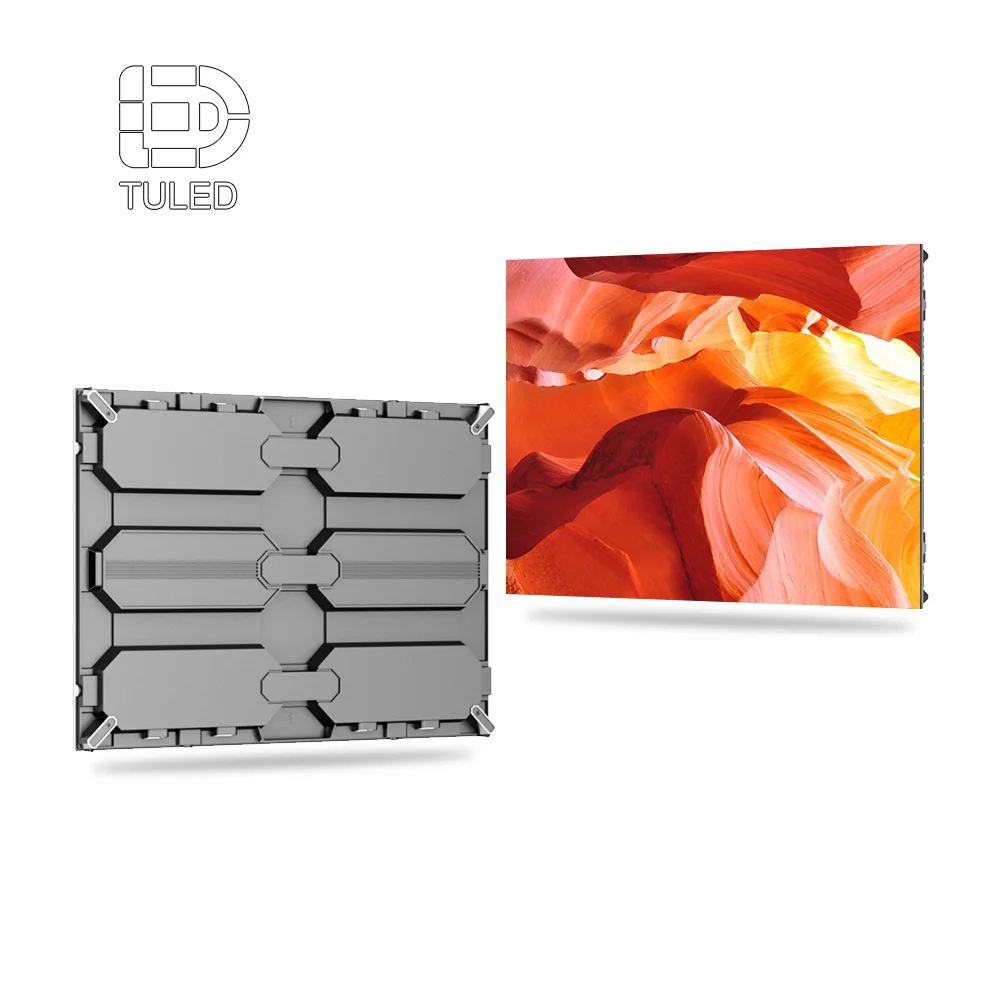
The site's 640×480 LED Display product page provides photographs of an indoor display cabinet and its rear assembly. These are useful when discussing a possible wall format, physical access, and installation planning. They do not demonstrate laboratory scheduling integration, interlock connectivity, or safety approval.


The cabinet photos provide a product reference for physical review only. Confirmation of an appropriate indoor configuration and all required system functions must come from the project's technical assessment.
View Product DetailsFor the final review, ask the supplier to separate verified standard functions, items requiring additional development or configuration, and functions that must remain entirely within the laboratory's approved operating and safety systems. This makes procurement comparisons more meaningful without implying that any named panel automatically meets laboratory requirements.
Frequently Asked Questions
Does showing an interlock state make the display a safety device?
How should maintenance status override an equipment booking?
What access information should remain off a public lab display?
Discuss your laboratory equipment-status display brief
Share the equipment list, booking workflow, status definitions, authorized source, access policy, and maintenance ownership. Those details give the project team a sound basis for evaluating display options without assigning safety responsibility to the screen.