EN
EN

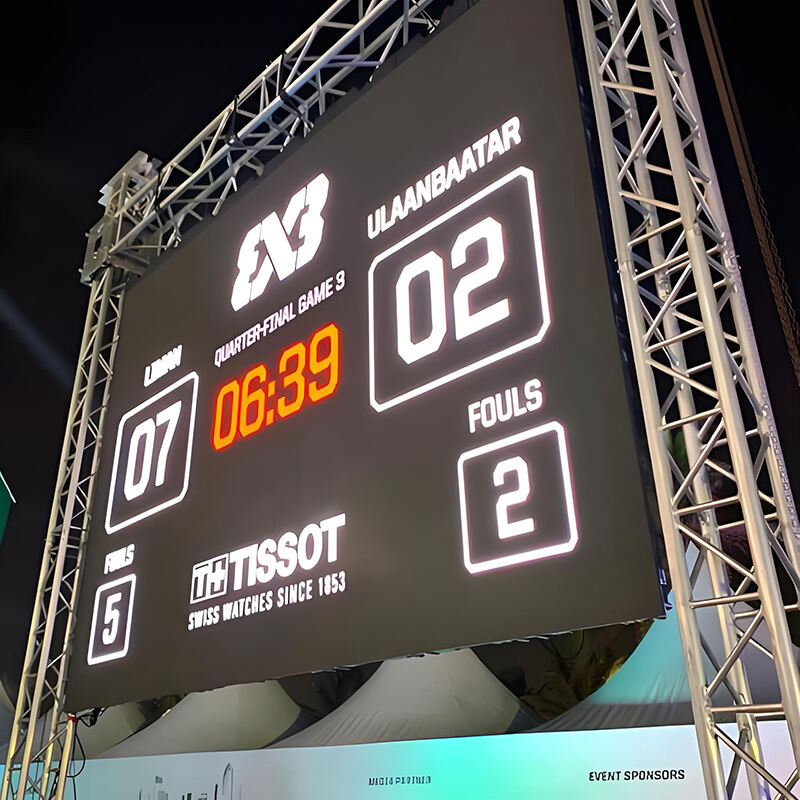
Understanding the Core Components of an LED Display
Essential tools and materials needed for assembly
Putting together a pro level LED display needs some pretty specific gear. Temperature controlled soldering irons, those ESD safe tweezers for tiny parts, and good old fashioned digital multimeters all come into play. The materials matter too. Military grade connectors really make a difference for keeping signals strong and steady. Aluminum alloy frames work great because they're light but still hold up over time. And don't forget about static electricity protection. Those antistatic mats on the workbench and wearing conductive wrist straps can save hours of frustration later on when working with delicate LED components that get easily damaged by even small electrical charges.
Key LED components: From diodes to display modules
LED displays today consist basically of three main parts: tiny micro-diodes, those little driver chips we call ICs, and special protective materials that keep everything intact. The RGB diodes themselves can be incredibly small, sometimes measuring just 1.5 square millimeters. These get packed into standard sized modules around 256 by 128 millimeters, with pixel spacing controlled to within plus or minus 0.01 millimeters for sharp images. Manufacturers apply what's known as surface mount technology during assembly, creating panels that stand up against the weather while delivering impressive brightness levels between 5,000 and 10,000 nits. This kind of performance makes them perfect for digital billboards and other displays that need to work outdoors despite rain or shine.
The role of the cabinet in structural integrity
The structural cabinet serves basically as the main support for displays, featuring steel frames coated with powder that can handle installations larger than 100 square meters. Tests done across the industry indicate that when built right, these cabinets keep panels aligned within about half a millimeter even when facing winds blowing at speeds around 150 kilometers per hour. The system includes ventilation channels that help manage heat inside, keeping things roughly two degrees Celsius above or below room temperature. This helps protect sensitive electronic components from getting too hot or cold.
Power supply requirements for stable operation
Distributed power systems using redundant 5V DC supplies prevent voltage drops across large displays. A 2023 analysis found that 78% of display failures stem from inadequate power distribution. Modern setups include surge protection rated for 6kV/3kA pulses and automatic load balancing to maintain ±1% voltage stability during brightness fluctuations.
Designing the LED Display Layout and Structural Frame
Designing the screen layout based on viewing distance and resolution
The ideal spacing between LED pixels really depends on how far away people will be looking at them. For big screens seen from distances greater than ten feet away, like those in sports arenas, manufacturers usually go with pixel pitches ranging from 5 to 10 millimeters. But when it comes to things people see up close such as store signs or digital billboards, we need much smaller gaps between the lights, typically 3mm or less to keep images looking crisp and clear. When there are more modules packed together in a given area, the picture quality gets better obviously, though this comes at a higher price tag. Research into display technology has shown something interesting too. Screens designed according to how our eyes actually work tend to hold viewers attention about 32 percent longer compared to ones that don't follow these natural visual patterns.
Preparing the frame or cabinet for module integration
When building frames for durability, go with either extruded aluminum or galvanized steel materials. Getting those corners exactly at 90 degree angles is important so modules don't end up out of alignment. If these are going outside, make sure to get cabinets rated IP65 or better. They should have proper drainage channels too, plus some kind of coating that stands up against rust over time. Some recent tests back in 2024 found something interesting about how spacing between crossbeams affects things. When they're spaced 16 inches apart or closer, there's around a 40% drop in cabinet warping when winds hit them hard. A good rule of thumb? Stick with bolts instead of welding any mounting points together. Makes life much easier later on if someone needs to take things apart or rearrange components down the road.
Modular scalability using LED display modules
Using a standard grid layout with panels around 500 by 500 mm makes it much easier when expanding later on. The modules themselves come with LEDs already grouped together along with their power connections and signal processing bits so they just slot right in without any complicated setup. When something goes wrong, swapping out bad units takes less than five minutes and doesn't require turning off everything else which matters a lot in places that run non stop such as airports or train stations where downtime isn't really an option. Factories calibrate these things automatically before shipping them out, getting colors matching pretty closely across different panels too about 98 percent consistent most of the time according to tests.
Assembling LED Modules and Wiring for Reliable Performance
Step-by-Step Assembly Guide: Installing LED Modules Securely
Getting those LED modules lined up just right inside the cabinet frame matters a lot for how well everything works together. Make sure the pixel pitch matches what the display needs for resolution. When securing the modules, go with either rust-proof screws or magnetic attachments so they don't shift around while running. We've seen too many installations fail because someone rushed this step. The latest Outdoor Display Installation Guide from 2023 actually mentions something pretty shocking - displays installed without proper alignment tend to break down about 23% more often in places where there's constant vibration. Always grab a spirit level before making those final electrical connections. Trust me, taking an extra minute here can save hours of headaches later on if things start misbehaving after installation.
Connecting Data Cable & Power Cable Efficiently
Route data cables separately from power lines to reduce electromagnetic interference—a major cause of signal degradation. In cabinets larger than 2m², implement star-topology power distribution with redundant paths. Insulate all joints with IP67-rated connectors and label cables clearly to streamline maintenance.
Ensuring Signal Integrity Through Proper Wiring and Connections
Shielded Cat6 cables preserve data integrity over long distances, while twist-lock XLR connectors prevent accidental disconnections. According to the DisplayTech Report 2023, improper wire bending radii contribute to 18% of early-stage failures. Use cable combs or sleeves to organize wiring and minimize strain on terminal blocks.
Testing Individual Components Before Full Integration
Power each module at 110% of rated voltage for 30 minutes to detect weak solder joints or defective diodes. Measure current draw across modules; variations exceeding 5% suggest potential power supply issues. Leading integrators report this pre-testing phase cuts post-deployment service calls by 41%.
Configuring the Control System for Seamless Operation
Installing the control system (controller box, sending card & receiving card)
The controller box needs to go somewhere dry where it won't get shaken around too much. When setting up the system, connect those sending cards (they handle all the input signals) to the receiving cards spread throughout the LED modules. Use shielded data cables for this connection work. From what we've seen in the field, going with modular control systems that have plug-and-play features cuts down on installation mistakes by about 30 percent when compared to building everything from scratch. And don't forget to check those polarity markings really closely during installation. Getting them wrong can lead to some serious short circuit problems down the line.
Software installation and driver configuration
Install manufacturer-provided software to map the display’s resolution and physical layout. Configure drivers to match the cabinet’s power setup and module specifications. For optimal performance, set refresh rates above 1,920Hz and enable grayscale correction. Unified interfaces cut operator training time by 45% and help minimize latency risks.
Synchronizing hardware with control signals
Verify signal transmission between controller and modules using protocols like MODBUS or Ethernet. Test outdoor displays across temperatures from -20°C to 50°C to ensure operational stability. Use diagnostic tools to identify delays beyond 2ms—the threshold where flickering becomes visible—and adjust driver settings accordingly.
Calibration, Testing, and Final Deployment of the LED Display
Calibration and Configuration of Brightness and Contrast Settings
Calibrate brightness to ambient lighting conditions. Research from the Display Safety Institute (2023) shows incorrect brightness can increase eye strain by up to 40% in mixed-light environments. Set contrast ratios between 1,000:1 and 3,000:1 for clear visibility in both indoor and outdoor settings.
Color Calibration for Uniform Visual Output
Use spectrophotometers to standardize RGB values across modules, compensating for manufacturing variances that can result in wavelength differences up to 10nm. Since the human eye can detect shifts as small as 3nm, calibration is essential to eliminate visible discrepancies between adjacent diodes.
Testing with Sample Content to Identify Dead Pixels or Misalignment
- Display grayscale gradients to reveal dead pixels
- Play high-motion video to evaluate refresh performance
- Check geometric patterns for alignment errors
Industry data shows rigorous pre-deployment testing detects 92% of defects before launch.
Troubleshooting Common Display Inconsistencies
| Issue | Diagnostic Protocol |
|---|---|
| Flickering Sections | Check power supply ripple (<5%) |
| Color Banding | Verify data cable shielding integrity |
| Partial Signal Loss | Inspect solder joints on control ICs |
Final Integration and Safety Checks Before Deployment
Confirm grounding resistance is below 1Ω and that structural supports can handle 1.5 times the operational weight. Conduct a 72-hour stress test at maximum brightness to validate thermal management and power stability under real-world conditions.
FAQ
What are the essential tools needed to assemble an LED display?
You will need a temperature-controlled soldering iron, ESD safe tweezers, and a digital multimeter, among other tools.
Why is it important to protect LED components from static electricity?
Static electricity can easily damage delicate LED components, leading to component failures and malfunctions.
What are the primary components of an LED display?
The primary components include micro-diodes, IC driver chips, and protective materials.
How important is pixel pitch in LED displays?
Pixel pitch is crucial for image clarity, particularly in applications where viewers are close to the display.
Why are modular control systems beneficial?
Modular systems reduce installation mistakes and are easier to assemble and maintain compared to non-modular systems.
Table of Contents
- Understanding the Core Components of an LED Display
- Designing the LED Display Layout and Structural Frame
- Assembling LED Modules and Wiring for Reliable Performance
- Configuring the Control System for Seamless Operation
- Calibration, Testing, and Final Deployment of the LED Display
- Calibration and Configuration of Brightness and Contrast Settings
- Color Calibration for Uniform Visual Output
- Testing with Sample Content to Identify Dead Pixels or Misalignment
- Troubleshooting Common Display Inconsistencies
- Final Integration and Safety Checks Before Deployment
- FAQ