EN
EN

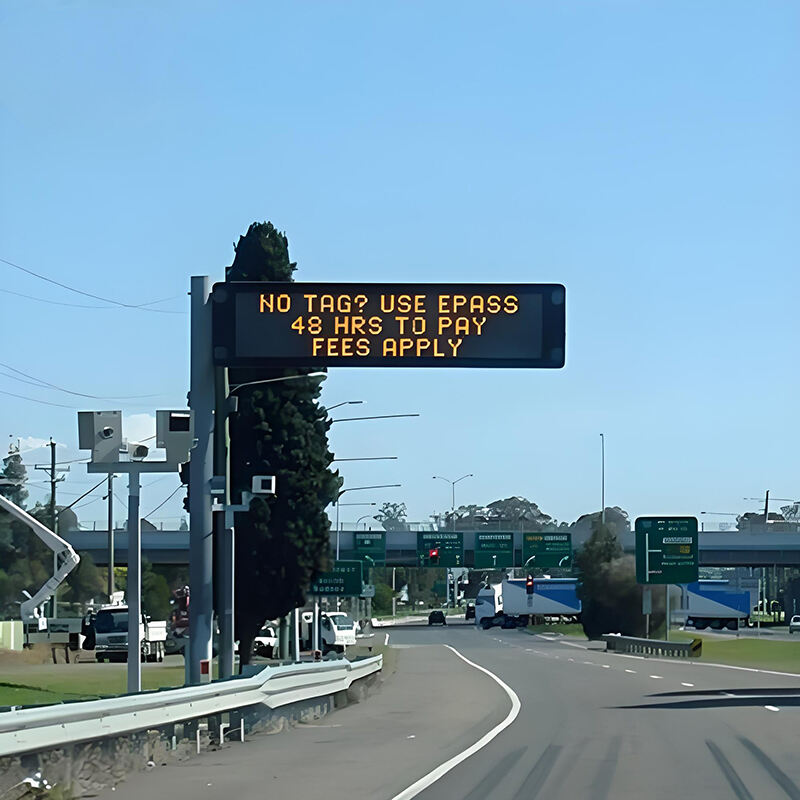
What Is a Digital LED Display? Understanding Core Technology and Functionality
Definition and Fundamental Purpose of LED Display Systems
Digital LED displays work by using lots of small LEDs that together create images, videos, or text on screen. The big difference between these and LCD screens is how they produce light. While LCDs need backlighting, LEDs actually make their own light through something called electroluminescence where electricity flows through special materials and creates photons. We see these everywhere now for good reason too. They're super bright (some reach 10,000 nits!), save energy, and last forever even in tough conditions both inside buildings and outside under the sun. Take billboards, stadium scoreboards, airport info boards - all rely heavily on this tech. And let's face it, businesses cannot afford problems here. When displays fail during important moments, companies lose money fast. According to research from Ponemon Institute back in 2023, downtime costs organizations around $740,000 on average.
How LED Displays Work: Principles of Light Emission and Pixel Control
An individual LED works like a tiny light bulb that gets dimmed or brightened through something called PWM, where the diode turns on and off really fast to control how bright it looks to our eyes. On screens, these LEDs are grouped together into what we call pixels, basically little clusters made up of red, green and blue lights. The controller inside the display adjusts the electricity going to each color component, allowing for different shades of gray and eventually creating full color images. When all three colors in a single pixel are glowing at maximum strength, that spot shows up as white. Change how hard each color works and suddenly there are millions of possible color combinations available.
RGB Color Mixing and Pixel Composition in Digital LED Displays
Pixel quality hinges on precise RGB color synthesis. Red, green, and blue light combine at variable intensities to reproduce a broad gamut of hues. Advanced systems use real-time algorithms to maintain color and brightness uniformity across large panels. Key factors include:
| Parameter | Impact on Quality | Optimization Method |
|---|---|---|
| Diode Consistency | Prevents color shifts | Bin sorting during production |
| Pixel Density | Enhances image sharpness | Tighter pixel pitch |
| Calibration | Ensures uniform brightness | Post-assembly tuning |
Higher pixel density improves clarity at close viewing distances—essential for retail signage, control rooms, and immersive installations.
Key Components of an LED Display: Structure and System Architecture
LED Modules and Panel Types (DIP, SMD, GOB): Differences and Applications
LED modules house clusters of red, green, and blue LEDs and form the physical basis of any display. Three primary manufacturing approaches define performance and application suitability:
- DIP (Dual In-line Package): Through-hole LEDs deliver high luminosity and weather resistance—ideal for outdoor billboards and transportation hubs requiring 7,000 nits and UV/heat resilience.
- SMD (Surface-Mounted Device): Miniaturized RGB chips mounted directly on PCBs enable slimmer profiles and tighter pixel pitches (1–10mm), supporting high-resolution indoor applications like video walls and command centers.
- GOB (Glue-On-Board): Epoxy-encapsulated modules offer superior protection against moisture, dust, and impact—making them ideal for marine, industrial, and mining environments where reliability under physical stress is non-negotiable.
| Type | Optimal Use Case | Pixel Pitch Range | Durability Advantage |
|---|---|---|---|
| DIP | Stadiums/High-sunlight | ';10mm | Heat/UV resistance |
| SMD | Control rooms/Retail | 1–10mm | High-resolution density |
| GOB | Marine/Industrial | 0.9–2.5mm | Impact/shock protection |
SMD dominates 85% of retail video wall deployments due to its balance of resolution, slim bezels, and scalability.
Main Control System: The Brain Behind LED Display Operation
The central control system orchestrates content rendering using synchronized signaling protocols—including Ethernet and fiber-optic networks. It converts input sources (video feeds, data streams) into precise display instructions while managing:
- Frame-rate synchronization across cabinets to eliminate misalignment
- Grayscale calibration ensuring consistent 16-bit color depth
- Low-latency (<1ms) distribution of signals to driver ICs
Advanced architectures support modular expansion without compromising timing integrity—even across installations exceeding 1,000m².
Power Supply and Control Units: Ensuring Reliable and Stable Performance
Redundant 5V DC power units deliver stable voltage to LED arrays via parallel circuits that isolate failures and prevent cascading outages. Critical design features include:
- Surge protection rated to 6kV (IEC 61000-4-5 compliant)
- Active Power Factor Correction (PFC) maintaining ';0.95 efficiency
- Temperature-regulated cooling to sustain brightness stability over 100,000+ hours
Control units dynamically adjust current per module, compensating for environmental variables—such as ambient temperature shifts—that affect LED output consistency.
Step-by-Step LED Display Manufacturing Process: From Design to Final Assembly
PCB Fabrication and Precision Mounting of LED Chips
The manufacturing process starts with creating printed circuit boards (PCBs). Basically, they etch conductive paths onto these non-conductive materials so electricity can flow where it needs to go. Next comes Surface Mount Technology (SMT) work. Machines spread solder paste on specific spots first, then place those tiny LED chips and driver integrated circuits with incredible accuracy—sometimes down to fractions of a millimeter. After this careful placement, the boards go through what's called reflow soldering. This involves heating them just right so all those connections stick together properly without melting anything important. Getting this step right matters a lot. If something goes wrong during alignment or if the solder doesn't melt completely, we end up with dead pixels on screens or colors that look off when viewed from certain angles. These problems aren't just cosmetic either; they affect how well the whole device functions in practice.
Module Testing and Calibration for Consistent Visual Output
Once the soldering process is complete, every LED module goes through thorough light measurement tests to check if the brightness stays consistent and colors match across the whole surface area. Modern calibration tech steps in here too, adjusting power levels automatically to fix those tiny differences between LEDs, bringing Delta-E numbers down under 2.0 so nobody can actually see any color shifts. Before these modules get put together into final products, they face some pretty harsh environmental checks too. We cycle them between freezing cold at minus 20 degrees Celsius all the way up to scorching heat of 60 degrees. This brutal treatment helps spot hidden problems early on, which makes sense when thinking about product longevity and customer satisfaction in the long run.
Cabinet Integration, Wiring, and Final Panel Assembly
Modules that have been properly calibrated get mounted firmly onto either aluminum or steel cabinets designed specifically for both strength and heat dissipation. When connecting these modules together, technicians typically run extra power lines and data cables in what's called a daisy chain setup. They also make sure to include proper strain relief points and organize all those cables so future maintenance won't be such a nightmare. For outdoor installations, we always install silicone gaskets along with IP65 rated seals prior to putting everything together. After everything is assembled, the finished cabinets go through a pixel mapping process. This step is crucial because it ensures that when multiple cabinets form a large video wall display, everything lines up perfectly. The mechanical tolerances during this process need to stay really tight, around plus or minus 0.1 millimeters at most.
Pixel Pitch and Image Quality: How Design Affects Visual Performance
Understanding Pixel Pitch: Relationship to Resolution and Viewing Distance
Pixel pitch refers to how far apart each pixel sits from its neighbor, and this measurement really matters when it comes to image quality and where displays should be placed. When we talk about smaller numbers like 1.5mm, what happens is the screen packs more pixels into the same space, which means better detail and crisper images for people standing close by. Displays with around 5mm spacing work well when folks are watching from over five meters away, but if someone needs super sharp visuals for things like TV studios or monitoring centers, they'll want something under 2mm instead. For big spaces such as sports arenas or highway signs where nobody gets too close, bigger pixel gaps still make sense because they save money without sacrificing readability for distant viewers.
Impact of Pixel Density on Clarity in Video Walls and Digital Signage
When pixel density gets tighter, those annoying gaps between LED lights disappear. This makes gradients look smoother, text easier to read, and details sharper overall. For big video walls and interactive displays in stores or museums, this matters a lot. The right balance of pixels also keeps brightness and colors looking consistent from panel to panel. No more weird distortions or those ugly banding effects when something moves on screen. Retailers notice this difference too. Think about those giant screens in mall entrances or the high-tech displays in corporate buildings. Even in serious places like control rooms where every second counts, having crisp visuals can make all the difference in communication and decision making.
Quality Control in LED Display Manufacturing: Ensuring Consistency and Reliability
In-Line Inspection and Burn-In Testing Protocols
AOI systems keep an eye on where components are placed and check if solder joints hold up during assembly, catching problems like LEDs that aren't aligned properly or electrical paths that have become shorted together right away. After everything gets put together, the screens go through a tough burn-in period lasting anywhere from 48 to 72 hours while running at full brightness and exposed to extreme temperatures. According to the DisplayTech QC Report from last year, this kind of stress testing picks up around 92% of those annoying early life failures before they even reach customers. Units that show less than 10% difference in brightness across the screen and don't have any dead spots make it past this stage and onto the next part of production.
Balancing High-Volume Production with Color Uniformity Across Batches
Chromatic consistency across thousands of modules requires spectrophotometer-based calibration against reference standards. Automated correction algorithms adjust driver currents to compensate for inherent binning variations in red, green, and blue LEDs. Statistical process control guides batch sampling—20% of modules per lot are tested for:
- Delta-E color difference (target ';3.0)
- Grayscale linearity
- Viewing angle uniformity
This disciplined approach guarantees identical visual performance whether producing a single display or scaling to enterprise-wide deployments.
FAQ
What is the difference between LED and LCD displays?
LED displays produce their own light through electroluminescence, while LCDs require backlighting.
How do LED displays manage to show different colors?
LED displays control brightness levels of red, green, and blue LEDs within each pixel to achieve various colors.
What are the durability advantages of different LED module types?
DIP modules offer heat and UV resistance, SMD modules provide high-resolution density, and GOB modules offer impact and shock protection.
How does pixel pitch affect image quality?
Smaller pixel pitch means higher resolution and sharper images at closer viewing distances, while larger pixel pitch is suitable for distant viewing.
What is the purpose of quality control in LED display manufacturing?
Quality control ensures components are properly placed, stress testing identifies early life failures, and color uniformity consistency is maintained across batches.
Table of Contents
- What Is a Digital LED Display? Understanding Core Technology and Functionality
- Key Components of an LED Display: Structure and System Architecture
- Step-by-Step LED Display Manufacturing Process: From Design to Final Assembly
- Pixel Pitch and Image Quality: How Design Affects Visual Performance
- Quality Control in LED Display Manufacturing: Ensuring Consistency and Reliability
- FAQ