EN
EN

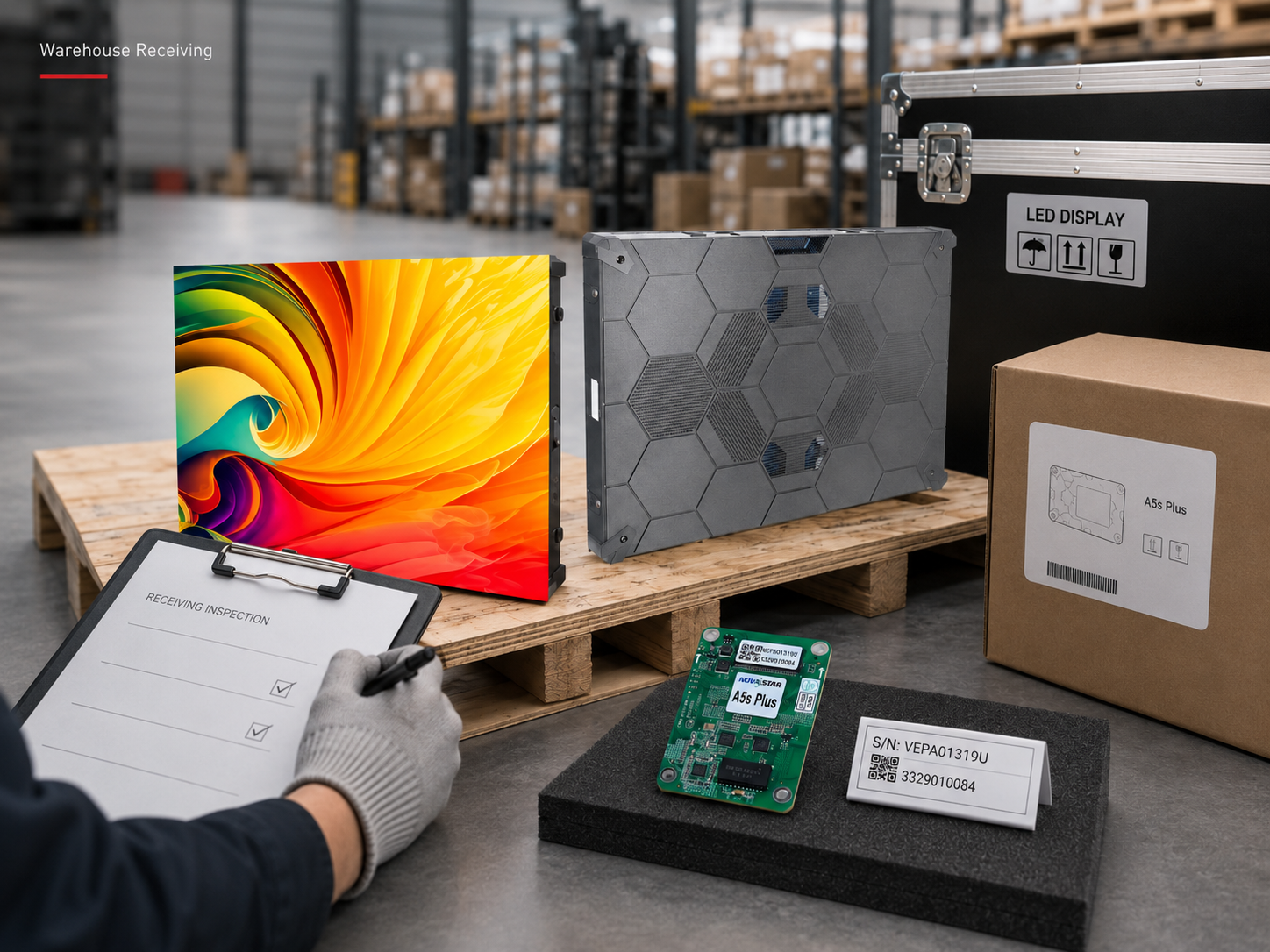
A Wholesale LED Screen shipment reaching the warehouse starts a different stage of risk control. A practical wholesale LED screen receiving inspection is not another factory QC round. Factory testing is already behind the shipment. The immediate concern is whether the correct goods arrived, whether packaging protected them during transit, and whether anything should be held aside before normal storage or installation.
A useful receiving inspection does not need to turn into a long warehouse manual. It should answer a few practical questions quickly: What looks abnormal on arrival? Do the case numbers and quantities match the shipment documents? Does a small power-on sample reveal an obvious transport-related or functional issue? If something is wrong, is there enough evidence to trace the problem back to a specific package and item?
Start With the Shipment Before Anything Moves
The strongest arrival evidence usually exists during the first few minutes at the loading bay. Once straps are cut, cases are separated and pallets are moved, part of that context disappears.
For that reason, the first record should be simple. Capture the complete load, package labels and anything that looks unusual. A damaged corner becomes far easier to investigate when another image shows exactly which case carried it and where that case sat in the arriving load.
Packaging tells a story, but different cases tell it differently
Crushed cartons, punctures, torn tape and softened cardboard are easy to spot. Still, the bottom of a carton can reveal moisture before the upper surface does. A small puncture also deserves attention when it lines up with an inner module, connector area or accessory box.
Wooden cases show stress through split boards, loose joints, damaged skids and forklift entry areas. Flight cases need a different view. Wheels, locks, handles, corner protectors and frame alignment often reveal more about transport condition than harmless surface scratches.
Pallets should be photographed before the load is broken down. A damaged deck board or leaning stack can affect several cases together, and that relationship is difficult to reconstruct after each case has moved to a different warehouse location.

Wooden cases and flight cases require different arrival checks. Inspect labels, corners, bases, locks and visible impact areas before the packaging is moved or opened.
Moisture is different from ordinary cosmetic damage
Damp cardboard, softened timber, water staining, damaged protective bags or visible condensation are reasons to stop and look deeper. Power-on testing should not automatically follow while moisture remains visible. Keep the affected package isolated until its internal condition is understood and the equipment is suitable for further inspection.
Reconcile the Shipment Before Stock Disappears Into the Warehouse
Opening every case first can actually make reconciliation harder. A faster approach starts with package numbers. Compare the expected case sequence with what physically arrived, then move to cabinets, modules and accessories.
A shipment can contain the correct total number of cases and still have an identity problem. Two packages may carry the same number while another expected case is absent. That problem is easier to see while the shipment is still organized.
Keep case numbers and serial numbers separate
A case number identifies the shipping unit. A serial number, where supplied, identifies a particular cabinet or control component. When those two fields remain separate, a later photo, test result or storage location can still be traced back to the correct package and item.
| Field | What to Record | Why It Helps |
|---|---|---|
| Case number | Carton, flight case, wooden case or pallet reference | Shows missing or duplicated shipping units |
| Serial identity | Item reference where actually supplied | Links a particular item to photos and test results |
| Expected quantity | Confirmed packing-list quantity | Creates the comparison baseline |
| Physical count | Actual quantity found | Shows shortages, overages or packing differences |
| Warehouse location | Rack, bay, inspection or hold area | Makes later investigation faster |
| Status | Unchecked, checked, hold or released | Prevents unresolved stock entering normal inventory |
Cabinet quantities are best checked twice: once within each case and once against the shipment total. Spare modules should remain a separate line rather than disappearing into the cabinet count.
Where sealed module packs already have clear labels and reliable quantities, there is little value in opening everything merely to count again. Unnecessary opening adds handling, dust and electrostatic exposure without always adding useful information.
Small accessories deserve the same attention. In a larger wholesale LED display order, cabinets, spare modules, receiving cards, power supplies and cables may sit in different cases. One missing control item can delay later testing even when the main cabinet count is correct.
Use Power-On Sampling to Find Obvious Arrival Problems
The warehouse does not need to rebuild the complete display system. A limited sample is enough to answer a narrower question: do selected cabinets start normally and show any obvious abnormal behavior after transport?
Samples can come from different pallets or case positions, with extra attention given to packaging that already shows impact. Including a normal package is useful because it creates a comparison under the same test setup. The goal is not final commissioning; it is to identify exceptions that should not disappear into normal stock.
A symptom is more useful than an early diagnosis
A blank cabinet does not automatically mean a receiving card failed. A dark section can involve configuration, signal routing, cabling, connectors or power. Recording “upper section dark” leaves room for proper troubleshooting without weakening the original observation.
Simple white, red, green, blue and dark test images can make obvious abnormal pixels, flashing sections and module differences easier to see. A wide photograph should show where the problem sits, while a closer view captures the symptom itself.
Intermittent behavior is better captured on video. A short, stable clip that shows the cabinet identity, test state and repeated symptom usually carries more value than several unrelated screenshots. Keep the tested cabinet traceable until the result is understood.

When a sample behaves abnormally, keep the cabinet identity and test setup visible. The purpose of the first warehouse check is to document what happened before deeper component-level diagnosis begins.
Preserve the Condition That Was Just Verified
Receiving inspection loses value if cleared equipment then spends several weeks in poor storage. The warehouse does not need a complicated storage system. It does need conditions that avoid adding new moisture, dust, handling damage or identification problems.
Original cases and protective packaging are worth keeping in place where practical. Modules, receiving cards and other exposed electronics need more care than general structural parts, especially when protective or antistatic packaging has already been supplied.
Keep stock away from leak zones, damp floors and visible condensation. Moist equipment should not move straight into functional testing.
Exposed electronics should stay away from cutting, grinding, sanding and other dust-producing warehouse work.
Released stock, inspection holds and claim-related material should remain physically distinguishable.
Temperature changes also deserve attention. Equipment moved from a cold environment into warmer humid air can develop condensation. Later power-on should wait until visible moisture is gone and the equipment is in a suitable condition for testing.
Specific temperature and humidity limits should come from the documentation for the actual equipment rather than an unrelated generic figure. The same principle applies to electrostatic handling of exposed modules and control electronics.
Build One Evidence Story, Not a Folder Full of Unrelated Photos
Claim communication often becomes difficult even when many photographs exist. The problem is usually not the number of images. It is that nobody can clearly connect the damaged product to the package, its arrival position and the point where the damage first became visible.
A stronger record moves from context to detail. It starts with the untouched load and finishes with the affected cabinet, serial identity or functional symptom.
Record pallet arrangement, wrapping, straps and surrounding packages before major movement.
A dent, puncture or wet area becomes more useful when the case number remains visible.
Outer case, foam, separators and protective bags should be recorded before their position changes.
Capture the full product, the damaged area, serial identity where available, and video when the problem is intermittent.
Original files matter more than complicated file names
There is no need for a code-like naming system that makes the process technical for the sake of it. A simple case reference and item reference are enough, as long as the same identifiers appear in the receiving sheet, photographs and videos.
Original media should remain available even if annotated copies are prepared for discussion. Messaging apps can compress images and videos, so keeping the original files preserves more useful visual detail.
Relevant damaged packaging should also stay available while the issue remains open. This does not mean storing every normal carton indefinitely. It means avoiding the loss of packaging that may still help explain a specific transport-related exception.
Turn the Inspection Into a Clear Warehouse Decision
Most packages do not need deep investigation. Normal stock should move through receiving quickly, while exceptions receive more attention. The useful output is not a long report; it is a clear decision about what can continue, what must remain traceable, and what needs further review.
| What Appears | Warehouse Decision | Keep Traceable |
|---|---|---|
| Normal packaging and matching count | Continue normal receiving | Case identity and receiving record |
| Crushed, punctured or wet package | Hold before put-away | Package label and unpacking sequence |
| Missing package or quantity mismatch | Keep reconciliation open | Packing list, case number and physical count |
| Power-on abnormality | Isolate the tested unit | Unit identity, setup and video |
| Visible product damage | Preserve item and relevant packaging | Evidence from arrival through unpacking |
FAQ
How can case numbers, serial numbers and quantities be checked quickly?
Reconcile case numbers before opening every package. After that, compare cabinet and accessory quantities with the packing list and record serial identity only where it is actually supplied. Keeping package identity and item identity separate prevents confusion later.
What matters most during warehouse power-on sampling?
Look for obvious behavior rather than trying to commission the whole project. Failure to start, repeated restarting, dark sections, flicker, image loss and visible abnormal pixel areas are useful observations. Record what happened, which unit was tested and what test path was used before assigning a component-level cause.
What should be done if moisture or condensation is found after delivery?
Do not move automatically into power-on testing while visible moisture remains. Keep the affected package or equipment separate, document the condition and allow the next step to follow the actual equipment guidance. Product-specific storage and handling limits are more useful than applying an unrelated generic temperature or humidity number.
Which evidence is most useful when transport damage needs further review?
The strongest record connects the untouched shipment, affected case, package label, internal protection and actual damaged product in one sequence. Add serial identity where available and use video when the problem is intermittent rather than purely physical.
Keep Warehouse Receiving Separate From Factory QC and Installation Acceptance
Warehouse receiving should not become another factory QC report. Its job is narrower: confirm that the expected shipment arrived, identify anything that may have changed during transport, check selected equipment for obvious abnormalities, and keep unresolved stock traceable.
Finished-screen flatness, cabinet seams, structural alignment and site punch-list items belong to installation acceptance. Keeping those topics out of warehouse receiving makes the process faster and prevents the arrival record from becoming mixed with later installation issues.
Prepare a Receiving Checklist Around the Actual Shipment
Before delivery, prepare the expected package count, packaging format, cabinet quantity, spare-module quantity, control equipment list, accessory list and any serial-number structure already included in the shipment documents.
When the shipment arrives, record any damaged case numbers, quantity differences, visible moisture, tested cabinet identities and power-on symptoms before those items are moved into normal inventory.
If you need the factory to review an arrival exception, send the shipment reference, affected case number, product or serial identity where available, packing-list difference, arrival photos, unpacking sequence and a short test video for any intermittent screen behavior. That gives the technical team enough context to review the actual shipment instead of working from a generic description.
Send Shipment Details