EN
EN


En LED-vegg i en kirke kan se vakker ut inne i salen, men likevel skape forstyrrende mønstre på livestreamen. Derfor bør kameravennlige planlegging begynne med tilbedelsesscener, kamerabevegelser, seavstand, innholdsvaner og ukentlig drift.
For et prosjekt som krever praktisk skjermdireksjon bør samarbeid med en led vegg leverandør føles som en samtale om teknologi for tilbedelse, ikke bare en forespørsel om prisangivelse. Skjermen må støtte tekster til sanger, taler, scenelys, kamerabilder, online tjenester og stille øyeblikk av tilbedelse uten å trekke oppmerksomheten vekk fra budskapet.
Det egentlige problemet: Skjermen ser bra ut i salen, men kameraet ser noe annet
Til å begynne med virker mange kirkeskjermprosjekter enkle. Prospektoren føles svak, scenen trenger en renere visuell bakgrunn, og takkelagets ønske er at teksten skal være lesbar også fra de bakerste radene. Imidlertid kan den første livestream-testen avsløre et annet problem.
På kameraet kan LED-bakgrunnen vise tynne bølger, krypende linjer, fargerippel eller skimmer bak taleren. I salen er disse mønstrene kanskje ikke synlige i det hele tatt. Som resultat ser rommet ut til å fungere godt, mens nettstrømmen fortsatt føles ustabil.
Dette effekten kalles vanligvis moiré. Enkelt sagt oppstår den når LED-pikselruten interagerer med kamerasensorruten. Det menneskelige øyet blander pikslene fra en normal betraktningsavstand. Samtidig sampler kameraet displayoverflaten på en mer nøyaktig måte.
Derfor er lav moiré-effekt ikke bare en spesifikasjon for displayet. Det er et problem knyttet til bønnemiljøet. Pixeldensitet, avstand mellom kamera og skjerm, objektivfokus, lukkeroppførsel, lysstyrke, innholdsstil og scenedybde påvirker alle det som seerne ser under direktesending.
Dette er viktig fordi visuelle elementer i kirken inngår i følelsesmessige øyeblikk. Under bønn bør skjermen hjelpe folk med å synge. Under predikenen bør bakgrunnen forbli rolig. Under direktesending bør bildet føles stabilt nok til at budskapet forblir sentralt.
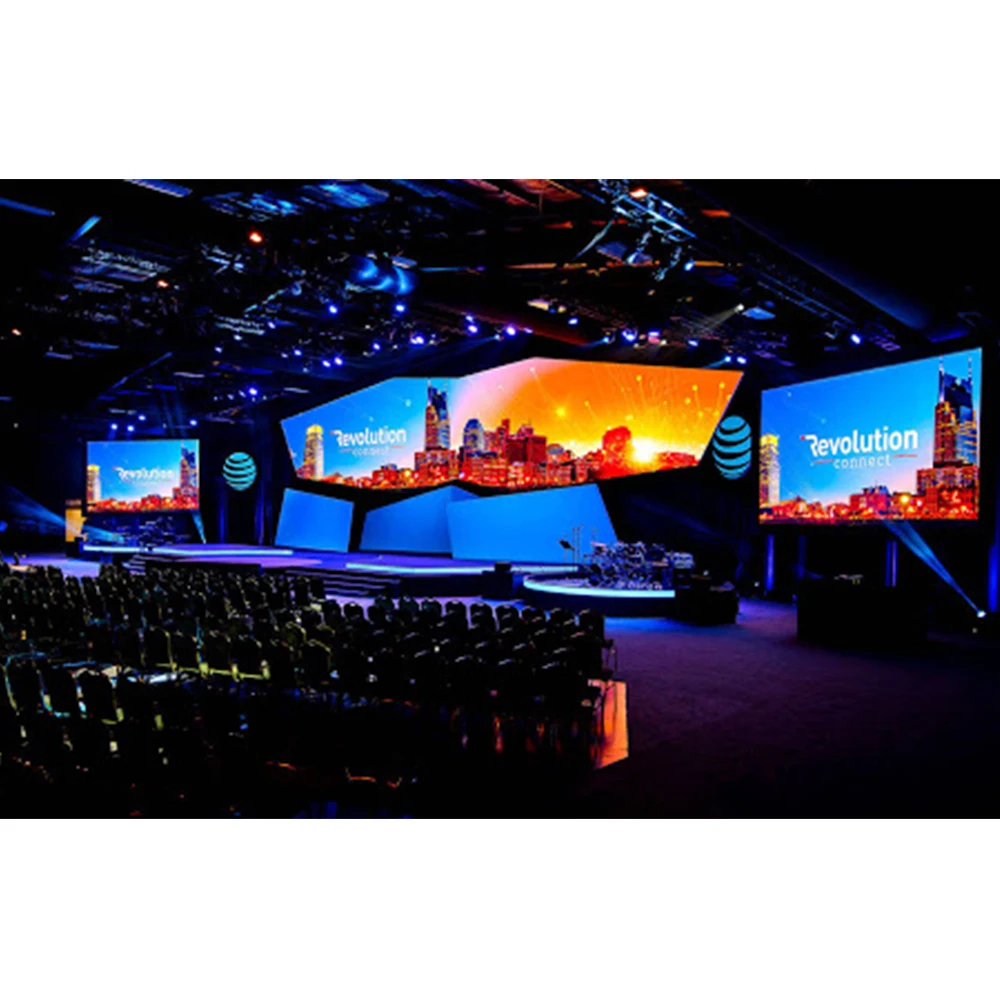 Se kirkenes LED-vegg-løsninger
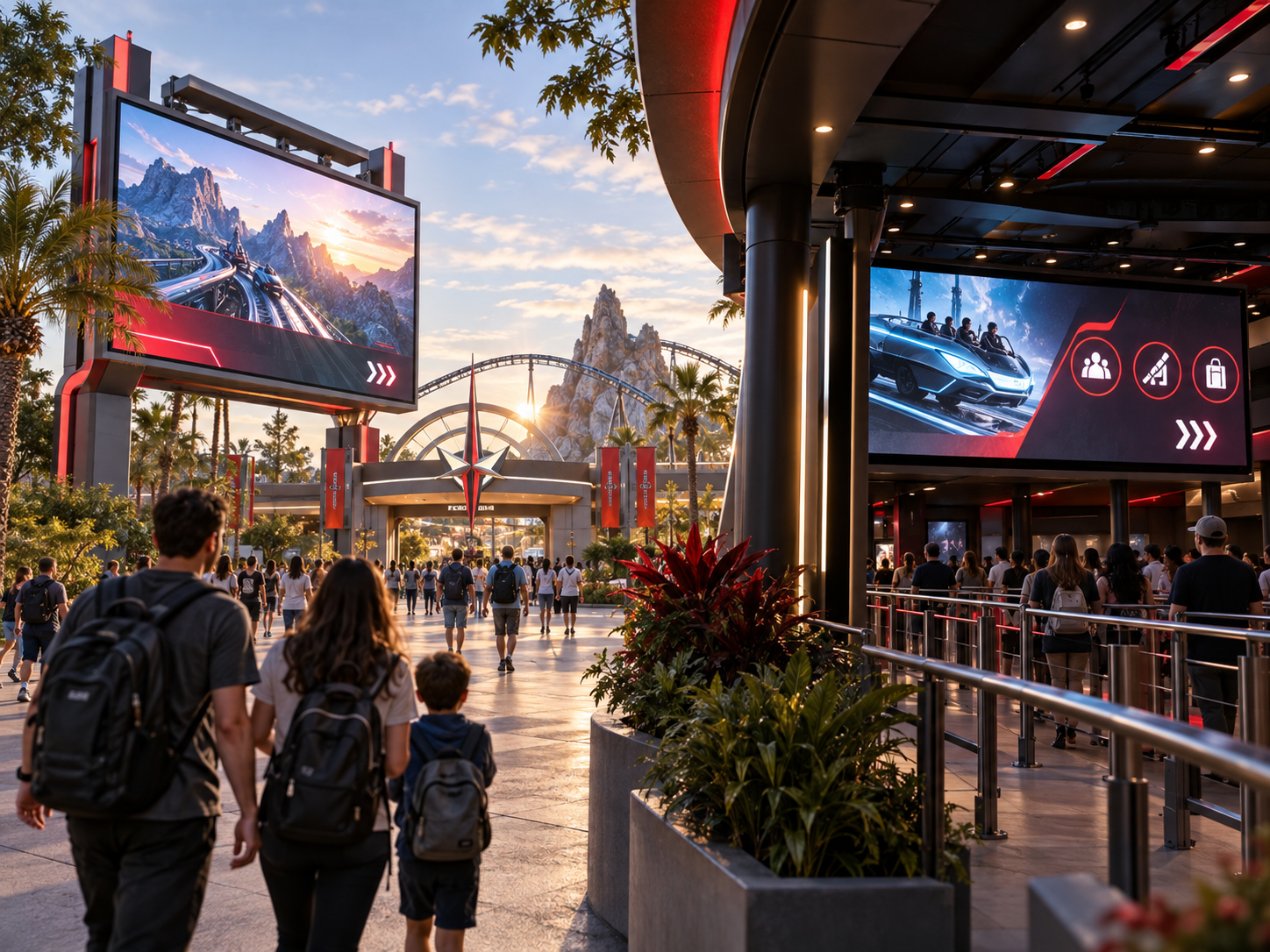
 Bildebruk: plasser dette scenebildet nær innledningen, fordi det knytter sammen bønnemiljøet, skjermstørrelsen og kameraplanleggingen.
Hva «kameravennlig» virkelig betyr i et kirke-miljø
En kameravennlig LED-vegg betyr ikke bare en lysere vegg eller et høyere oppfriskningstall. Det betyr i stedet at displayet oppfører seg godt under reelle kirkeopptak. Et bredt bønneramme, et nærbilde av taleren, en sidevinkel fra kameraet og et utklipp for direktesending bør alle være behagelige å se på.
Samtidig må veggen fortsatt tjene rommet. Menigheten trenger lesbare tekster, tydelig skrift, varme farger og et scenebilde som føles gjennomtenkt. Hvis skjermen er justert kun for kameraet, kan rommet føles svakt. Hvis den derimot er justert kun for rommet, kan livestreamen se hard ut.
Derfor er det bedre mål å oppnå balanse. Skjermen bør støtte tilbedelsen uten å bli det sterkeste elementet i rommet. Den bør også gi kameraene en ren bakgrunn når taleren står foran veggen under lengre undervisningsmomenter.
I praksis kommer ofte kamera-vennlig oppsett fra tilbakeholdenhet. Mykere bakgrunner, kontrollert lysstyrke, stabil prosessering, passende pikselavstand og god frontbelysning gir vanligvis et mer profesjonelt resultat enn å maksimere alle innstillingene.
En praktisk visuell test for tilbedelsesteam
Under en øvelse bør veggen gjennomgå tre enkle tester. For det første bør tekstene forbli leselige uten å trekke oppmerksomheten vekk fra tilbedelseslederne. For det andre bør ansiktene ikke bli for mørke fordi veggen overstyres kameraets eksponering.
For det tredje bør bakgrunnen ikke skimre når kameraet panorerer, zoomer eller endrer fokus. Hvis én test mislykkes, er svaret kanskje ikke en ny skjerm. Noen ganger er løsningen bedre kameraplassering, mer rolig innhold, et annet lysstyrkeforhåndsinnstilt valg eller større avstand mellom taleren og skjermen.
Avstanden i salen bør forme skjermen før spesifikasjonsarket gjør det
I en sal er avstand mer nyttig enn et katalognr. Den nærmeste raden, den lengste seteplassen, kameraplattformen og avstanden mellom taleren og skjermen påvirker alle hvordan veggen vil føles. Derfor bør valg av pikselavstand starte med rommet.
En fin pikselavstand kan gjøre nærvurdering glattere. Det øker imidlertid også kostnadene og kan kreve strengere innholdsdissiplin. En bredere pikselavstand kan fungere godt i et stort rom, men det kan bli risikofylt når kameran tar opp nær bakgrunns-LED-væggen.
For eksempel kan en kompakt kapell med liten scenedybde trenge en glatter skjermoverflate, fordi folk og kameraer sitter nær. Samtidig kan et større auditorium legge vekt på skjermstørrelse, tekststørrelse og synslinjedekning. Samme skjermvalg vil ikke passe like godt til begge rommene.
Som et resultat er den viktigste spørsmålet i tidlig planlegging ikke «Hvilken pikselavstand er populær?». Et bedre spørsmål er «Hvor vil folk sitte, hvor vil kameraene stå, og hvor ofte vil veggen vises bak ansiktene?»
Hvordan lese avstand uten å overkomplisere prosjektet
For de nærmeste radene bør veggen føles glatt og rolig. For midteradene må tekster og bibelverser ha tydelig størrelse. For de lengste radene er vanligvis helhetlig skjermstørrelse og kontrast viktigere enn små detaljer.
I mellomtiden er problemet med kameraet ikke bare sitteavstanden. Kameraets sensor kan oppdage mønstre fra en posisjon der menneskelige øyne ser et rent bilde. Derfor bør skjermen vurderes både fra begge seteplasser og fra kameraposisjonene før godkjenning.
Romvisning og livestream-bruk må planlegges sammen
En kirkeskjerm har to publikum samtidig. I salen trenger folk tekster, predikasjonspunkter, velkomstbilder, nedtelling og kunngjøringer. På nettet trenger det livestream-publikum rene kamerabilder, stabil farge og en bakgrunn som ikke konkurrerer med taleren.
Derfor er en kirkevideovegg må planlegges som en del av et fullverdig tilbedelsesmediesystem. Veggen, kameraene, belysningen, prosessoren, mediedatamaskinen og operatørene påvirker alle den endelige opplevelsen.
For tilbedelse på rommet bør displayet hjelpe folk med å synge og følge tjenesten. Stor tekst, tydelig avstand mellom linjene og myk bevegelse fungerer ofte bedre enn opptatte design.
I mange kirker er den mest effektive visuelle stilen mer rolig enn forventet. Store former, bløte gradienter, langsom bevegelse og moderat kontrast filmer vanligvis bedre. Dessuten reduserer de visuell trøtthet for personer som sitter i salen.
Hvorfor gamle prosjeksjonsvaner kanskje ikke overføres
Eldre prosjeksjonssystemer oppmuntret ofte til lysere bakgrunner og sterk kontrast fordi prosjektoren måtte konkurrere med romlyset. En LED-vegg derimot emitterer lys direkte. Som et resultat kan samme innhold føles sterkere, skarpere og mer dominerende.
Derfor bør mediestilen utvikles etter oppgraderingen. Mykere visuelle biblioteker, større avstand mellom tekstlinjene, færre tynne linjer og separate forhåndsinnstillinger for taler kan gjøre veggen mer moden og kameravennlig.
Beslutningstabell: Match kirkescenen før du velger displayet
En nyttig beslutningstabell bør ikke lese som en ren spesifikasjonstabell. I stedet bør den koble hver kirkescene til det visuelle resultatet som er mest relevant. Denne tilnærmingen gjør sammenligning enklere og reduserer risikoen for å velge en skjerm som ser bra ut på papiret, men føles feil under tjenesten.
| Kirkescene | Hva som er viktigst | Hva Man Bør Unngå | Spørsmål for bekreftelse |
|---|---|---|---|
| Liten sal | Sømløs nærværende visning og tydelig lesbarhet av tekster | Å velge en bred pitch bare fordi den senker første tilbudet | Hvor nær er første rad, og hvor er hovedkameraet plassert? |
| Mediumstor kirke med livestream | Balansert romlysstyrke, kamerastabilitet og enkel drift | Å behandle høy oppdateringsfrekvens som den eneste løsningen på kameramoiré | Hvilke kameravinkler vil ramme veggen hver uke? |
| Stor auditorium | Skala, siktelinjer, tekststørrelse og integrasjon med scenen | Kjøpe oppløsning som de bakerste seteplassene ikke kan dra nytte av | Hva er den lengste avstanden der teksten fortsatt er lesbar? |
| Skjerm bak presten | Lav moiré, rolige bakgrunner og eksponering som framhever ansiktet | Plassere taleren for nær en skarpt fokusert LED-overflate | Hvor mye dybde er det mellom taleren og veggen? |
| AV-boks ledet av frivillige | Gjenbrukbare forhåndsinnstillinger, enkel bytting og stabil oppstart | Å bygge en arbeidsflyt som bare én teknisk person kan betjene | Kan søndagsteamet kjøre systemet uten stress? |
Denne tabellen hjelper til å flytte samtalen fra «Hvilken modell er billigst?» til «Hvilken konfigurasjon passer best til dette salen for tjeneste?». Denne skiftet fører vanligvis til et bedre valg av skjerm og færre overraskelser under øving.
Hvordan oppdateringsfrekvens, punktavstand og oppsett påvirker moiré – uten å bli hele historien
Oppdateringsfrekvensen påvirker hvor ofte displayet oppdateres. I kirkespråk påvirker den om kamerane registrerer flimring, skannelinjer eller ustabile bevegelser. Den bør imidlertid diskuteres som et resultat av kamerabruk, ikke som et isolert bragdepunkt.
Pixelavstanden påvirker den fysiske avstanden mellom LED-lysene. En mindre avstand kan redusere synligheten av pixelstruktur ved kortere avstander. Den fjerner imidlertid ikke automatisk moiré hvis kameraet er for nært, objektivet fokuserer skarpt på veggen eller innholdet inneholder fine mønstre.
Innstillingsvalg er også viktige. Kameravinkel, lukkeroppførsel, fokuspunkt, lysstyrke og scenedybde kan forbedre eller forverre bildet. Derfor er den mest nyttige planen en kombinasjon av riktig display, riktig kamera og riktige innholdsvaner.
I stedet for å be om det høyeste tallet i hver kategori bør prosjektteamet be om en innstilling som støtter den reelle tjenestestrømmen. Det betyr stabile brede bilder, klare nærbilder av taleren, lesbare salmevers, jevn overgang mellom kilder og enkelt håndtering.
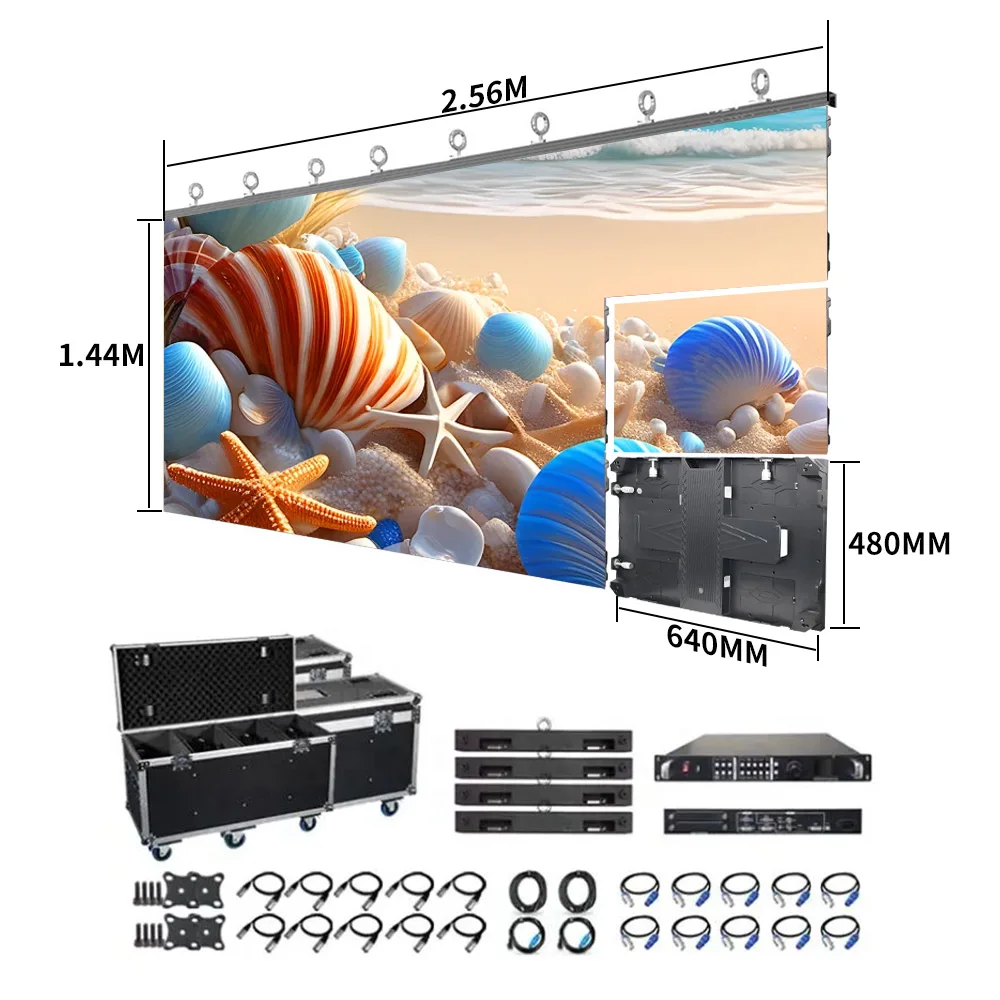 Utforsk LED-skjermer for kirker
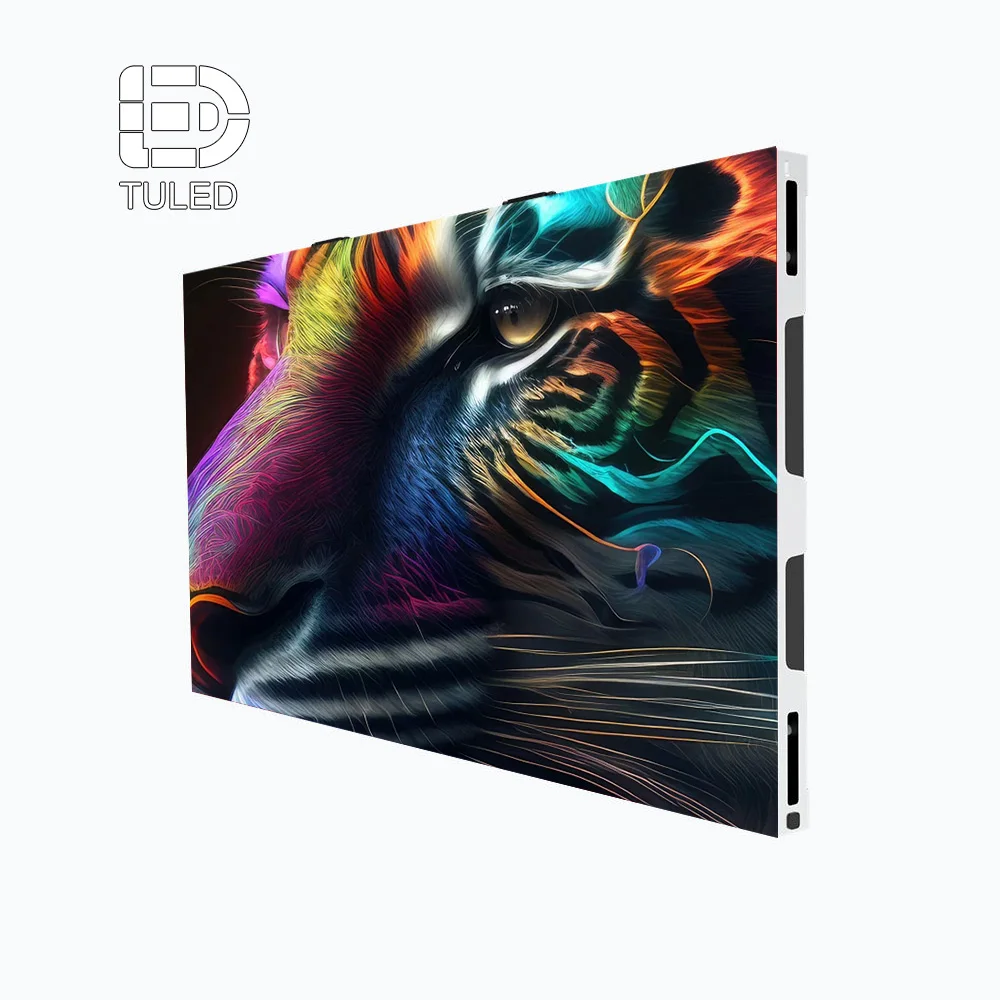
 Bildebruk: plasser dette produktbildet etter gjennomgangen og presentasjonen, fordi det introduserer skjermen som et komplett system, ikke bare som et displaypanel.
Lysstyrken bør støtte ansikter, salmevers og tilbedelsesstemning
Lysstyrke virker ofte enkelt fordi den vises som et tall. Imidlertid er det i en hellig sal egentlig spørsmålet om skjermen støtter både rommet og kameraet samtidig. En vegg som er for lys kan få ansikter til å se mørke ut. En vegg som er for svak i lysstyrke kan få tekster til å føles svake.
Derfor bør lysstyrken justeres i henhold til scenelyset. Frontlyset bør fremheve ansiktene. LED-veggen bør støtte bakgrunnen. Omgivelseslyset bør bevare stemningen i rommet. Når disse elementene fungerer sammen, føles bildet naturlig.
Under tilbedelse kan litt sterkere visuelle effekter føles passende. Under predikening hjelper ofte en mer rolig lysstyrke publikum med å fokusere. Under kunngjøringer kan veggen vise mer farge og energi. Av denne grunnen kan forhåndsinnstilte moduser være mer nyttige enn én fast innstilling.
En praktisk oppsett kan inkludere tilbedelsesmodus, predikensmodus, kunngjøringsmodus, kameratestmodus og øvingsmodus. Dette gjør systemet enklere å betjene og hjelper frivillige med å unngå konstant justering.
Komfort for innendørs skjermer er viktigere enn mange prosjekter forventer
De fleste LED-veggene i kirker er plassert inne i et stille bønnrom. Derfor er komfort viktig. Fargen bør føles naturlig, lysstyrken bør ikke føles for hard, og skjermen bør ikke legge til uønsket distraksjon under bønn, undervisning eller akustisk tilbedelse.
En innendørs LED-skjerm skjermen bør også passe til det fysiske rommet. Sidestolene krever en stabil sevvinkel. Scenekonstruksjonen krever praktiske kabelføringer. Vedlikeholdsadgang bør ikke kreve store inngrep etter installasjon.
Varme og strømforsyning er også en del av komforten. En skjerm som brukes under øvelser, tjenester, ungdomsarrangementer, konferanser og sesongbaserte produksjoner må forbli stabil ved gjentatt bruk. I tillegg bør omgivende luft, adgang til service og elektrisk planlegging tilpasses størrelsen på veggen.
Derfor bør valg av innendørs skjerm omfatte mer enn bare visuell utseende. Skjermen blir en del av bygningen. Den påvirker scenekonstruksjon, ukentlig drift, teknisk service og langsiktig pålitelighet.
Styringsarbeidsflyt formidler søndagsopplevelsen
En kameravennlig LED-vegg i kirken avhenger av signalkjeden. Mediedatamaskinen, switcheren, kamera-systemet, prosessoren, sendekortet og LED-kabinettene må fungere sammen. Hvis denne kjeden føles ustabil, kan skjermen skape stress selv når panelkvaliteten er høy.
For bruk med kun tekster kan arbeidsflyten forbli enkel. For direktesending og IMAG krever systemet mer nøye planlegging. Kamerabilder, prekenlys, videospilling, nedtelling og nedre tredjedeler kan alle gå gjennom styringskjeden.
Lav latens blir spesielt viktig når live-kamerabilder vises på veggen. Hvis forsinkelsen blir merkbar, kan rommet føles usammenhengende. Hvis veggen imidlertid hovedsakelig viser tekster og bakgrunner, kan stabil skifting og riktig skalering være viktigere enn ekstremt lav latens.
Derfor bør kontrollsystemet følge tjenesteformatet. En enkel kirke bør ikke arve unødvendig kompleksitet. En kirke med mye produksjonsaktivitet bør ikke nøye seg med en kontrollbane som begrenser bruk av kameraer, kildeskifting eller fremtidig vekst.
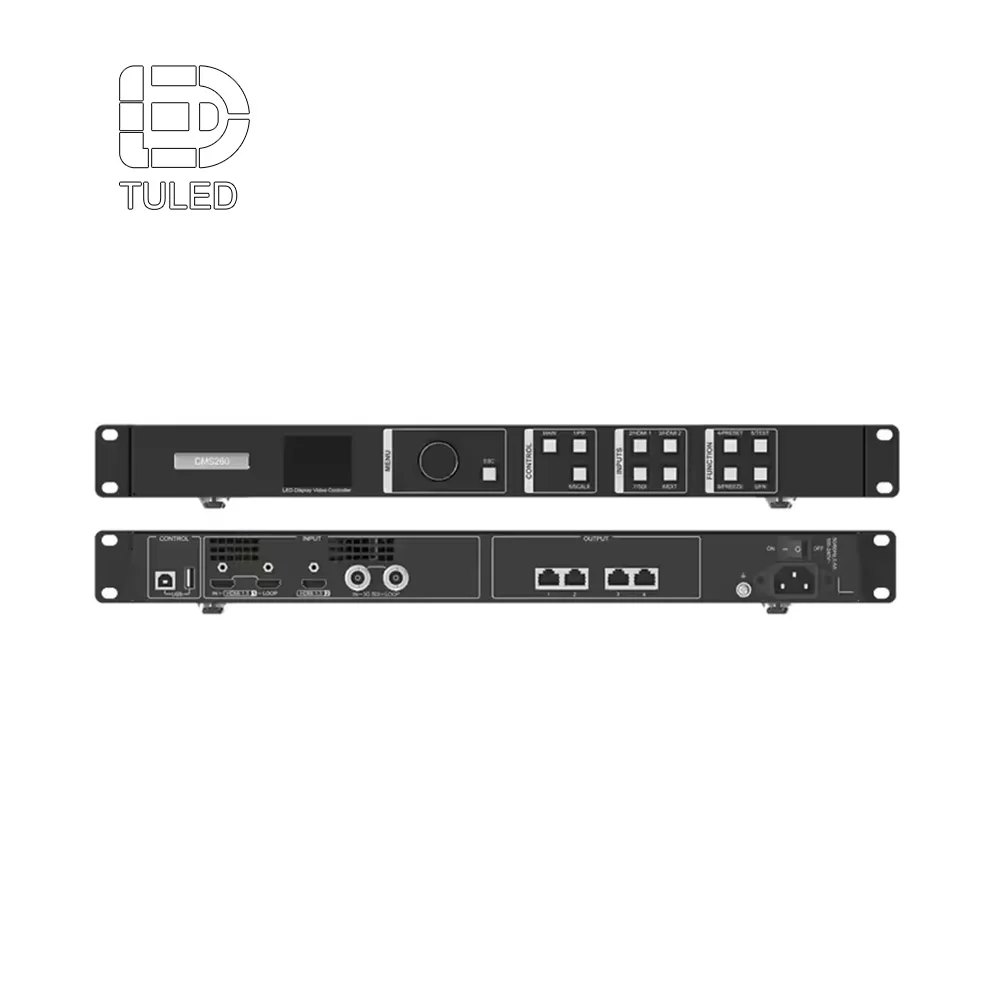 Se videoerprosessoralternativer
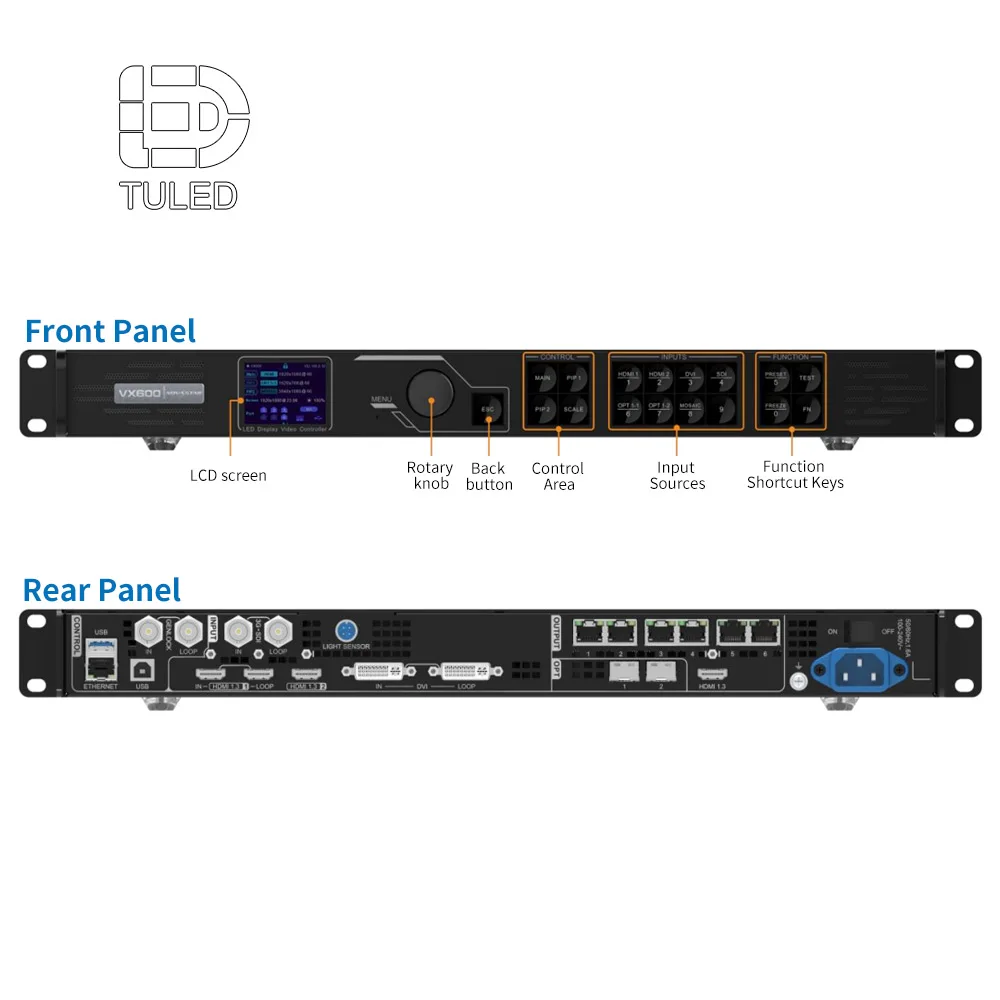
 Bildebruk: plasser dette produktbildet i arbeidsflytseksjonen, siden prosessoren kobler sammen kameramatte, mediekilder og LED-veggutgang.
Teknisk casestudie: Redusere moiré-effekter fra kamera i en kirkes livestream-innstillinger
I et typisk kirke-livestrømmingsprosjekt oppstår det første problemet ofte under øvelsen, ikke under installasjonen. Skjermen kan se klar ut fra midtgangen, mens hovedkameraet viser bevegelige bølger bak taleren. Derfor bør den tekniske gjennomgangen starte med kamerarbeidsflyten, ikke bare med produktmodellen.
Prosjessystemet starter vanligvis med tre feltobservasjoner. For det første viser den nærmeste seteavstanden hvor glatt veggen må føles for personene i rommet. For det andre viser hovedkameraets vinkel om LED-veggen vil ligge rett bak ansiktene. For det tredje viser predikens innholdsstil om fine mønstre vil skape unngåelige kameraartefakter.
Etter disse sjekkene blir anbefalingen av skjerm mer presis. En finere pitch kan hjelpe når seter eller kameraer er nær. Pitch alene løser imidlertid ikke problemet. Oppdateringsatferd, lysstyrkejustering, prosessoravbildning og innholdsendringer må fungere sammen.
Denne tilnærmingen basert på bruksområder er mer nyttig enn en ren spesifikasjonsliste. Den forklarer hva hver innstilling prøver å løse, hvilken kirkescene som faktisk trenger den og hva AV-laget bør teste før godkjenning.
Prosess for justering av parametere
- Gjennomgang av pikselavstand: Skjermens pikselavstand bør tilpasses både den nærmeste seteplassen og hovedkamerans ramming. Dette hjelper til å redusere synlig pikselstruktur i nærbilder av preken.
- Sjekk av oppdateringsatferd: En konfigurasjon med høy oppdateringsfrekvens hjelper til å redusere flimring og skannelinje-problemer når kamerane panorerer over scenen eller holder et tett bilde.
- Justering av lysstyrke: LED-veggen bør ikke overbelaste frontbelysningen. En balansert lysstyrke hjelper til å holde ansiktene naturlige på kamera.
- Kalibrering av prosessor: Skalering, inndataformat, skjermkartlegging og utdataoppløsning bør testes med den faktiske mediedatamaskinen og kamerasytemet.
- Innholdstest: Fine linjer, små rutenett, skarpe strukturer og bakgrunner med høy kontrast og bevegelse bør erstattes med mykere tilbedelsesvisuelle effekter når veggen vises bak talerene.
Valg av komponenter kan også påvirke langsiktig stabilitet. Hvis den bekreftede materiallisten inkluderer Nationstar-LED-lamper, kan denne detaljen støtte diskusjonen om fargelikhet og visuell enhetlighet. Hvis den bekreftede materiallisten inkluderer Meanwell-strømforsyninger, kan denne detaljen støtte diskusjonen om stabil strømforsyning under lange driftstimer.
Disse navnene bør imidlertid bare brukes når den faktiske konfigurasjonen bekrefter dem. En sterkere teknisk casestudy bygger ikke kun på kjente komponentnavn. Den forklarer hvorfor hver enkelt del er viktig, hvilket problem den løser, og hvordan den endelige oppsettforbedrer ukentlig tilbedelse og livestream-produksjon.
For sosiale-medieprosedyrer kan den publiserte innlegget merke de verifiserte komponentpartnerne når konfigurasjonen er bekreftet. For eksempel kan et innlegg på LinkedIn nevne Nationstar eller Meanwell som del av historien om teknisk validering. I artikler på nettstedet gir en mer formell ingeniørtone vanligvis et mer profesjonelt inntrykk.
Etter justering bør den endelige testen fortsatt være praktisk. Veggen må sjekkes med reelle tekster, predikenslides, bakgrunner for tilbedelse, frontbelysning, kameravinkler fra siden og det faktiske kameraet som brukes til direktesending. Hvis bildet forblir stabilt under brede innstillinger, nærbilder og langsom kamerabevegelse, er oppsettet mye nærmere en kameravennlig LED-vegg for kirker.
Innholdsdesign kan redusere moiré-effekter før man skylder på maskinvaren
Innhold er ofte den skjulte årsaken til dårlige kameraresultater. Fine striper, små strukturer, skarpe rutenett, små gjentatte prikker og kontrastrike mønstre kan utløse artefakter. Derfor bør en kirkes mediebibliotek gjennomgås før veggen tas i bruk.
For tekst til sanger, store tekststørrelser og generøs linjeavstand hjelper både rommet og kameraet. For bakgrunner til taler, føles ofte mykere bevegelser bedre enn detaljerte animasjoner. For kunngjøringer kan et kraftig bilde virke godt, men tynne dekorative linjer bør brukes med forsiktighet.
Fargevalget påvirker samtidig stemningen. Dyp blå, varm amber, mild lilla og myke nøytrale farger passer ofte godt bak personer. Sterkt hvit, intens rød og skarp kontrast krever ekstra omsorg, siden de kan påvirke kameraets eksponering og hudtonen.
En nyttig regel er enkel: hvis en lysbilde føles overfylt på en laptop, kan det bli overveldende på en stor LED-vegg. I motsetning til dette ser rolige lysbilder ofte mer premium ut i større skala og skaper færre problemer under direktesending.
Praktiske innholdsvaner for ukentlig tilbedelse
- Bruk større tekstlinjer med tilstrekkelig linjeavstand slik at deltakerne i rommet kan lese uten anstrengelse.
- Velg myke bevegelsesløkker for taler i stedet for raske mønstre.
- Unngå tynne rutenett, små prikker og detaljerte strukturer bak talere i nærbilde.
- Forbered separate forhåndsinnstillinger for tilbedelse, prediken, kunngjøringer og øving.
- Gjennomgå grafikk ved hjelp av den faktiske livestream-kameraet, ikke bare på en dataskjerm.
Kabinettutforming påvirker justering, serviceadgang og langsiktig pålitelighet
Kabinettutforming kan høres ut som en hardwaredetalj, men den påvirker det ferdige scenebildet. Når kabinettene er godt justert, ser store fargede bakgrunner sømløse ut. Når justeringen er dårlig, kan svake linjer dukke opp mellom seksjonene og trekke oppmerksomheten bort fra tilbedelsesmiljøet.
Serviceadgang er også viktig. Noen kirkevegger har ingen bakrom, så vedlikehold fra fronten kan forenkle fremtidige reparasjoner. Andre installasjoner har adgang bak scenen, slik at vedlikehold fra baksiden kan være praktisk. Det riktige valget avhenger av bygningen, ikke bare av panelet.
Varmeregulering bør også tas med i betraktning, siden kirkeskjermene kan kjøre under øvinger, tjenester, ukentlige arrangementer og sesongbaserte produksjoner. Stabil varmestyring støtter langsiktig drift og reduserer belastningen på komponentene.
Derfor bør spørsmål om kabinett knyttes til installasjonsvirkeligheten. Prosjektteamet bør bekrefte konstruksjon, tilgang, ventilasjon, skjermvekt, modulutskiftning og trygt arbeidsområde før godkjenning.
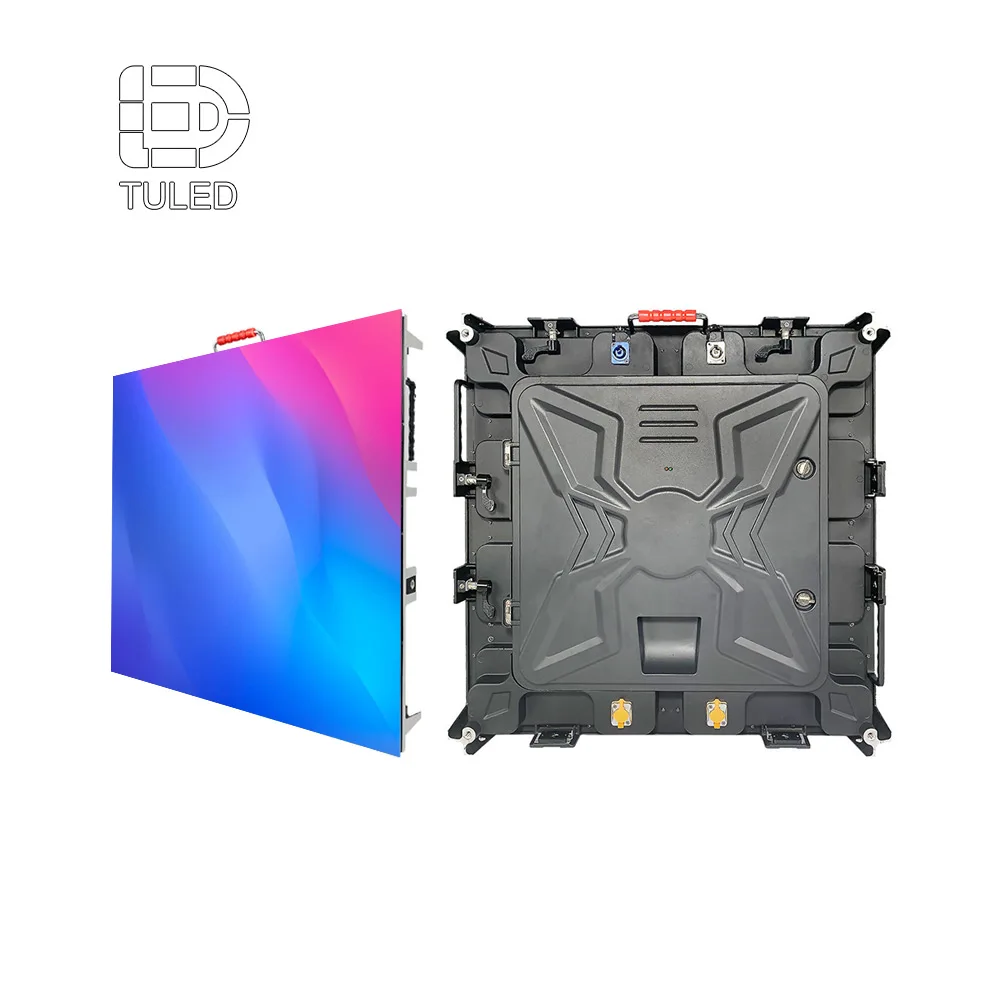 Vis LED-kabinettstruktur
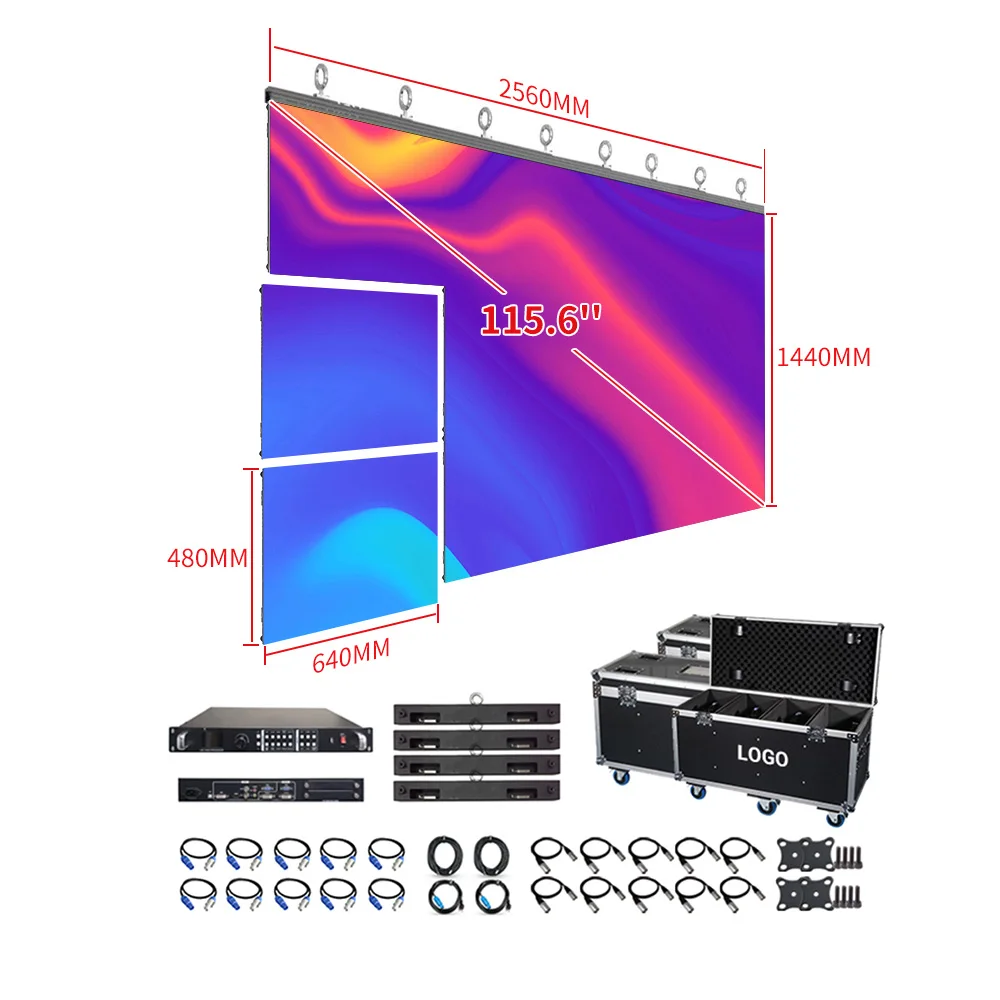
 Bildebruk: plasser dette kabinettbildet der installasjon, justering og serviceadgang diskuteres.
Fabrikksstøtte legger til verdi i planleggingen av kirkevisning
En LED-vegg for kirker er sjelden et standardprodukt. Skjermstørrelse, kabinettoppsett, installasjonsmetode, prosessorvalg, kamerarbeidsflyt og serviceadgang må alle tilpasses bygningen. Derfor kan fabrikksstøtte gjøre planleggingsprosessen mer direkte.
Den mest nyttige støtten starter ikke med å fremheve alle tilgjengelige produkter. Den starter med å gjennomgå romfotografier, kameraposisjoner, scenedybde, innholdskilder og servicemønstre. Deretter kan anbefalingen for visning knyttes til den faktiske driften.
TU LED støtter OEM/ODM-displayprosjekter, 100 % testing før levering, 2 års garanti og 24/7-støtte. Med mer enn 10 års erfaring med LED-displayer og løsninger i over 110 land kan teamet diskutere kirkeprosjekter fra et praktisk ingeniør- og anvendelsesperspektiv.
Fabrikksstyrken bør imidlertid fortsatt tilpasses det faktiske rommet. En tydelig prosjektdiskusjon bør omfatte synlighet under gudstjenester, kameravennlige oppsett, stabilitet ved direktesending, tilgang til vedlikehold og langsiktig drift.
Hvordan sammenligne tilbud på LED-vegger til kirker uten å bli forvirret av tall
Et tilbud bør hjelpe prosjektteamet med å forstå det endelige installerte resultatet. Mange tilbud fokuserer imidlertid sterkt på produktnavn og tall. Det gjør sammenligning vanskelig, fordi de viktigste risikoen ikke nødvendigvis kommer tydelig fram.
Først bør tilbudet forklare hvorfor skjermstørrelsen og pitch passer til salen. Hvis anbefalingen ikke nevner seavstand eller kameraposisjon, kan den være ufullstendig. Rommet bør alltid bestemme skjermen.
Deretter bør tilbudet forklare hvordan veggen vil støtte bruk av livestream. Oppdateringsatferd, kameratesting, lysstyrkestyring, prosessorvalg og innholdsanbefalinger bør alle knyttes til reelle tjenestescener.
Deretter bør tilbudet definere antakelser om installasjon og service. Struktur, strømforsyning, kabelføring, ventilasjon, reservedeler og tilgang til vedlikehold påvirker den faktiske prosjektkostnaden. En lavere startpris kan bli mindre attraktiv hvis disse punktene er uklare.
For en bredere vurdering av fabrikken kan dette Veiledning for leverandører av LED-skjermer hjelpe til å organisere spørsmålene før et kirkeprosjekt med LED-vegg går inn i tilbudsgranskingen.
Sjekkliste før bestilling av en kameravennlig kirke-LED-vegg
Før prosjektet går videre, kan en kort sjekkliste forhindre mange vanlige problemer. Den hjelper også det tekniske teamet med å anbefale en løsning basert på faktisk bruk i tilbedelse.
1. Bekreft rommålene og sesoner
Registrer først kirkerommets bredde, skjermens plassering, avstanden til første rad, avstanden til den lengste seteraden, takhøyden og vinklene til sidestolene. Disse detaljene påvirker skjermens størrelse, pitch og visningskomfort.
2. Bekreft kameraposisjoner og vanlige innstillinger
List opp deretter hovedkameraet, sidekameraene, PTZ-posisjonene, nærbilder av taleren, brede bilder av tilbedelsen og eventuelle kameravinkler som regelmessig fanger LED-veggen. Denne trinnet er avgjørende for kontroll av moiréeffekter.
3. Bekreft innholdskilder og mediestil
Gjennomgå deretter tekstprogramvare for salmer, størrelsen på talerens lysbilde, stil på bevegelige bakgrunner, behov for videospilling, utforming av kunngjøringer og grafikk for direktesending. Vaner knyttet til innhold kan forbedre eller svekke kameraytelsen.
4. Bekreft kontrollbanen
Definer også datamaskiner, byttere, prosessorer, sendekort, reservestrømkilder og operatørens ferdighetsnivå. En stabil kjede støtter rolig ukentlig drift.
5. Bekreft installasjon og serviceadgang
Gjennomgå til slutt montering, strømforsyning, kabelføringer, ventilasjon, reservedeler, utskiftingsprosedyrer og trygg adgang. Dette sikrer langvarig bruk etter at oppstartens spenningsfylte uke er over.
Vanlige feil som gjør at en kirkes LED-vegg virker mindre profesjonell
En vanlig feil er å plassere høyttaleren for nær LED-veggen. Dette kan gjøre bakgrunnen for skarp på kamera og øke risikoen for moiré-effekt. En liten scene-dybde kan hjelpe med å skille personen fra displayet.
En annen feil er å bruke detaljerte bakgrunner under predikener. Fine strukturer kan virke kreative i designprogramvare, men de føles ofte støyende på en stor skjerm. Under undervisningsøkter kommuniserer rolige visuelle elementer vanligvis større selvtillit.
En tredje feil er å gjøre veggen for lys. En lys skjerm kan føles spennende under en demonstrasjon. Under en lengre tjeneste kan den imidlertid utmattes øynene og skape problemer med kamerabelysning.
En fjerde feil er å overse operatørens vaner. Hvis arbeidsflyten krever for mange trinn, kan søndagsteamet oppleve utfordringer under overganger. Derfor er forhåndsinnstilte scener, skriftlige instruksjoner og en enkel oppstartsrutine viktige.
Til slutt hopper noen prosjekter over reell kameratesting. Skjermen bør vurderes gjennom det faktiske livestream-kameraet med virkelig tilbedelsesinnhold, ikke bare inspisert fra midtgangen.
Hvordan balansere budsjettet uten å miste tilbedelsesresultatet
Et ansvarlig kirkeprosjekt respekterer budsjettet. Den laveste første tilbudet beskytter imidlertid ikke alltid den endelige opplevelsen. En skjerm som skaper ukentlige kameraproblemer kan koste mer i tid, stress og omfattende revidert arbeid.
For det første bør du unngå å betale for oppløsning som rommet ikke kan bruke. Hvis setteavstanden er stor og kamerabildene for det meste er vidvinkel, er kanskje den fineste pitchen ikke nødvendig. I så fall kan budsjettet kanskje bedre brukes på styring, installasjon eller serviceplanlegging.
Samtidig bør du unngå å bygge for lite ut i kameraprosessen. Hvis veggen står bak taleren hver uke, blir kvaliteten på direktesendingen en del av skjermkravet. I en slik situasjon bør pitch, oppdateringsatferd, lysstyrkestyring og innholdsguidance vurderes nøye.
Husk også å inkludere reservedeler i planen. Reservedeler som moduler, strømforsyninger, mottakskort og monteringsinstruksjoner reduserer nedetid. Dette er ikke en luksusartikkel, men en praktisk del av en langsiktig kirkevirksomhet.
Kort sagt bør budsjettet følge tilbedelsesmiljøet. Beste verdi er ikke den dyreste eller den billigste veggen, men det systemet som fungerer rolig og pålitelig hver uke.
En praktisk spørreskjema for kirke-LED-veggprosjekter
En tydelig forespørselsbeskrivelse hjelper den tekniske samtalen å gå raskere. Den trenger ikke å være komplisert. Den bør imidlertid beskrive salen og den ukentlige tjenestemønsteret med tilstrekkelig detaljnivå.
Start med skjermens plassering, omtrentlige bredde og høyde, scenedybde og nærmeste seavstand. Legg deretter til bilder av salen fra midtgangen, sidestolene og kameraplattformen. Disse bildene forklarer ofte mer enn tekst.
Beskriv deretter mediearbeidsflyten. Nevn tekstsangprogramvare, predikkebilder, kameraer, switcher, livestream-plattform og om live-video vil vises på veggen. Dette hjelper til å definere behovet for prosessor og styring.
Inkluder til slutt installasjonsnotater. Veggstruktur, tilgangsrom, strømtilkoblingspunkt, kabelføringer og eventuelle bygningsbegrensninger kan påvirke kabinettutformingen og vedlikeholdsplanleggingen.
Utvidet lesing
For relatert prosjektplanlegging kan disse sidene hjelpe til å koble kirkenes displayvalg med bredere LED-skjermvalg, bruken av innendørsdisplays, styringsarbeidsflyt og fabrikksvurdering.
- Kirke LED-vegg — egnet for planlegging av utstilling i helligdommer, bakgrunner for tilbedelse og prosjekter for sceneverdier.
- LED-skjermruter til kirke — nyttig ved sammenligning av modulære skjermsystemer og konfigurasjon av kirkeutstilling.
- Videoprosessor — relevant for signalomskifting, skalering og LED-styringsarbeidsflyt som er egnet for direktesending.
- Innendørs LED-skjerm — nyttig for komfortabel innendørs visning, sidestolplassering og planlegging av fast installasjon.
Ofte stilte spørsmål: Kamera-vennlig LED-vegg for kirker
Hva gjør en LED-vegg kamera-vennlig i en kirke?
En kamera-vennlig LED-vegg i en kirke forblir stabil under vanlige opptak under tjenester. Den krever en passende pitch, kontrollert lysstyrke, høy oppdateringsfrekvens, ren bildebehandling, rolig innhold og intelligent plassering av kameraet. Derfor avhenger det endelige resultatet både av valget av display og av arbeidsflyten under tilbedelsen.
Fjerner en høy oppdateringsfrekvens moiré fullstendig?
Nei. En høy oppdateringsfrekvens kan redusere flimring og artefakter knyttet til scanning, men moiré avhenger også av pikselavstand, kamerasensoroppførsel, linsefokus, avstand til motivet, innholdsmønstre og lysstyrke. Derfor bør oppdateringsfrekvensen betraktas som én del av hele oppsettet.
Hvordan skal en kirke velge pikselavstand?
Pikselavstanden bør tilpasses den nærmeste seavstanden, skjermstørrelsen, kamerarammen og budsjettet. Mindre rom og nære kamerabilder krever ofte en jevnere overflate. Større rom kan bruke en større pikselavstand hvis tekst fortsatt er lesbar og kamerabildene forblir rene.
Hvorfor ser LED-veggen bra ut i salen, men merkelig ut på livestream?
Menneskeøynene og kamerasensorene behandler LED-ruten på ulike måter. I rommet hjelper seavstanden til å blande pikslene. På kameraet kan sensoren fange opp mønstre, spesielt ved nære opptak, skarpt fokus eller bakgrunner med høy kontrast.
Bør veggen testes med reelt tilbedelsesinnhold?
Ja. Tekster, predikenslides, bevegelsesløkker, annonseringsgrafikk, kameravinkler og scenelys bør testes før endelig overlevering. Dette avdekker problemer som ikke nødvendigvis vises i en enkel produktdemo.
Når bør Nationstar-LED-lys eller Meanwell-strømforsyninger nevnes?
De bør nevnes bare når den bekreftede materiallisten inkluderer dem. I så fall kan Nationstar støtte en diskusjon om fargelikhet, mens Meanwell kan støtte en diskusjon om stabil strømforsyning. For sosiale-medieprosjekter kan deres offisielle kontoer merkes etter at konfigurasjonen er bekreftet.
Hva bør bekreftes før bestilling av en kirke-LED-vegg?
Prosjektet bør bekrefte avstanden i salen, kameraposisjoner, skjermstørrelse, pitch, kontrollarbeidsflyt, forhåndsinnstilte lysstyrker, monteringsstruktur, tilgang til vedlikehold, reservedeler, garantivilkår og testtrinn. Disse detaljene gjør det endelige systemet lettere å bruke hver uke.
Bygg kirke-LED-veggen rundt tilbedelsesarbeidsflyten
Et kirkevisningsprosjekt blir sterkere når skjermen planlegges med tanke på mennesker, kameraer, belysning, innhold og ukentlig drift. En lav moiré-innstillingsløsning er ikke bare én enkelt innstilling. Den er i stedet resultatet av et balansert system som tar hensyn til både salen og direktesendingen.
For en tydeligere anbefaling, del størrelsen på salen, plasseringen av skjermen, korteste seavstand, kameraplasseringer, innholdskilder og installasjonsbegrensninger. TU LED kan gjennomgå prosjektdetaljene og foreslå en praktisk retning for skjermstørrelse, pikselavstand, kabinettoppsett, prosessorvalg, teknisk testing og støtteplanlegging.
Kontakt oss for en LED-veggplan for kirker