EN
EN

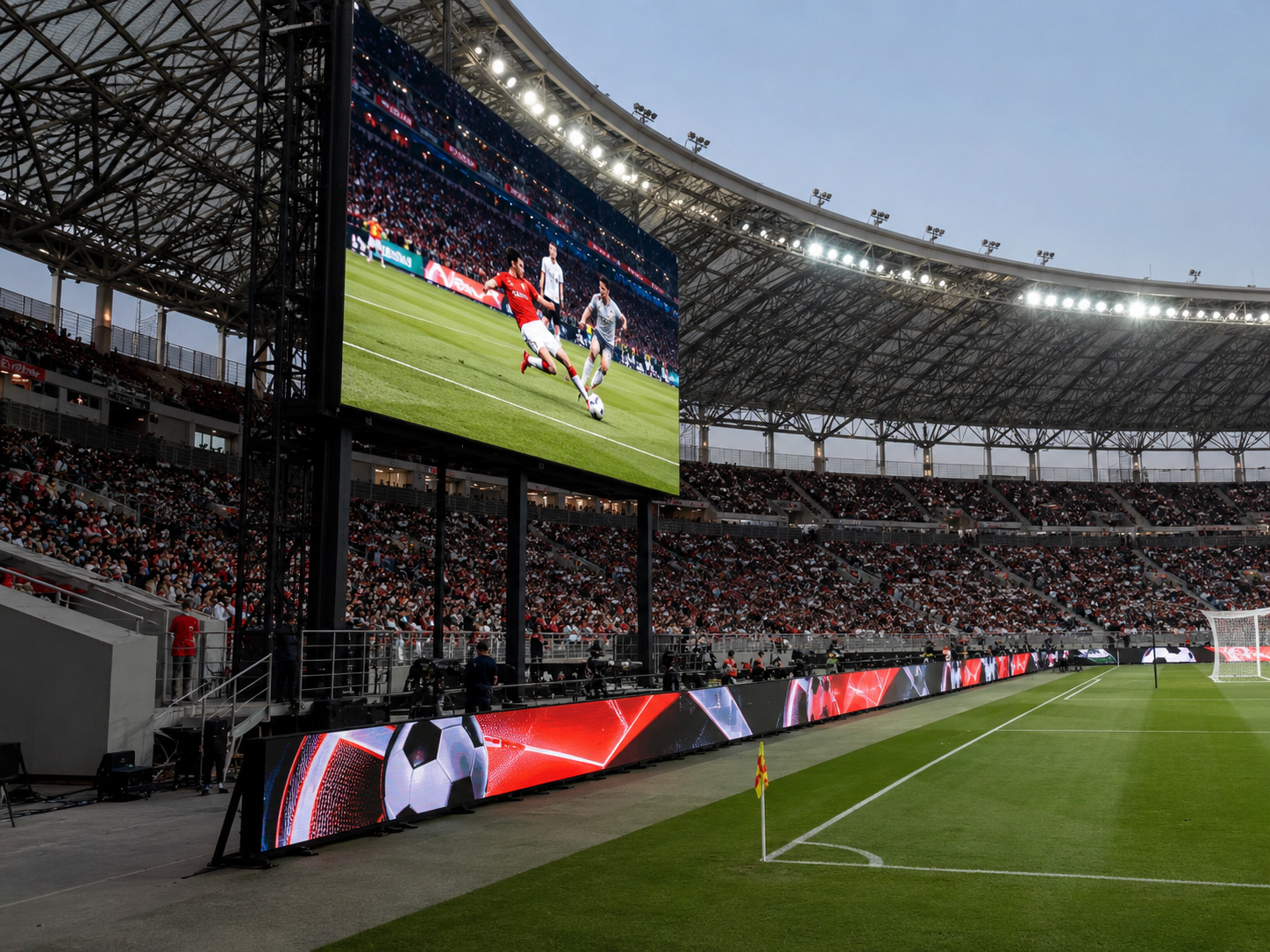
Մեկ ստադիոնի էկրանի նախագիծը սովորաբար սկսվում է մեկ պարզ հարցով. պատկերը պետք է մնա մաքուր նույնիսկ հեռավոր նստատեղերից և նույնիսկ տեսախցիկի վրա նույնպես պետք է լինի մաքուր։ Սակայն LED էկրանային ցուցադրություն ստադիոնի համար էկրանը չի կարելի գնահատել միայն չափսերով։ Արդյունքների թվերը, վերարտադրման մանրամասները, սպոնսորների շարժվող գովազդը, կողային գովազդը, քամու ազդեցությունը և ապագայում սպասարկման հնարավորությունները բոլորը ազդում են վերջնական արդյունքի վրա։ Այս ձեռնարկը բացատրում է, թե ինչպես գնահատել էկրանի չափսը, պիքսելների հեռավորությունը (pixel pitch), թարմացման հաճախականությունը, դիտման անկյունը, միավորների ցուցադրման էկրանի օգտագործումը, սահմանային տեղադրումը, կառուցվածքային ռիսկերը և առաջարկի մանրամասները՝ մինչ ստադիոնի LED նախագիծը անցնի արտադրության փուլի։
Իրական ստադիոնային խնդիրը. մաքուր տեսանելիություն հեռավոր նստատեղերից և կայուն պատկեր տեսախցիկի վրա
Ստադիոնում էկրանը գնահատվում է միաժամանակ բազմաթիվ դիրքերից։ Ներքին նստատեղերից հաճախորդները կարող են էկրանը տեսնել մաքրորեն, մինչդեռ վերին շարքերում նստածները կարող են տեսնել միայն մեծ ձևեր։ Իսկ հեռուստատեսային տեսախցիկը կարող է բացահայտել միգացում կամ սկանավորման գծեր, որոնք մարդկային աչքի համար ակնհայտ չեն։
Նախագիծը չպետք է սկսվի «որ մոդելն է ավելի էժան» հարցով: Լավ սկիզբը իրական օգտագործման իրավիճակն է: Միավորների ցուցատախտակները, վերարտադրման պատերը, ժապավենային էկրանները, միջոցառումների էկրանները և կողային սահմանային էկրանները բոլորն ունեն տարբեր տեսողական առաջադրանքներ:
Միաժամանակ մարզադաշտի նախագծերը հաճախ տարիներ շարունակ մնում են արտաքին միջավայրում: Քամու բեռնվածությունը, անձրևը, փոշին, սպասարկման մուտքը, մոդուլների փոխարինումը, կաբելների տեղադրումը և էներգամատակարարման պլանավորումը բոլորը ազդում են տեղադրումից հետո իրական ծախսերի վրա: Ճիշտ լուծումը կապում է պատկերի որակը ինժեներական իրականության հետ:
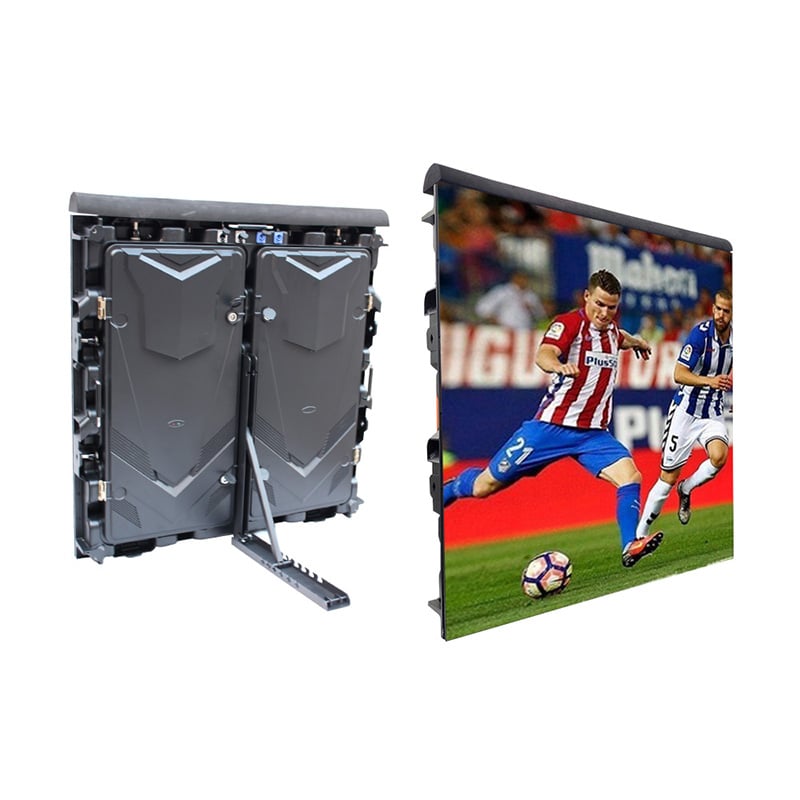
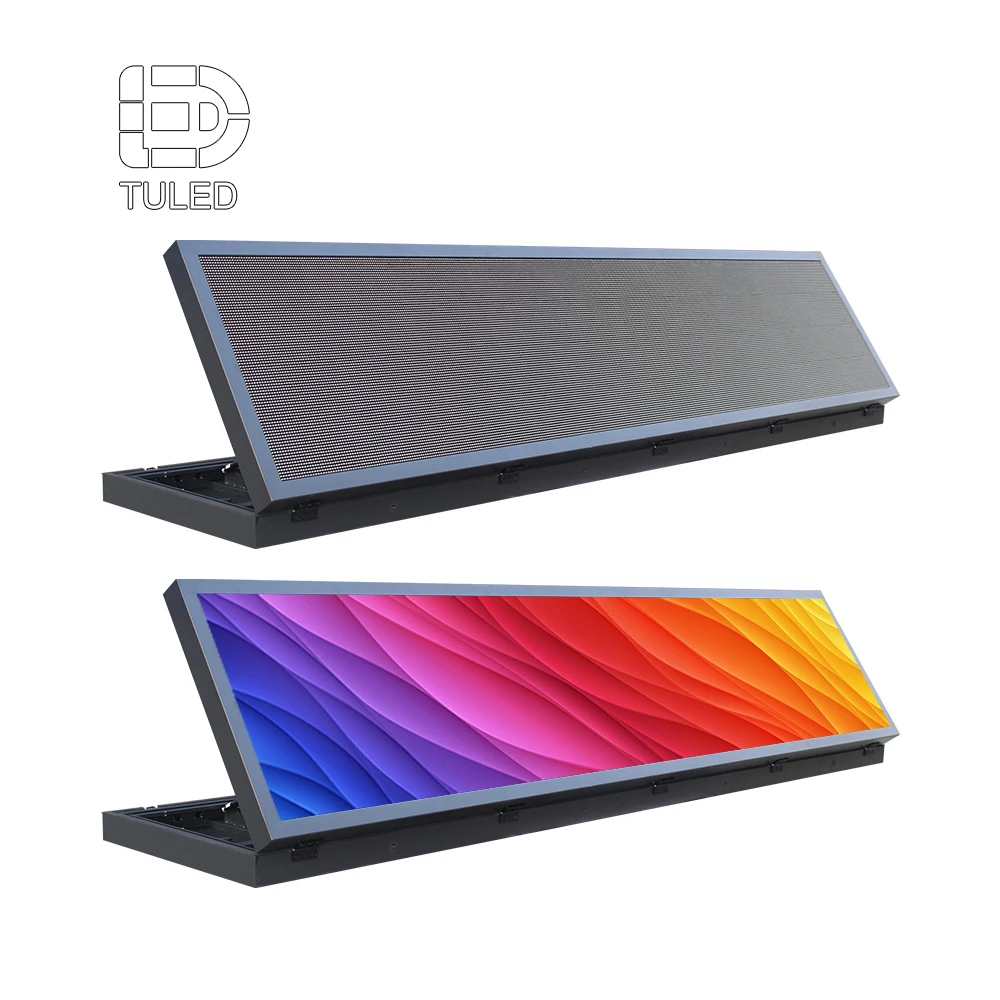
Այս մարզադաշտի սահմանային կաբինետի տեսողական լուծումը համապատասխանում է կողային գովազդի, մասնակիցների տարածքի անվտանգության, աջակցման անկյան և մարզական միջոցառումների ժամանակ էկրանի կայունության շուրջ վարվող քննարկմանը:
Դիտել ստադիոնի LED ցուցադրությունըՄարզադաշտի օգտագործման դեպքերի համեմատություն
Կաբինետ ընտրելուց առաջ օգտակար է էկրանի աշխատանքը բաժանել ըստ տեղակայման վայրի: Սա խուսափում է մեկ սպեցիֆիկացիան ստիպել վայրի բոլոր մասերում օգտագործել:
| Մարզադաշտի տարածք | Հիմնական էկրանի աշխատանք | Ընդհանուր ռիսկ | Լավագույն պլանավորման ուղղություն |
|---|---|---|---|
| Հիմնական միավորների ցուցատախտակ | Միավորներ, ժամանակ, վերացույց, սպոնսորային շրջան | Փոքր տեքստը վերին նստատեղերից դառնում է անընթեռնելի | Ֆիզիկական էկրանի չափսը պլանավորեք՝ սկզբում հաշվի առնելով ընթեռնելի բովանդակությունը |
| Վերացույցի պատ | Մոտավոր վիդեո, դանդաղ շարժում, խաղի լավագույն պահեր | Շարժումը կամերայում թվում է թույլ կամ անկայուն | Ստուգեք թարմացման հաճախականությունը, մոխրագույն մասշտաբը, պրոցեսորը և կամերայի աշխատանքային հոսքը |
| Պերիմետրային ցուցադրում | Սպոնսորային գովազդներ և խաղի բրենդավորում դաշտի մոտ | Անվտանգ կաբինետի անկյուն կամ չափից շատ պայծառություն | Օգտագործել ստադիոնի շրջանակի կաբինետի տրամաբանությունը և վերահսկվող պայծառությունը |
| Ժամանակավոր միջոցառման էկրան | Պաշտոնական արարողություն, կոնցերտ, երկրպագողների գոտի, սպոնսորավորված միջոցառում | Դանդաղ տեղադրում կամ անբավարար կաբելների կառավարում | Հաշվի առել մոդուլային վիդեո պանելները և միջոցառման ոճի հավաքումը |
Ինչու՞ են ստադիոնի LED սպեցիֆիկացիաները ձախողվում տեղադրումից հետո
Էկրանի չափսը հաճախ գնահատվում է հասանելի պատի տարածքից։ Սակայն ստադիոնում տեսանելիությունը կախված է ամենահեռավոր նստատեղից, միավորների թվանշանների բարձրությունից, թիմերի անունների լայնությունից և վերարտադրման պատուհանների չափսերից։ Մեծ էկրանը կարող է այնուամենայնիվ թվալ փոքր, եթե բովանդակության դասավորությունը սխալ է։
Պիքսելի քայլը նույնպես կարող է սխալ հասկացվել։ Փոքր քայլը ավելի մանրամասն պատկեր է տալիս, սակայն այն բարձրացնում է ծախսերը և կառավարման բարդությունը։ Ընդհակառակը, չափազանց մեծ քայլը կարող է նվազեցնել վերարտադրման որակը և մոտակա հատվածներում գրաֆիկան անհարթ դարձնել։
Թարմացման հաճախականությունը կարելի է ստուգել միայն տեսախցիկների խմբի ժամանելուց հետո։ Դա ստեղծում է ռիսկ։ Էկրանը, որը ներքին տեսանելիությամբ լավ է թվում, կարող է ցուցադրել մռայլում, սկանավորման գծեր կամ շրջվող շերտեր հեռուստատեսային տեսախցիկների միջոցով։ Տեսախցիկների օգտագործումը պետք է հաստատվի վերջնական առաջարկից առաջ։
Կառուցվածքը և սպասարկումը հաճախ դիտվում են որպես հետագա մանրամասներ։ Իրականում կաբինետի քաշը, քամու բեռնվածությունը, հետին տարածքը, առջևի մուտքը, ջրակայունությունը, էլեկտրամատակարարումը և պահեստամասերը բոլորը ձևավորում են բյուջեն։ Ցածր մեկական գինը կարող է թանկանալ, երբ տեղադրման մուտքը դժվար է։
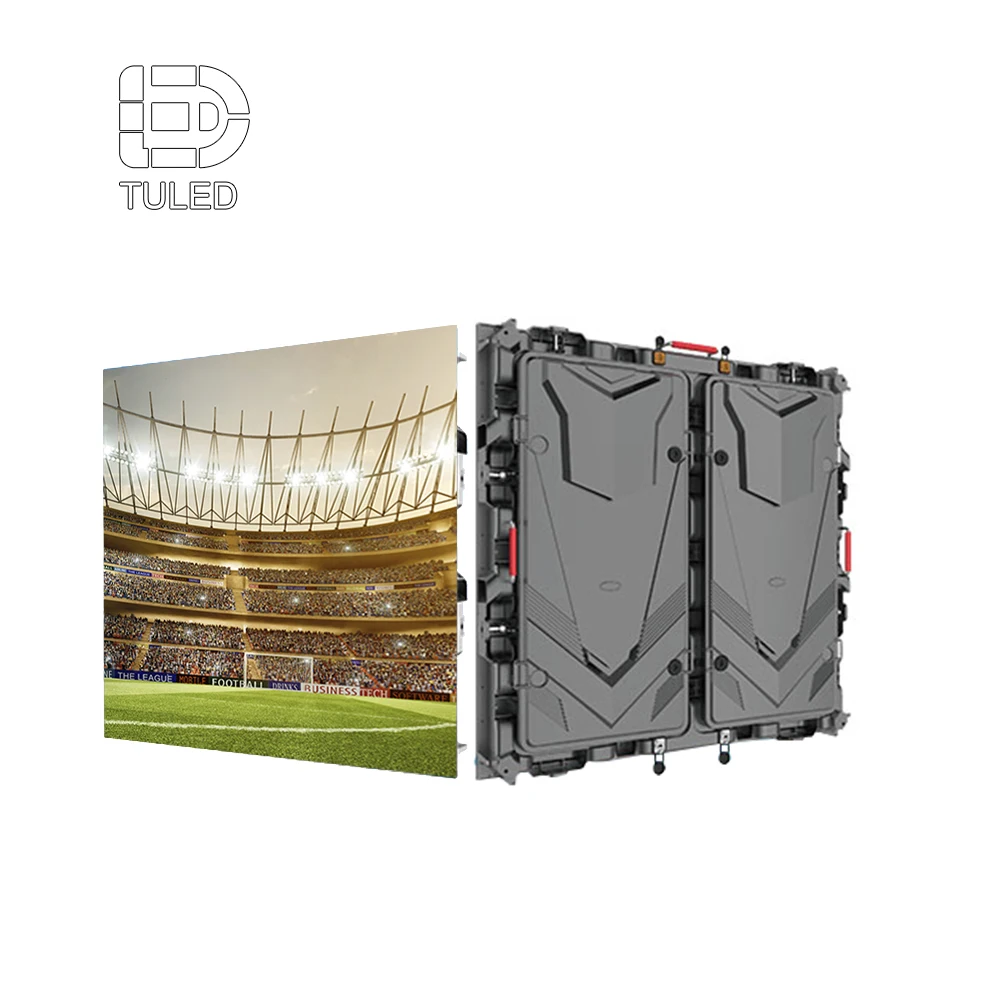
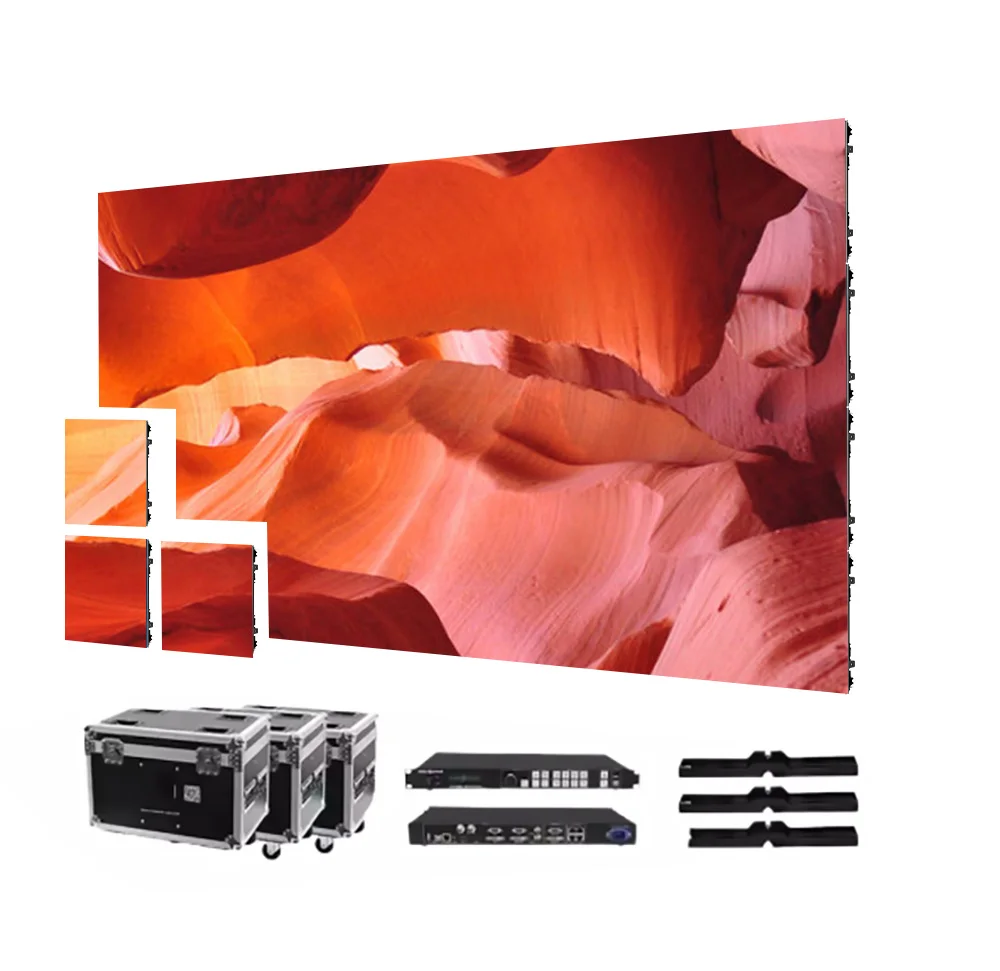
Այս մոդուլային կաբինետի պատկերը հարմար է վերարտադրման պատերի, միջոցառումների տեսողական տարրերի և տեսապանելների պլանավորման բացատրման համար, որտեղ էկրանի չափսը, կառուցվածքը և տեսախցիկների աշխատանքը պետք է գնահատվեն միասին։
Դիտել տեսապանելներ LEDԻնչպես գնահատել ստադիոնի էկրանի չափսը, պիքսելի քայլը, թարմացման հաճախականությունը և դիտման անկյունը
Ամենաապահով ընտրության մեթոդը սկսվում է իրական ստադիոնի դասավորությունից: Նախ հաստատեք ամենահեռավոր դիտման հեռավորությունը: Այնուհետև հաստատեք ամենափոքր բովանդակությունը, որը պետք է մնա կարդացվելի: Դա ներառում է միավորների թվերը, ժամանակաչափը, թիմերի անունները, սպոնսորների նշանները և արտակարգ ծանուցումները:
Հաջորդը՝ կապել պիքսելի քայլը հեռավորության և բովանդակության մանրամասների հետ: Հեռուցից դիտվող հիմնական մասնակի մասշտաբը կարող է չպահանջել նույն քայլը, ինչ կողային էկրանը: Սակայն վերարտադրման բովանդակությունը և վիդեոխցիկի կադրերը կարող են պահանջել ավելի մաքուր տեսողական մակերես, քան պարզապես միայն տեքստից բաղկացած մասնակի մասշտաբը:
Թարմացման հաճախականությունը նույնպես պետք է կապված լինի վիդեոխցիկի օգտագործման հետ: Բարձր թարմացման հաճախականությամբ էկրանը օգնում է նվազեցնել տեսանելի մռայլումը և շերտավորումը նկարահանման ընթացքում: Առաջին հարցում պետք է նշել հեռարձակումը, ուղիղ եթերաշրջանը, դանդաղաշարժ վերարտադրումը և սոցիալական մեդիայում ձայնագրությունը:
1. Էկրանի չափս՝ պլանավորել կարդացվելի բովանդակությունից
Էկրանը պետք է ոչ միայն լցնի ուղղանկյունը։ Այն պետք է տարածությունը բաժանի հաշվարկի, ժամացույցի, վերարտադրման, սպոնսորների հայտարարությունների, թիմերի գրաֆիկայի և հայտարարությունների միջև։ Նախնական փուլում պարունակության մոդելավորումը ավելի օգտակար է, քան կաբինետների հաշվարկը։
Օրինակ, եթե էկրանը ցուցադրում է ինչպես հաշվարկը, այնպես էլ վերարտադրումը, վերարտադրման պատուհանը պետք է բավականաչափ մեծ լինի՝ շարժումը հստակ ցուցադրելու համար։ Միաժամանակ հաշվարկի տեղեկատվությունը պետք է մնա կարդացվելի արագ մրցախաղի պահերին։ Այս հավասարակշռությունը ազդում է էկրանի բարձրության, կողմնային հարաբերության և արժեքի վրա։
2. Պիքսելի քայլը՝ համապատասխանեցրեք դիտման հեռավորությանը, այլ ոչ թե ձգտեք ամենափոքր թվին
Պիքսելի քայլը նշանակում է LED պիքսելների միջև եղած հեռավորությունը։ Փոքր քայլը կարող է ցուցադրել ավելի մանրամասն պատկեր։ Սակայն դա նաև ավելացնում է ծախսերը, ավելի շատ LED կետեր, ավելի մեծ կառավարման բեռ և երբեմն՝ ավելի խիստ սպասարկման պահանջներ։
Նախագիծը պետք է համեմատի ամենամոտ կարևոր դիտման հեռավորությունը հեռավոր նստատեղերից կարդացվելիության հետ։ Մեծ արտաքին էկրանների դեպքում հավասարակշռված արտաքին քայլը հաճախ ավելի մեծ արժեք է տալիս, քան սովորույթի շնորհիվ ընտրված ամենամանր քայլը։
3. Թարմացման հաճախականություն՝ երաշխավորել հեռարձակման և վերարտադրման արդյունքները
Թարմացման հաճախականությունը ազդում է էկրանի հարթության հարթ տեսքի վրա տեսախցիկների համար: Վայրի օգտագործման դեպքում սա կարևոր է, քանի որ սպոնսորային շրջանակները, մասնակիցների ներկայացումը, դանդաղ շարժման տեսանյութերը և ուղիղ եթերահարթակները կարող են բոլորը ցուցադրվել նույն միջոցառման ընթացքում:
Թարմացման հաճախականությունը չպետք է գնահատվի միայն թվային ցուցանիշով: Տեսախցիկի կадրերի հաճախականությունը, շատերի կարգավորումը, պրոցեսորի մապինգը, կառավարման համակարգը, սկանավորման վարքագիծը, պայծառության կարգավորումը և բովանդակության դիզայնը կարող են բոլորը ազդել վերջնական արդյունքի վրա:
4. Դիտման անկյուն՝ երաշխավորել կողային նստատեղերի և սպոնսորների արժեքը
Վայրի նստատեղերը հազվադեպ են գտնվում էկրանի ճիշտ դիմաց: Կողային սեկցիաները, անկյունային նստատեղերը, վերին մակարդակները և տեսախցիկների հարթակները բոլորը դիտում են էկրանը տարբեր անկյուններից: Լայն դիտման անկյունը երաշխավորում է ամբողջ տեղադրման արժեքը:
Դիտման անկյունը նույնպես ազդում է գովազդի վրա: Եթե էկրանը սխալ է տեղադրված կամ ցուցադրման մակերեսը թույլ է առանցքից շեղված դիտման ժամանակ, սպոնսորների գույները կարող են թվալ մարմարացած կողքից դիտելիս: Էկրանի թեքումը, կաբինետի ուղղությունը և բովանդակության պայծառությունը պետք է միասին վերանայվեն:
Մարզադաշտի էկրանի ընտրության ռիսկերի ստուգման ցանկ
- Պիքսելային հեռավորությունը ընտրելուց առաջ հաստատեք ամենահեռավոր և ամենամոտ դիտման հեռավորությունները:
- Հաստատեք՝ արդյոք տեսախցիկները կնկարահանեն էկրանը մրցաշարերի կամ միջոցառումների ժամանակ:
- Կաբինետների քանակը հաստատելուց առաջ հաստատեք միավորման վարձատրության բովանդակության դասավորությունը:
- Վայրի հարթության վրա առաջացող քամու ազդեցությունը, տեղադրման բարձրությունը և աջակցող կառուցվածքը վաղ հաստատեք:
- Արտադրության գծագրերը հաստատելուց առաջ հաստատեք՝ սպասարկումը կատարվելու է առաջային, թե հետին կողմից:
Միավորման վարձատրության էկրանը և շրջանային էկրանը չեն համարվում նույն ընտրությունը:
Մարզադաշտի միավորման վարձատրության էկրանը սովորաբար տեղադրվում է բարձր վայրում և ծառայում է ամբողջ նստարանների բաժնին: Այն ցուցադրում է միավորները, ժամանակաչափը, վերարտադրությունը, սպոնսորների տարածքը, հանրային ծանուցումները և միջոցառման գրաֆիկան: Հեռավոր հեռավորության տեսանելիությունը և բովանդակության գոտիավորումը հիմնական առաջնահերթություններն են:
Ի հակադրություն, պերիմետրային էկրանը տեղադրվում է մարզադաշտի մոտ: Այն ցուցադրում է սպոնսորների գովազդը, խաղի բրենդավորումը, անիմացված ժապավեններ և տեսախցիկների համար տեսանելի կողային գրաֆիկա: Կաբինետի անվտանգությունը, աջակցման անկյունը, վերահսկվող պայծառությունը և հարվածներին ներգործող դիզայնը դառնում են ավելի կարևոր:
Մասնագիտական վայրի պլանավորման համար պաշտոնական ֆուտբոլային մարզադաշտերի ուղեցույցները օգտակար են: ՖԻՖԱ-ի մարզադաշտերի ուղեցույցը մարզադաշտի չափսերի և շրջակա տարածքների վերաբերյալ քննարկում է մարզադաշտի շուրջ պերիմետրային գովազդային տախտակների դիրքը: Սա համապատասխանում է պերիմետրային LED էկրանների պլանավորման ժամանակ, քանի որ կողային տեսանելիությունը, կաբինետի տեղադրումը և մարզադաշտի կողմի անվտանգությունը պետք է միաժամանակ վերլուծվեն:
Մինչդեռ վերարտադրման պատը կամ ժամանակավոր միջոցառման էկրանը կարող է պահանջել ավելի հարթ վիդեո և ավելի արագ մոնտաժ: Դա է պատճառը, որ մեկ մարզադաշտը կարող է պահանջել մի քանի ապրանքային ճանապարհներ: Մեկ սպեցիֆիկացիայի միատեսակ կիրառումը բոլոր էկրանների դիրքերում կարող է նվազեցնել արդյունավետությունը և մեծացնել թաքնված ռիսկերը:
| Համեմատման կետ | Հաշվարկման էկրան | Պերիմետրային էկրան | Նախագծի ազդեցությունը |
|---|---|---|---|
| Դիտման հեռավորությունը | Երկար հեռավորություն վերին և հակառակ նստավայրերից | Ավելի մոտ հեռավորություն դաշտի եզրից և ցածր նստատեղեր | Տարբեր բարձրություն և պարունակության չափի տրամաբանություն |
| Հիմնական բովանդակությունը | Միավորներ, ժամացույց, վերացուցադրում, սպոնսորային բլոկներ | Սպոնսորային ցիկլեր, անիմացված ժապավեններ, բրենդավորում | Տարբեր էկրանի հարաբերակցություն և կառավարման դասավորություն |
| Վտանգ կամերայի համար | Վերացուցադրման և միավորների վայրկյանաչափի կադրերը պահանջում են կայուն թարմացում | Կողային կամերայի շարժումները արագ բացահայտում են մռայլումը | Թարմացման և պայծառության նախնական կարգավորումները պետք է ստուգվեն |
| Կառուցվածքը | Բարձր կадրերի հաճախականություն, ուժեղ քամու վերլուծություն | Ստորին սարքավանդակ, հենարաններ, պաշտպանիչ վերև | Տեղադրման գծագրերը չպետք է բաժանվեն առանց զգույշի |
| Պահպանություն | Առջևի կամ հետևի մուտքը կախված է բարձրությունից և հարթակից | Մոդուլի արագ մուտքը օգնում է իրադարձության հավաստիության ապահովմանը | Մուտքի եղանակը փոխում է սարքավանդակի և շրջանակի դիզայնը |
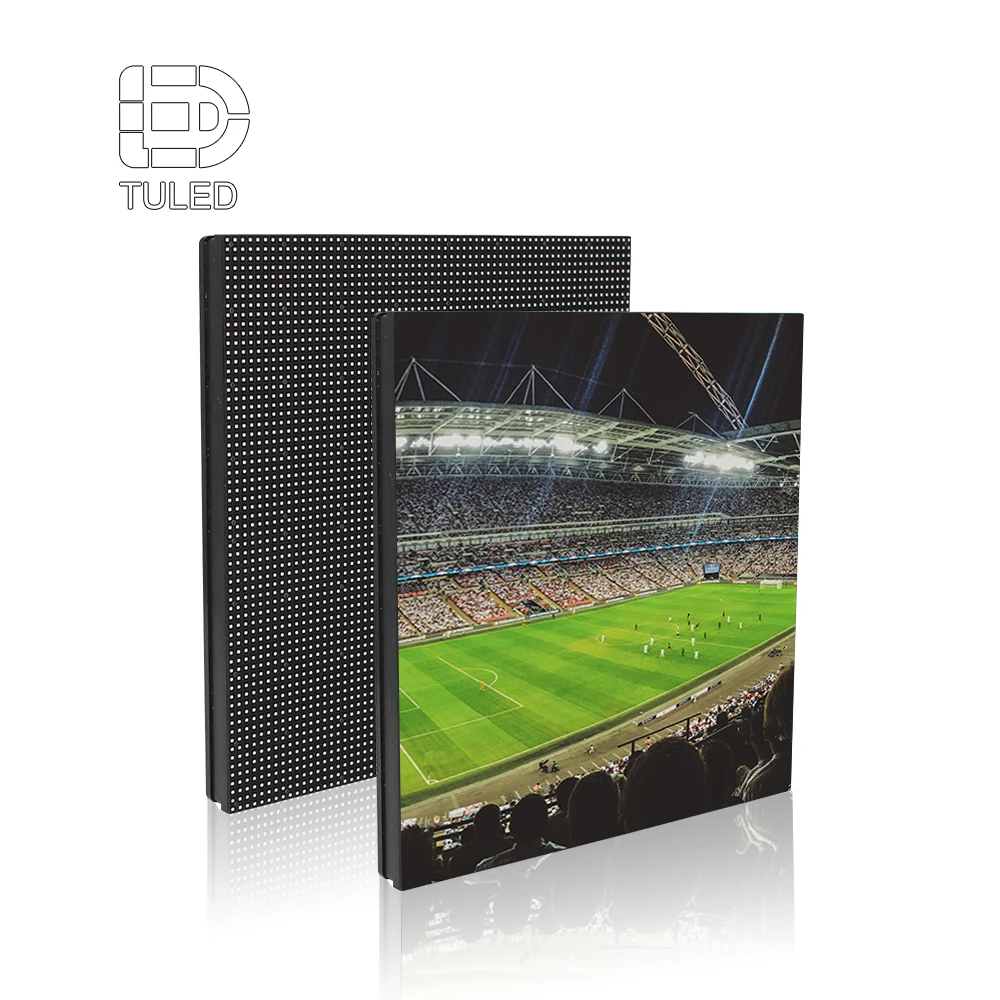
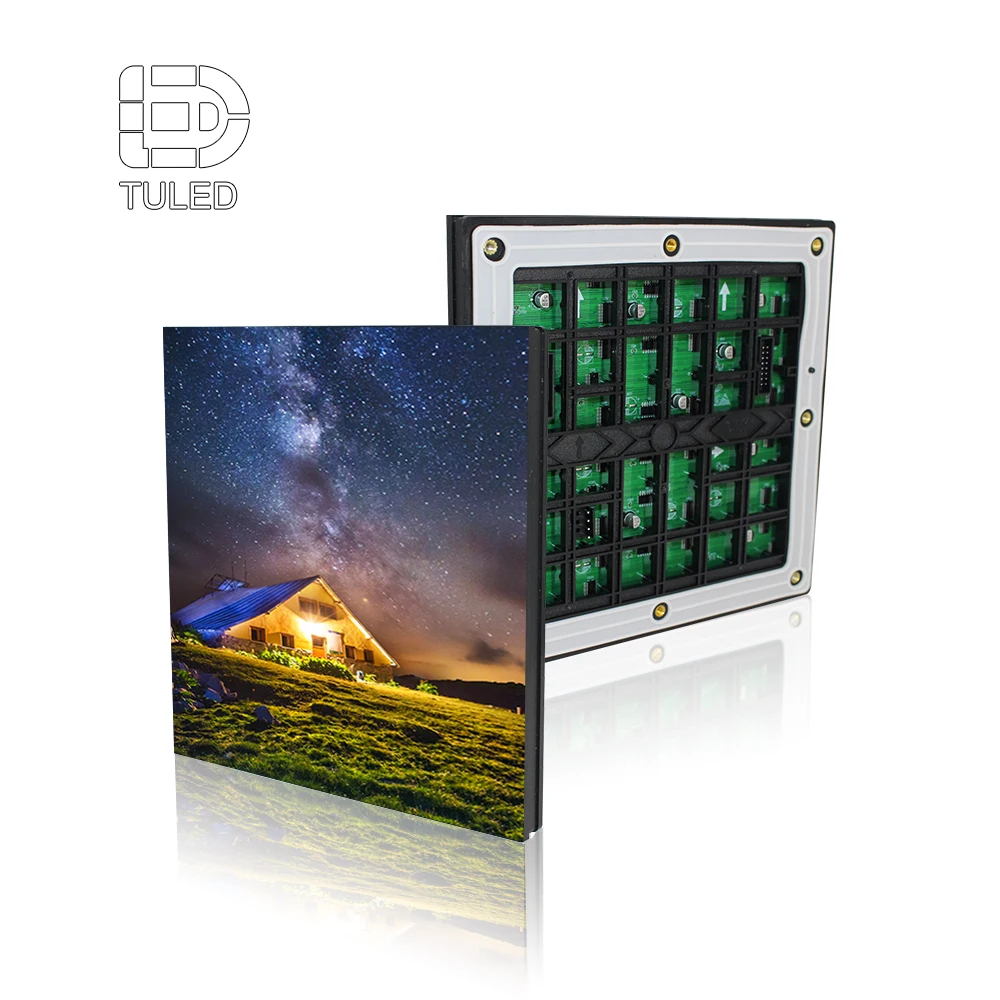
Այս մոդուլի նկարը համապատասխանում է պիքսելային հեռավորության, սպասարկման փոխարինման, պահեստային մոդուլների և սպասարկման պլանավորման բաժնին, քանի որ ստադիոնների նախագծերը պահանջում են մաքուր մոդուլային մակարդակի սպասարկման տրամաբանություն:
Դիտել 192×192 մմ LED դիսպլեյի մոդուլըԱպրանքի ճանապարհը. Համապատասխանեցրեք ստադիոնի աշխատանքին՝ մինչև գինը հարցնելը
Ստադիոնի առաջարկը ավելի ուժեղ է դառնում, երբ յուրաքանչյուր էկրանի դիրքի համար սահմանված է պարզ ապրանքի ճանապարհ: Շարժական արտաքին միավորի համար հիմնական հարցը երկարաժամկետ արտաքին աշխատանքն է: Կողային ժապավենի համար հարցը տեղափոխվում է սահմանային անվտանգության և տեսախցիկների համար հարմար գովազդի ուղղությամբ:
Վերացույցի պատերի և միջոցառումների բեմերի համար մոդուլային վիդեո վահանակները կարող են օգտակար լինել, քանի որ դասավորությունը կարող է փոխվել մրցաշարերի, արարողությունների, համերգների և սպոնսորավորված միջոցառումների ընթացքում: Մոդուլային կաբինետների դիզայնը, արագ հավաքածուն և մաքուր միացումները դառնում են կարևոր:
Պահպանման պլանավորման համար վաղ շրջանում պետք է քննարկվեն LED մոդուլները և կաբինետների մուտքը: Պահեստային մոդուլները, սնման աղբյուրները, ընդունման քարտերը և կառավարման ֆայլերը կարող են նվազեցնել դադարները մրցաշարի ընթացքում: Արտադրանքի ճանապարհը պետք է ներառի շահագործումը՝ ոչ միայն առաջին տեղադրումը:
| Նախագծի պահանջ | Առաջարկվող մարշրուտ | Ինչու է հարմար |
|---|---|---|
| Հիմնական մարզադաշտի մասնակիցների միավորների ցուցադրում | Մարզադաշտի LED էկրան | Աջակցում է մասնակիցների միավորների ցուցադրմանը, դաշտի կողմից տեսանելիությանը, աջակցող շրջանակին և մարզական վայրերի օգտագործմանը |
| Վերացույցի պատ կամ միջոցառման տեսողական պատ | LED տեսա-վահանակներ | Օգտակար է մոդուլային մեծ տեսողական լուսաբանության, մրցաշարի օրվա վերացույցի և միջոցառման ցուցադրման պլանավորման համար |
| Կաբինետի վրա հիմնված ֆիքսված ցուցադրում | 960×960 մմ LED ցուցադրման կաբինետ | Օգնում է համեմատել կաբինետի չափսերը, տեղադրման կառուցվածքը և սպասարկման դասավորությունը |
| Մոդուլների փոխարինում և պահեստային մասեր | 192×192 մմ LED ցուցադրման մոդուլ | Օգտակար է սպասարկման պլանավորման, մոդուլների փոխարինման և պահեստային մասերի փաթեթավորման քննարկման համար |
Ստացեք ստադիոնի LED նախագծի առաջարկ
Հստակ ստադիոնի տեղաբաշխություն, նստատեղերի հեռավորություն, էկրանի դիրք, տեսախցիկների դասավորություն և սպասարկման պահանջները կարող են մի մոտավոր գնային հարցումը վերածել գործնական ճարտարապետական առաջարկի:
Կապվեք մեզ հետ՝ ստադիոնի նախագծի առաջարկի համարՔամու դիմադրությունը, ջրակայունությունը և սպասարկումը ազդում են երկարաժամկետ ծախսերի վրա
Ստադիոնի էկրանները ենթակա են եղանակային գործոնների և կառուցվածքային ճնշման: Նույնիսկ երբ ցուցադրությունը տեղադրված է տանիքի եզրի տակ՝ քամին, անձրևը, փոշին, տաքությունը և թարթումները կարող են ազդել նրա աշխատանքի վրա: Պետք է միաժամանակ հաշվի առնել կաբինետը և պողպատե շրջանակը:
Քամու բեռնվածությունը հատկապես կարևոր է մեծ չափսի բաց երկրագնդի վրա տեղադրված էկրանների համար: Բարձր տեղադրված մասնակի հաշվարկման վահանակը այլ կերպ է վարվում, քան ցածր տեղադրված սահմանային էկրանը: Արտադրության գծագրերի ստեղծումից առաջ պետք է ներկայացնել տեղադրման բարձրությունը, տեղական քամու պայմանները, կաբինետի քաշը, շրջանակի խորությունը և ամրացման դիրքը:
Ջրակայունության հարցը նույնպես պետք է ենթարագել գործնական վերլուծության: Առջևի մասը կարող է դիմանալ անձրևին, սակայն կաբելների մուտքը, հետին մասի կնքումը, ջրի շրջանառությունը, էլեկտրակայանի տեղադրումը և սպասարկման ճանապարհը կարող են մնալ ռիսկի աղբյուրներ: Ջրակայունության քննարկումը պետք է ներառի ամբողջ տեղադրման միջավայրը:
Սպասարկման հասանելիությունը որոշում է ապագայի վերանորոգման ծախսերը: Առջևից հասանելիությունը օգտակար է, երբ էկրանի հետևում տարածք չկա: Հետին հասանելիությունը լավ է աշխատում, երբ առկա է անվտանգ սպասարկման անցուղի: Հասանելիության եղանակը պետք է հաստատվի կաբինետների ընտրությունից առաջ:
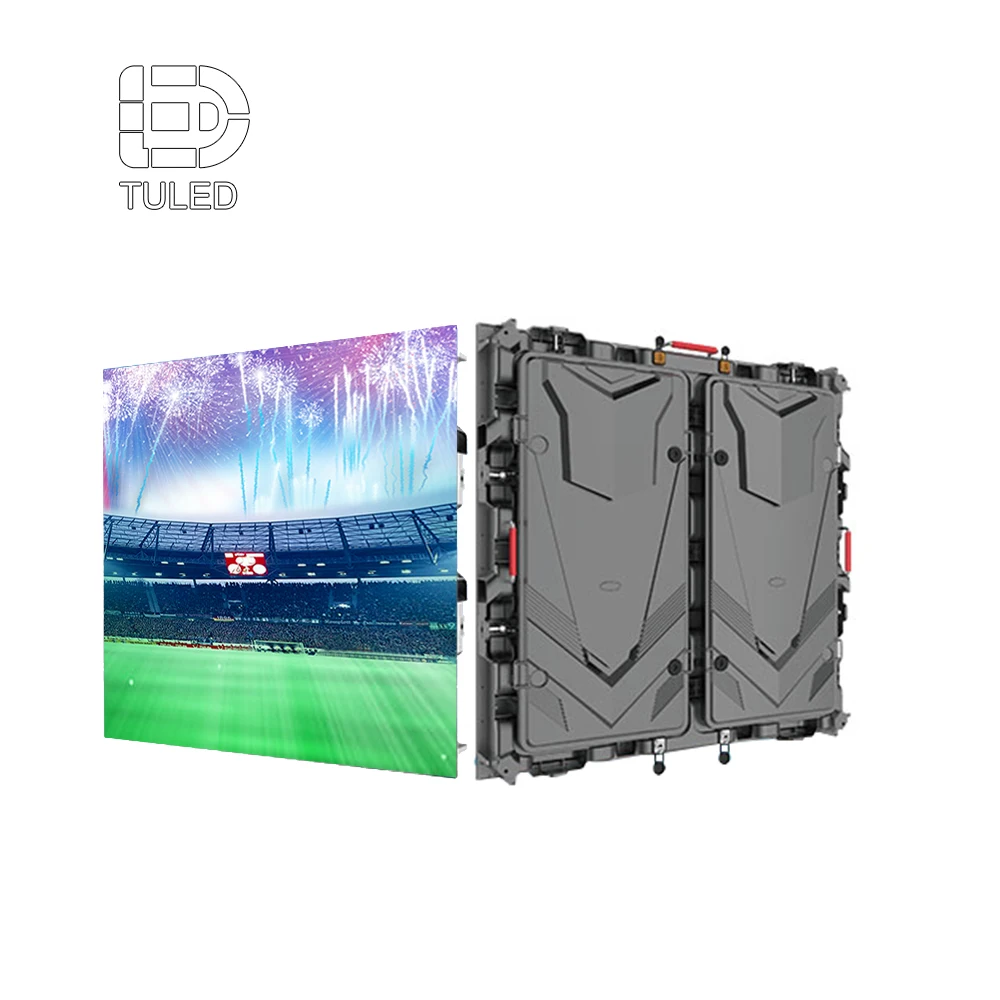
Այս կաբինետի նկարը աջակցում է 960×960 մմ կաբինետների պլանավորման, հետին կառուցվածքի, տեղադրման ձևաչափի և մեծ մարզադաշտերի էկրանային նախագծերի համար սպասարկման հասանելիության քննարկմանը:
Դիտել 960×960 մմ LED դիսպլեյի կաբինետՏեխնիկական ռիսկերի ստուգման ցուցակ
| Ապրանք | Ինչու է դա կարևոր | Ինչ պետք է հաստատել |
|---|---|---|
| Քամու ազդեցություն | Ազդում է պողպատե շրջանակի, կաբինետի բեռնվածության և տեղադրման անվտանգության վրա | Դիրք, էկրանի բարձրություն, շրջանակի տեսակ, բաց երկնքի տակ տեղադրում |
| Ջրակայունության ճանապարհ | Պաշտպանում է մոդուլները, սնման և սիգնալային միացումները | Առջևի պաշտպանություն, հետին մասի կնքում, կաբելների մուտք, ջրի շրջանառություն |
| Սպասարկման հասանելիություն | Կարգավորում է վերանորոգման արագությունը և ապագայի սպասարկման ծախսերը | Առաջին մուտք, հետին անցուղի, բարձրացման սարքի մուտք, պահեստային մոդուլի պլան |
| Սնման դասավորություն | Ազդում է լուսավորության կայունության և անվտանգ շահագործման վրա | Էլեկտրակայանի հեռավորությունը, լարումը, հողավորումը, բաշխման տակտակը |
Մարզադաշտի LED նախագծի գնային առաջարկի տվյալների ստուգման ցանկ
Օգտակար գնային առաջարկը պետք է ներառի միայն էկրանի լայնությունն ու բարձրությունը: Ինժեներական թիմը պետք է հասկանա դիտման հեռավորությունը, էկրանի դիրքը, ցուցադրվող նյութի տեսակը, տեսախցիկների օգտագործումը, տեղադրման բարձրությունը, եղանակային ազդեցությունը, մուտքի եղանակը և էլեկտրամատակարարման տեղամասը:
Պարզ գծապատկերը կարող է կանխել շատ սխալ ենթադրություններ: Նստավայրերի պլանը, մարզադաշտի լուսանկարը, էկրանի տեղադրման նշանը և մոտավոր չափսերը հաճախ բավարար են վաղ առաջարկի համար: Հետագայում կառուցվածքային գծապատկերները կարող են ավելի ճշգրիտ դարձնել առաջարկը:
Հարցումը պետք է նկարագրի, թե ինչպես է մարզադաշտը օգտագործելու էկրանը իրական միջոցառման օրը: Դա պետք է ներառի միավորների ցուցադրման համակարգի աշխատանքը, վերարտադրման ֆունկցիան, սպոնսորային գովազդը, տեսախցիկների նկարահանումը և սպասարկման համար մուտքի եղանակը:
| Ուղարկվելիք տեղեկատվություն | Ինչու է դա կարևոր | Օրինակ |
|---|---|---|
| Մարզադաշտի տեսակը | Փոխում է ցուցադրվող նյութը և դիտման հեռավորությունը | Ֆուտբոլի մարզադաշտ, բասկետբոլի արենա, կրիկետի մարզադաշտ |
| Էկրանի դիրքը | Ազդում է չափի, անկյան, կառուցվածքի և մուտքի վրա | Հյուսիսային ծայր, ստանդի վրա, դաշտի շուրջը |
| Էկրանի չափի թիրախ | Սկսում է կաբինետի դասավորությունը և բյուջետային շրջանակը | 12 մ × 6 մ, 20 մ × 8 մ, հարմարեցված հարաբերություն |
| Ամենահեռու դիտման հեռավորությունը | Ուղղորդում է դաշտի պատկերը, տեքստի չափը և բովանդակության դասավորությունը | 80 մ, 120 մ, 180 մ |
| Ամենամոտ դիտման հեռավորությունը | Կանխում է մոտակա գոտիներում տեսանելի պիքսելների խնդիրները | 8 մ, 15 մ, 25 մ |
| Կամերայի օգտագործում | Ուղղորդում է թարմացումը, սկանավորումը և պրոցեսորի ընտրությունը | Հեռարձակում, ուղիղ հեռարձակում, սոցիալական ցանցերի համար նախատեսված տեսանյութեր, առանց տեսախցիկի |
| Սպասարկման հասանելիություն | Փոխում է կաբինետը, ամրացման սարքը և սպասարկման ծախսերը | Առջևից մուտք, հետևից մուտք, սպասարկման անցուղի |
Ուղարկեք ստադիոնի տեղաբաշխությունը, դիտման հեռավորությունը և տեսախցիկների օգտագործման պլանը
Գործնական ստադիոնային էկրանի առաջարկ ստանալու ամենաարագ ճանապարհը՝ նախապատրաստել տեղաբաշխությունը, հեռավորությունը, բովանդակության օգտագործման նպատակը, տեսախցիկների պլանը, տեղադրման բարձրությունը և սպասարկման մուտքը միասին:
Ուղարկել նախագծի մանրամասներըԼրացուցիչ կարդալու նյութ ստադիոնների համար LED էկրանների պլանավորման վերաբերյալ
Ստադիոնի նախագիծը կարող է ներառել մի քանի տիպի ցուցադրական սարքեր: Այս կապված ապրանքային էջերը օգնում են առանձնացնել տեխնիկական ուղղությունը մեջբերման նախքան, ինչպես նաև ավելի բնական են դարձնում ներքին հղումները, քանի որ յուրաքանչյուր հղում աջակցում է տարբեր պլանավորման հարցերի:
Ստադիոնի շրջանակը և մասխաղի միավորների ցուցադրման ուղին
Օգտագործեք այս էջը, երբ նախագիծը ներառում է սպորտային վայրեր, շրջակայքի գովազդ, աջակցող շրջանակներ և մրցախաղի օրվա էկրանների շահագործում:
Դիտել ստադիոնի LED ցուցադրությունըՎերարտադրման պատ և միջոցառման տեսանյութի ճանապարհ
Օգտագործեք այս էջը, երբ նախագծի համար անհրաժեշտ են մոդուլային ցուցադրման վահանակներ վերարտադրման պատերի, արարողությունների և ճկուն միջոցառման տեսողական տարրերի համար:
Դիտել տեսապանելներ LEDԿաբինետի և կառուցվածքի տվյալներ
Օգտագործեք այս էջը, երբ համեմատում եք կաբինետի չափսերը, հետին կառուցվածքը, էկրանի դասավորությունը և ամրացված տեղադրման պլանավորումը:
Դիտել 960×960 մմ LED դիսպլեյի կաբինետՄոդուլի և սպասարկման տվյալներ
Օգտագործեք այս էջը, երբ քննարկում եք մոդուլի չափսերը, պահեստային մոդուլները, փոխարինման պլանավորումը և երկարաժամկետ սպասարկման աջակցությունը:
Դիտել 192×192 մմ LED դիսպլեյի մոդուլըՀաճախադեպ տրվող հարցեր. Ստադիոնի տեսանելիություն, թարմացում, միավորների ցուցադրում և շրջակայքի պլանավորում
Ինչպե՞ս պետք է գնահատել ստադիոնի էկրանի չափը՝ հեռավոր հեռավորության վրա տեսանելիության համար:
Նախ որոշեք ամենահեռավոր նստատեղը, որտեղից պետք է կարդալ միավորները և ժամանակը: Այնուհետև ստուգեք իրական օգտագործման ընթացքում հայտնվող ամենափոքր տեքստային և գրաֆիկական տարրերը: Էկրանի չափը պետք է առաջին հերթին ապահովի կարդացվող բովանդակությունը, ոչ թե միայն լրացնի առկա պատի տարածքը:
Միաժամանակ պետք է փորձարկվի նաև միավորների ցուցադրման դասավորությունը՝ որպես բովանդակության մոդելավորում: Միավորների թվերը, թիմերի անունները, վերացուցադրման պատուհանները, սպոնսորների բլոկները և ծանուցումները պետք է տեղավորվեն առանց զգացվելու խճճվածություն:
Ինչու՞ է թարմացման հաճախականությունը կարևոր ստադիոնի տեսախցիկների համար:
Թարմացման հաճախականությունը ազդում է նրա վրա, թե տեսախցիկները կտեսնեն արդյոք մռայլում, սկանավորման գծեր կամ շարժվող շերտեր: Սա հատկապես կարևոր է, երբ էկրանը հայտնվում է հեռուստատեսային տեսահանումներում, ուղիղ եթերահանման ժամանակ, դանդաղաշարժ վերացուցադրումներում կամ սոցիալական մեդիայի կտրվածքներում:
Թարմացման հաճախականությունը պետք է վերանայվի ամբողջ տեսախցիկի աշխատակարգի հետ մեկտեղ: Տեսախցիկի կадրերի հաճախականությունը, շատրանային կարգավորումը, պրոցեսորի համապատասխանեցումը, սկանավորման ռեժիմը և պայծառության կարգավորումները կարող են փոխել վերջնական արդյունքը:
Ի՞նչ է տարբերությունը միավորների ցուցադրման էկրանի և պերիմետրային ցուցադրման միջև:
Միավորների ցուցադրման էկրանը սովորաբար ավելի բարձր է, ավելի մեծ և դիտվում է ավելի երկար հեռավորությունից: Այն պետք է ապահովի միավորների տվյալների պարզ ցուցադրումը, ժամացույցի տեղեկատվությունը, վերացուցադրման պատուհանները, սպոնսորների տարածքը և հանրային հայտարարությունները:
Պերիմետրային էկրանը տեղադրված է դաշտի մոտ: Այն պետք է ունենա կառավարվող պայծառություն, անվտանգ կաբինետի դիզայն, աջակցող անկյուն, սպոնսորների շարժվող տեքստի ընթերցելիություն և կայուն տեսախցիկի վարքագիծ կողային նկարների ժամանակ:
Երբ է արդյոք իմաստ ունենում P6 ստադիոնի պերիմետրային էկրանը:
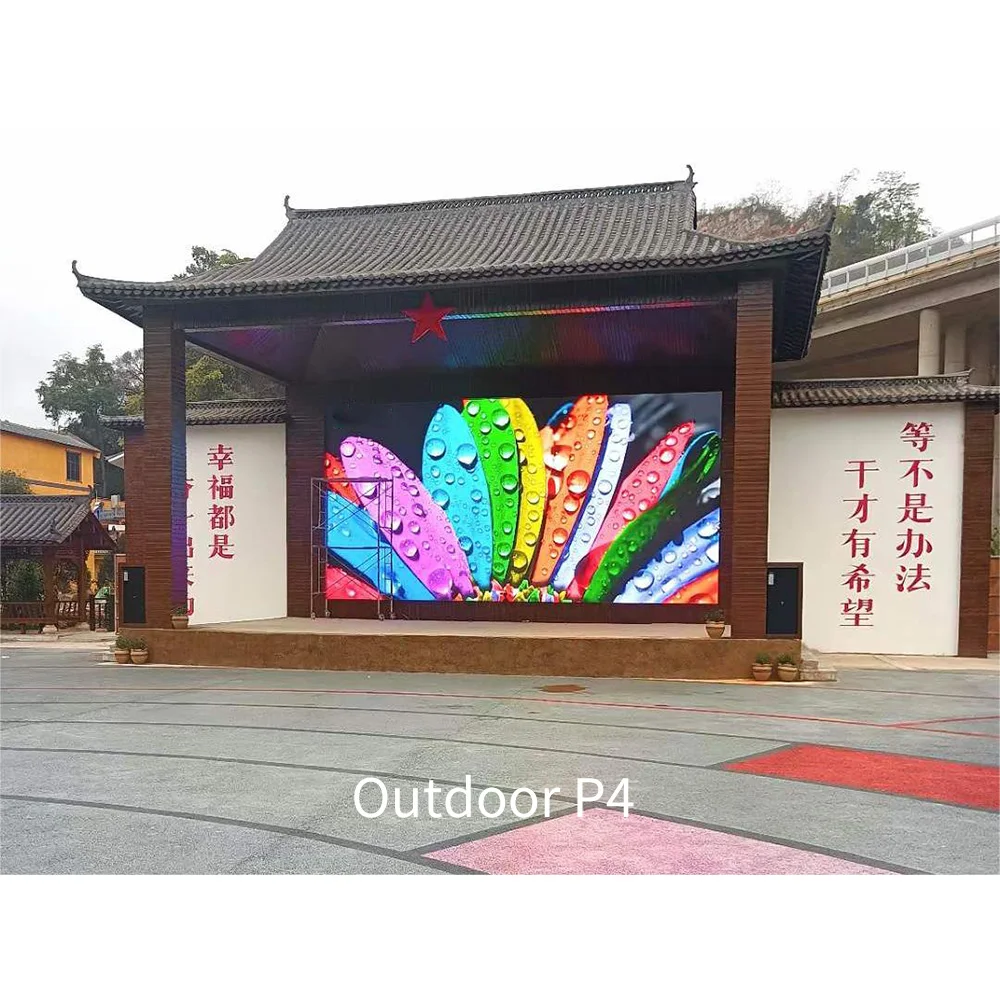
P6 պերիմետրային էկրանը կարող է իմաստ ունենալ, երբ հիմնական բովանդակությունը սպոնսորների լոգոներն են, անիմացված ժապավենները, մրցաշարի բրենդինգը և կողային հաղորդագրությունները: Հաճախ այն հավասարակշռում է դիտման հեռավորությունը, կաբինետի արժեքը և արտաքին սպորտային օգտագործումը:
Այնուամենայնիվ, վերջնական ընտրությունը պետք է հաշվի առնի տեսախցիկի անկյունը, դաշտի հեռավորությունը, կաբինետի բարձրությունը, անվտանգության պաշտպանությունը և պայծառության կառավարումը: Դաշտը պետք է համապատասխանի տվյալ վայրին, ոչ թե միայն կատալոգի առաջարկին:
Ի՞նչ մանրամասներ պետք է ուղարկվեն ստադիոնի LED առաջարկություն ստանալուց առաջ:
Օգտակար հարցումը պետք է ներառի էկրանի դիրքը, մոտավորապես չափսը, դիտման հեռավորությունը, բովանդակության տեսակը, տեսախցիկի օգտագործումը, տեղադրման բարձրությունը, քամու ազդեցությունը, մուտքի եղանակը և էլեկտրամատակարարման տեղը:
Լուսանկարները, գծապատկերները և պարզ նստավայրերի քարտեզը կարող են բարձրացնել ճշգրտությունը: Այս մանրամասները օգնում են գործարանին առաջարկել ավելի լավ թեքության անկյուն, կաբինետի ճանապարհ, թարմացման կոնֆիգուրացիա և սպասարկման պլան:
Վերջնական պլանավորման խորհուրդներ ստադիոնների LED նախագծերի համար
Ստադիոնի LED նախագիծը պետք է պլանավորվի որպես ամբողջական տեսողական և ինժեներական համակարգ: Էկրանը պետք է ապահովի հեռավորության վրա դիտման համար բավարար տեսանելիություն, մասկարային վարդակի մաքրություն, վերարտադրվող շարժումների ճշգրտություն, սպոնսորների արժեքը, տեսախցիկների կողմից նկարահանման հնարավորություն, եղանակային դիմացկունություն, քամու անվտանգություն և արագ սպասարկում:
Ամենաարդյունավետ նախագծային քննարկումները սկսվում են իրական օգտագործման վրա: Նստավայրերի հեռավորությունը, դաշտի դասավորությունը, էկրանի դիրքը, միջոցառման տեսակը, հեռարձակման պլանը, բովանդակության դասավորությունը, սպասարկման ճանապարհը և էլեկտրամատակարարման տեղակայումը պետք է վերանայվեն վերջնական մոդելի ընտրությունից առաջ:
Վերջում՝ նախագծի համար պատրաստ LED էկրանային ցուցադրություն չի սահմանափակվում միայն պայծառ արտաքին էկրանով: Դա ստադիոնի հաղորդակցման միջոց է, որը աջակցում է մրցաշարի աշխատանքին, սպոնսորների տեսանելիությանը, վերարտադրվող տեսանյութերի ազդեցությանը, տեսախցիկների կայունությանը և երկարաժամկետ սպասարկման վստահությանը:
3 գործնական քայլ մեջբերման առաջ
- Պատրաստել մարզադաշտի դասավորությունը, էկրանի դիրքը, ամենահեռավոր դիտման հեռավորությունը և նպատակային էկրանի չափսը։
- Հաստատել մասկարադային մասի բովանդակությունը, վերարտադրման օգտագործումը, սպոնսորային ցիկլերը, վիդեոխցիկների նկարահանումը և թարմացման սպասելիքները։
- Կիսվել տեղադրման բարձրությամբ, քամու ազդեցության մասին, էլեկտրամատակարարման տեղակայմամբ և առջևի կամ հետևի սպասարկման նախընտրությամբ։
Ստացեք ստադիոնի LED նախագծի առաջարկ
Ավելի ճշգրիտ առաջին հաղորդագրությունը օգնում է նվազեցնել սխալ տեխնիկական լուծումների ընտրությունը, մասկարադային մասի վատ կարդացվելու հավանականությունը, վիդեոխցիկների մոռացված մարտկոցների ռիսկը և տեղադրումից հետո սպասարկման անսպասելի դժվարությունները։
Կապվեք մեզ հետ՝ ստադիոնի նախագծի առաջարկի համար