EN
EN

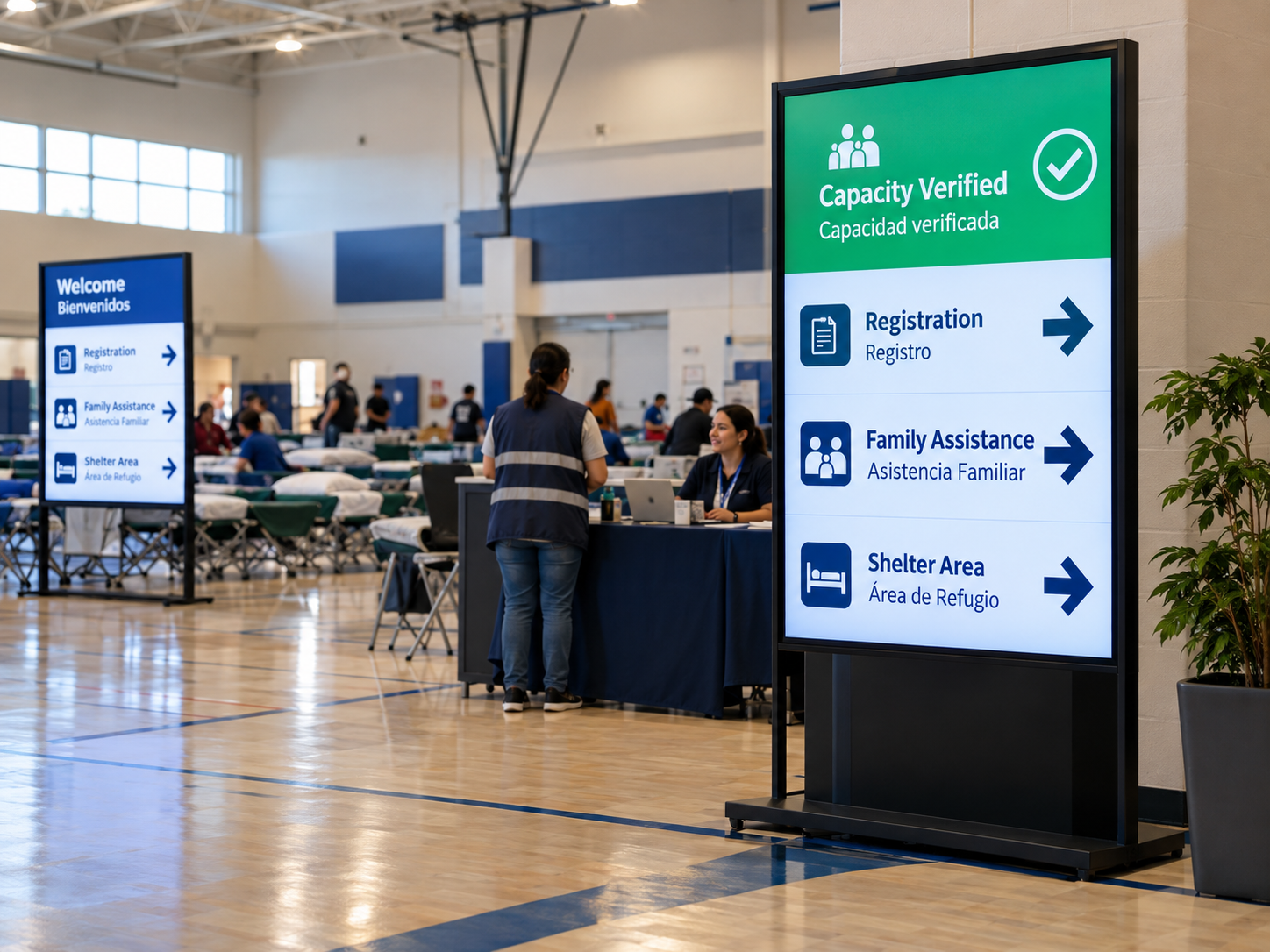
Emergency shelters need public signs that communicate verified capacity, understandable directions in the languages people use, and approved family meeting points without exposing anyone's private details. Keeping those messages accurate requires an authorized information source, a clear update time and a safe alternative when information cannot be confirmed.
For shelter coordinators and local facility teams, the difficult decision is not simply how much text an LED board can hold. It is what an arriving person may reasonably conclude from that text. Emergency shelter LED capacity updates must not imply guaranteed admission, while directional messages must lead to locations staff have actually approved.
Show verified capacity without creating a misleading promise
A registration count and the number of additional people a shelter can accept are not necessarily the same thing. Space may be assigned, temporarily unavailable or awaiting assessment. A nominal-capacity calculation can therefore mislead visitors.
Verified occupancy is the number counted under the shelter's approved procedure. Available capacity means places separately confirmed as usable. Admission status tells arriving people what action to take. A public board should not use one of these labels to describe another.
Imagine that registration staff have recorded more arrivals, but the accommodation team has not confirmed additional available places. Publishing an estimated remainder could prompt people to believe they will be admitted. A more responsible message would acknowledge what is still being checked and direct visitors toward staff.
When staff approve a number for publication, the label should explain what it measures. “People registered” is not a substitute for “Spaces available.” A message such as “Capacity verified at 14:20” also needs a defined meaning: that time must refer to the last authorized check of the underlying information, not simply a screen refresh.
This is how to display verified emergency shelter capacity updates without turning a visual status into a misleading promise. The site must identify who authorizes the figure and its fallback wording. Those decisions should be settled before selecting a board or discussing an automated data feed.
For teams reviewing led sign wholesale options, the early question is whether the proposed format can present these approved messages clearly at the actual entrance. Any particular publishing workflow, data connection or access-control feature needs supplier documentation rather than an assumption based on the product category.
Give multilingual directions a clear reading order
Not every location needs the same amount of explanation. An entrance visitor needs registration directions; someone at an internal junction may need only a destination and arrow. Multilingual planning becomes more effective when it starts with these different reading situations.
A shared entrance with several language groups
Where people speaking different languages enter through one doorway, the registration instruction must remain identifiable in each approved language. Showing translations simultaneously can avoid making people wait; it may also make the text too small if the message is long. Alternating between languages gives each version more room, but a visitor may miss the relevant direction while it is off-screen.
The appropriate shelter multilingual LED directions depend on how quickly a decision must be made, how long the translations are and whether the proposed display has enough usable space. Test the longest approved wording rather than a short sample. A translation also has to retain the original destination and action; visual balance is less important than consistency.
Internal corridors with different destinations
At an internal junction, visitors may need to distinguish registration, accessible facilities and family reunification assistance. The arrow must unmistakably belong to the destination beside it. A translated name should not introduce a different room, and a message should not point toward an unconfirmed path simply because it looks tidy on the screen.
An LED arrow does not prove that the indicated route is accessible. Staff must separately confirm usable routes and appropriate alternatives for people who cannot rely on a visual sign. The U.S. Department of Justice's emergency-planning guidance describes the importance of accessible shelter programs and communication for people with disabilities.
Before selecting shelter information signboards, review actual message lengths, viewing positions, approved destinations and accessible routes together. The project owner defines those conditions; the supplier needs to show what the proposed display configuration can genuinely support.
Direct families to an approved reunification point
Family reunification signage should answer a practical question: where can someone speak to an authorized person about a family member? It should not attempt to answer whether a named individual is inside the building. Public directions and confidential reunification inquiries are different kinds of information, even when they originate with the same shelter team.
If staff have designated a family assistance desk in a community hall, a public message could read “Family Reunification Assistance — Community Hall, Desk B →”. That wording is only an illustration. Its actual location, label and arrow must be approved for the building, including any accessible alternative and instructions if the desk moves.
Position matters as well. A junction sign may be more useful than lengthy directions at the entrance. Staff should observe likely approach paths, queues that might obscure a screen and places where visitors naturally stop to ask for help.
Missing-person names, children's identities, contact details, registration records, medical information and individual case status should not appear as part of routine public wayfinding. The American Red Cross Restoring Family Links program provides a useful reference for treating family tracing as a dedicated, confidential assistance process. Local rules still determine who may receive or disclose information.
The question of how to show family reunification directions without personal data therefore has a simple answer: publish the approved assistance destination and route, then keep individual inquiries within an authorized service.
Protect personal details and handle stale information
A readable sign can still be wrong when a desk moves or the occupancy source stops reporting. Hardware alone cannot resolve that uncertainty.
The person collecting information need not be the person authorizing it for public use. Registration staff might record arrivals, while a designated coordinator confirms which figure can be published. Facility staff may approve directions, while the reunification team approves the public location of its assistance desk. Each message needs a known source, an update authority and a process for withdrawal.
For capacity figures, the project team should set its own criteria for when information is no longer sufficiently current. If that point is reached, the agreed fallback may be “Current capacity information unavailable — Please contact registration staff.” Leaving an old figure onscreen with a newly refreshed clock can make uncertain information appear verified.
Keep screen activity separate from data verification. A display that changes every few minutes does not prove that the capacity source has been checked. Approval, timestamps and fallback wording must describe the underlying information, not just the display's behavior.
The same review applies to route changes. An old meeting-point instruction should be withdrawn when it stops being correct, but an alternative should only be published once staff have confirmed the new destination. Public-message editing also needs a privacy boundary so confidential files are not copied to a visitor-facing screen.
LED signage supports approved public information. It does not replace admission decisions, emergency procedures, accessibility arrangements or safety systems. Proposed remote control, role permissions, automated feeds and recovery behavior must be checked against the documentation for the exact product and project configuration.
Prepare a shelter-specific messaging and signboard brief
Purchasing should start with approved messages, not a generic emergency-screen request. Capacity guidance near the entrance, registration arrows at a junction and family assistance information inside the building involve different viewing moments and different staff responsibilities. Record each application separately.
Shelter signage buyer information checklist
- Approved capacity sourceIdentify the verified occupancy and available-capacity source, what may be publicly displayed and who confirms admission status.
- Languages and reading orderProvide approved translations, their priority and whether each location requires simultaneous or sequential reading.
- Accessible routesSupply confirmed entrance and internal routes, accessible alternatives and complementary communication arrangements.
- Meeting pointsList authorized public names for family assistance locations, the correct routes and the process for handling relocation.
- Privacy rulesSpecify information prohibited from public display and the authority responsible for reviewing exceptional disclosures.
- Update authorityIdentify who supplies, verifies, publishes, corrects and withdraws capacity and directional messages.
- Viewing and installation conditionsMark proposed sign locations and viewing positions, and provide representative messages for the supplier to assess.
Compare options using site conditions and supplier evidence. For example, LED signs for shelter directions should be judged by whether the proposed configuration can present the approved language set and message hierarchy, not by assuming that any LED Sign Board comes with emergency-specific functions.
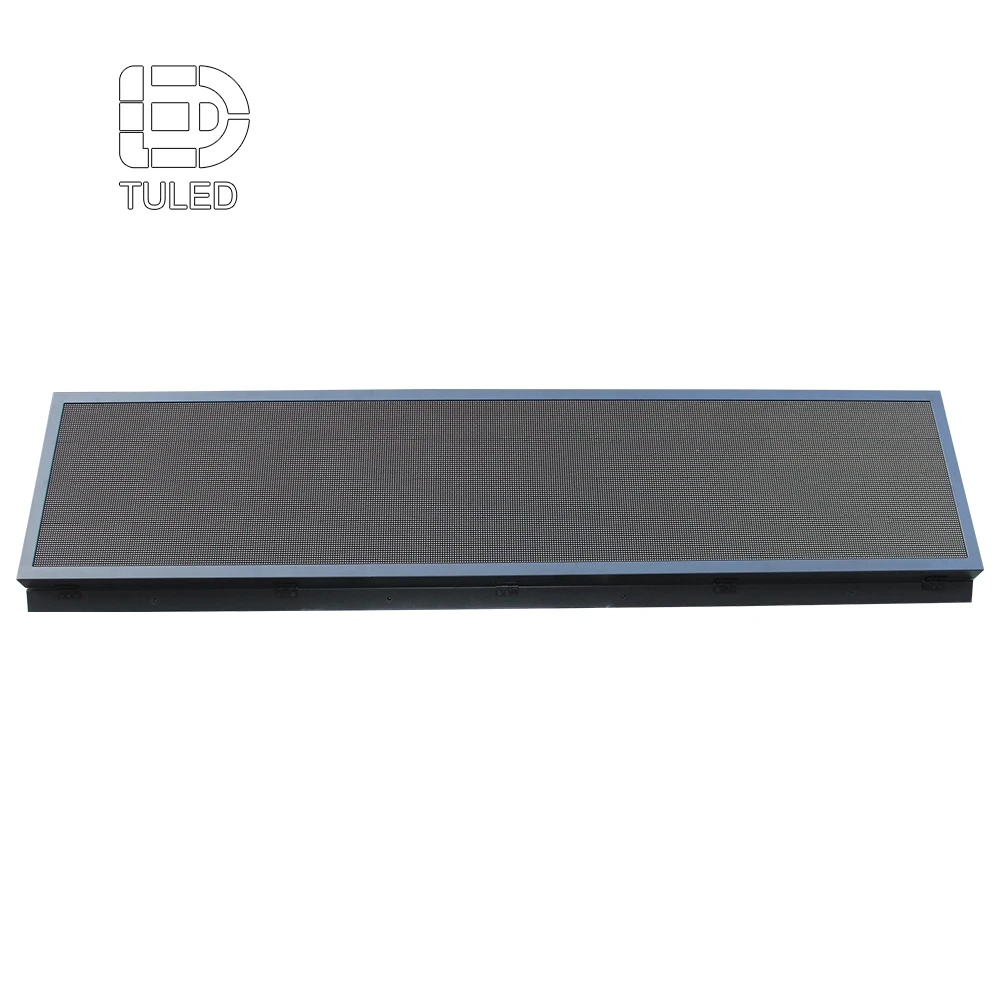
A programmable display format to review for changing messages
The manufacturer's Programmable LED Display Board page is a relevant product-level reference because this shelter brief involves public messages that may need to change as information is verified. The image does not document a shelter installation. Before selecting it, request evidence for the required text layout, approved language presentation, update workflow and installation conditions; the product page alone does not establish shelter suitability.
View Programmable LED Display BoardThe final review should involve those who own occupancy records, public directions, accessible routes and family assistance procedures. They approve message accuracy; the supplier documents whether the proposed screen can present those messages.
Frequently Asked Questions
How should a shelter label a capacity update time?
Use a clearly identified verification time, such as “Capacity verified at 14:20,” with the local date where needed. It should represent an authorized check of the underlying information, not the last refresh of the screen.
Should missing-person names appear on a public board?
No, not as part of routine shelter signage. Direct visitors to approved reunification assistance. Any exceptional disclosure of personal information needs separate authorization and the appropriate privacy review.
What should be shown when capacity information is unavailable?
Show an approved message stating that current capacity information is unavailable, then direct visitors to registration staff or another confirmed assistance point. Do not display an old value as if it were current.
Discuss your shelter messaging and signage brief
Emergency shelter LED capacity updates are most useful when staff can verify the information and visitors can understand what to do next. Share the approved capacity source, required languages, accessible routes, meeting points, privacy rules and update authority so the team can discuss suitable signboard options without assuming unverified features.
Contact Us