EN
EN

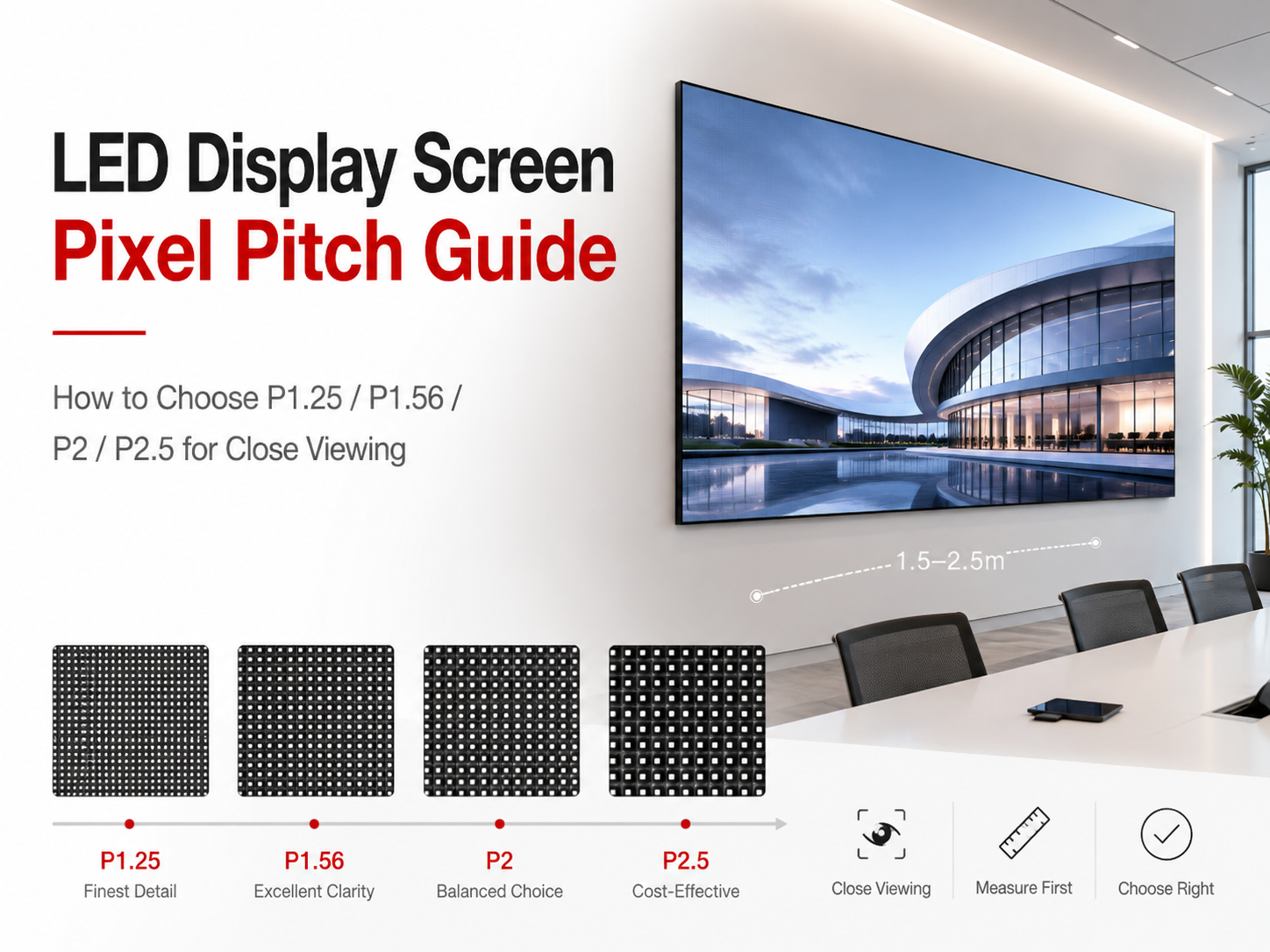
Many indoor projects begin with the same worry: the screen will be viewed from a short distance, so the smallest pitch must be the safest choice. However, a close-viewing led display screen does not need the smallest pitch every time. It needs a practical match between viewing distance, screen size, content detail, installation access and budget. Therefore, this guide explains P1.25, P1.56, P2 and P2.5 through real rooms instead of complex theory. It also shows how text, video, cabinet flatness and maintenance planning change the final quotation.
Why Smaller Pitch Is Not Always the Better Answer
First, pixel pitch should follow the room. A smaller pitch creates more pixels within the same screen area. Therefore, the image can show finer detail when the viewing distance is short. However, that higher density also affects budget, signal planning, power layout, calibration and future service.
At the same time, content matters as much as the room. A wall showing large product video does not need the same pitch as a wall showing spreadsheets, control data or small subtitles. In other words, small text asks for more pixel density, while large video can look smooth with a wider pitch.
Therefore, the best pitch is rarely chosen from a product name alone. The practical route is simple: confirm the closest regular viewing point, then check screen size, content style and installation method together. This avoids paying for pixels that cannot be noticed, while still protecting the parts of the image that matter daily.
Pitch selection matrix for close-viewing rooms
| Viewing situation | Practical pitch range | Best content fit | Main benefit | Common wrong choice |
|---|---|---|---|---|
| Executive room, 1.2–2 m close view | P1.25 / P1.56 | Small text, charts, video calls | Sharper edges and cleaner details | Choosing P2.5 only because first cost looks lower |
| Standard meeting room, 2–3 m close view | P1.56 / P2 | Slides, video, mixed content | Balanced clarity and budget | Choosing P1.25 without text-heavy content |
| Retail display, 2.5–4 m walk-by view | P2 / P2.5 | Product video, large text, campaign visuals | Strong impact with controlled cost | Using tiny text on a wider pitch |
| Control room, close data reading | P1.25 / P1.56 | Dashboards, maps, numbers, monitoring windows | Better data readability | Treating it like a video-only wall |
 Explore Indoor LED Display
 Indoor projects should start from viewing distance, content style and service access. This product path fits conference rooms, showrooms, control rooms and commercial indoor walls.
Why Close Viewing Exposes the Wrong Pitch Choice
Close viewing is less forgiving. For example, a person standing 1.5 meters from a screen can notice jagged text, visible pixel structure and uneven cabinet alignment much faster than someone standing 5 meters away. Therefore, narrow rooms need more careful pitch planning than large lobbies.
However, close viewing does not automatically mean the smallest pitch is required. If the screen mainly shows large photos, short headings and video loops, the eye blends the image more naturally. Meanwhile, small white text on a dark background reveals pixel edges quickly.
In addition, viewer behavior changes the result. Some rooms are used for seated reading. Other areas are viewed while people walk past. A still reader notices details, while a moving viewer notices scale, color and motion first. Because of this, pitch should follow real viewing behavior.
The practical close-viewing rule
A useful rule is simple: the closest regular viewing position should not make the pixel grid the first thing people notice. Still, this rule must be connected with content. P2 may look clean with large slides at 3 meters, while the same pitch may look rough with dense tables at 2 meters.
Similarly, P1.56 may look excellent in a compact conference room. Yet, if most content is full-screen video and large typography, P2 may already deliver enough clarity. Therefore, the extra budget may be better used for cabinet flatness, front maintenance, spare modules or a stronger processor.
How to Choose P1.25, P1.56, P2 and P2.5
P1.25 is useful when the room is short, the content is detailed and the screen needs a premium close-viewing result. For example, executive rooms, command spaces, broadcast-style rooms and high-end demonstration areas often need fine image detail. Therefore, P1.25 makes sense when small text must remain readable from a short distance.
P1.56 is often the strong middle choice. It gives a refined indoor image without pushing the project into the highest cost level. Therefore, it fits meeting rooms, experience centers, control spaces and showrooms where close viewing matters but the content is not always extremely dense.
P2 and P2.5 should not be dismissed too quickly. P2 often works well for mixed slides, video calls, training content and retail visuals when the nearest regular viewing position is not too close. Meanwhile, P2.5 can be very practical for larger indoor walls where video impact matters more than small text.
P1.25: when fine detail has real value
P1.25 should be selected for a clear reason. It helps when the screen displays small numbers, map labels, technical drawings, financial dashboards or multiple data windows. It can also support a more refined image in premium rooms where the viewing position is very close.
However, P1.25 needs stricter planning. Because the pixel density is high, the screen resolution becomes larger at the same physical size. Therefore, content source, processor capacity and signal layout should be checked before production.
P1.56: the balanced fine-pitch option
P1.56 is often the practical recommendation for indoor close-viewing projects. It protects text clarity better than P2, while usually keeping the budget more controlled than P1.25. Therefore, it suits meeting rooms, showrooms and mixed-use indoor spaces.
Meanwhile, P1.56 works well when the screen alternates between presentations, video calls, brand films and dashboards. It can handle small text better than wider pitch options, yet it does not always require the same budget level as ultra-fine pitch.
P2: a practical choice for mixed indoor use
P2 is a strong option for many indoor projects. It is especially useful when the closest regular viewing distance is around 2.5 to 4 meters. In this range, large slides, video calls, brand images and training content can look clean when the content is designed well.
At the same time, P2 can reduce cost pressure. It may also simplify system planning compared with very fine pitch options. Therefore, P2 can leave more budget for cabinet precision, control system quality, spare parts and installation support.
P2.5: the value choice for larger indoor visuals
P2.5 works best when viewing distance is longer and content is visual-first. For example, lobby screens, retail feature walls, exhibition backdrops and commercial video walls can often use P2.5 effectively. Therefore, it is a practical option when the screen focuses on large visuals, short messages and brand motion.
However, P2.5 should not be used for close reading. Thin text, small subtitles and detailed tables may look soft from short distance. As a result, P2.5 should be paired with large fonts, strong contrast and simple layouts.
| Pitch | Practical close-viewing range | Best content fit | Budget impact | Avoid when |
|---|---|---|---|---|
| P1.25 | About 1.2–2 m | Small text, dashboards, premium rooms | Highest cost among these options | Content is mostly large video |
| P1.56 | About 1.5–2.5 m | Presentations, charts, video calls, mixed content | Strong balance | Room is large and viewing is far |
| P2 | About 2–4 m | Slides, training, retail video, brand visuals | Controlled cost | Dense data must be read very close |
| P2.5 | About 3 m and beyond | Lobby video, retail campaigns, large text | Best value among these four | Small text clarity is important |
CTA: Send viewing distance and screen size; we will suggest a practical pixel pitch
A fast recommendation needs the closest viewing point, screen width, screen height, content type and installation method. With these details, the pitch can be matched to real use instead of guessed from a catalog.
Contact Us For Pitch SuggestionText Content vs Video Content: Why the Pitch Changes
Text is the strictest test for pixel pitch. Letters have edges, curves, gaps and thin strokes. Therefore, small text shows pixel limitations faster than video. If the screen must show spreadsheets, menus, subtitles, technical drawings or dashboard values, a finer pitch becomes more useful.
Video behaves differently. Motion, color gradients and large shapes make the image feel smoother. Therefore, P2 or P2.5 can still look strong for brand films, product visuals, retail campaigns and lobby videos. However, the same pitch may not feel sharp when showing small text.
Mixed content needs the most careful decision. Many indoor walls show video calls in the morning, presentation slides at noon, product videos in the afternoon and dashboards during visits. Therefore, the selected pitch should protect the smallest important content, not only the most attractive demo video.
Text-heavy indoor screens
Text-heavy screens need enough pixel density. Otherwise, thin strokes look broken, and small letters lose their shape. Therefore, P1.25 or P1.56 is often better when close reading matters.
However, good content design can reduce pitch pressure. Larger fonts, medium-weight typefaces, wider spacing and strong contrast improve readability. As a result, P2 may still work in rooms where text can be designed for display viewing.
Video-heavy indoor screens
Video-heavy screens are more forgiving. Because motion blends details, wider pitch options can still create a smooth image. Therefore, P2 and P2.5 often perform well in retail, lobby and brand-display environments.
Still, camera use changes the answer. If the screen appears in video calls, livestreams or recorded presentations, refresh rate and brightness control matter. Therefore, pitch should be discussed together with camera position and shooting environment.
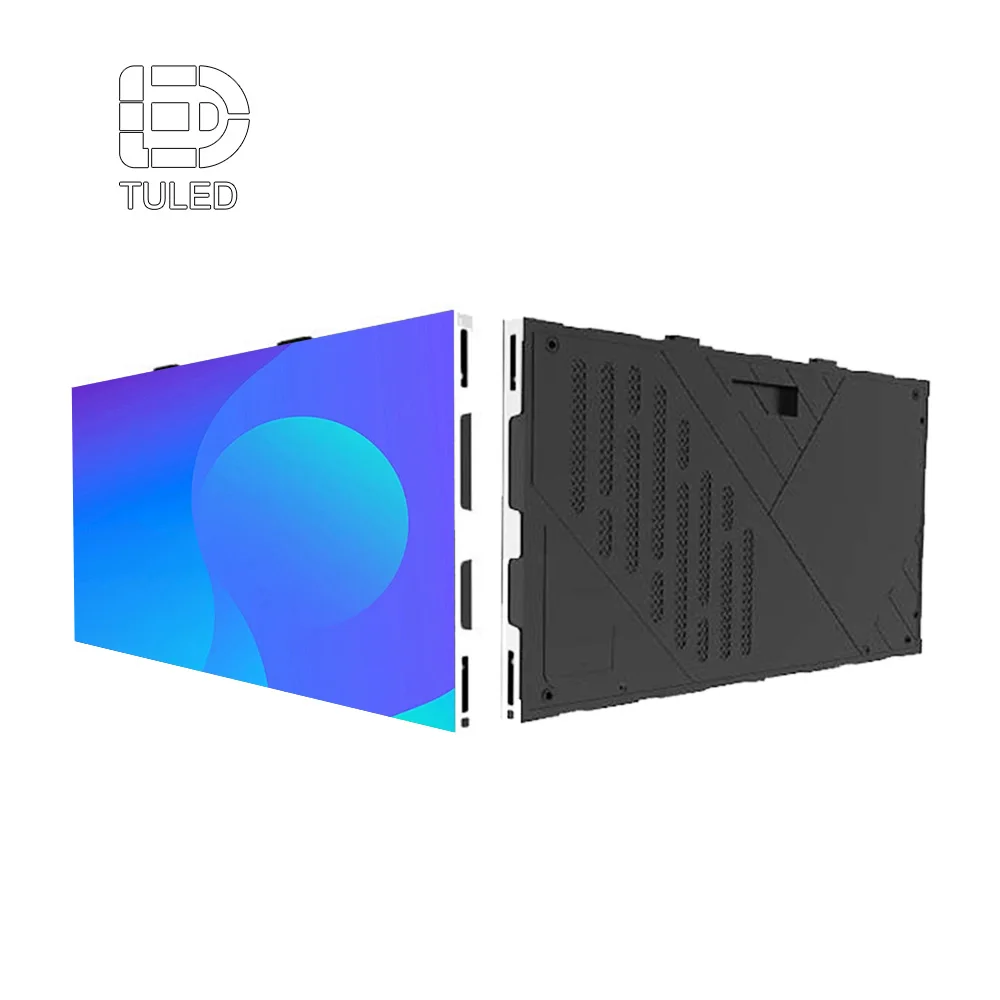 View HD Indoor Small Pitch Pixel LED Display
 Small pitch panels are suitable when close seats, small text, premium meeting visuals or detailed indoor content require cleaner edges and better surface refinement.
Product Path for Indoor Close-Viewing Projects
The product path should start with the indoor environment. Indoor display projects usually need comfortable brightness, smooth grayscale, fine pixel density and neat cabinet alignment. Therefore, Indoor LED Display is the right category for meeting rooms, retail interiors, control spaces, showrooms and corporate visual walls.
Next, small pitch products should be reviewed when the closest viewing position is short. P1.25 and P1.56 options are useful when text clarity, image detail and premium room appearance matter. Therefore, small pitch categories should be checked before assuming that a standard indoor wall is enough.
Finally, module and cabinet structure should be considered with pitch. A screen with a fine pitch can still look poor if the surface is uneven, the module batch is inconsistent or maintenance access is difficult. Therefore, the display wall should be treated as a complete system.
Module path
Modules affect image consistency and long-term service. If one module needs replacement, a spare module from the same batch can help maintain a consistent look. Therefore, LED Module planning is especially important for fine pitch screens.
In addition, module quality affects brightness consistency, color stability and maintenance speed. Close viewing makes small differences easier to notice. Therefore, module planning should be included in the quotation scope, not added after installation.
Panel path
Panels and cabinets affect flatness. Close viewing can reveal slight gaps, uneven edges and installation shadows. Therefore, LED Screen Panels should be reviewed when the wall requires neat alignment and stable structure.
In practice, a good indoor display project does not rely on pitch alone. It combines suitable pitch, stable modules, accurate panels, correct processing and clear maintenance planning.
How to Balance Budget and Image Quality
Budget balance starts with the closest useful viewing distance. If the nearest regular viewing point is 3 meters away, P1.25 may not add enough visible value. Therefore, the extra budget may be better used for spare modules, processor quality, cabinet flatness or professional installation support.
However, cost reduction should not damage the main use. If the screen must show small numbers from 1.5 meters, moving from P1.56 to P2.5 may reduce readability. As a result, the lower first cost can create daily frustration.
A practical budget plan protects the content that matters most. For a control room, that means small data. For a showroom, that means image quality and color. For a meeting room, that means readable slides. For a retail wall, that means strong visual impact and easy operation.
| Project priority | Better pitch direction | Budget should protect | Cost can be controlled by | Common wrong choice |
|---|---|---|---|---|
| Small text clarity | P1.25 / P1.56 | Pixel density and calibration | Avoiding unnecessary screen oversize | Choosing P2.5 only for lower price |
| Premium meeting visuals | P1.56 / P2 | Grayscale, color and refresh | Improving content font size | Choosing P1.25 without close seats |
| Retail video impact | P2 / P2.5 | Scale, brightness comfort and easy content updates | Using large text and clean visuals | Paying for pitch not noticed by walk-by viewing |
| Control data display | P1.25 / P1.56 | Readability and stable operation | Limiting wall size to useful data area | Applying video-wall logic to data walls |
Installation, Flatness and Maintenance Planning
Installation can change the best pitch decision. For example, a fine pitch wall installed in a narrow room may require front maintenance. Without it, future service may require opening the wall or removing larger sections. Therefore, maintenance access should be confirmed before the final product choice.
At the same time, cabinet flatness becomes more important as pitch becomes finer. Slight gaps, uneven cabinet edges and small angle differences can show up quickly at close distance. Therefore, a refined wall needs both suitable pitch and accurate physical alignment.
In addition, heat and ventilation should be planned early. Indoor screens do not face rain or direct sunlight like outdoor products. However, they still produce heat during long operating hours. Therefore, cabinet depth, power distribution and airflow should be part of the project discussion.
Front maintenance
Front maintenance is useful when the screen is mounted against a wall. It allows modules and components to be accessed from the front. Therefore, the room does not need a rear service corridor.
However, front maintenance still requires correct product planning. Module suction, cable routing, cabinet locking and frame design must work together. Therefore, the quote should confirm maintenance method clearly.
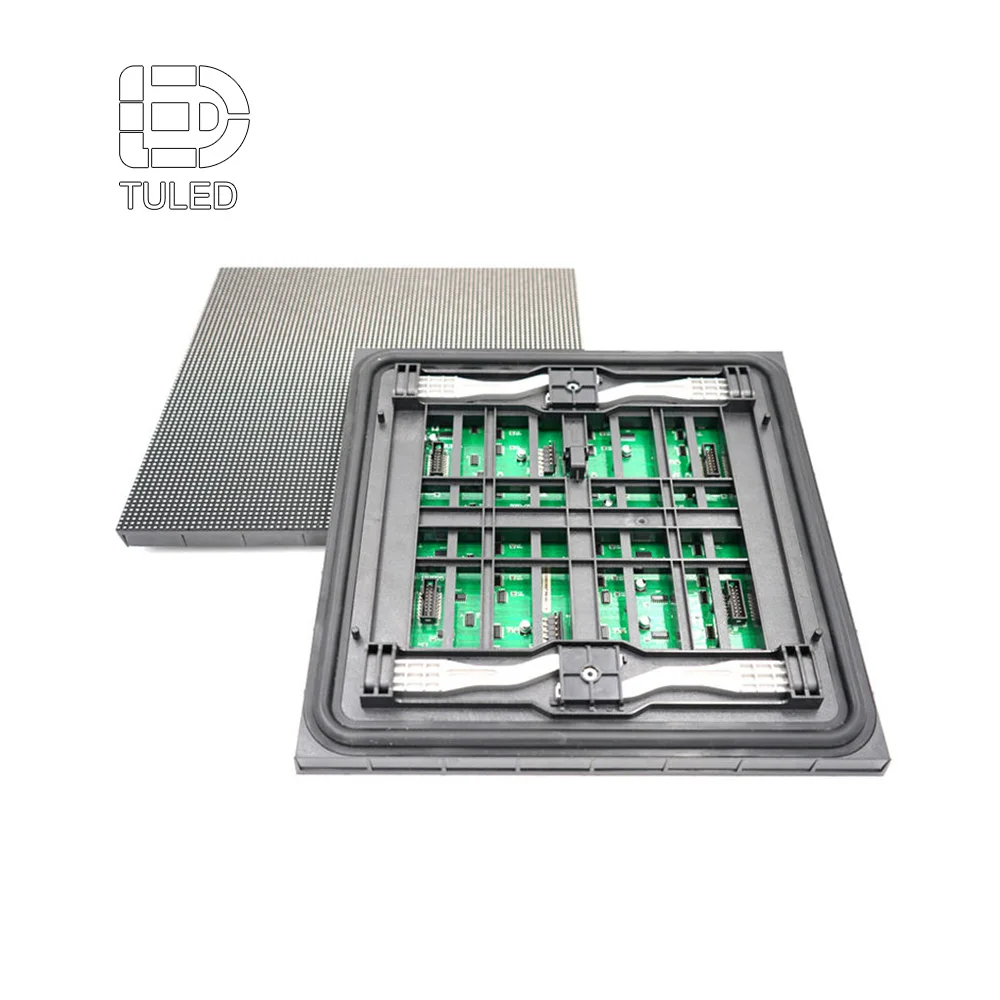 Check LED Module Options
 Module planning matters when close viewing makes color consistency, replacement speed and long-term service easier to notice.
Cabinet flatness
Cabinet flatness affects the final image. Even with a fine pitch, uneven cabinet alignment can create shadow lines or visible seams. Therefore, cabinet precision matters as much as pixel pitch.
In close-viewing rooms, small physical errors become easier to see. A wall that looks fine from 6 meters may reveal uneven edges at 1.5 meters. Therefore, frame design and installation guidance should be included in the planning stage.
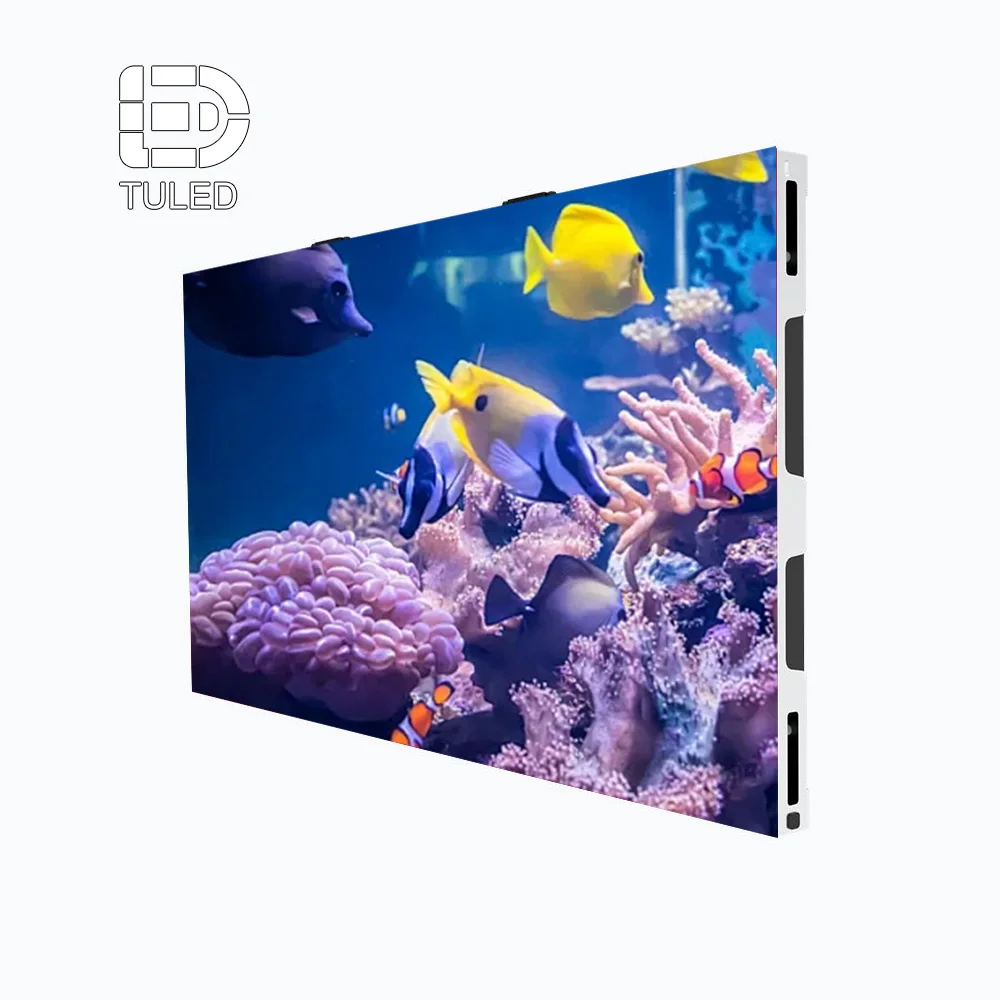 View Indoor Small Screen Structure
 Cabinet structure and front-service design help protect the final wall appearance, especially in close-viewing rooms where seams are easier to notice.
Quotation Checklist for Faster Pixel Pitch Recommendation
A pitch request alone is incomplete. For example, asking for P1.56 without room size may lead to a quote that looks precise but does not match the installation. Therefore, the first quotation should include viewing distance, width, height, installation type and content use.
Installation style should also be clear. A wall-mounted screen, embedded screen, hanging screen and structural frame each require different planning. Therefore, cabinet depth, maintenance access and cable routing should be reviewed early.
The project schedule matters as well. Fine pitch products may need careful production, calibration and testing. Therefore, the timeline should include drawing confirmation, production, shipping, installation and content testing.
| Item | Information to provide | Why it matters |
|---|---|---|
| Screen width and height | Exact width × height | Determines total resolution and cabinet layout |
| Closest normal viewing distance | Distance from the nearest regular viewing point | Guides P1.25, P1.56, P2 or P2.5 selection |
| Main content | Slides, video, dashboards, retail visuals or mixed use | Controls text clarity needs |
| Smallest text use | Yes, no or sometimes | Affects fine pitch requirement |
| Installation method | Wall-mounted, embedded, hanging or structure | Affects cabinet depth and service access |
| Maintenance access | Front, rear or unsure | Affects product selection |
| Camera use | Video call, livestream, recording or none | Affects refresh and shooting stability |
| Target budget range | Approximate range | Helps balance pitch and screen size |
CTA: Send viewing distance and screen size; we will suggest a practical pixel pitch
Clear room data makes the pitch recommendation faster and more accurate. Send screen width, screen height, nearest viewing distance, content samples and installation photos before the final quote.
Send Project DetailsFAQ
Is P1.25 always better than P1.56 for close viewing?
Not always. P1.25 gives finer detail, so it helps when viewing distance is very short or content contains small text. However, P1.56 often delivers a better balance for meeting rooms, showrooms and mixed content.
Therefore, the better choice depends on closest viewing distance, content scale and budget. If the screen mainly shows large slides and video, P1.56 may be more practical.
Is P2 enough for a conference room?
P2 can work well in many conference rooms, especially when the closest seats are around 2.5 meters or farther. In addition, it performs well with large fonts, video calls and presentation slides.
However, P2 may not be ideal for dense spreadsheets, small numbers or detailed control data at close distance. In that case, P1.56 or P1.25 should be checked.
When does P2.5 become a smart budget choice?
P2.5 becomes practical when viewers stand farther away and the content focuses on video, images and large text. For example, retail walls, lobbies and exhibition areas can often use P2.5 effectively.
However, P2.5 should be avoided when close reading is important. Therefore, the smallest text and viewing distance should be checked before choosing it for budget reasons.
How should fine pitch be balanced with total budget?
Fine pitch should protect the parts of the project that affect daily use. For example, small text, camera use and close seating may justify a finer pitch. Meanwhile, large video walls with far viewing can often use a wider pitch.
Therefore, budget should not go only into pitch. Cabinet flatness, control system, spare modules, front maintenance and calibration also affect the final result.
Does front maintenance matter for close-viewing indoor screens?
Yes. Many indoor screens sit against a wall, and rear service space may not exist. Therefore, front access can make module replacement and future service easier.
However, front maintenance should be confirmed during product selection. It affects cabinet structure, installation method and long-term service planning.
Final Notes Before Quotation
Pixel pitch is not a trophy number. Instead, it is a practical decision that connects viewing distance, content type, screen size, installation method and long-term service. Therefore, P1.25, P1.56, P2 and P2.5 should be compared by room behavior, not by specification alone.
For close reading, P1.25 and P1.56 protect detail. For balanced meeting use, P1.56 and P2 often make sense. For retail, lobby and video-first indoor walls, P2 and P2.5 can deliver strong value when content is designed correctly.
Finally, a practical led display screen quote should begin with three details: closest normal viewing distance, exact screen size and real content samples. With those details, pitch selection becomes easier, faster and less risky.
- Measure the closest normal viewing point, not only the wall size.
- Send sample content, especially slides with small text or charts.
- Confirm front or rear maintenance before choosing the final cabinet system.