EN
EN


LED Screen Selection Guide: Simple Steps to Choose the Right Display
In modern venues, LED screens shape how information and visuals feel in real space. Therefore, planning starts with clear targets, not random specifications. For early scoping, led display wholesale can serve as a central reference point for system types and typical configurations. Meanwhile, a solid selection method reduces redesign work, avoids mismatched parts, and improves long-term reliability.
Why LED Screens Keep Replacing Traditional Displays
First, LED screens scale without the typical size limits of LCD walls. A modular surface can grow from a small lobby wall to a stadium façade. As a result, the same core technology supports both modest and massive installations.
Next, LED brightness holds up in challenging lighting. Sunlit plazas, glass-walled atriums, and bright retail floors all benefit from strong luminance control. Consequently, content stays legible without forcing the surrounding space to dim.
At the same time, LED surfaces offer flexible shapes and mounting options. Flat walls remain common, yet curved corners and wraparound columns also work well. In practice, creative geometry often becomes a design tool, not a constraint.
Moreover, refresh stability improves how video looks on cameras. Live production, broadcast capture, and social clips all demand clean motion. Therefore, refresh rate and scan design matter as much as resolution.
Finally, long service life supports demanding duty cycles. Transport hubs and control rooms often run for extended hours each day. Consequently, maintenance design and thermal planning deserve early attention.
Understand the LED Screen System Before Picking a Model
The LED Module as the “Pixel Engine”
To begin, LED modules hold the RGB diodes that form each pixel. The module layout determines pixel pitch, density, and uniformity behavior. As a result, module selection influences sharpness, viewing distance, and color consistency.
Meanwhile, driver IC design shapes grayscale and motion handling. Stable drivers reduce flicker and banding in gradients. Therefore, driver choice affects both human viewing comfort and camera performance.
In addition, module masks and protective coatings affect durability. Outdoor systems often need stronger protection against dust and moisture. Consequently, module construction should match the environment from day one.
Cabinets, Frames, and the Structure Behind the Image
Next, cabinets provide rigidity and alignment. A precise cabinet frame helps seams stay tight and keeps the surface flat. As a result, the image looks continuous rather than “tiled.”
At the same time, cabinet depth impacts installation planning. Shallow cabinets suit tight corridors and wall recesses. Therefore, structural depth should align with mounting space and service access.
Moreover, cabinet material affects weight and heat behavior. Aluminum often improves heat transfer and reduces mass for hanging loads. Consequently, rigging and wall load calculations become simpler.
Power, Signal, and Control Chain
First, power supplies convert AC to stable DC for modules and control hardware. Clean power reduces random artifacts and premature failures. Therefore, power design should include headroom and surge considerations.
Next, the signal chain includes sending devices, receiving cards, and data distribution. Proper mapping ensures content matches the physical layout. Consequently, documentation of cabinet coordinates becomes a practical necessity.
Meanwhile, video processors bridge source formats to the LED controller. Scaling, color space handling, and latency all matter in real use. As a result, processor selection affects both image quality and workflow flexibility.
Service Access and Maintenance Style
To start, front service cabinets enable maintenance from the viewing side. This approach suits wall-mounted displays with no rear access. Therefore, front access becomes crucial in retail walls and interior architecture.
Conversely, rear service designs can simplify cooling and wiring. Back access works well in stages, studios, and control rooms with technical corridors. As a result, room layout strongly influences service strategy.
In addition, spare parts planning keeps downtime low. Standardized modules and spare power supplies reduce repair time. Consequently, long-term operating cost often improves with a disciplined spares policy.
Screen Types and Where Each Fits Best
Fine-Pitch Indoor Video Walls for Close Viewing
First, fine-pitch indoor screens support sharp detail in short viewing distances. Meeting rooms, lobbies, and studios often prioritize clean text and smooth gradients. Therefore, pixel pitch selection should match the closest viewer position.
Meanwhile, indoor walls often emphasize color accuracy and uniformity. Calibration and consistent binning help create a seamless canvas. As a result, brand colors and skin tones look more natural.
Additionally, indoor walls frequently operate in controlled lighting. Lower brightness can still look vivid when glare remains limited. Consequently, comfort improves while power demand stays reasonable.
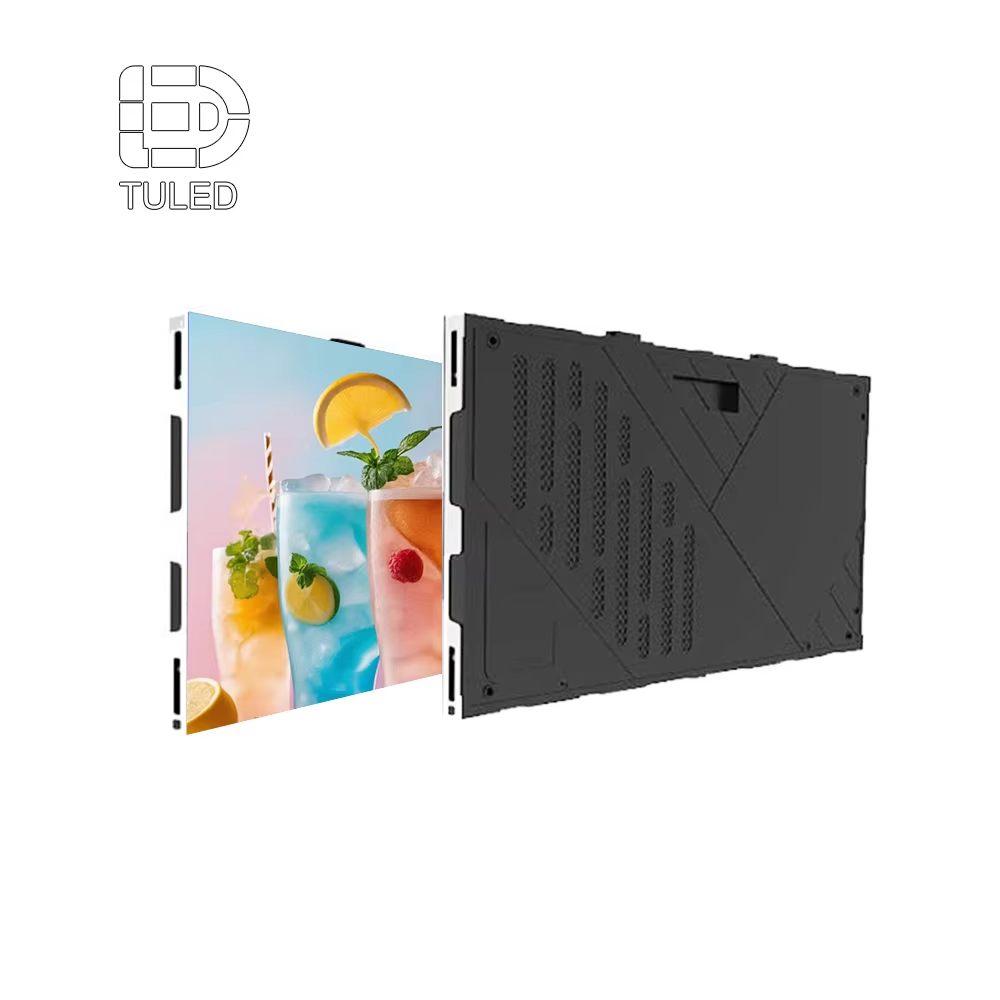
An indoor wall prioritizes fine detail, even viewing angles, and stable uniformity.
Outdoor Signage and Large-Format Displays
Next, outdoor displays focus on legibility across distance and daylight. High brightness supports midday visibility in open plazas and roadside locations. Therefore, optical design and heat handling become central.
Meanwhile, weather protection defines outdoor reliability. IP-rated cabinets, sealed modules, and corrosion-resistant hardware reduce risk. As a result, the system stays stable across rain, dust, and temperature swings.
In addition, outdoor content often involves bold motion and simple messaging. Large pixels can still deliver strong impact at long distances. Consequently, pitch can be optimized for viewing distance rather than chasing maximum density.
Rental and Staging Systems for Fast Build-and-Strike
First, rental-style cabinets prioritize speed and repeatable assembly. Quick locks, alignment pins, and durable corners support frequent handling. Therefore, mechanical design matters as much as pixel performance.
Meanwhile, touring and live events demand clean motion and camera friendliness. Higher refresh, strong grayscale, and stable scan design reduce artifacts on broadcast cameras. As a result, the screen supports both live viewing and capture.
Additionally, rental systems often need flexible shapes. Ground stacks, flown walls, and curved segments show up in many stage designs. Consequently, modular compatibility and accessory availability improve creative range.
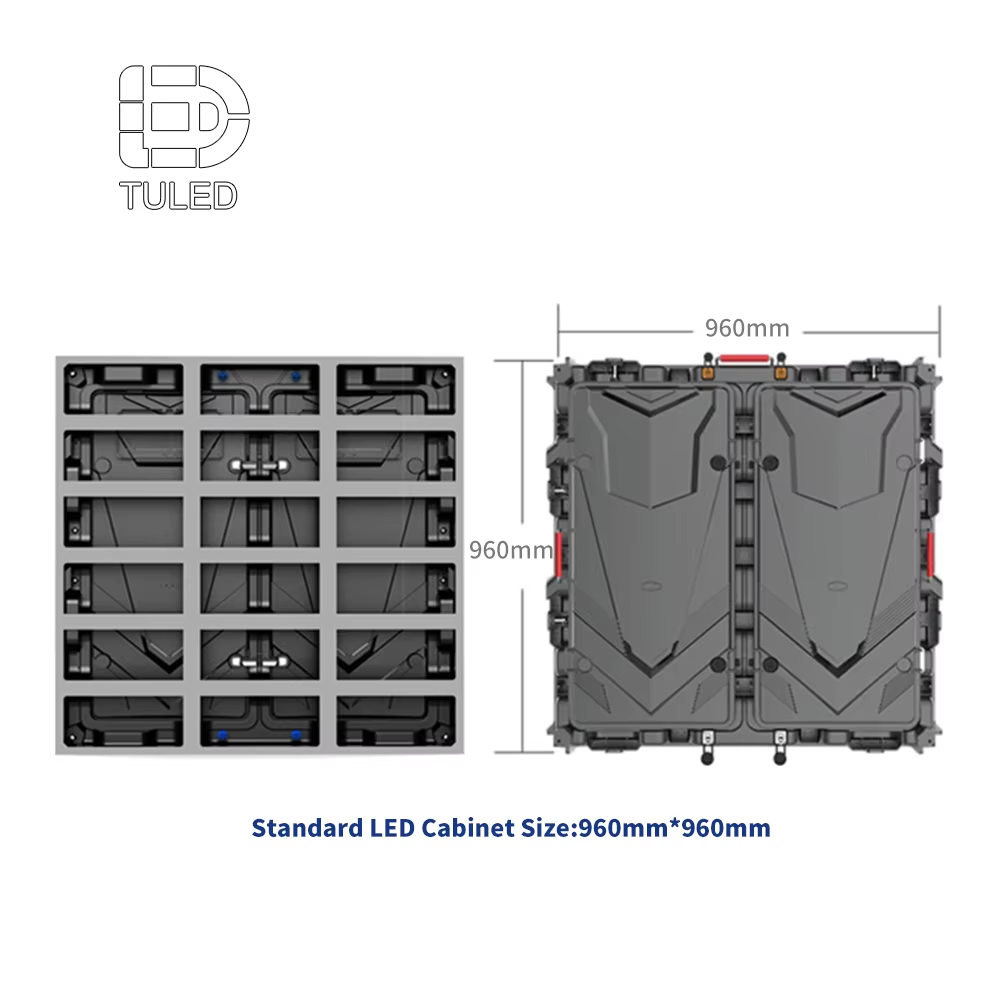
Rental cabinets focus on fast locks, strong frames, and clean performance under cameras.
Transparent LED for Glass, Windows, and Architectural Integration
First, transparent LED supports visual overlays without blocking sightlines. Glass façades, atrium balustrades, and showroom windows often require this balance. Therefore, transparency ratio and structural mounting need careful planning.
Meanwhile, transparent screens trade pixel density for light transmission. Content works best with bold graphics, motion accents, and high-contrast layouts. As a result, content design should match the medium’s strengths.
In addition, brightness must compete with daylight and reflections. Outdoor-facing glass needs stronger luminance than interior partitions. Consequently, environmental lighting analysis improves realism in early specs.
Transparent LED keeps space open while adding layered motion graphics.
Creative, Curved, and 3D-Capable Installations
First, curved LED surfaces wrap around columns and corners. This geometry can guide foot traffic and enhance immersion. Therefore, cabinet curvature options and alignment tolerance need validation.
Meanwhile, corner “3D billboard” illusions rely on sharp edges and precise content mapping. The physical corner must stay straight and stable. As a result, structural engineering and calibration become essential.
Additionally, creative shapes often require custom frames and unusual cable paths. Early drawings help avoid last-minute compromises. Consequently, design coordination should start well before fabrication.
Simple Steps to Choose the Right Screen
Step 1: Define the Job in One Sentence
First, write a simple purpose statement for the screen. Examples include “daylight signage for a plaza” or “fine-detail wall for a boardroom.” Therefore, every later decision can trace back to the same intent.
Meanwhile, list the top three priorities. Typical priorities include brightness, close-view clarity, or fast assembly. As a result, trade-offs stay visible rather than hidden.
Step 2: Lock the Viewing Distance Range
Next, measure the closest and farthest typical viewing positions. The closest distance sets the resolution requirement more than the farthest distance. Consequently, pixel pitch selection becomes more objective.
In addition, note viewing angles and approach paths. Side viewing matters in corridors and open plazas. Therefore, LED lamp package and optical design deserve attention.
Step 3: Choose the Environment Class
First, classify the site as indoor controlled, indoor bright, semi-outdoor, or outdoor exposed. Each class changes brightness, protection, and cooling needs. As a result, the correct product family becomes clearer.
Meanwhile, consider temperature and airflow. Enclosed signage boxes and glass façades trap heat. Therefore, thermal design should be evaluated early, not after installation.
Step 4: Select the Installation Method
Next, decide whether the screen mounts to a wall, hangs from truss, stands on ground support, or embeds into architecture. Each method changes weight limits, service access, and cable routing. Consequently, cabinet size and frame design follow naturally.
Additionally, confirm service access direction. Front service suits flush walls, while rear service suits technical corridors. As a result, maintenance becomes planned rather than improvised.
Step 5: Map the Content Workflow
First, list input sources and formats. Common inputs include HDMI, SDI conversion, network streams, and media servers. Therefore, processor and controller selection stays aligned with real operations.
Meanwhile, define how content updates occur. Some sites need scheduled playlists, while others need live switching. Consequently, software, networking, and operator roles become part of the specification.
Step 6: Set Image Quality Targets That Match Reality
Next, choose realistic targets for brightness, refresh rate, and grayscale depth. Over-specifying can raise cost without noticeable benefit at the actual viewing distance. Therefore, targets should reflect human perception and camera needs.
In addition, define color temperature and calibration approach. Consistent white balance keeps mixed lighting scenes more natural. Consequently, calibration planning improves long-term consistency.
Step 7: Confirm the “Whole System” Bill of Materials
Finally, list everything beyond panels: processors, spares, mounting, power distribution, and cable management. Missing items often cause delays during installation. Therefore, a complete bill of materials reduces risk.
For quick checks, the following list helps keep planning structured:
Screen size and aspect ratio target
Pixel pitch aligned with closest viewer distance
Brightness target aligned with ambient light
Service access method and clearance
Controller + processor compatibility with sources
Power distribution plan and redundancy needs
Structural loads and mounting hardware
Spares plan for modules and power supplies
Key Specifications That Decide Real-World Performance
Pixel Pitch and Resolution: Clarity Versus Cost
First, pixel pitch measures the distance between pixels. Smaller pitch increases pixel density and improves close-view detail. Therefore, fine pitch suits conference walls and studio sets.
However, smaller pitch also increases component count per square meter. That change influences power, heat, and total system cost. Consequently, pitch should match viewing distance instead of chasing extremes.
Meanwhile, resolution planning works best when linked to content. Text-heavy dashboards need more pixel density than abstract motion graphics. As a result, content style can guide pitch selection.
Brightness, Dimming, and Contrast
First, brightness determines daylight legibility. Outdoor signage often needs higher peak luminance than indoor walls. Therefore, a brightness target should reflect ambient lux and glare.
At the same time, dimming range matters for night scenes. Too much brightness at night causes discomfort and bloom. Consequently, smooth dimming and stable color at low brightness improve visual comfort.
Moreover, contrast depends on black mask design and ambient reflections. Glossy environments can wash out dark content. As a result, surface treatment and placement influence perceived contrast.
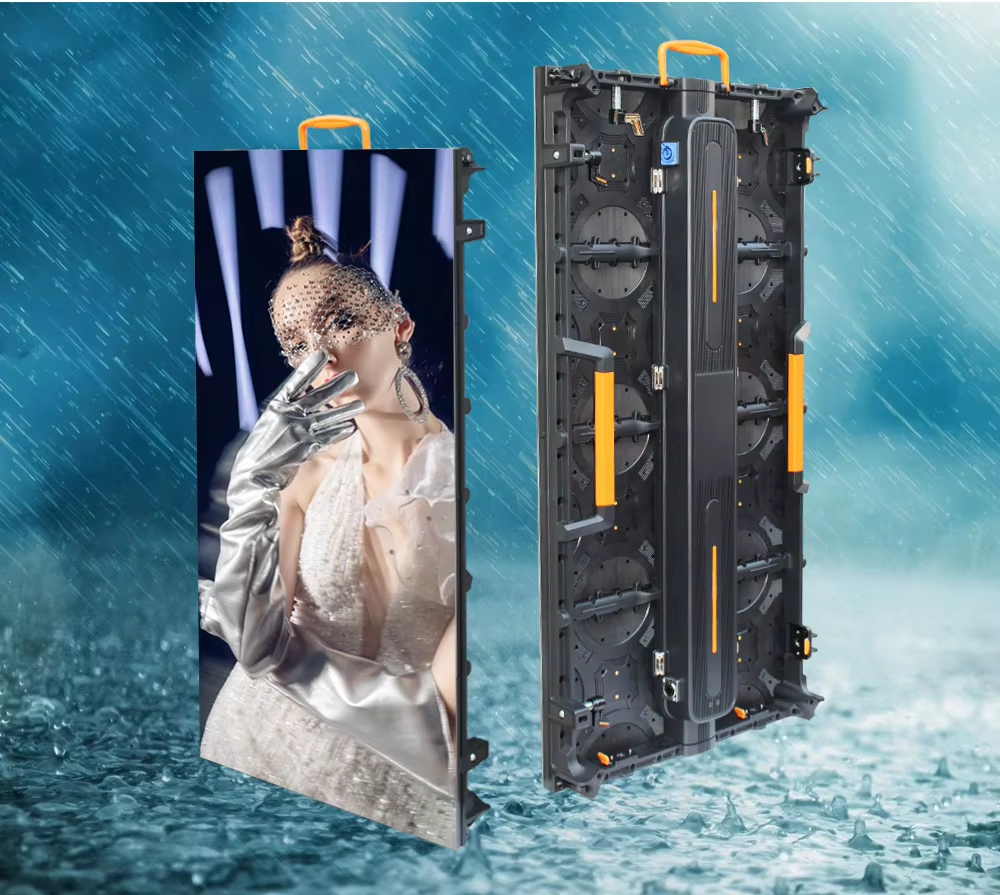
Outdoor installs prioritize daylight readability, weather protection, and thermal stability.
Refresh Rate and Scan Design for Motion and Cameras
First, refresh rate affects motion clarity and camera capture. Higher refresh helps reduce flicker and banding in recorded footage. Therefore, live events and broadcast settings often target stronger refresh performance.
Meanwhile, scan ratio influences brightness and motion behavior. Some scan methods reduce power but can introduce artifacts on cameras. Consequently, scanning choice should align with real production needs.
In addition, processing latency can affect stage timing. Video walls in live shows often need predictable delay. As a result, processor selection should consider both quality and timing.
Color, Grayscale, and Calibration
First, grayscale depth affects smooth gradients and shadow detail. Higher bit depth supports more natural fades and subtle color transitions. Therefore, grayscale matters even when resolution feels “good enough.”
Meanwhile, calibration keeps multiple cabinets consistent. Uniform brightness and color reduce visible panel boundaries. Consequently, calibration planning supports a premium look over time.
Additionally, color temperature should match the space. Warm interior lighting can clash with a cool white screen. As a result, color presets and measured calibration help unify the environment.
Protection Ratings, Materials, and Environmental Durability
First, IP rating indicates protection against dust and water. Outdoor exposed installations generally require stronger sealing than indoor walls. Therefore, cabinet construction and gasket quality deserve attention.
Meanwhile, wind loads and vibration can affect large outdoor structures. Strong frames and secure mounting reduce long-term stress. Consequently, structural details influence reliability as much as electronics.
In addition, corrosion risk rises near coastal areas. Salt air can degrade connectors and fasteners. As a result, material choice and protective finishes matter in those sites.
Power, Heat, and Energy Behavior
First, average and peak power requirements affect distribution design. Peak can spike during bright content and white-heavy scenes. Therefore, power sizing should include realistic headroom.
Meanwhile, heat management preserves LED lifespan and color stability. Cabinets that shed heat efficiently reduce internal stress. Consequently, ventilation paths and spacing should be planned early.
Additionally, energy-saving features can reduce operating cost without harming image quality. Smart brightness control responds to ambient light changes. As a result, daytime visibility and night comfort both improve.
Matching Screen Choices to Common Scenarios
Corporate Lobbies and Experience Centers
First, lobbies often need clean branding and high perceived quality. Fine pitch, strong uniformity, and accurate color help the wall feel premium. Therefore, calibration and flatness become essential.
Meanwhile, lobby architecture may limit rear access. Front service cabinets reduce the need for maintenance corridors. Consequently, service strategy can shape cabinet selection.
In addition, content often loops for long periods. Reliability and stable operation become more important than extreme peak brightness. As a result, balanced specs work better than brute-force output.
Retail and Shopping Spaces
First, retail screens compete with bright lighting and reflective surfaces. High contrast and controlled glare keep content readable. Therefore, placement and brightness control should be coordinated.
Meanwhile, retail content changes frequently. Simple content workflows and scheduling tools reduce operational friction. Consequently, control and software planning matter as much as panels.
Additionally, retail layouts evolve over time. Modular expansion and serviceability support future redesigns. As a result, standardized cabinet sizes can reduce future complexity.
Outdoor Advertising and Public Messaging
First, outdoor signage relies on strong daytime visibility. Weather sealing and thermal planning protect long-run stability. Therefore, outdoor cabinets and protection ratings carry extra weight.
Meanwhile, viewing distance often varies widely. A roadside board differs from a plaza screen with nearby pedestrians. Consequently, pitch should align with the closest meaningful viewing point.
In addition, content must remain legible at a glance. Clear typography and bold contrast typically outperform intricate details. As a result, content design and pitch should support each other.
Houses of Worship, Auditoriums, and Community Halls
First, these venues often mix live cameras, lyrics, and wide-angle viewing. Smooth motion and stable camera capture become important. Therefore, refresh and grayscale depth deserve focus.
Meanwhile, installation may involve hanging or wall mounting. Load calculations and rigging hardware must match venue constraints. Consequently, cabinet weight and frame design influence feasibility.
Additionally, content often includes text. Pixel pitch should support readable lettering from typical seating distances. As a result, distance mapping helps avoid under-specifying resolution.
Control Rooms and Monitoring Centers
First, control rooms prioritize constant readability and low fatigue. Uniform brightness and stable color reduce eye strain. Therefore, calibration and brightness control matter daily.
Meanwhile, content often includes fine lines and small fonts. Higher pixel density supports complex dashboards. Consequently, fine pitch tends to suit these environments.
In addition, uptime expectations are high. Redundant signal paths and planned spare parts reduce operational risk. As a result, reliability engineering becomes part of the spec.
Events, Touring, and Live Production
First, live production values speed and repeatability. Cabinets need quick locks, strong frames, and predictable alignment. Therefore, mechanical tolerance matters as much as image quality.
Meanwhile, camera capture drives many requirements. Higher refresh and stable scan reduce artifacts in recorded footage. Consequently, the wall supports both audience viewing and broadcast output.
Additionally, the same inventory may serve different stage shapes. Curves, columns, and varying wall sizes appear frequently. As a result, modular compatibility and accessory planning improve flexibility.
Integration and “Pairing” Ideas That Improve the Whole System
Pairing the Screen With the Right Video Processing
First, video processors handle scaling and frame synchronization. Clean scaling reduces jagged edges and moiré patterns. Therefore, processor quality influences perceived resolution.
Meanwhile, input switching matters for live workflows. Multiple sources often feed one wall. Consequently, processor feature sets can simplify production.
In addition, color management can reduce mismatches between sources. Different cameras and media players often output different color spaces. As a result, consistent processing improves visual coherence.
Pairing With the Correct Control and Data Layout
First, control systems rely on a clear mapping plan. Cabinets should follow a logical coordinate layout for troubleshooting. Therefore, documentation should match physical labels.
Meanwhile, large walls benefit from sensible data distribution. Shorter cable runs reduce signal risk. Consequently, receiver placement and port allocation improve stability.
Additionally, redundancy can protect critical sites. Backup signal paths and spare power supplies reduce downtime. As a result, design resilience increases without changing the visible surface.
Pairing With the Right Mounting and Service Method
First, wall mounting suits permanent indoor video walls. Flatness and seam alignment often matter most. Therefore, rigid mounting frames reduce long-term drift.
Meanwhile, hanging systems fit stages and studios. Quick rigging and safe load distribution become central. Consequently, cabinet weight and lock design influence handling.
In addition, service clearance protects future maintenance. Tight installations can make simple repairs time-consuming. As a result, service planning should be treated as a design requirement.
Pairing With Audio, Lighting, and Space Design
First, LED brightness interacts with stage lighting. Overly bright screens can overpower performers. Therefore, dimming control should be smooth and reliable.
Meanwhile, audio reflections can change when walls become large reflective surfaces. Some venues add acoustic treatment around the display. Consequently, AV coordination can improve overall experience.
Additionally, ambient lighting affects perceived contrast. Glare from windows can wash out dark scenes. As a result, placement and shading strategies often improve results more than extra brightness.
Quality and Reliability: Selection Checklist That Saves Time Later
First, uniformity testing helps avoid visible patchwork. Brightness and color consistency across cabinets matters in premium spaces. Therefore, calibration plans and binning standards are worth confirming.
Meanwhile, thermal stability supports lifespan. Good heat dissipation reduces stress on LEDs and power supplies. Consequently, cabinet ventilation and material choice influence long-term behavior.
In addition, connector quality affects reliability. Loose connectors cause intermittent faults that are hard to diagnose. As a result, secure locking connectors and good strain relief improve stability.
Moreover, serviceability determines downtime. Front-service modules can reduce wall disassembly in tight spaces. Therefore, maintenance style should be selected with the installation context.
Finally, documentation and labeling improve troubleshooting. Clear module IDs and cabinet coordinates reduce repair time. Consequently, operational confidence increases for long-running installations.
For practical evaluation, this checklist keeps decisions grounded:
Pixel pitch aligned to closest real viewing point
Brightness target aligned to ambient light and reflection risk
Refresh behavior aligned to camera use and motion content
Cabinet flatness and seam control for large walls
Service access method aligned to the building layout
Power headroom and distribution plan for peak scenes
Environmental protection aligned to exposure level
Spare modules and power supplies aligned to uptime expectations
FAQ: Common Questions When Choosing an LED Screen
1) How is pixel pitch selected for a real space?
First, pitch should follow the closest meaningful viewing distance. Meanwhile, content type also matters, especially for text-heavy layouts. Therefore, distance mapping and content style should be evaluated together.
2) What makes an LED display “camera friendly”?
Generally, higher refresh and stable scan behavior reduce flicker and banding on video. In addition, good grayscale depth helps gradients look smooth on camera. Consequently, live production often prioritizes refresh and grayscale alongside resolution.
3) Does higher brightness always mean better performance?
Not always, because excessive brightness can cause glare and discomfort indoors. Meanwhile, higher brightness can increase heat and power needs. Therefore, brightness should match ambient light rather than exceed it blindly.
4) What is the practical difference between front service and rear service?
Front service allows module access from the viewing side, which suits flush wall installs. Conversely, rear service can simplify wiring and cooling when space exists behind the wall. As a result, building layout usually decides the best approach.
5) Why do seams sometimes become visible over time?
Often, frame movement, thermal cycling, or mounting drift causes tiny alignment changes. Meanwhile, inconsistent calibration can accentuate small seam lines. Therefore, rigid structure and periodic calibration help maintain a seamless look.
6) What specifications matter most for outdoor durability?
First, protection against water and dust matters in exposed environments. Meanwhile, corrosion resistance and thermal design also influence long-term stability. Consequently, cabinet sealing, materials, and heat handling should be evaluated together.
7) How important is color calibration for large walls?
Color calibration is important because even small differences become noticeable on large surfaces. In addition, consistent whites improve brand color accuracy and skin tones. Therefore, calibration planning should be part of the installation scope.
8) What causes moiré patterns, and how can they be reduced?
Moiré often appears when camera sensors interact with pixel grids. Meanwhile, scaling and viewing distance can affect the pattern. Therefore, testing with real cameras and adjusting shooting angles can help reduce issues.
9) How should spare parts be planned?
A practical approach includes spare modules, power supplies, and key control components. Meanwhile, standardization across cabinets reduces the variety of spares needed. Consequently, a small, well-chosen spares kit can reduce downtime significantly.
10) What is a good way to estimate required screen size?
First, define viewing distance and target content size, especially text height. Meanwhile, consider the architectural context and sightlines. Therefore, size should be driven by visibility goals rather than “maximum possible area.”
11) How does cabinet size affect a project?
Cabinet size influences seams, structural framing, and handling logistics. Meanwhile, standard sizes can simplify spares and servicing. Consequently, cabinet sizing affects both installation speed and long-term maintenance effort.
12) When does transparent LED make more sense than a solid wall?
Transparent LED suits glass façades and spaces that must keep sightlines open. Meanwhile, it works best with high-contrast graphics rather than tiny text. Therefore, use cases that value openness and layered visuals often fit well.
13) What content formats work best on LED walls?
Bold layouts, clear typography, and controlled contrast tend to read well. Meanwhile, gradients benefit from strong grayscale handling and calibration. Consequently, content design should reflect both the pixel structure and the environment.
14) How can heat be managed in tight installations?
First, allow airflow paths and avoid sealing cabinets into unventilated cavities. Meanwhile, lower brightness at night can reduce thermal load. Therefore, thermal planning should include both structure and operating profiles.
Conclusion: A Clear Method Produces a Better Screen Choice
Overall, the best LED screen choice comes from matching real conditions to practical specifications. Therefore, viewing distance, lighting, mounting, and workflow should guide every decision. Meanwhile, a complete system mindset helps prevent hidden gaps in power, control, and service access.
Actionable next steps:
First, write a one-sentence purpose statement and list three non-negotiable priorities.
Next, map closest viewing distance and ambient light, then align pitch and brightness targets.
Finally, confirm service access, power headroom, and a small spares kit for uptime.
For planning and comparison across system categories, led display wholesale remains a useful starting point.
Table of Contents
- LED Screen Selection Guide: Simple Steps to Choose the Right Display
- Why LED Screens Keep Replacing Traditional Displays
- Understand the LED Screen System Before Picking a Model
- Screen Types and Where Each Fits Best
- Simple Steps to Choose the Right Screen
- Key Specifications That Decide Real-World Performance
- Matching Screen Choices to Common Scenarios
- Integration and “Pairing” Ideas That Improve the Whole System
- Quality and Reliability: Selection Checklist That Saves Time Later
-
FAQ: Common Questions When Choosing an LED Screen
- 1) How is pixel pitch selected for a real space?
- 2) What makes an LED display “camera friendly”?
- 3) Does higher brightness always mean better performance?
- 4) What is the practical difference between front service and rear service?
- 5) Why do seams sometimes become visible over time?
- 6) What specifications matter most for outdoor durability?
- 7) How important is color calibration for large walls?
- 8) What causes moiré patterns, and how can they be reduced?
- 9) How should spare parts be planned?
- 10) What is a good way to estimate required screen size?
- 11) How does cabinet size affect a project?
- 12) When does transparent LED make more sense than a solid wall?
- 13) What content formats work best on LED walls?
- 14) How can heat be managed in tight installations?
- Conclusion: A Clear Method Produces a Better Screen Choice