EN
EN

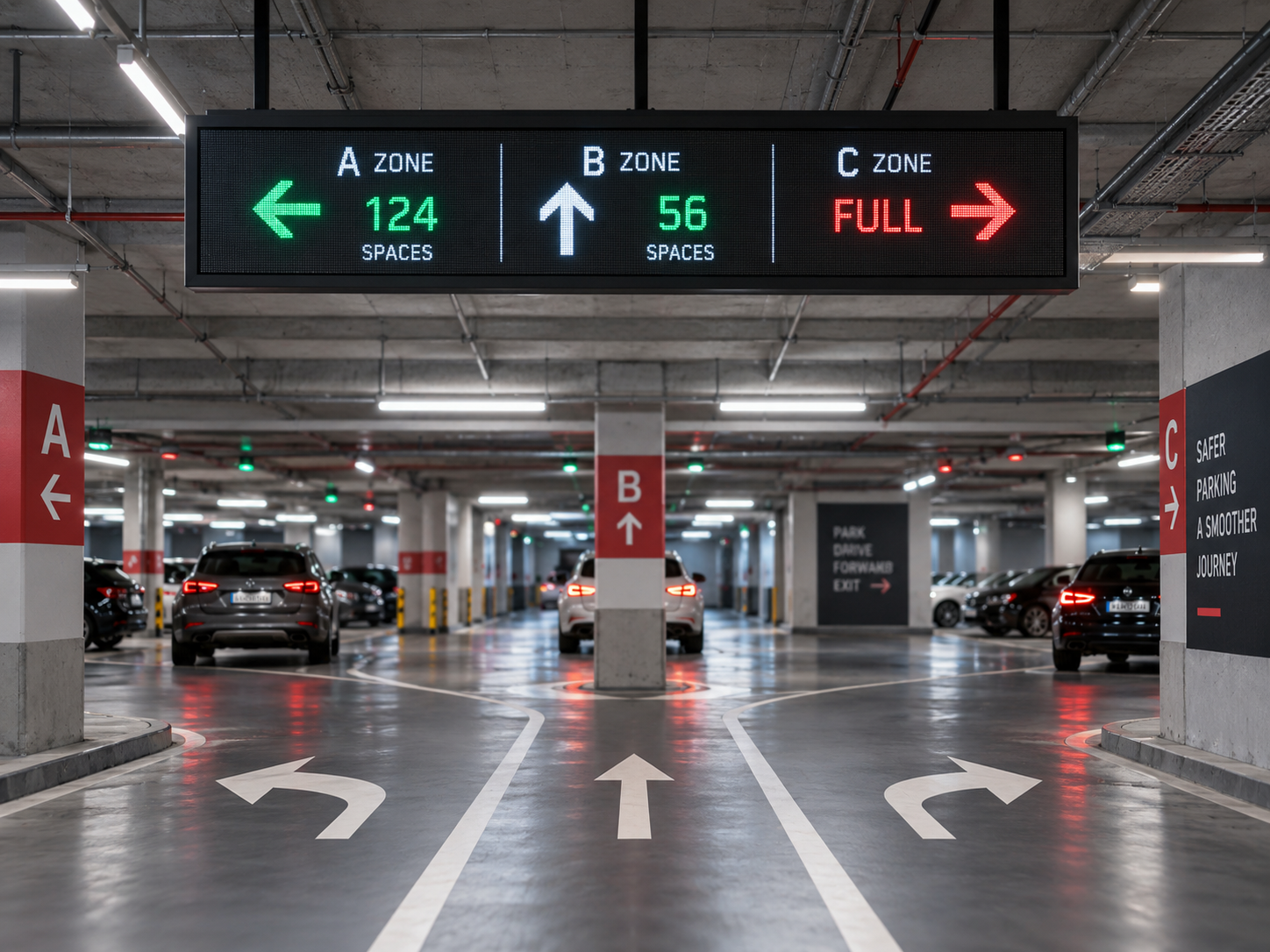
एक ड्राइवर जो कार पार्किंग के अंदर किसी विभाजन के पास आ रहा है, उसे पूरे अधिग्रहण डेटाबेस को समझने की आवश्यकता नहीं होती। तुरंत उठने वाला प्रश्न बहुत सरल होता है: मुझे किस दिशा में जाना चाहिए, और क्या उस मार्ग के लिए उपयोगी पार्किंग सूचना अभी भी उपलब्ध है?
यही वास्तविक डिज़ाइन समस्या पार्किंग मार्गदर्शन संकेतों के पीछे है। एक पार्किंग प्रणाली व्यक्तिगत स्थानों, क्षेत्रों, मंजिलों या प्रवेश द्वारों को ट्रैक कर सकती है, लेकिन सड़क के किनारे लगे प्रदर्शन पैनल के पास बदलते हुए अधिग्रहण डेटा को एक गतिमान वाहन से समझ में आने वाले निर्णय में बदलने के लिए केवल थोड़ा समय होता है।
पार्किंग मार्गदर्शन के लिए मूल्यांकन कर रही परियोजना टीमों के लिए एलईडी निशान बोर्ड प्रदर्शन पैनल स्वयं विशिष्टता का केवल एक भाग है। लेन की ज्यामिति, संकेत की स्थिति, दृश्य दृष्टिकोण, संदेश पदानुक्रम, डेटा स्वामित्व और आपातकालीन स्थितियाँ सभी इस बात को प्रभावित करती हैं कि प्रदर्शन पर क्या प्रदर्शित किया जाना चाहिए।
व्यावहारिक लक्ष्य संभवतः अधिकतम सूचना प्रदर्शित करना नहीं है। यह तो अगले पार्किंग निर्णय को स्पष्ट करना है, बिना ऐसी निश्चितता का संकेत दिए जो ऊपरी प्रणाली के पास न हो।
पार्किंग निर्णय के साथ शुरुआत करें, स्क्रीन के साथ नहीं
एक पार्किंग मार्गदर्शन परियोजना संकेत अनुसूची पर सरल लग सकती है: कई LED संकेत, कई क्षेत्र नाम और एक आक्रमण प्रवाह। कठिन भाग तब प्रकट होता है जब ये तत्व वास्तविक सड़क विन्यास से मिलते हैं।
कल्पना करें कि एक चालक रैंप से नीचे की ओर जा रहा है और एक जंक्शन के पास पहुँच रहा है। सीधे जाने पर वह क्षेत्र B की ओर जाता है, जबकि बाईं लेन क्षेत्र C में प्रवेश करती है। सुविधा-व्यापी स्थान गिनती पूर्णतः सटीक हो सकती है, फिर भी यह उस बिंदु पर निर्णय का उत्तर नहीं देती है। जो मायने रखता है, वह यह है कि क्या चालक त्वरित रूप से प्रत्येक उपलब्ध गंतव्य को सही लेन के साथ जोड़ सकता है।
इसलिए परियोजना को सड़क से बाहर की ओर पढ़ा जाना चाहिए। लेन योजना निर्धारित करती है कि कौन-कौन से गतिविधि संभव हैं। साइन की स्थिति निर्धारित करती है कि जानकारी कहाँ देखी जा सकती है। पार्किंग प्रणाली निर्धारित करती है कि कौन-कौन से अधिग्रहण या स्थिति मान उपलब्ध हैं। केवल तभी प्रदर्शन व्यवस्था का महत्वपूर्ण अर्थ निकलता है।
परियोजना को यह परिभाषित करना चाहिए कि प्रत्येक संचालन स्थिति का स्वामित्व कौन-सी प्रणाली के पास है। कई वास्तुकला में, पार्किंग प्लेटफ़ॉर्म या एकीकरण परत अनुमोदित स्थिति प्रदान करती है, जबकि प्रदर्शन प्रणाली प्रस्तुति का प्रबंधन करती है। किसी साइन को यह धारणा नहीं करनी चाहिए कि वह स्वतंत्र रूप से निर्णय ले सकता है कि कोई क्षेत्र उपलब्ध है, भरा हुआ है या अनिश्चित है, जब तक कि यह व्यवहार जानबूझकर प्रदर्शन-नियंत्रण परत को सौंपा नहीं गया हो।
यह विशेष रूप से बड़े स्थलों पर महत्वपूर्ण है, जहाँ एक ही गंतव्य को कई दिशाओं से प्राप्त किया जा सकता है। एक प्रवेश द्वार के पास पूरी तरह स्पष्ट ज़ोन का नाम, किसी अन्य जंक्शन पर भिन्न दिशात्मक संबंध की आवश्यकता हो सकती है। अतः साइन शेड्यूल को भौतिक निर्णय बिंदुओं से जोड़ा जाना चाहिए, न कि पार्किंग स्थल में एक सामान्य लेआउट बनाकर उसे सभी जगह कॉपी किया जाना चाहिए।
आक्रमण डेटा को ड्राइवर के संदेश में बदलना आवश्यक है
कच्चा आक्रमण डेटा पार्किंग प्रणाली के लिए उपयोगी है। ड्राइवर को कुछ अलग की आवश्यकता होती है: आगे के मार्ग से जुड़ा एक संक्षिप्त, समझने योग्य संदेश।
मान लीजिए कि प्रणाली जानती है कि ज़ोन A में कई उपलब्ध स्थान हैं, ज़ोन B में केवल कुछ ही स्थान उपलब्ध हैं और ज़ोन C पूरी तरह भरा हुआ है। एक ऐसे जंक्शन पर, जहाँ ड्राइवर केवल B और C के बीच चयन कर सकता है, ज़ोन A का आँकड़ा प्रदर्शित करने से निर्णय को सहायता नहीं मिलती, बल्कि केवल अतिरिक्त डेटा जोड़ा जाता है। इससे साइन अधिक व्यस्त हो जाता है, जबकि ड्राइवर का चयन अपरिवर्तित रहता है।
एक उपयोगी संदेश आमतौर पर तीन प्रश्नों के आसपास योजनाबद्ध किया जा सकता है: ड्राइवर यहाँ से कौन-सा गंतव्य चुन सकता है, उस गंतव्य के लिए कौन-सी पुष्टि की गई स्थिति उपलब्ध है, और उससे कौन-सी भौतिक दिशा संबंधित है?
प्रदर्शन क्षेत्र को गंतव्य के नामों, अधिकार संख्याओं, तीरों और असामान्य-स्थिति के संदेशों के लिए स्थान की आवश्यकता हो सकती है, लेकिन उन क्षेत्रों की योजना ड्राइवर के कार्य के आधार पर की जानी चाहिए, न कि केवल इसलिए कि स्क्रीन पर स्थान उपलब्ध है।
उपयोगी प्रश्न यह नहीं है, “इस स्क्रीन पर कितना पार्किंग डेटा फिट हो सकता है?” बल्कि यह है, “लेन बदलना कठिन होने से पहले ड्राइवर को क्या समझना आवश्यक है?”
वह प्रश्न अनावश्यक सामग्री की एक आश्चर्यजनक मात्रा को हटा देता है। एक मॉक-अप डेस्कटॉप पर व्यवस्थित लग सकता है, जबकि एक गतिशील ड्राइवर के लिए अभी भी बहुत अधिक मांग कर रहा हो। चार गंतव्य नाम, कई अधिवास संख्याएँ, कई तीर और स्थिति शब्द अलग-अलग सही हो सकते हैं, लेकिन पूरा संदेश अभी भी व्याख्या करने में धीमा हो सकता है।
दिशात्मक पार्किंग संदेशों के लिए एलईडी साइन बोर्ड प्रारूप
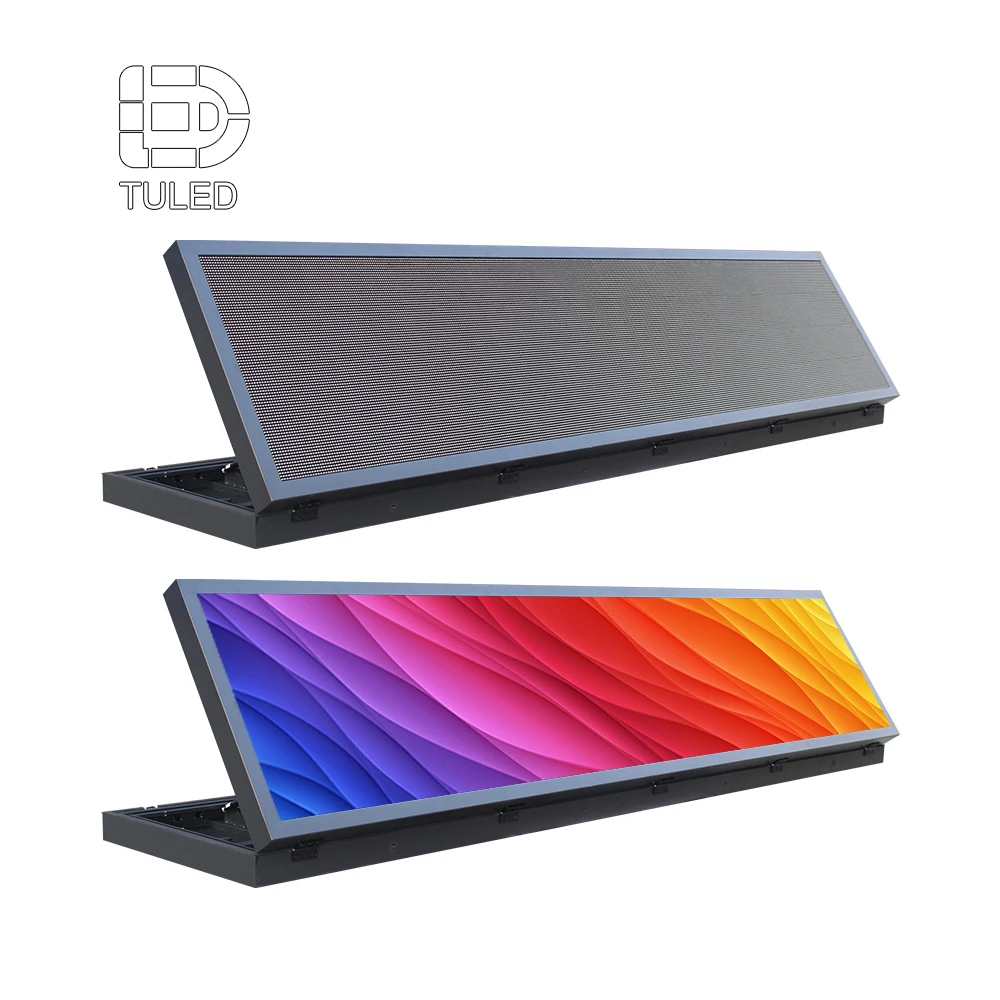
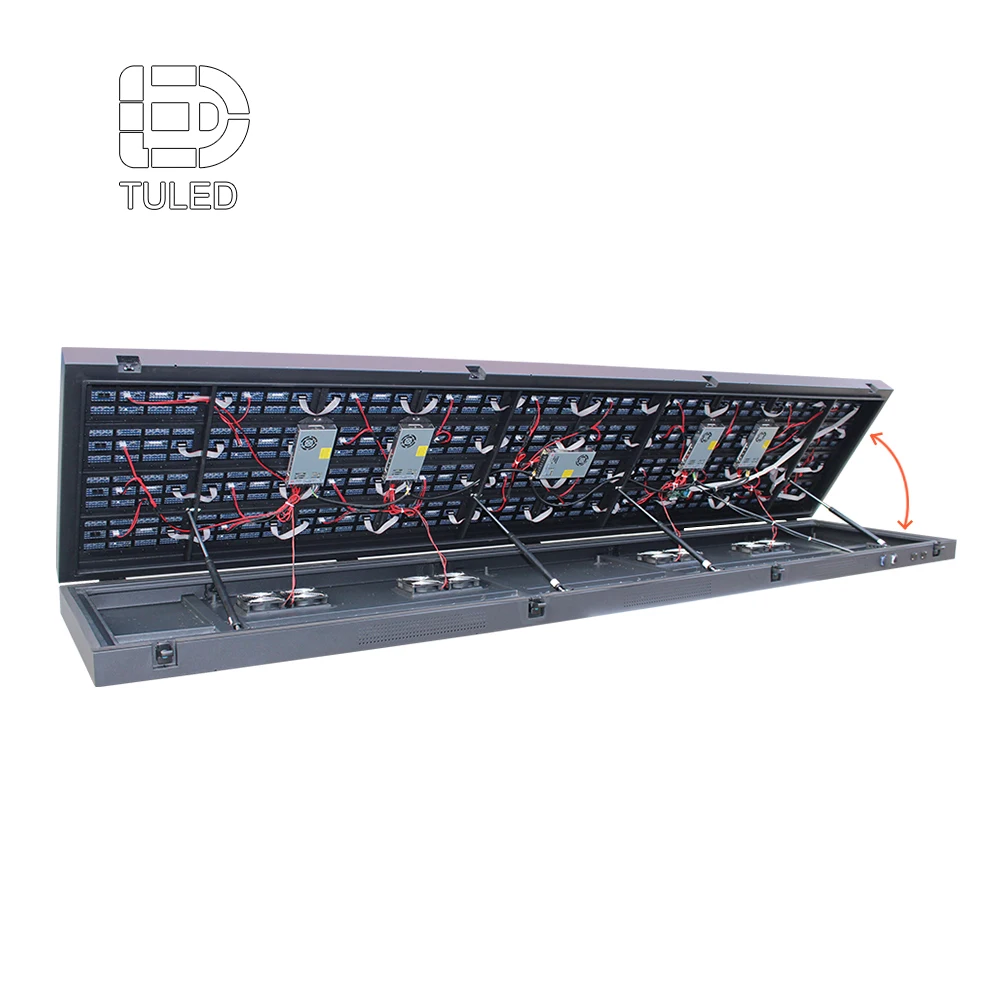
एक लंबे प्रारूप का एलईडी साइन बोर्ड उपयोगी स्थान प्रदान कर सकता है जब गंतव्य, अधिवास स्थिति और दिशात्मक संकेतों को एक संदेश के रूप में पढ़ा जाना हो। अंतिम आयामों की जाँच वास्तविक लेन योजना और परियोजना द्वारा प्रदर्शित किए जाने वाले सबसे लंबे संदेश के आधार पर की जानी चाहिए।
लेन तीरों को ड्राइवर द्वारा देखे जाने वाले जंक्शन के साथ मेल खाना चाहिए
एक तीर केवल तभी उपयोगी है जब उसका संबंध सड़क के साथ स्पष्ट हो। यह एक आरेख पर सीधा लग सकता है, लेकिन पार्किंग वातावरण में अक्सर वक्रित पहुँच, ऑफसेट रैंप, असमान जंक्शन और एक-दूसरे के करीब दिखाई देने वाले गंतव्य शामिल होते हैं।
ज़ोन सी के बगल में एक बाएँ तीर लेआउट फ़ाइल में सीधे देखने पर पूरी तरह स्पष्ट लग सकता है। हालाँकि, एक आगे आ रहे वाहन से देखने पर दो संभावित बाएँ मोड़ हो सकते हैं: एक तुरंत एक गलियारे में मुड़ना और दूसरा कुछ मीटर आगे रैंप के प्रवेश द्वार पर। प्रदर्शन को ड्राइवर के दृष्टिकोण से समझ में आना चाहिए, केवल डिज़ाइनर की स्क्रीन से नहीं।
इस बिंदु पर मौजूद विकल्प को दिखाएँ
एक साइन का उद्देश्य उस स्थान पर वास्तव में लिए जा सकने वाले निर्णय में सहायता करना होना चाहिए। यदि कोई अन्य पार्किंग क्षेत्र केवल दूसरे जंक्शन के बाद उपलब्ध होता है, तो उस दिशा को बहुत जल्दी प्रस्तुत करने से तीर और सड़क के बीच के संबंध कमज़ोर हो सकते हैं।
तीर को एक ही संदेश से जुड़ा रखें
गंतव्य, व्यस्तता की स्थिति और दिशा को एक ही सूचना के रूप में पढ़ा जाना चाहिए। ड्राइवर को यह नहीं सोचना चाहिए कि कोई तीर उसके ऊपर लिखी संख्या से, उसके बगल में लिखे क्षेत्र के नाम से या किसी अलग पंक्ति के पाठ से संबंधित है।
सिर्फ़ माउंटिंग बिंदु के बारे में नहीं, बल्कि आगमन के बारे में भी सोचें
एक साइन भौतिक रूप से किसी दीवार, बीम या समर्थन पर फिट हो सकता है, फिर भी ड्राइविंग निर्णय के लिए उसका स्थान खराब हो सकता है। प्रोजेक्ट टीम को यह विचार करना चाहिए कि साइन पहली बार कब दिखाई देता है, क्या अन्य चीज़ें ध्यान आकर्षित करने के लिए प्रतिस्पर्धा कर रही हैं, और लेन परिवर्तन या मोड़ से पहले सड़क का कितना हिस्सा शेष है।
यह एक सार्वभौमिक पार्किंग-एरो लेआउट के लिए आह्वान नहीं है। विभिन्न कार पार्क की अलग-अलग ज्यामिति होती है। यह एक कारण है कि अंतिम संदेश क्षेत्रों को तय करने से पहले प्रस्तावित सामग्री की समीक्षा चिह्नित लेन योजना और वास्तविक दृश्य दृष्टिकोण के आधार पर की जाए।
फेल-सेफ संदेश को वह सब कुछ संरक्षित रखना चाहिए जो अभी भी ज्ञात है
सामान्य अधिग्रहण केवल एक संचालन स्थिति है। अधिक स्पष्ट करने वाला प्रश्न यह है कि जब अधिग्रहण फ़ीड को नियंत्रण प्रणाली द्वारा अब विश्वसनीय नहीं माना जाता है, तो ड्राइवर संदेश के साथ क्या होता है।
एक सटीक संख्या को जारी रखना गलत आत्मविश्वास पैदा कर सकता है। पूरे साइन को साफ़ करना ऐसी जानकारी को हटा सकता है जो अभी भी उपयोगी हो सकती है। उचित प्रतिक्रिया इस पर निर्भर करती है कि संदेश के कौन-से भाग अभी भी वैध हैं।
उदाहरण के लिए, प्रणाली ज़ोन की वर्तमान संख्या को अस्थायी रूप से खो सकती है, जबकि गंतव्य स्वयं खुला रहता है और उस तक पहुँचने का मार्ग अपरिवर्तित बना रहता है। ऐसी स्थिति में, ऑपरेटर ज़ोन के नाम या तीर को बनाए रखते हुए संख्या को किसी अनुमोदित वैकल्पिक स्थिति से प्रतिस्थापित कर सकता है। एक अलग विफलता स्थिति में, यहाँ तक कि वह मार्ग सूचना भी अब उपयुक्त नहीं रह सकती है।
“स्पेस डेटा अनुपलब्ध” या “ज़ोन स्टेटस अनकन्फर्म्ड” जैसे संदेशों पर प्रोजेक्ट योजना के दौरान विचार किया जा सकता है, लेकिन शब्दावली, ट्रिगर स्थिति और ऑपरेटर की प्रतिक्रिया को वास्तविक पार्किंग प्रणाली और संचालन प्रक्रिया के लिए अनुमोदित किया जाना चाहिए।
आंशिक डेटा और पूरी तरह से अउपलब्ध न होने वाले डेटा के बीच का अंतर महत्वपूर्ण है। यदि एक गंतव्य के लिए जानकारी अभी भी पुष्टि की गई है, जबकि दूसरे के लिए अनिश्चितता उत्पन्न हो गई है, तो पूर्ण साइन को आवश्यक रूप से दोनों को छोड़ने की आवश्यकता नहीं है। यदि नियंत्रण प्रणाली उन अवस्थाओं को अलग कर सकती है और संदेश तर्क पहले से ही सहमति के आधार पर निर्धारित किया गया है, तो पुष्टि किए गए मार्गदर्शन का उपयोग अभी भी उपयोगी रह सकता है।
इसलिए एक उपयोगी समीक्षा प्रश्न है: क्या प्रोजेक्ट टीम स्पष्ट रूप से समझा सकती है कि ड्राइवर को दिखाए गए प्रत्येक संदेश का उत्पादन कौन-सी ऊपरी स्थिति करती है? यदि वह संबंध अस्पष्ट है, तो वापसी की सामग्री अभी तक साइन लेआउट की मंजूरी के लिए तैयार नहीं है।
जिन प्रोजेक्ट्स को डेटा की ताज़गी, स्रोत सत्यापन, पुनर्प्राप्ति व्यवहार या मिडलवेयर तर्क को भी परिभाषित करने की आवश्यकता है, वे उन प्रश्नों को गहराई से संबोधित कर सकते हैं कस्टम LED डिस्प्ले बोर्ड डेटा एकीकरण गाइड में। पार्किंग साइन के लिए, प्राथमिकता सरल रहती है: केवल वही दिखाएँ जो प्रोजेक्ट वर्तमान में वैध मार्गदर्शन के रूप में समर्थित कर सकता है।
आपूर्तिकर्ता को केवल एक स्क्रीन के आकार की नहीं, बल्कि चालन संदर्भ की आवश्यकता होती है
एक उद्धरण अनुरोध जिसमें कहा गया है, “10 पार्किंग LED साइन्स, कृपया उद्धरण दें”, बहुत सारी महत्वपूर्ण धारणाओं को अनिवार्य बना देता है। यहाँ तक कि चौड़ाई और ऊँचाई जोड़ने से भी यह स्पष्ट नहीं होता कि वास्तव में उन साइन्स को क्या करना है।
एक बेहतर पूछताछ लेन आरेख के साथ शुरू होती है। प्रत्येक प्रस्तावित साइन की स्थिति को चिह्नित करें और प्रत्येक साइन को S01, S02 और S03 जैसा सरल संदर्भ दें। इसके बाद आपूर्तिकर्ता प्रदर्शन पर चर्चा कर सकता है, जबकि एकीकरणकर्ता समान भौतिक स्थानों का उपयोग करते हुए संदेश तर्क पर चर्चा कर सकता है।
पहली तकनीकी चर्चा को उपयोगी बनाने वाला क्या है
सड़क के साथ शुरुआत करें। लेन योजना, जंक्शन, रैम्प, प्रवेश द्वार और प्रस्तावित साइन स्थितियाँ भेजें। चालकों के आगमन की दिशा और उस अनुमानित दृश्य दूरी को नोट करें जहाँ यह लेआउट के लिए महत्वपूर्ण है।
फिर संदेश दिखाएँ। प्रतिनिधित्वपूर्ण गंतव्य नाम, अधिकृत क्षेत्र, तीर, पूर्ण अवस्थाएँ और सहमत बैकफॉल संदेश प्रदान करें। केवल सबसे छोटे सामान्य संदेश के आसपास के स्क्रीन को मंजूर करने के बजाय, सबसे लंबे वास्तविक गंतव्य या बैकफॉल शब्दावली को शामिल करें।
अंत में, परियोजना की पृष्ठभूमि जोड़ें। उपलब्ध स्थापना क्षेत्र, मात्रा, अधिकृत क्षेत्र या डेटा स्रोत, आंतरिक या बाह्य वातावरण, बिजली मानक, स्थापना देश और परियोजना कालसूची शामिल करें।
- लेन योजना प्रवेश द्वार, निकास द्वार, रैंप, निर्णय बिंदु और अनुमत गतिविधियाँ
- साइन की स्थिति चित्र पर स्पष्ट रूप से पहचाने गए प्रस्तावित स्थान
- दृश्य सूचना प्रवेश की दिशा और संबंधित दृश्य दूरी
- संदेश की अवस्थाएँ सामान्य अधिग्रहण, पूर्ण स्थिति और अपेक्षित वापसी सामग्री।
- उपलब्ध स्थान पुष्टि की गई संकेत आकार या अधिकतम माउंटिंग क्षेत्र।
- डेटा स्रोत पार्किंग नियंत्रक, अधिग्रहण मंच या सूचना प्रदान करने वाली एकीकरण परत।
- परियोजना संदर्भ मात्रा, वातावरण, बिजली मानक, देश और समयसीमा।
ये इनपुट आमतौर पर चर्चा को एक सामान्य संकेत उद्धरण से दूर कर देते हैं और वास्तविक पार्किंग अनुप्रयोग की ओर ले जाते हैं। ये डिस्प्ले आपूर्तिकर्ता को भी कुछ उपयोगी देते हैं जिसकी समीक्षा आयामों, लेआउट और नियंत्रण विवरण के अंतिम होने से पहले की जा सकती है।
संदेश योजना को सही डिस्प्ले आवश्यकता में बदलें
एक बार जब पार्किंग निर्णय और संदेश स्थितियाँ स्पष्ट हो जाती हैं, तो हार्डवेयर पर चर्चा काफी अधिक उपयोगी हो जाती है। डिस्प्ले को पहले चुनने और बाद में पार्किंग सूचना को उसमें फिट करने के बजाय, परियोजना यह जांच सकती है कि प्रस्तावित स्क्रीन वास्तव में सामग्री, दृश्य स्थितियों और स्थल पर्यावरण का समर्थन करती है या नहीं।
पिक्सेल पिच, भौतिक आयाम, चमक, आवरण आवश्यकताएँ और नियंत्रण वास्तुकला को वास्तविक संदेश और स्थान के अनुसार समीक्षा की जानी चाहिए। उचित संयोजन परियोजना पर निर्भर करता है, न कि कोई सार्वभौमिक पार्किंग-साइन सूत्र पर।
जहाँ कारखाना समीक्षा मूल्य जोड़ती है
एक बार जब पार्किंग टीम ने निर्णयों और संदेश अवस्थाओं को सुव्यवस्थित कर लिया होता है, तो कारखाना समीक्षा अधिक उपयोगी हो जाती है। उस चरण पर, प्रश्न अब यह नहीं रहता है कि 'हमारा पार्किंग तर्क क्या होना चाहिए?' बल्कि यह हो जाता है कि 'प्रस्तावित प्रदर्शन व्यवस्था इस स्थान की वास्तविक परिस्थितियों के तहत सूचना को स्पष्ट रूप से प्रस्तुत कर सकती है या नहीं?'
लेन का चित्रण साइन के अभिविन्यास और स्थापना के लिए संदर्भ प्रदान करता है। प्रतिनिधित्वपूर्ण सामग्री दिखाती है कि गंतव्य नामों, अधिकता मानों और दिशात्मक संकेतों के लिए कितना संदेश क्षेत्र आवश्यक है। असामान्य अवस्थाएँ यह उजागर करती हैं कि क्या समान लेआउट तब भी कार्य करता है जब कोई सामान्य संख्या को किसी लंबे बैकअप संदेश से प्रतिस्थापित कर दिया जाता है।
वह समीक्षा एक परिचित परियोजना समस्या को रोक सकती है: एक संकेत जो तकनीकी रूप से सही चौड़ाई और ऊँचाई का होता है, लेकिन वास्तविक गंतव्यों, तीरों और स्थिति-अवस्थाओं को लोड करने के बाद अजीब लगने लगता है।
परियोजना-विशिष्ट पार्किंग सूचना विन्यासों के लिए एलईडी प्रदर्शन बोर्ड
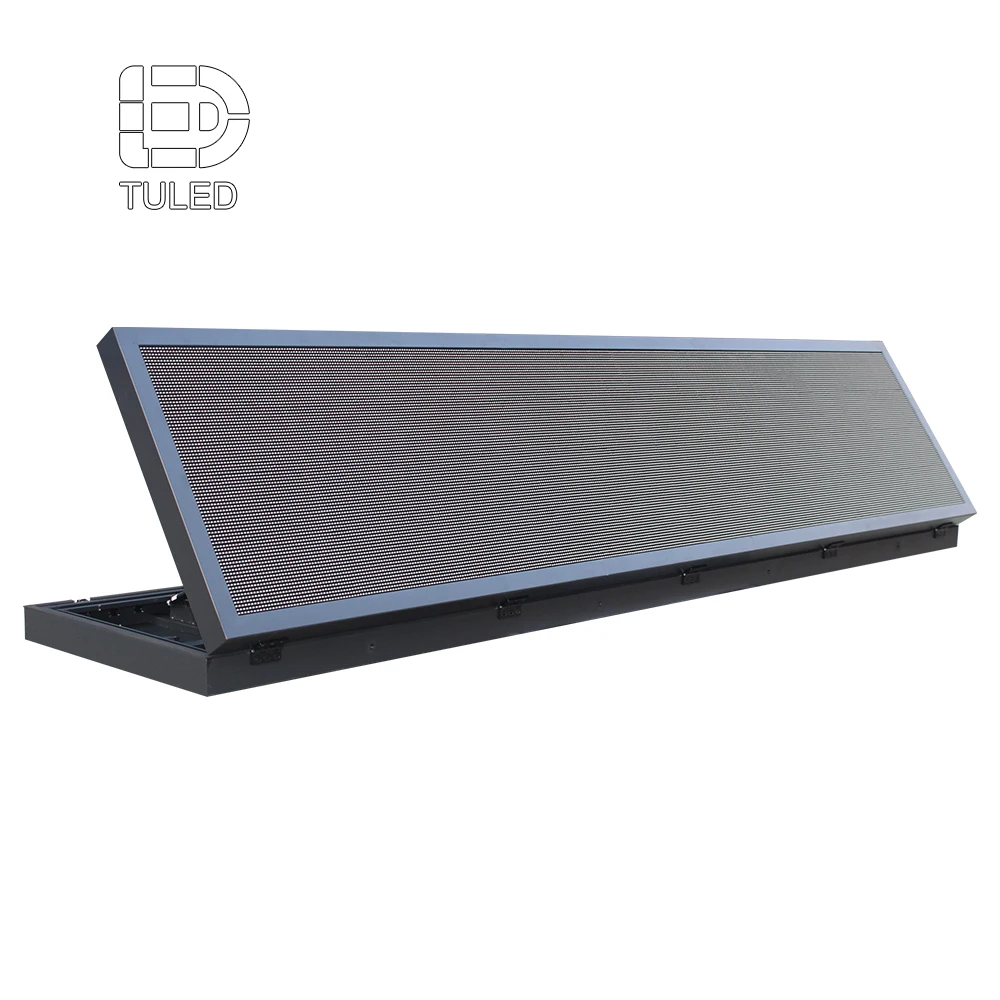
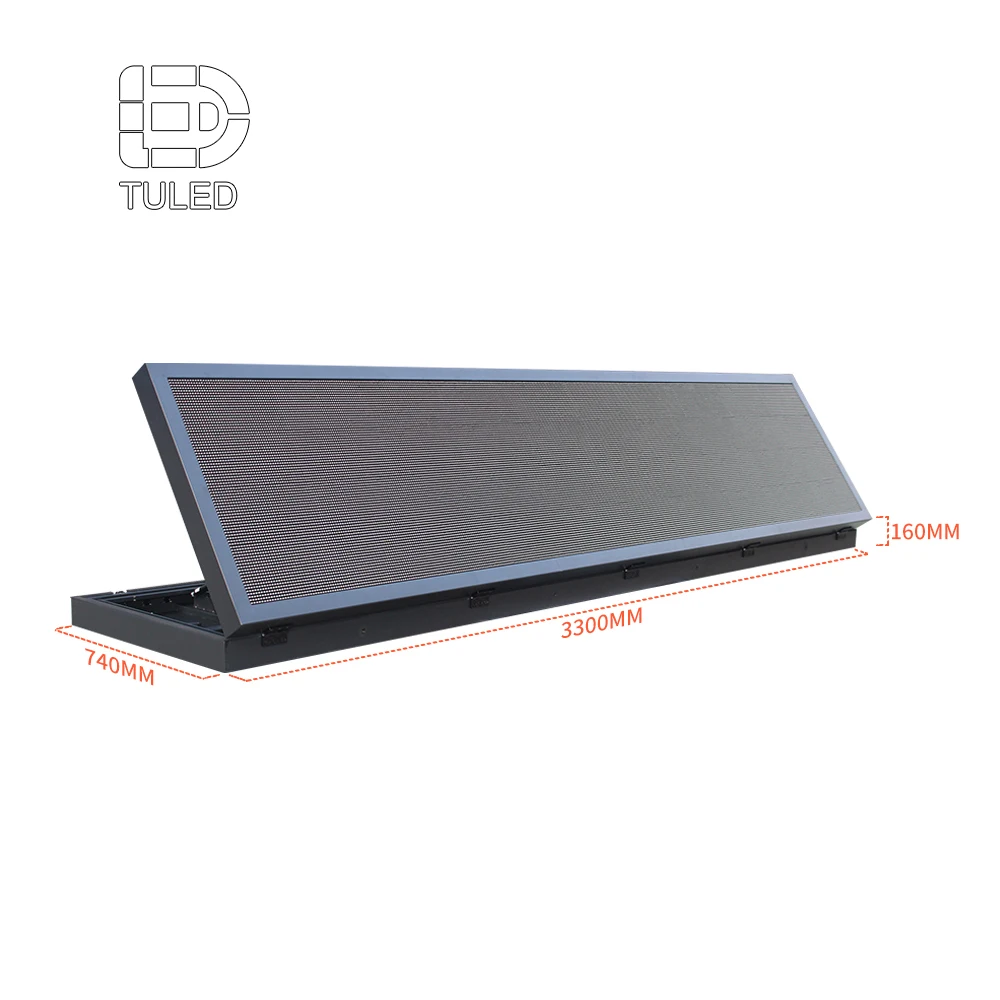
परियोजना-विशिष्ट एलईडी प्रदर्शन बोर्ड की संपूर्ण संदेश सेट के आधार पर, जिसमें गंतव्य, व्यस्तता, दिशात्मक और विफलता-सुरक्षित अवस्थाएँ शामिल हैं, समीक्षा की जा सकती है। इससे आपूर्तिकर्ता को केवल स्क्रीन आकार के आधार पर नहीं, बल्कि विन्यास पर चर्चा करने के लिए एक बेहतर आधार प्राप्त होता है।
फिर आरेखों का उपयोग प्रदर्शन अभिविन्यास, उपलब्ध स्थापना स्थान और प्रस्तावित संकेत के आगामी यातायात के संबंध में पुष्टि करने के लिए किया जा सकता है। सामग्री विन्यास के अंतिम होने से पहले संदेश-क्षेत्र योजना की भी समीक्षा की जा सकती है।
जिम्मेदारी की सीमा पूरे प्रोजेक्ट के दौरान स्पष्ट बनी रहनी चाहिए। प्रत्येक संचालन स्थिति का स्वामित्व एक परिभाषित प्रणाली या एकीकरण परत के पास होना चाहिए, जबकि प्रदर्शन कार्यप्रवाह सहमत दृश्य संरचना में अनुमोदित जानकारी प्रस्तुत करता है। यदि कई कार्यों को एक ही मंच पर संयोजित किया गया है, तो उन स्वामित्व निर्णयों को भी स्पष्ट होना आवश्यक है।
पार्किंग मार्गदर्शन निर्णय सारणी
निम्नलिखित सारणी ऑपरेटर, प्रणाली एकीकर्ता और प्रदर्शन टीम के बीच एक चर्चा रूपरेखा के रूप में कार्य करती है। यह प्रत्येक पार्किंग प्रणाली के लिए एक स्वचालित व्यवहार को निर्धारित नहीं करती है। इसका उद्देश्य विभिन्न डेटा स्थितियों के तहत ड्राइवर-संदेश के उद्देश्य को स्पष्ट करना है।
| डेटा स्थिति | ड्राइवर-संदेश का उद्देश्य | संदेश की दिशा | ऑपरेटर / एकीकर्ता क्रिया |
|---|---|---|---|
| सामान्य डेटा | ड्राइवर को वैध पार्किंग गंतव्यों के बीच चयन करने में सहायता प्रदान करना। | अनुमोदित गंतव्य, वर्तमान अधिग्रहण या स्थिति और संबंधित लेन दिशा को प्रदर्शित करना। | पुष्टि करें कि प्रदर्शित जानकारी ऊपर की ओर की स्थिति के साथ लगातार मेल खाती रहे। |
| आंशिक डेटा | पुष्टित दिशा-निर्देशों को उपयोगी बनाए रखें, बिना अनिश्चित जानकारी को वर्तमान प्रतीत कराए। | जहाँ उचित हो, पुष्टित जानकारी को बनाए रखें और अनिश्चित क्षेत्र को स्वीकृत संदेश तर्क के अनुसार संभालें। | प्रभावित डेटा स्रोत की पहचान करें और यह निर्णय लें कि शेष दिशा-निर्देश अभी भी संचालनात्मक रूप से उपयोगी हैं या नहीं। |
| डेटा अनुपलब्ध या अपुष्टित | ड्राइवर को भ्रमित किए बिना उस जानकारी को बनाए रखें जो स्वतंत्र रूप से वैध बनी हुई है। | स्वीकृत फ़ेल-सेफ़ संदेश का उपयोग करें और केवल तभी गंतव्य या दिशा को बनाए रखें जब प्रोजेक्ट ने पुष्टि कर दी हो कि वह अभी भी वैध है। | ऊपर की ओर की स्थिति की जांच करें और साइट की संचालन प्रक्रिया के तहत सामान्य संदेश प्रणाली को पुनर्स्थापित करें। |
महत्वपूर्ण बात तालिका में सटीक शब्दावली नहीं है। यह है कि सामान्य, आंशिक-डेटा और डेटा अउपलब्ध अवस्थाओं पर चर्चा की जाए, जबकि प्रदर्शन लेआउट को अनुमोदित किया जाने से पहले। केवल आदर्श संचालन स्क्रीन के आधार पर डिज़ाइन किया गया कोई संकेत बाद में लंबे फॉलबैक संदेश की आवश्यकता पड़ने पर अजीब लग सकता है।
अक्सर पूछे जाने वाले प्रश्न
पार्किंग मार्गदर्शन LED संकेतों को लेन निर्णय बिंदु पर क्या प्रदर्शित करना चाहिए?
उन्हें तत्काल निर्णय के लिए आवश्यक जानकारी प्रदर्शित करनी चाहिए: एक प्रासंगिक पार्किंग गंतव्य, अनुमोदित भरण संख्या या स्थिति, और जहाँ आवश्यक हो, दिशात्मक तीर। उस जंक्शन से संबंधित नहीं जानकारी संदेश को समझने में धीमा कर सकती है।
जब पार्किंग भरण डेटा अउपलब्ध हो जाता है, तो क्या होना चाहिए?
प्रदर्शन को परियोजना के अनुमोदित विफलता तर्क का अनुसरण करना चाहिए, बजाय इसके कि वह वर्तमान के रूप में एक असत्यापित मान को जारी रखे। यदि गंतव्य या मार्ग की जानकारी स्वतंत्र रूप से वैध बनी हुई है, तो परियोजना उसे बनाए रख सकती है, जबकि अनिश्चित क्षेत्र को एक अनुमोदित फॉलबैक अवस्था से प्रतिस्थापित कर दिया जाता है।
एलईडी साइन बोर्ड आपूर्तिकर्ता को उद्धरण देने से पहले कौन सी जानकारी भेजी जानी चाहिए?
लेन योजना, प्रस्तावित साइन स्थान, उपलब्ध स्थापना क्षेत्र, आगमन दिशा, संबंधित दृश्य दूरी, प्रतिनिधि संदेश स्थितियाँ, सबसे लंबा अपेक्षित शब्दावली, व्यस्तता या डेटा स्रोत, मात्रा, आंतरिक या बाह्य वातावरण, बिजली मानक, स्थापना देश और परियोजना कालावधि भेजें।
लेन योजना को व्यावहारिक पार्किंग साइन लेआउट में बदलें
यदि पार्किंग मार्ग और डेटा स्रोत पहले से ही परिभाषित हैं, तो अगला उपयोगी कदम यह समीक्षा करना है कि प्रत्येक साइन को वास्तव में क्या प्रदर्शित करने की आवश्यकता है। डिस्प्ले प्रारूप की चर्चा एक सामान्य स्क्रीन विनिर्देश के बजाय वास्तविक पार्किंग परिदृश्य के आधार पर की जा सके, इसके लिए लेन आरेख, प्रस्तावित साइन स्थितियाँ और प्रतिनिधि संदेश स्थितियाँ भेजें।
पार्किंग मार्गदर्शन आवश्यकताएँ भेजें