EN
EN

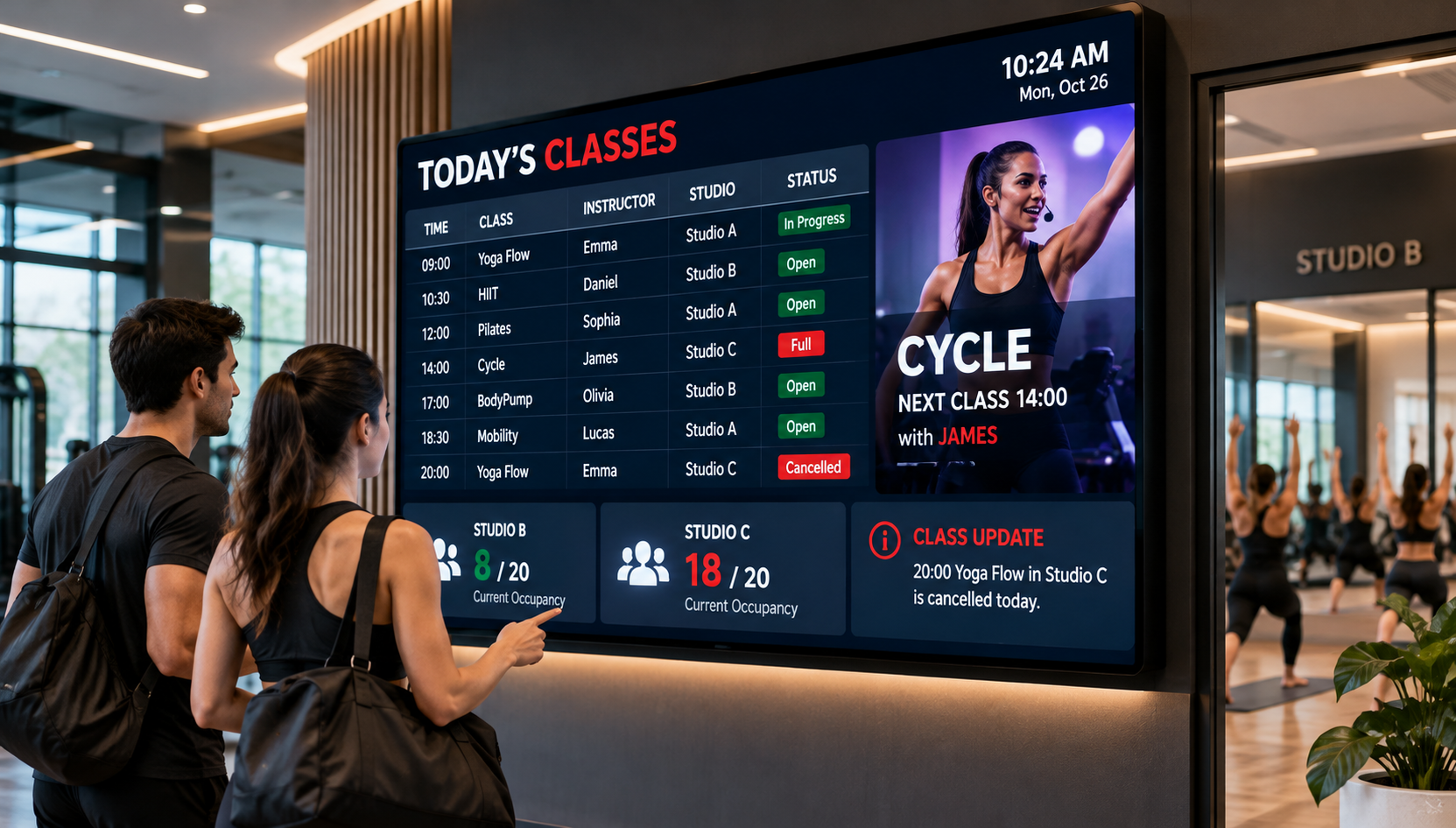
A class timetable shows what is scheduled, not how many people are inside a studio. Room capacity is a separate limit, while instructor content is most useful when it helps members prepare for a session or supports a lesson without hiding essential class information.
A useful fitness club LED class timetable helps members identify their next session, find the right studio and recognize changes before they reach the door. For club operators, the question is less about fitting everything onto one screen than deciding which details can be trusted, where they belong and who keeps them current.
The distinction matters most during busy changeovers. Members may be checking a class location, staff may be confirming a substitute instructor, and the booking system may not reflect the number of people physically in the room. Each fact needs its own label and approval process.
Help members find the next class and the correct studio
A member arriving for an evening cycling class may see several sessions starting within a short period. A reception screen should help that person identify the class, start time, studio and instructor without scanning the entire weekly programme. The display outside the actual studio can be simpler: the current session, the next class slot and any confirmed change.
That difference reflects two genuine reading moments. Reception serves members choosing where to go; a studio entrance serves members checking that they have arrived at the correct door. Identical content on both screens may create more reading than either location needs.
Mobility Flow · 6:30 PM
Instructor: Confirmed by club staff
Status: Scheduled | Location: Studio B
This example communicates a scheduled class; it makes no claim about attendance or available spaces. If a confirmed room change occurs, the new studio should become the most noticeable detail. If the instructor changes, the updated assignment should be visible without erasing the class time.
Placement influences the hardware discussion. Screens viewed while walking through reception may need a different information hierarchy from those viewed up close at an entrance. For clubs exploring custom led wall signs, the useful starting point is the member's decision location, sample timetable content and expected update process. Panel format and installation suitability still require a separate product review.
Distinguish room capacity from verified occupancy
Room capacity, booking status and actual attendance describe different conditions. Confusing them may tell members a studio is occupied when the club has only recorded reservations—or suggest open space when no reliable count exists.
Scheduled and booked
A timetable confirms a planned session. A reservation system may show that booking places are full, but that does not prove everyone has arrived or remains in the studio.
Verified occupancy
A current room count needs an established source and verification method, including a clear interpretation of arrivals, departures and delayed updates.
Consider a club that has a reliable class schedule and reservation records but no room-level attendance process. Its display can show the class and an approved booking status. It should not rename a reservation total “People Inside” or “Live Occupancy.” A full booking list may include absentees, and a club-wide entry count cannot establish who is in a particular room.
The decision changes when the club has a documented method for verifying occupancy. Fitness studio occupancy displays can then be evaluated for showing a confirmed count, as long as the project team defines its source and what that number means. An instructor's manual confirmation, a room-specific entry process and a broader membership check-in record do not necessarily describe the same condition.
Even with an occupancy source, the display brief should ask who checks unexpected results, whether departures are captured and what to do when information becomes stale. The club supplies approved room capacity independently. A screen must not be treated as the authority that establishes the room's safe operating limit.
When reviewing fitness studio LED wall options, keep two questions separate: what can the club accurately state, and what has the supplier demonstrated that its proposed display solution can present? Hardware selection cannot repair an ambiguous data definition or establish unverified integration with attendance software.
Schedule instructor content around the class workflow
Instructor material becomes valuable when it matches the moment members are experiencing. Before a class, a brief introduction or approved preparation clip may be helpful after the session name, room and time have been made clear. During a class, visual material should have a specific instructional purpose. Between classes, the screen can shift toward the upcoming session once any changes have been confirmed.
For example, a cycling instructor may want members to see a preparation demonstration, while a mobility instructor may use a movement reference during teaching. These are possible uses, not confirmed functions of an LED model or examples from a customer installation. The instructor remains responsible for the session; a display does not replace supervision or individualized guidance.
The difficulty is often not producing attractive media but deciding when it should stop appearing. A substitute instructor or a changed studio assignment matters more to a late-arriving member than an introductory video. An automatic playlist that obscures a cancellation would work against the club's immediate communication goal.
Before specifying instructor led screen content, the club should observe where members stand, what they need before entering and whether anyone must control content during teaching. Sample image and video files, intended playback moments, an approval owner and documented content permission are necessary inputs. Rights to use music, instructor likenesses and any identifiable participant footage should be checked for the intended display setting.
If the plan calls for schedule-triggered video, manual instructor control or material supplied from another system, treat these as requirements to demonstrate—not capabilities to assume. A responsible proposal explains which behavior is verified, which depends on club processes and which remains to be tested.
Handle cancellations and unavailable occupancy data
Last-minute changes put the display process to the test. A scheduled class may be cancelled, an instructor replaced or a studio reassigned after members have already arrived. The public message should state only what has been confirmed, making the change easier to recognize than routine instructor material.
Mobility Flow · 6:30 PM — Cancelled
If a replacement session or new location has not been approved, do not imply one is available. Show the confirmed status and keep the message associated with the affected class.
Staff responsibilities should follow the club's actual approval chain. Reception might receive notice of an instructor absence, but a studio coordinator may be the person authorized to confirm cancellation or replacement. The timetable owner needs a defined process for publishing the approved update and checking that it appears on the appropriate screens.
The same discipline applies to missing occupancy data. A previously valid count should not continue to look current when the source is no longer available. A clear “Occupancy information unavailable” message—or the removal of that field—is safer than displaying an unsupported figure. The verified class schedule can remain visible even while occupancy information is withheld.
These are operational requirements, not claims that a named panel includes scheduling integration or automatic failover. The club and supplier should test how a last-minute update, a missing data source and recovery to normal content would be handled in the proposed workflow.
Prepare a studio timetable-and-content display brief
An effective procurement conversation begins with a usable map of club operations. The team needs to know where members choose their next class, which system owns the timetable, whether a verified room count exists and who can approve a change. This gives AV buyers something more reliable to evaluate than a screen size alone.
Information to prepare for the supplier
These details make it possible to distinguish three separate display tasks. A reception screen provides the overall class view; an entrance screen confirms the next session; material used during instruction must fit the teaching workflow. The arrangement can then be evaluated for visibility, physical placement and the way content is supplied, without presuming that one format serves every location.
The club display options for classes and studio updates are a relevant category-level starting point. Category membership alone does not establish software compatibility, supported file formats, attendance-data integration or suitability for a particular club layout.
The manufacturer illustration below helps buyers consider the physical panel arrangement and access for indoor maintenance at a proposed display location. It is not a fitness-club installation photograph or evidence of timetable, booking or occupancy-system compatibility.
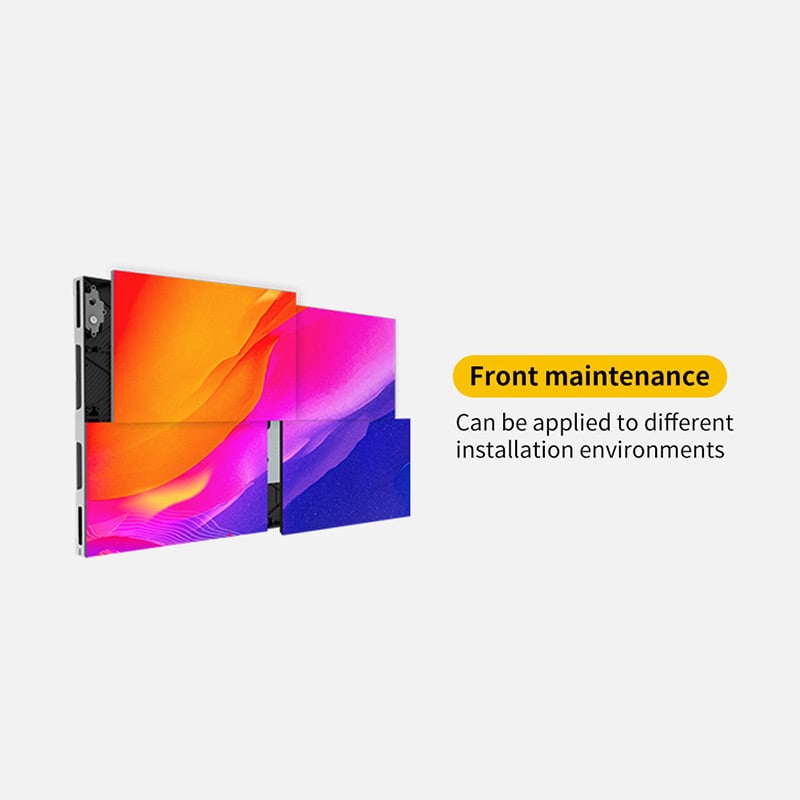
This indoor panel is shown as a hardware evaluation reference—not a recommended model for every club. Ask the supplier to demonstrate legible class names, studio labels and approved instructor media using the proposed configuration, and separately verify how the club would update those messages. The image alone does not establish those capabilities.
View Indoor Panel DetailsFor a fitness club LED class timetable, information reliability is the deciding factor. An accurate schedule, a properly labeled attendance field and instructor content shown at the right moment are more useful than a crowded screen that makes members guess what is current.
Frequently Asked Questions
Can a timetable alone indicate that a studio is full?
No. A timetable confirms that a class is scheduled. A full reservation list describes booking availability, not necessarily physical occupancy. A verified room count needs a separate, appropriate source.
How should a last-minute instructor change appear?
Show the affected class and its confirmed replacement instructor. Keep the scheduled time and studio visible unless those details have also changed. Do not display an assumed substitute before approval.
Who should approve instructor-led video content?
The club's designated content owner should approve its use, with instructor input where appropriate. Confirm usage rights, the intended audience and when the material can appear.
Discuss your fitness-club display and scheduling brief
Share the studio layout, timetable source, occupancy source if available, approved room capacities, instructor assets and cancellation owner. These inputs provide a concrete basis for reviewing display requirements and confirming which capabilities a proposed solution can actually support.
Contact Us About Your Fitness-Club Display