EN
EN

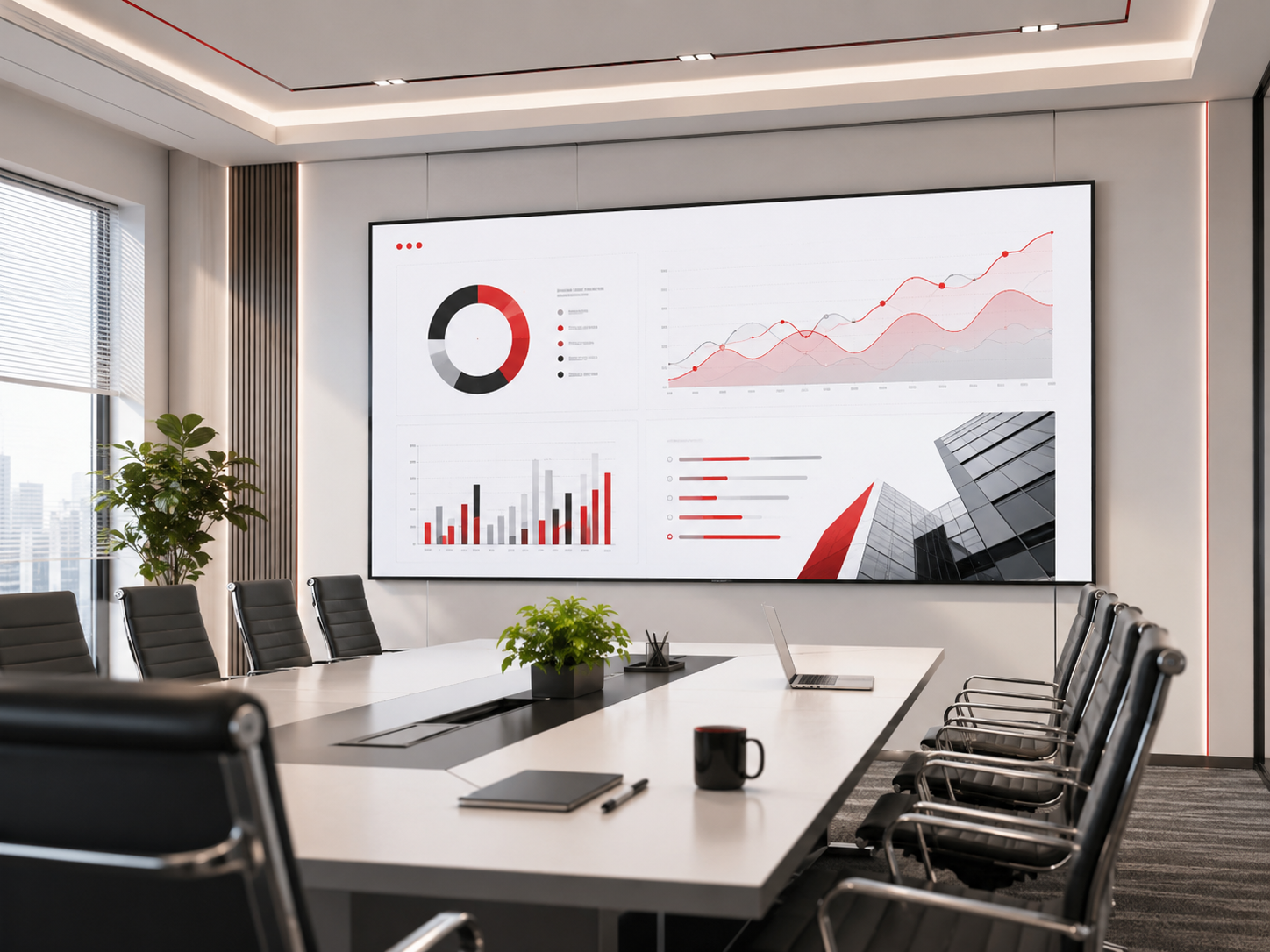
Et prosjekt for et møteromskjerme ofte starter med én praktisk bekymring: veggen ser bred ut, men vil personene på bakerste rad kunne lese tallene tydelig? Samtidig kan første rad sitte så nær at de oppdager pikselstrukturen dersom pitch ikke er egnet. Derfor bør en lED-display velges basert på setteavstand, PPT-innhold, kamerabeskytting og fremtidig vedlikeholdsadgang, ikke bare på veggstørrelse. Denne veiledningen forklarer hvordan man vurderer romstørrelse, skjermbredde, P1,25, P1,56 og P1,86, slik at en anbudsførespørsel kan være tydeligere fra begynnelsen av.
Det reelle størrelsesproblemet: veggen er bred, men innholdet føles fortsatt lite
I mange konferanserom kan veggen holde et stort display. Daglige møteinnhold er imidlertid sjelden like enkelt som en demonstrasjonsvideo fra et utstillingsrom. PowerPoint-folier, Excel-tabeller, CRM-dashboarder, videokalles vinduer og tekniske tegninger skaper alle ulik lesetrykk.
Skjermplanleggingen bør derfor starte med setene, ikke bare med veggen. Det nærmeste setet avgjør om pikselstrukturen kan bli synlig. Det lengste setet avgjør om tekst, diagrammerker og små tall fortsatt er behagelige å lese.
For eksempel kan et 3 meter bredt skjerm føles imponerende i et kompakt styreverom. Samme størrelse kan imidlertid føles svak i et dypere treningsrom når den bakerste raden må lese regnearkrader eller detaljerte diagrammer.

LED-skjerm for konferanserom for klarhet ved PowerPoint, dashboarder og møtepresentasjoner
Se LED-skjerm for konferanseromHvorfor feil skjermstørrelse skaper skjult prosjektrisiko
En møteskjem må støtte mer enn bare en velkomstsiden. Den kan vise en produktpresentasjon om morgenen, et videomøte på middagstid og en økonomisk rapport om ettermiddagen. Som et resultat kan en skjerm som ser bra ut med fargerike videoer likevel svikte med reelle kontorinnhold.
I tillegg påvirker feil dimensjonering budsjettet, installasjonen og vedlikeholdet. En skjerm som er for liten kan tvinge til konstant zooming. En skjerm som er for høy kan føre til nakkesmerter for de som sitter på første rad. En pikselavstand som er for fin kan øke kostnadene uten å legge til synlig verdi.
Med andre ord må skjermens bredde, pikselavstand, lysstyrke, oppdateringsfrekvens, kontrollsystem og frontservice vurderes sammen. Dette reduserer forvirring rundt tilbud og hindrer at man betaler for detaljer som rommet ikke trenger.
| Romrelatert problem | Synlig resultat | Planleggingspåvirkning | Påvirkning på tilbud |
|---|---|---|---|
| Skjerm for smal | Tekst på bakerste rad føles liten | Øk bredden eller forenkle lysbildeoppsettet | Mer skapareal kan påvirke kostnaden |
| Stigning er for stor | Førsterad kan merke pikselstrukturen | Velg finere stigning for nærværende visning | Høyere pikseltetthet øker budsjettet |
| Stigning er for fin | Forbedringen i detaljnivå kan ikke være tydelig | Bruk budsjettet på bredde, oppdateringsfrekvens eller tilgang til vedlikehold | Unngå overdimensjonering |
| Ingen fronttilgang for vedlikehold | Fremtidig vedlikehold blir vanskelig | Bekreft tilgangsmetoden tidlig | Veggstrukturkostnaden kan endre seg |
Hvordan velge P1.25, P1.56 og P1.86 for møterom
Mål først avstanden fra skjermen til den nærmeste seteplassen. Dette hjelper til å vurdere om pikselstrukturen eventuelt kan ses. Mål deretter avstanden fra skjermen til den lengste seteplassen. Dette hjelper til å vurdere om skjermen er bred nok til lesbar tekst.
Generelt passer P1.25 til nære ledelsesrom og detaljerte dashboards. P1.56 er ofte et balansert valg for styresaler og hybridmøterom. P1.86 kan derimot være praktisk når første rad sitter lenger unna og displayet er bredt nok.
Mindre pitch er imidlertid ikke automatisk bedre. Det forbedrer detaljnivået, men øker også budsjettet, kravene til installasjon og forventningene til modulutskiftning. Derfor bør den riktige pitchen velges ut fra sev avstand og innholdstype.
| Pitch-valg | Komfortabel retning for første rad | Best egnet innhold | Når det gir mening |
|---|---|---|---|
| P1,25 | Ca. 1,5–2,5 m | Detaljerte diagrammer, dashboards, tegninger | Tette seter og innhold med høy detaljnivå forekommer ofte |
| P1.56 | Ca. 2–3,5 m | PPT, videomøter, blandede rapporter | Balansert klarhet, kostnad og møtefleksibilitet |
| P1,86 | Ca. 3–5 m | Standardpresentasjoner, opplæring, videospilling | Rommet trenger mer bredde før ultra-fin detalj |
Eksempel på rom: Et 7 meter dypt møterom med første rad ca. 2,8 meter unna og siste rad ca. 6,5 meter unna trenger kanskje ikke den minste pitchen først. En bredere skjerm med P1,56 eller P1,86 gir ofte en bedre balanse for presentasjoner og videokonferanser.
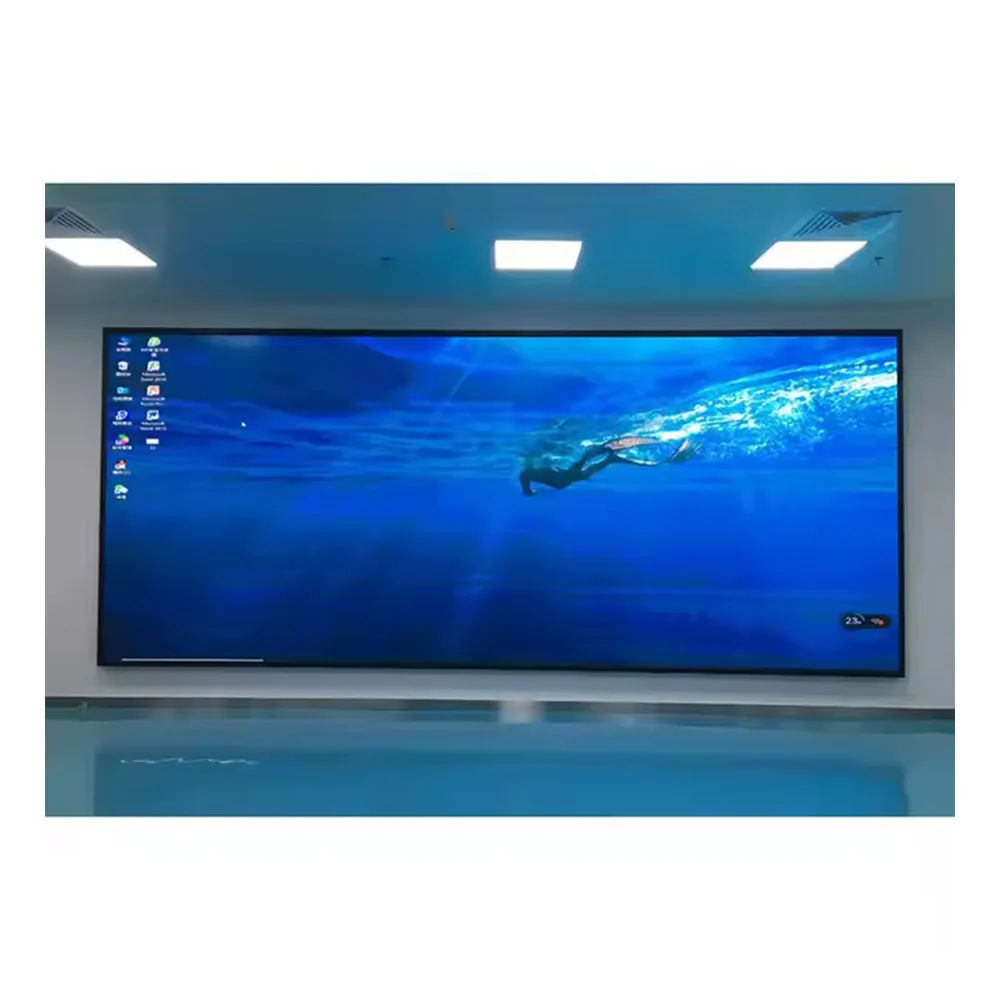
LED-skjerm med liten pitch for møterom der man ser på skjermen fra nært hold og for visning av fin tekst
Se innendørs LED-skjerm med liten pitchHvor stor bør skjermen i møterommet være?
For LED-vegger er skjermens bredde vanligvis mer nyttig enn diagonalstørrelsen. Et diagonalt mål fungerer for sammenligning med TV-er, men LED-kabinettene er modulære. Derfor bør bredden, høyden, sideforholdet, kabinettstørrelsen og seavstanden beregnes sammen.
For små rom kan en bredde på 2,0–2,8 meter være tilstrekkelig. For standardrom er 3,0–4,5 meter ofte praktisk. For styresaler og treningsrom kan 4,5–8,0 meter være nødvendig når personer på siste rad må kunne lese etiketter på diagrammer.
Samtidig bør skjermen ikke være for høy. Hvis første rad sitter nær, kan et svært høyt bilde føre til nakkesmerter. Derfor bør behagelig visning veilede både bredden og høyden.
| Romdybde | Typisk bruk | Anbefalt skjermbredde | Pitch-retning | Planleggingsnotat |
|---|---|---|---|---|
| 3–4 m | Huddle-rom | 2,0–2,8 m | P1,25 / P1,56 | Styr lysstyrken for seter i nærheten |
| 5–7 m | Standard møterom | 3,0–4,5 m | P1,56 / P1,86 | Balanser PPT-klarhet og budsjett |
| 8–10 m | Stylerom | 4,5–6,0 m | P1,56 / P1,86 | Sjekk oppdelte skjermlayouter for møter |
| 10–15 m | Undervisningsrom | 6,0–8,0 m | P1,86 eller større | Lesbarhet på bakre rad er prioritet |
Klarsynlighet i PowerPoint-foiler avhenger av skjermens bredde, tekststørrelse og innholdets oppsett
En premiummøteskjerm kan ikke fikse en overlastet foil. Men riktig skjermbredde og pitch kan gjøre vanlig presentasjonsinnhold mye lettere å lese. Derfor bør reelle PowerPoint-sider, skjermbilder av dashboards og eksempler på regneark gjennomgås før spesifikasjonen bekreftes.
For enkle foiler kan P1,86 være tilstrekkelig når displayet er bredt og første rad ikke ligger for tett på. For tettpakkede tabeller kan P1,56 eller P1,25 være mer egnet. Samtidig bør foil-designet bruke større skrifttyper, færre kolonner og sterkere kontrast.
I hybridmøter er oppdelte skjermoppsett spesielt viktige. En skjerm som virker stor i fullskjerm-PowerPoint-modus kan føles overfylt når videovinduer, delt innhold og notater vises samtidig.
PowerPoint-presentasjon
Bruk klare overskrifter, enkle diagrammer og brødtekst i størrelse 24–32 punkt. Derfor fungerer ofte P1,56 eller P1,86 godt i standardrom.
Gjennomgang av dashboard
Tett brukergrensesnitttekst krever høyere oppløsning og større bredde. Som et resultat kan P1,25 eller P1,56 være lettere å begrunne.
Videomøte
Ansikter, delt innhold og notater kan vises samtidig. Derfor er skjermens bredde og kvaliteten på kontrollsystemet viktig.
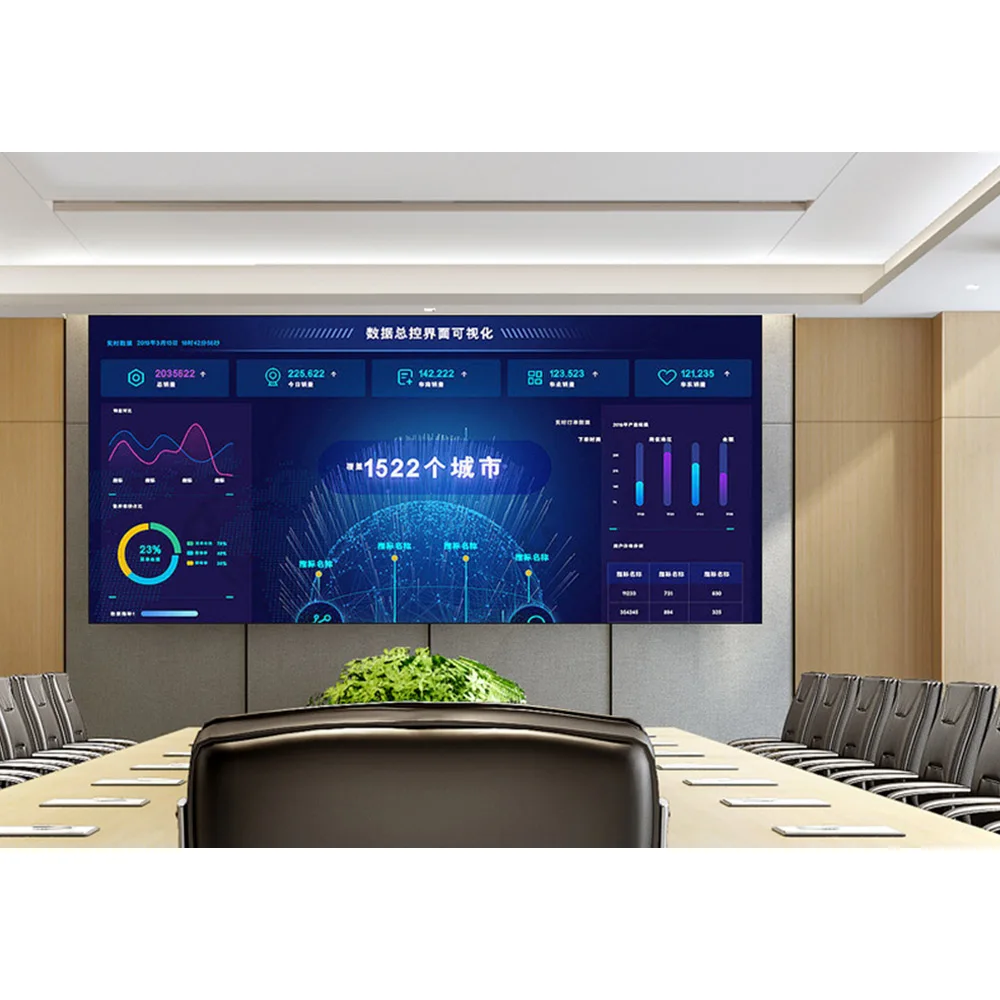
LED-skjerm med liten pikselavstand for tydeligere PowerPoint-tekst og presentasjoner for nærværende publikum
Se innendørs LED-skjerm med liten pikselavstandKamerabilder påvirker valget av display for møterommet
Moderne møterom bruker ofte fastmonterte kameraer for videokonferanser, opptak av opplæringskurs eller presentasjoner for ledere. Displayet bør derfor se stabilt ut både for personer i rommet og for kameraet samtidig.
Flimmer, bånding og moiré-mønstre kan oppstå når kamerainnstillingene samsvares med LED-skjermens oppdateringsatferd. Pikselavstanden er imidlertid bare én del av problemet. Oppdateringsfrekvens, gråtoner, lysstyrkeinnstilling, kameravinkel og rombelysning påvirker også det endelige bildet.
Av denne grunnen bør et tilbud for et møterom inkludere oppdateringsfrekvens, kontrollsystemplan og metode for justering av lysstyrke. I tillegg er en kameratest nyttig når skjermen vises bak talere eller når den registreres direkte.
| Bruk av kamera | Vanlig problemstilling | Spesifikasjonsfokus | Innholdsforslag |
|---|---|---|---|
| Video-konferanse | Lys skjerm bak ansikter | Justering av lysstyrke og rombelysning | Unngå fullt hvite bakgrunner |
| Registrert opplæring | Flimmer eller banding | Høy oppdateringsfrekvens og stabil kontroll | Bruk rene, høykontrastende lysbilder |
| Direkte skjermfilming | Moirémønster | Kameravstand og vinkeltest | Unngå bakgrunner med tynne rutenett |
Produktvei: tilpass rommet til den rette innendørs LED-løsningen
For faste møterom, Innendørs LED-skjerm er vanligvis den viktigste produktveien. Den støtter fast montering, sømløse visuelle effekter og fine pitch-alternativer for bedriftsrom, treningsrom og kommandostil-møterom.
Når nærvurdering er viktig, Indoor lit LED-skjerm med liten pikselavstand kan støtte skarpere tekst og jevnere bildkanter. Samtidig Indoor LED-skjerm med liten pikselavstand er egnet når frontvedlikehold, høy oppfriskningsfrekvens og ren veggintegrering er prioriteringer.
Produktveien bør imidlertid fortsatt følge romdata. Et lite ledelsesrom kan kreve finere pitch. Et dypere treningsrom kan først og fremst trenge en bredere skjerm. Derfor bør tilbudet kombinere pitch, bredde, kabinettstruktur og kontrollsystem.

Frontservice-LED-skap for ren konferanseromvegginstallasjon
Sjekk LED-løsning for konferanseromTilbudssjekkliste: send romdata før prisene sammenlignes
En vag forespørsel kan føre til svært ulike tilbud. Et tilbud kan for eksempel bruke en mindre pitch, mens et annet kan bruke en større skjerm. Et tilbud kan inkludere frontservice, mens et annet ikke gjør det. Derfor bør RFQ-beskrivelsen av rommet og innholdet være tydelig.
De mest nyttige detaljene er rommets bredde, veggstørrelse, avstand fra første rad, avstand fra siste rad, innholdstype, bruk av kamera og installasjonsmetode. I tillegg hjelper eksempel-PPT-sider eller skjermbilder av dashboards teknikerteamet med å vurdere den faktiske oppløsningen.
Denne trinnet hjelper også med å kontrollere budsjettet. Hvis innholdet hovedsakelig består av presentasjoner med store skrifttyper, trenger prosjektet kanskje ikke en ekstremt fin pitch. Hvis dashboards og detaljerte dokumenter derimot vises ofte, kan en høyere oppløsning unngå daglige klager.
| RFQ-post | Informasjon som skal sendes | Hvorfor det er viktig |
|---|---|---|
| Romstørrelse | Bredde, dybde og takhøyde | Hjelper med å anslå skjermens bredde og installasjonsrom |
| Seavstand | Avstand fra første rad og siste rad | Styrer pitch og lesbar innholdsstørrelse |
| Innholdstype | PPT, Excel, dashbord, CAD, videokall | Viser hvor mye detaljnivå som kreves |
| Bruk av kamera | Videokall, opptak eller direkte filming | Påvirker oppdateringsfrekvens og testbehov |
| Vedlikeholdsadgang | Frontservice eller bakservice | Påvirker veggstruktur og fremtidig reparasjonsarbeid |
CTA: Send rombredde, avstand til første rad og innholdstype for en anbefalt pitch
En enkel forespørsel kan inkludere romstørrelse, bruksområde på veggen, avstand til første rad, avstand til siste rad, eksempler på PPT- eller dashbordinnhold, bruk av kamera og foretrukken installasjonsmetode.
Kontakt LED-skjermfabrikkUtvidet lesing for planlegging av LED-skjermer til møterom
Ofte stilte spørsmål: Størrelse og pitch-valg for LED-skjermer til møterom
Hvor langt fra en LED-skjerm med fin pitch bør første rad sitte?
Generelt passer P1,25 til nærsyn på ca. 1,5–2,5 m. P1,56 fungerer ofte godt på ca. 2–3,5 m. P1,86 føles vanligvis mer naturlig når første rad er ca. 3–5 m unna. Innhaldets detaljnivå og lysstyrkeinnstilling bør imidlertid også sjekkes.
Er P1,25 alltid bedre enn P1,56 eller P1,86?
Nei. P1,25 gir finere detaljer, men det kan ikke gi tilstrekkelig ekstra verdi når setene er lengre unna eller innholdet bruker store skrifttyper. I mange standard møterom kan P1,56 eller P1,86 frigjøre mer budsjett til skjermens bredde, oppdateringsfrekvens, frontvedlikehold og kvalitet på styringssystem.
Hvilken skjermbredde er egnet for et møterom med 10–20 seter?
Et rom med 10–20 seter bruker ofte en skjerm med en bredde på 3,0–4,5 m, avhengig av romdybden og innholdstypen. Hvis det ofte vises dashboards eller regneark, kan en bredere skjerm eller en finere pitch være nødvendig. Hvis presentasjonsbilder er enkle, kan en balansert P1,56- eller P1,86-løsning fungere godt.
Hvordan kan presentasjonsklarheten sjekkes før bestilling?
Send reelle PowerPoint-sider, skjermbilder av dashboards eller eksempler på regneark sammen med rommålene. Sjekk deretter avstanden fra første rad, avstanden fra siste rad, skjermens bredde og pitch samtidig. I møterom med mye bruk av kamera bør du be om opplysninger om oppfriskningsfrekvens og en anbefaling på en kameravennlig skjerm.
Endelig valgråd
En møteromsdisplay bør planlegges ut fra faktiske seter og faktisk innhold. Det nærmeste setet styrer pitch-komforten. Det lengste setet styrer skjermens bredde. Samtidig avgjør PPT-tydlighet, kamerabilder, oppdateringsfrekvens, frontvedlikehold og veggstruktur om systemet føles pålitelig etter installasjon.
Derfor bør en praktisk lED-display plan ikke automatisk jakte på den minste pitchen. Den bør tilpasse P1,25, P1,56 eller P1,86 til rommets avstand, skjermens bredde, innholdets detaljnivå og budsjettlogikk.
- Mål veggbredde, avstanden til første rad og avstanden til siste rad før du ber om et tilbud.
- Send faktiske PPT-, dashbord- eller regneark-eksempler for vurdering av pitch.
- Bekreft frontvedlikehold, oppdateringsfrekvens, kontrollsystem, kabinettstørrelse og installasjonsstruktur før godkjenning.