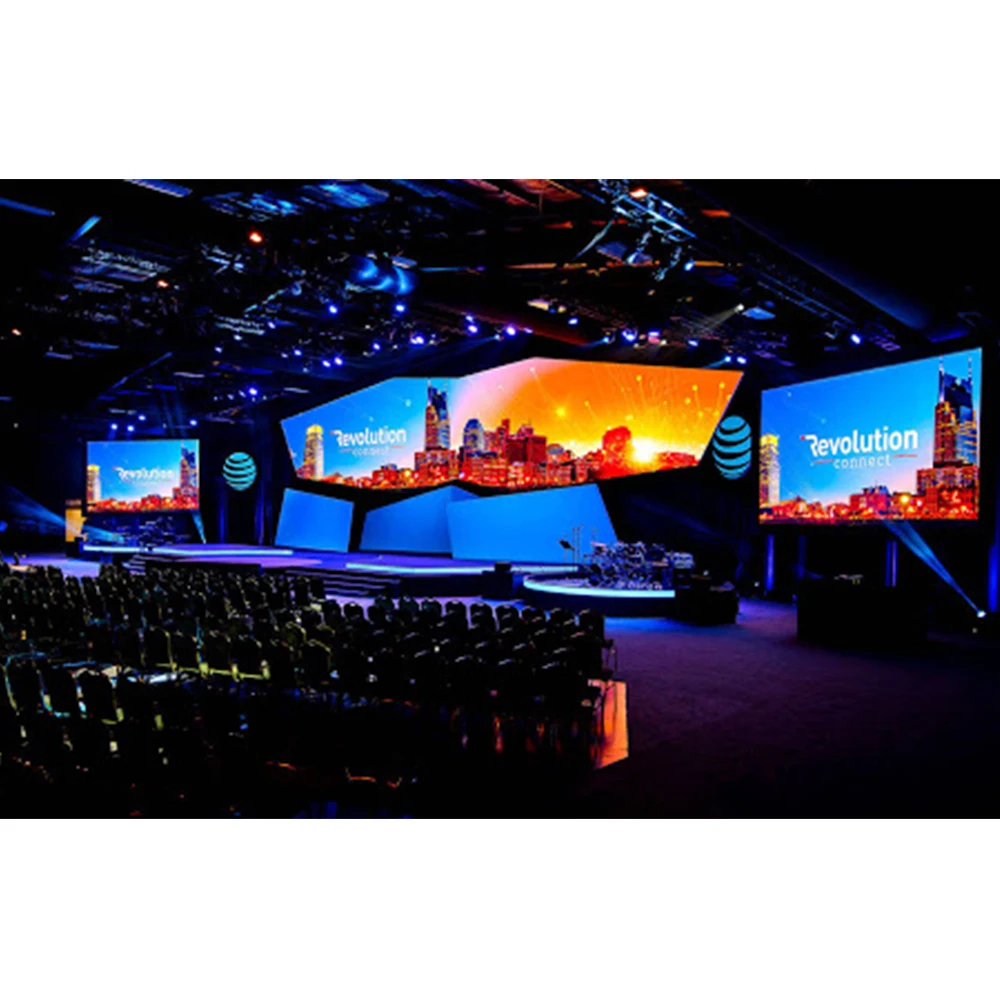
A stadium Jumbotron is infrastructure. It carries replays, timing, stats, sponsor loops, and safety messaging through sun, rain, wind, and tight event calendars. Picture quality still matters, but uptime, service access, thermal headroom, and a resilient signal chain usually decide whether the board feels “premium” all season.For early scoping, LED wall panels make it easier to translate meters on a drawing into cabinets, modules, power zones, and spare parts planning.
On a mid-summer afternoon, glare and heat can flatten contrast and trigger thermal throttling at the worst moment. On another weekend, a single output-port failure can create a half-screen blackout unless redundancy and zoning were planned around real failure modes.
Key Takeaways
Size should follow sightlines and a fixed content grid, not a target diagonal.
Pixel pitch is a workflow decision as much as a visual decision; over-resolution increases mapping and content burden.
Outdoor targets (brightness, IP strategy, thermal design) should be defined as ranges plus verification steps.
A Jumbotron is a system: processing, transport, receiving hardware, monitoring, and documentation drive event-day stability.
FAT/SAT checklists and a repeatable maintenance plan keep the surface uniform after repairs.
What a Stadium Jumbotron Must Deliver
A stadium display rarely does one job. Replays, clocks, sponsor rotations, prompts, and emergency messaging share one canvas under changing light. Broadcast capture also “sees” issues differently than spectators, so camera-facing stability should be treated as a baseline requirement.
Spectator readability and broadcast stability
Seat geometry creates wide viewing-distance spread. Upper decks depend on the board for information. Lower sections notice seams, pixel structure, and motion artifacts. Broadcast adds another constraint: scan behavior and refresh stability can create banding or flicker on camera even when seats look acceptable.
A practical planning mindset separates “replay impact” from “information readability.” Replays can tolerate more motion blur and scaling. Clock, score, and prompts cannot.
Design rule: If replays look strong but the clock is hard to read from the far band, the grid is wrong—even if the LED hardware is excellent.
Operational uptime and fast recovery
Operations teams measure success by uptime and recovery speed. A modular surface that can be repaired quickly often outperforms a higher-spec surface that is difficult to access. Service lanes, spare strategy, and fault mapping determine recovery time, not marketing terms.
Event calendars compress maintenance windows. A short service window demands front-access workflows, clear cabinet labeling, and a controlled procedure for swapping modules, power supplies, and receiving hardware.
A system, not a cabinet-only purchase
Cabinets matter, yet the “finished” result depends on the system around them: processing, scaling, switching, long-run transport, synchronization, monitoring, and documentation. Late-stage system decisions typically create expensive last-minute workarounds.
A catalog page that keeps cabinets, processors, and receiving hardware visible in one place helps avoid fragmented planning: LED display product catalog.
Sizing the Screen: From Sightlines to a Content Grid
“Bigger” is not a sizing method. A reliable size comes from sightlines, an information grid, and a serviceable structure.
Split the venue into viewing bands
A single “average distance” hides reality. A more useful split is:
Near band: close seats and steep angles that reveal seams and pixel structure
Mid band: typical reliance zone for replays and stats
Far band: upper deck where bold readability and contrast carry the experience
Each band places different stress on the design. Far-band readability is usually the hardest requirement to satisfy.
Lock the content grid before final dimensions
A fixed grid prevents event-day layout chaos. It reserves real estate for replay, clock/score, key stats, and sponsor frames without shrinking core information during rotations.
A common grid pattern includes:
A main replay window (often 16:9)
A persistent data band for clock and score
Stat modules for key information (shots, fouls, possession, etc.)
Sponsor modules that rotate without moving core elements
Safe margins that protect readability at steep angles
Grid discipline improves sponsor consistency as well. When sponsor frames do not fight the score bug, operators stop improvising.
Operator tip: Sponsor value drops when overlays drift, resize, or move during live play. A stable grid keeps placements predictable.
Treat structure and access as part of “size”
Square meters add weight, wind load, and access complexity. Structural deflection control protects seam alignment, especially under wind and heat cycling. Access planning protects uptime.
Structural planning should explicitly cover:
Wind and seismic load paths (aligned with local code)
Attachment point design and load-rated hardware
Deflection limits that protect cabinet alignment
Access platforms, guardrails, and safe working zones
Cable routing lanes that remain reachable after installation
Engineering checkpoint: If deflection is not controlled, seams drift and become visible during bright, uniform content.
A short sizing workflow that stays grounded
A reliable sizing flow keeps decisions concrete:
Map sightlines and define the primary readability zone.
Define the content grid with real font sizes and safe margins.
Choose an aspect ratio that fits replay and information needs.
Convert physical meters into a pixel canvas using pitch.
Validate structure, access routes, routing lanes, and controller capacity.
This order reduces the risk of choosing a dramatic size first and then trimming functionality later.

Pixel Pitch and Resolution: Practical Rules That Stay Usable
Pixel pitch is not a trophy spec. It is a budget, workflow, and maintainability choice that shapes the entire signal and service design.
Quick pitch-to-distance rules for early planning
Rules of thumb are not standards, yet they prevent mismatches early:
Dense text, fine-line graphics, and steep viewing angles push the comfortable distance upward. Replay-heavy layouts are more forgiving.
A renderable guide table for near/mid/far bands
The table below is intentionally broad. It helps early selection discussions and budget planning, then gets refined with sightlines and content templates.
| Seating band |
Typical use on event day |
What must look best |
Practical pitch direction (outdoor) |
| Near band |
Replays, team graphics, close perception of seams |
Seam control, motion clarity, uniformity |
Finer pitch helps, but service access still matters |
| Mid band |
Replays + readable stats |
Balanced clarity and brightness |
Mid-range pitch is often the best cost/benefit |
| Far band |
Clock, score, large prompts |
Bold readability, high contrast |
Coarser pitch can work if templates are strong |
A mixed-display venue is common. Concourse and control areas often justify finer pitch, while the main stadium LED video board benefits from a pragmatic pitch plus strong brightness and uniformity.
Resolution changes the system, not just the picture
More pixels increase:
Controller output load and port planning complexity
Receiving hardware count and mapping workload
Commissioning time (alignment + calibration + mapping)
Content production load for every event
The “hidden cost” is content. A high-resolution canvas still looks soft if sources are frequently upscaled or poorly deinterlaced. For teams that need a refresher on pixel pitch selection thinking, this guide is a useful reference point: Best pixel size for small-pitch LED displays.
Camera-facing performance: refresh stability and grayscale behavior
Broadcast capture often reveals banding and scan artifacts before spectators notice them. Procurement language tends to be strongest when it focuses on outcomes:
Stable, camera-friendly refresh behavior
Smooth grayscale performance with minimal banding
Uniform calibration across cabinets and modules
Uniformity is frequently the deciding factor on large canvases. A well-calibrated surface with solid contrast often reads “sharper” than a higher-density surface with inconsistent seams or drifting brightness.
Outdoor Targets: Brightness, Glare, IP Strategy, and Durability
Outdoor performance should be described as ranges plus verification steps. That framing keeps planning realistic and testable.
Brightness targets in nits
Many outdoor stadium applications plan within 5,000–8,000 nits, depending on site orientation, sun exposure, and screen angle. Higher brightness can help in extreme sunlight, yet it raises heat and power demands. Contrast, anti-glare surfaces, and calibration consistency still decide whether content looks crisp.
For a broader outdoor category overview used across applications, this page helps frame typical brightness and waterproof expectations: Outdoor LED Display.
Glare and reflections
Glare is a silent sponsor killer. Reflections can wash out bright backgrounds and reduce replay clarity at midday. Anti-glare mask design and template discipline help reduce perceived washout.
Template design matters:
Use bold typography and clear hierarchy
Reserve consistent safe margins for critical information
Avoid fine-line overlays and subtle gradients for far-band readability
Field note: Noon glare often hurts sponsor modules first because those zones use bright backgrounds and moving animation.
IP rating and real sealing design
Outdoor protection is more than a rating label. A project usually benefits from:
Clear front protection targets for dust and rain
Connector protection and cable entry shielding
Drainage paths and water management design
Documentation of service procedures that preserve seals
For an application-focused description of outdoor protection expectations, this page is a practical internal reference: Outdoor LED panels.
Mechanical durability: wind, vibration, and corrosion
Wind load affects both safety and seam stability. Vibration can loosen hardware over time if lock systems are not robust. Coastal environments add corrosion risk that impacts fasteners, connectors, and cable jackets.
A durable plan includes:
Structural review aligned with local codes
Corrosion-aware material selection where needed
Access safety planning (platforms, guardrails, rated lifting points)
Inspection cadence that matches climate severity
Worked Example: From Meters → Pixels → Cabinets → Controller Ports
A worked example turns a conceptual discussion into a planning checklist. The numbers below illustrate process and logic rather than a specific brand promise.
Step 1: Define a realistic board size
Assume a main board concept with a 16:9 canvas:
Width: 20.0 m
Height: 11.25 m
This size supports a large replay window plus a structured information band.
Step 2: Choose a pitch for the example and convert to pixels
Use a planning pitch example of 8.0 mm.
Convert meters to millimeters:
Width: 20,000 mm
Height: 11,250 mm
Divide by pitch:
Width pixels: 20,000 ÷ 8 = 2,500 px
Height pixels: 11,250 ÷ 8 ≈ 1,406 px
Total pixels:
That number is already large enough that controller capacity and port planning become primary design drivers.
Step 3: Add headroom and plan controller capacity
Large canvases benefit from planning headroom for redundancy and mapping discipline. A practical headroom band is 15–25%. With 20% headroom:
Controller selection then follows capacity plus operational needs:
Number of outputs and port organization
Ability to store and restore mapping backups
Stability under format changes and switching
Monitoring visibility during live operation
A category page that explains what a video processor does in system terms can support this planning stage: Video Processor. A concrete processor example can also be useful when aligning input types and mapping concepts: Novastar VX400 Video Processor.
Step 4: Translate pixels into cabinets and service zones
Cabinet size defines the physical grid. Many outdoor boards use standardized cabinet formats because they simplify structure, spares, and service procedures. Cabinet count then drives:
At this stage, LED Wall Panels are best treated as building blocks rather than “a screen.” Cabinet format and service method decide how quickly faults get cleared.
Step 5: Tie the physical grid to outage containment
A strong system design aims for graceful failure:
A single breaker trip should not black out the entire replay canvas.
A single port failure should not kill half the screen.
A single receiving hardware fault should be isolated to a small area.
Engineering checkpoint (2/4): If the controller map does not match the physical access plan, recovery becomes slow during events.
Power, Heat, and Derating: What Actually Fails in Summer Day Games
Many “mystery faults” are power or thermal faults. Day games are the harshest test because sunlight, heat, and high brightness demand peak stability.
Typical power ranges and what changes them
Power varies by brightness, content, pitch, and cabinet design. Still, early planning often uses broad ranges:
Peak: commonly 800–1,200 W/m² for high-output outdoor operation
Typical average: commonly 300–600 W/m² depending on content mix and brightness profile
Bright white content pushes peaks. Dark content lowers average. A venue that runs sponsor loops with bright backgrounds may see higher sustained average load than a venue with darker graphic packages.
Zoning strategy to prevent full blackout
Power zoning should limit the impact of a trip or supply failure. Useful zoning principles include:
Split replay core and data bands into different zones
Stagger zones so an outage does not remove a continuous block across the center
Label zones so fault isolation is fast
Match zoning to physical access so service procedures stay safe
A zoning plan that fails gracefully protects event continuity even under faults.
UPS and generator interfaces
Some venues require the board to ride through short transitions. Others allow controlled restart behavior. Planning questions that reduce surprises:
Which parts of the chain require UPS protection (processors, routers, monitoring)?
How long should the control layer remain alive during transfer?
What is the restart sequence if power cycles mid-event?
A defined sequence reduces operator stress. It also prevents configuration drift after an unplanned reboot.
Thermal headroom and brightness throttling
Outdoor cabinets live in a heat box. Sun adds more heat. If thermal headroom is thin, brightness throttling tends to appear during the most visible daytime events.
A durable thermal plan includes:
Maximum ambient temperature assumptions
Direct sun exposure assumptions
Power supply derating behavior
Airflow constraints behind the screen
Monitoring thresholds and alarms tied to real action steps
Engineering checkpoint (3/4): If thermal headroom is thin, brightness throttling shows up during peak attendance day games.
Surge protection and grounding strategy
Outdoor infrastructure needs surge planning. Lightning risk and switching transients can damage sensitive electronics. A practical plan usually includes:
Surge protection at key distribution points
Bonding aligned with electrical code
Documented earthing points for inspection and verification
This work is not visible on day one, yet it often determines long-term reliability.
Signal Chain, Processing, Receiving Hardware, and Monitoring
A clean picture depends on a clean chain. It also depends on the ability to diagnose faults quickly.
A practical stadium signal chain
A typical signal chain includes:
Cameras, replay servers, and graphics engines
Switching or routing (SDI or IP video, depending on venue workflow)
Conversion where needed (kept minimal)
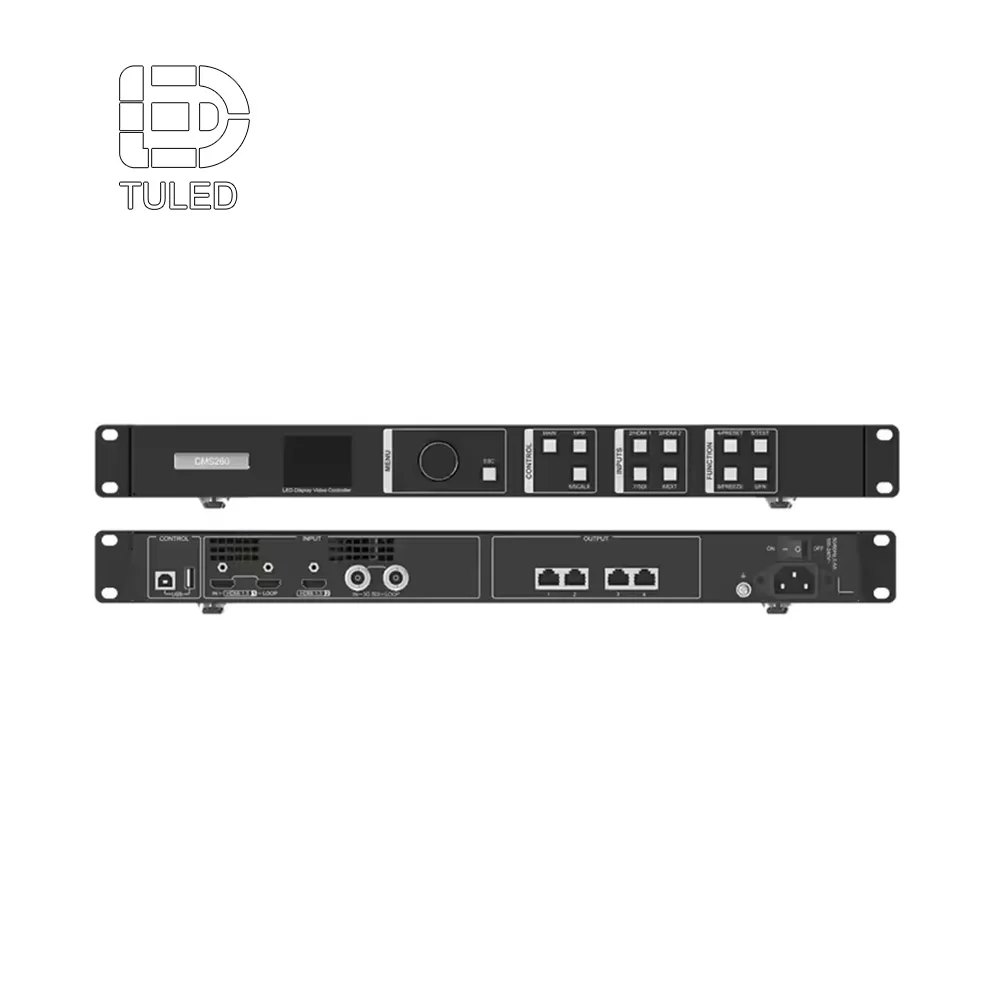
Video processor/controller for scaling, mapping, synchronization
Long-run transport, often fiber for distance and noise immunity
Receiving hardware distributing data to cabinets and modules
When the chain is too complex, faults become harder to isolate. When conversions are minimized, stability improves.
Redundancy that matches real failure modes
Redundancy should be planned by failure mode:
Backup input feeds from routing/switching
Standby processor readiness with saved configuration backups
Data-path designs that limit the size of an outage
Power zones that prevent whole-screen blackout
Testing makes redundancy real. Without tests, redundancy is a hope.
Receiving hardware and calibration considerations
Receiving hardware influences mapping stability, monitoring visibility, and calibration workflows. A receiving card overview page helps frame the role of receiving hardware and common features used in modern builds: Receiving Card.
Calibration quality shows up as:
Smooth grayscale ramps without banding
Consistent brightness across cabinets
Stable color appearance across seasons
Reduced seam visibility during bright content
Documentation should store calibration baselines and mapping exports. Those files become “insurance” during mid-season repairs.
Monitoring that reduces MTTR
Monitoring reduces Mean Time To Repair when alarms are actionable. Useful monitoring includes:
Port status and cabinet health
Power zone anomalies
Temperature alarms tied to real operational steps
Signal loss detection and failover status
Log exports for post-event diagnosis
A monitoring plan that produces constant noise is counterproductive. A plan with clear thresholds builds trust.
Installation Planning: Mounting, Access, Cable Discipline, Commissioning
Installation quality can make the same hardware look better or worse. A strong install plan protects seam quality and future serviceability.When the project team treats LED wall panels as a maintainable system (not just a surface), access lanes, cable routing, and fault recovery become much easier to standardize.
Mounting approach: end-zone wall, center-hung, facade
Each mounting style has predictable tradeoffs:
End-zone wall mount: often simpler access and routing
Center-hung: best visibility, higher structural complexity
Facade/exterior: strong presence, harshest exposure
Access planning should be a deciding factor. If routine repairs require complex lift setups, downtime increases.
Front service vs rear service
Front service reduces rear clearance needs. Rear service can be efficient when space exists. The right choice depends on venue constraints and safety planning.
Front-service planning should address:
Tool clearance and module removal paths
Safe working zones and platforms
Repeatable swap procedure that preserves seals
Protection against damage during frequent access
Cable routing discipline
Cable routing should remain maintainable after the install:
Labeling that matches mapping documents
Service loops that avoid connector strain
Separate routing lanes for power and data where possible
Access lanes kept clear after build-out
When routing is clean, troubleshooting is faster and safer.
Commissioning under real conditions
Commissioning creates the “finished” look:
Alignment checks and seam inspection under bright content
Calibration for brightness and color uniformity
Verification of mapping, scaling, and source switching
Baseline settings saved for maintenance reference
Test patterns are useful, yet real video reveals real issues. Commissioning should include replay-style motion, sponsor loops, and the actual score layout.
Quick Commissioning Checklist (6 checks)
Before handover, run these 6 checks to confirm the screen is ready for game-day content.
Seams & alignment: run full-field white/gray and motion clips to catch visible seams or tile height steps
Mapping & scaling: verify test patterns, source switching, and scaling against the final layout
Failover: disconnect one signal cable or disable one port to confirm the planned backup path keeps the display stable
Power & thermal: check power zones, then run high-brightness content long enough to confirm airflow and temperature behavior
Uniformity: confirm brightness/color consistency (no tint shift, banding, or corner-to-center mismatch)
Backup & handover: export mapping + calibration + firmware notes, and save a baseline configuration for future maintenance

LED wall panels for Stadium Jumbotrons: Cabinets, Modules, and Serviceability
A stadium board is built from modules. Cabinet design affects real operations: flatness controls seams, lock integrity controls long-term alignment, and service access controls downtime.
In early planning, LED wall panels should be treated as building blocks. They determine how many cabinets hang, how zones are powered, how ports are mapped, and how quickly faults get cleared. That perspective keeps the board operational over seasons.
Choosing cabinet formats by scenario
A single venue often uses multiple display types:
Main board: high-impact outdoor cabinets with strong weather protection
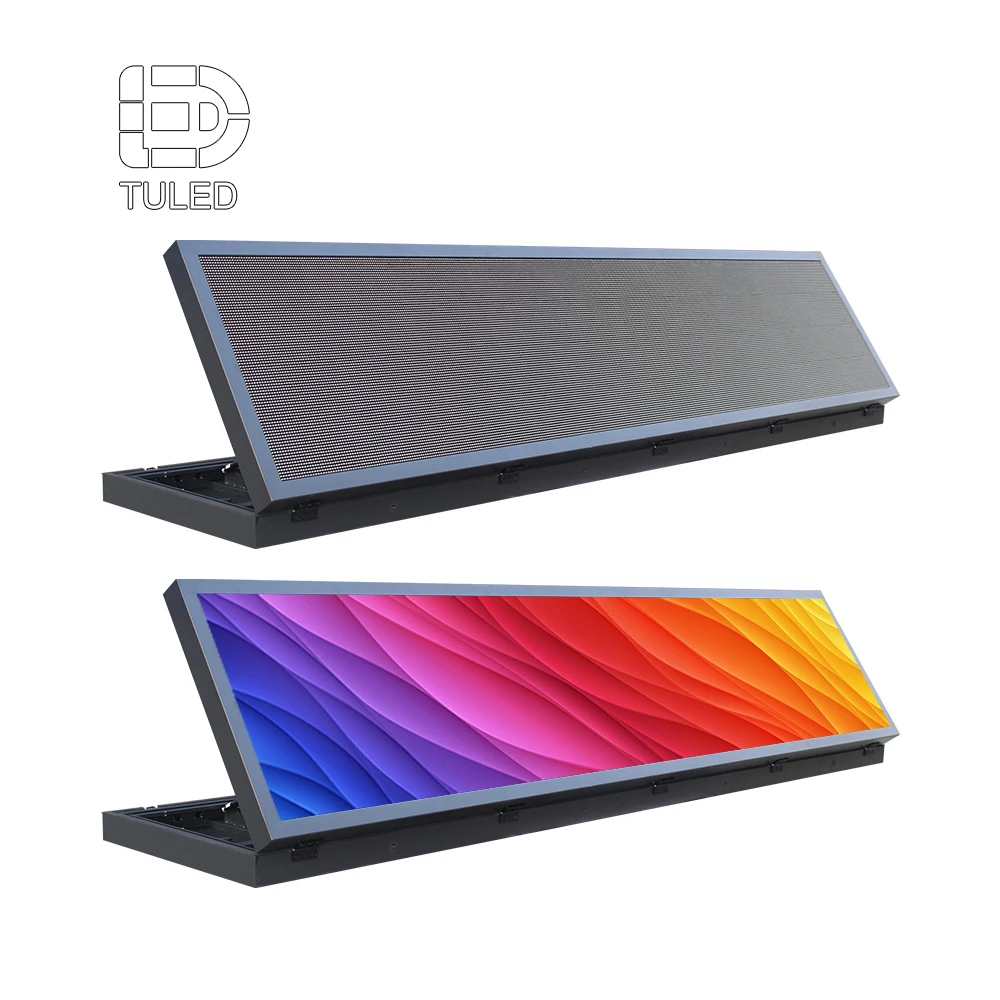
Ribbon boards: long-format surfaces optimized for continuous messaging
Concourse screens: closer-view displays with controlled lighting expectations
Temporary builds: rental-style cabinets for fast assembly and reconfiguration
Aligning formats to scenarios prevents forcing one cabinet type to handle every constraint.
Spares and batch consistency
Large canvases expose batch variation. A practical spare strategy accounts for:
Spare modules sized to outage tolerance
Spare power supplies for fast recovery
Spare receiving hardware and common harness parts
A mapping system that ties spares to cabinet zones
A repair that preserves uniformity is better than a repair that introduces patchwork brightness steps.

Planning Timeline: RFP → Engineering → FAT → SAT → Season Operations
A timeline reduces confusion. It also clarifies what must be decided early versus what can be refined later.
Phase 1: RFP and concept definition
This phase defines constraints and outcomes:
Readability targets by seating band
Content requirements (replay emphasis vs dense stats)
Outdoor constraints (sun angle, rain, wind, corrosion)
Integration needs (broadcast, routing, control room workflows)
Service access and safety expectations
Outputs that keep the project grounded:
Concept screen size and aspect ratio
Pitch direction and pixel canvas estimate
High-level signal chain diagram
Early access and structure feasibility notes
Phase 2: Engineering design and approvals
Engineering converts concept into buildable reality:
Structural mounting design and load reviews
Power zoning plan with containment goals
Data routing plan and transport selection
Controller capacity and port mapping strategy
Monitoring plan and alarm thresholds
Service access design and safety documentation
Phase 3: Manufacturing and FAT
Factory Acceptance Testing reduces site risk by catching issues early. It also produces baseline data for later troubleshooting.
Useful FAT outputs:
Mapping exports and configuration backups
Calibration baselines
Burn-in observations and thermal notes
Verified spare inventory list
Phase 4: Installation, SAT, and commissioning
Site Acceptance Testing confirms real-world integration:
Seam and alignment inspection after mounting
Source switching and format-change stability checks
Redundancy failover tests under load
Monitoring verification with simulated alarms
Final calibration under ambient conditions
Phase 5: Season operations and maintenance cadence
Season operations should include:
Preventive inspection cadence
Spare reorder triggers
Calibration cadence tied to season milestones
Incident workflow with repair logs and mapping updates
A predictable cadence keeps the surface consistent and reduces drift.
FAT/SAT Checklists With Pass/Fail Language
Checklists should be actionable. Each item should have a clear pass/fail definition.
FAT checklist (factory)
Mechanical
Cabinet flatness within agreed tolerance
Locks and alignment features operate consistently
Module seating consistent across sample cabinets
Electrical
Power supply stability under load
Receiving hardware status reporting verified
Harness integrity and connector retention verified
Visual
Solid color uniformity checks
Grayscale ramps checked for banding
Line and checkerboard patterns checked for seam reveal
Thermal and endurance
Documentation
Mapping file exports captured
Configuration backups stored and labeled
Spare inventory verified against the plan
SAT checklist (site)
Structural and safety
Signal and control
Source switching verified across event sources
Scaling verified under common formats
Latency observations recorded against venue expectations
Redundancy
Input failover tested under live load
Processor standby readiness tested
Outage zones verified (no catastrophic blackout from single fault)
Visual and calibration
Seam inspection under bright content
Calibration confirmed under ambient conditions
Night dimming behavior verified where relevant
Handover
Mapping documents match installed labels
Spare storage plan confirmed
Maintenance workflow documented
Redundancy test script (step-by-step)
A simple test script keeps redundancy honest:
Run replay feed and sponsor loop simultaneously.
Trigger primary input loss and measure failover time.
Confirm standby processor readiness with matching mapping backup.
Simulate a port or data-path loss and verify outage containment size.
Confirm monitoring alarms appear with clear action steps.
Restore primary systems and verify no configuration drift.
Pass/fail should be measured by visible outage area and recovery time.
Maintenance and Spares Plan That Reduces MTTR
A maintenance plan should reduce MTTR and protect uniformity after repairs.
What to stock as spares
A practical spare plan often includes:
Spare LED modules sized to downtime tolerance
Spare power supplies aligned with the most common unit type
Spare receiving hardware and common harness components
Spare protective parts for high-risk zones
The correct quantity depends on event density and the acceptable time to restore visual perfection.
Mapping and labeling that makes repairs faster
Repairs are faster when mapping is readable:
Cabinet rows/columns labeled physically
Port mapping tied to printed and digital maps
Spares labeled by batch and intended zone
Repair logs that record changes and dates
Clear mapping turns a stressful fault into a controlled procedure.
Calibration cadence
Calibration is not one-and-done. A practical cadence includes:
Pre-season calibration and inspection
Mid-season drift checks focused on uniformity
Post-repair calibration checks after major replacements
Post-storm inspections where climate risk is high
Consistency across seasons often depends on this cadence.
Remote monitoring and alarm discipline
Monitoring reduces downtime when alarms are actionable. Useful alarms include:
Alarm discipline matters. Too many alerts become noise; clear thresholds become trust.
Common Failures Seen in Stadium Projects
“Half the screen went dark”
Common root causes:
Containment is the goal. A well-zoned system fails gracefully.
“Washed out at noon, fine at night”
Typical causes:
Often the fix is a combination of template discipline and surface glare control, not just “more nits.”
“Camera shows bands that seats do not notice”
Common causes:
Refresh behavior not stable for broadcast capture
Scan artifacts under certain shutter settings
Weak grayscale calibration
This issue is easier to prevent than to “tune out” later.
“Brightness drops after a hot day”
Thermal headroom is usually the culprit. Heat management, derating, and airflow constraints should be treated as core design topics, not commissioning tweaks.
FAQ: Stadium Jumbotron Selection
What matters most for screen size?
Far-band readability plus a stable content grid. If the far band cannot read clock and score comfortably, the screen fails its core job even if replays look great.
How should pixel pitch be chosen?
Pitch should follow viewing bands and content style. Dense stats and small text push pitch finer. Replay-heavy layouts can be more forgiving, especially when brightness and uniformity are strong.
Which brightness range supports daylight?
Many outdoor boards plan within 5,000–8,000 nits, adjusted by sun exposure and angle. Contrast, glare control, and template discipline still decide perceived clarity.
What should be checked in a processor/controller plan?
Controller capacity, port planning discipline, backup configuration storage, format-change stability, and monitoring visibility. A general overview helps frame this role: Video Processor.
Why do seams show up even with high resolution?
Seams are usually mechanical alignment or calibration mismatch problems, not a pixel-count problem. Flatness, lock integrity, and commissioning alignment reduce seam visibility.
How can “led video wall manufacturers” be evaluated without relying on demos?
Process discipline matters: FAT/SAT clarity, service workflow planning, documentation quality, spare strategy, and monitoring approach. Those elements determine long-term uptime more than a short demo.
Conclusion and Practical Next Steps
A stadium Jumbotron performs best when planning stays measurable. Screen size should follow sightlines and a fixed grid that protects readability. Pixel pitch and resolution should match viewing bands and operational capacity. Outdoor design targets—brightness, sealing strategy, and thermal headroom—should be defined as ranges plus tests. System stability comes from processing, transport, receiving hardware, monitoring, and documentation.
For stadium projects built from modular building blocks, LED wall panels provide a practical foundation for cabinet count, serviceability planning, zoning strategy, and recovery workflows.
Actionable next steps:
Build a seating-band map and validate text sizes using real templates and safe margins.
Run a meters-to-pixels-to-ports calculation with 15–25% headroom for redundancy.
Lock power zoning, service access routes, and FAT/SAT scripts before fabrication begins.
 EN
EN