EN
EN


A concert LED wall can look “fine” right up until the moment a clean line hits the screen and a seam jumps out like a zipper. That’s why a led screen testing grid needs to run early—before show content, before camera shading, before the day starts blaming the media server. In practice, it’s the quickest truth-teller on a busy deck: mapping mistakes, half-seated cabinets, dim modules, odd color patches, and timing issues don’t hide behind pretty visuals. A grid also gives the crew a common reference in under five minutes, which is rare when load-in is moving. And on concert days, speed matters—because the schedule will not politely wait.
What a Testing Grid Actually Proves (and What It Doesn’t)
A grid is not a beauty contest for LED. It’s a controlled stress test for three things that make or break a concert wall:
Geometry: cabinet alignment, seam straightness, cabinet orientation, and whether the wall is sitting flat.
Signal logic: mapping order, data direction, receiving-card addressing, and scaling accuracy.
Image stability: refresh behavior, grayscale smoothness, and camera interaction on fine detail.
On the other hand, a grid does not prove that creative content will look “cool.” That’s a different conversation. The grid’s job is simpler: confirm that every pixel lands where it should, at the brightness and color it should, with timing that stays calm under cameras.
A small mindset shift helps here. The grid is not something to “get through.” It’s something to use like a meter—repeatable, boring, and brutally honest.
Concert-Day Context: Why Grid Testing Feels Different Than Warehouse Testing
Warehouse QC is controlled. Concert setup isn’t. Power is coming from temporary distro, rigging is settling, signal runs are longer than anyone hoped, and the wall is often built under time pressure with many hands touching it.
What usually happens is this: the wall powers on, content gets thrown up fast to “see something,” and the team burns 30 minutes debating whether a problem is content, processor scaling, or the wall itself. A grid stops that debate. It strips the picture down to fundamentals.
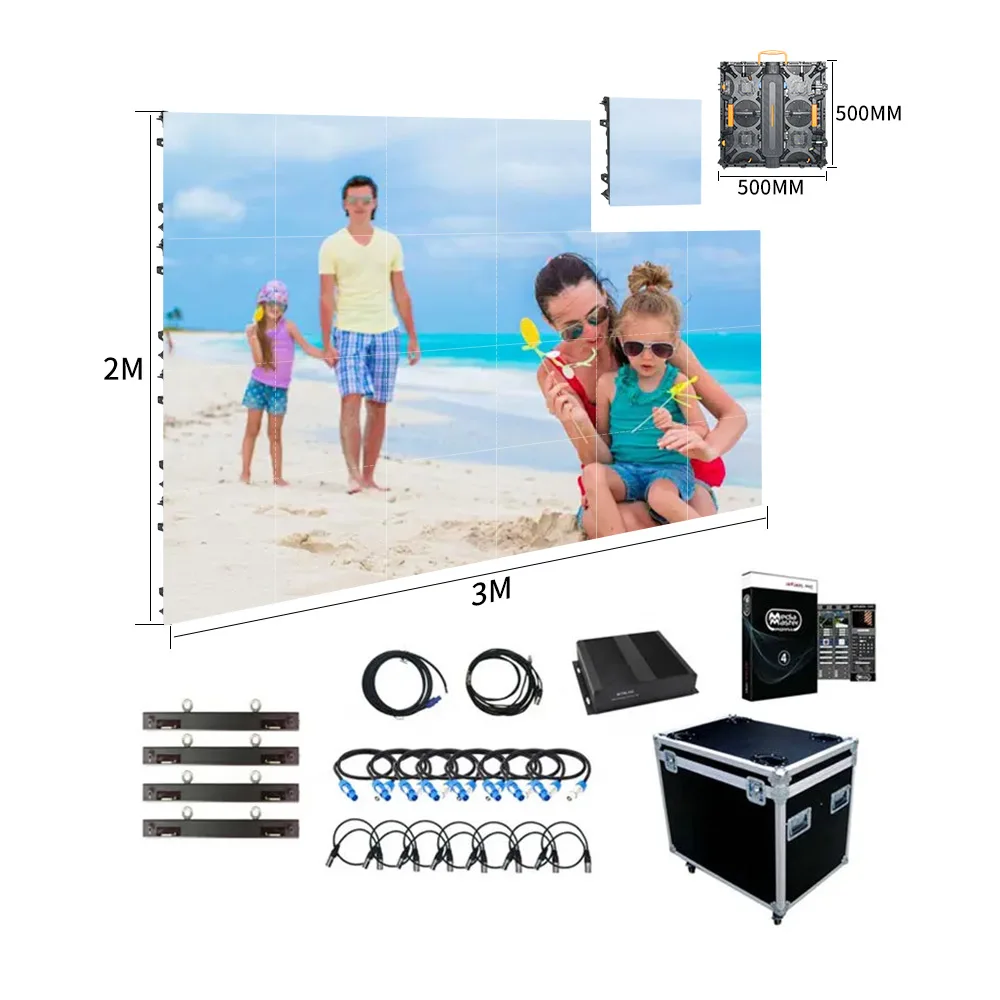
Also, concert walls are modular by design. Common touring formats like 500×500 mm and 500×1000 mm cabinets exist because they lock quickly and travel well. But modularity has a cost : more seams, more connectors, more chances for one cabinet to be slightly off. A grid makes those small mechanical errors visible while fixes are still easy.
The Gear Decisions That Make Grid Testing Easier (Not Harder)
This section stays focused on one question: does this choice help the grid reveal issues clearly, and help the crew fix them quickly?
Cabinet format: speed vs flexibility
500×1000 mm cabinets usually reduce build time and decrease the number of vertical seams. That matters because fewer seams means fewer places for a grid line to “break.”
500×500 mm cabinets add flexibility for curves, wings, and awkward stage shapes. The grid benefits too: smaller cabinets make it easier to isolate a local alignment issue without tearing apart a large section.
A practical approach on many stages is a 500×1000 center wall for speed, with 500×500 sections where the design needs tighter geometry control (corners, wings, or curved scenic edges).

Pixel pitch: how “harsh” the grid will be
Pixel pitch options like P2.604, P2.976, P3.91, and P4.81 are common in concert builds. A tighter pitch makes the grid more unforgiving up close, which is a feature, not a flaw. If a wall is meant for IMAG and close seating, it’s better to let the grid be harsh during setup than let the camera discover problems during rehearsal.
Processor and scaling: keep the grid “integer-clean”
A grid exposes scaling issues fast. If the processor output resolution doesn’t match the wall canvas cleanly, fine lines can shimmer or look uneven even when the wall hardware is healthy. That wastes time because the team starts chasing “panel problems” that aren’t actually in the panels.
So the goal is boring consistency: stable output resolution, predictable scaling, and a known test-pattern playlist that always looks the same when the system is correct.
Weather protection isn’t just about weather
Outdoor-rated cabinets and sealing (often discussed in IP terms) matter for more than rain. On real outdoor days, moisture and dust can cause connector trouble, and connector trouble shows up on a grid as intermittent line breaks, random pixel noise, or a section that flickers only when the truss shifts. The grid is the early warning system.

LED Screen Testing Grid Checklist for Load-In
A checklist helps because load-in brain is not calm brain. Keep this short enough to use when time is tight.
Pre-power walk (2 minutes, no hero moves)
Check cabinet latches are fully closed and the face sits flush.
Look for pinched data cables at cabinet edges.
Confirm power jump direction matches the physical build logic.
Spot-check rigging points and any corner cabinets that tend to twist.
A small detail that matters: corners and the top row fail quietly. Those spots take more stress, and they often show the first sign of misalignment when the wall settles.
Controlled power-up (avoid “everything at once” chaos)
Bring power up in sections when possible. If a wall is fed by multiple circuits, a staged power-up can isolate a bad feed early instead of hiding it inside a larger failure pile.
A useful habit is to watch the wall during the first white-ish moment. If brightness visibly “breathes,” that’s a power distribution warning—not a calibration problem.
Map confirmation before picture tuning
This is where time gets burned. Don’t tune color while mapping is wrong.
At that point, run a simple blocky pattern:
Big checker blocks to confirm orientation and order
Thick vertical lines to confirm data direction
Thick horizontal lines to confirm row logic
If a cabinet is rotated or mirrored, fix mapping immediately. Otherwise, every later step becomes guesswork.
Pattern Playlist: The Order That Catches Problems Fast
A playlist is what turns a grid test from “random patterns” into a repeatable workflow.
Here’s a sequence that works well on concert days because it isolates one variable at a time:
Solid Red (15–20 seconds)
Dead subpixels and odd color patches show up quickly.Solid Green (15–20 seconds)
Green reveals uniformity issues in a way red often doesn’t.Solid Blue (15–20 seconds)
Blue can expose weak modules that look acceptable on other colors.Mid-Gray Fill (20 seconds)
Uniformity specs don’t matter much in the field—mid-gray tells the truth faster than a datasheet.70% White (20 seconds)
This is the power distribution moment. It shows voltage drop and section-to-section brightness mismatch. (Check the spec sheet for your exact cabinet and pitch—average vs peak draw changes how your distro behaves. That’s why this 70% white step catches real-world power issues fast.)Fine Grid (30–45 seconds)
This is the “geometry audit.” Seams, steps, and cabinet tilt become obvious.Moving Line Sweep (20–30 seconds)
Helps spot timing instability and some scan/refresh quirks.Return to Mid-Gray (10 seconds)
Confirms fixes didn’t introduce new banding or patches.
This playlist keeps attention focused. It also helps prevent the common mistake of staring at a fine grid for ten minutes while missing the fact that one cabinet is simply mapped wrong.

The Practical Step-by-Step: Running the Grid During Concert Setup
This section is the on-site flow—built for the day when the schedule is not friendly.
Start with “big truth,” not “tiny truth”
Large blocks and thick lines come first. They confirm that the wall is logically correct. Once that’s confirmed, the fine grid becomes meaningful instead of confusing.
A quick rhythm helps:
big blocks → thick lines → fine grid
It sounds basic, but it prevents the classic spiral of “why does this line look weird?” when the real issue is one cabinet flipped in mapping.
Do a two-distance inspection, every time
A grid should be viewed at two distances:
Close pass (1–2 meters): seams, dead pixels, module defects, cabinet face flatness
Far pass (10–25 meters): overall uniformity, geometry, and “does the wall read clean?”
It’s tempting to only check from front-of-house. The catch is that close distance reveals physical issues the far view hides, and the far view reveals uniformity issues the close view can’t show.
Another small detail: a quick angled view (20–30 degrees off-axis) can reveal subtle brightness shifts. If your cabinet spec sheet claims a wide viewing angle (often quoted around 140° at 50% brightness), it’s still worth validating on the actual build—especially off-axis at 20–30°.
Fix geometry with hands before fixing it with software
When a grid shows a step between cabinets, the first fix is mechanical:
reseat the cabinet
check latches
confirm the hanging bar or ground support isn’t twisting
Software adjustment should come after the wall is physically right. Otherwise, the system gets tuned to compensate for a build mistake, and the next rebuild becomes harder.
Use mid-gray as the “calibration reality check”
Mid-gray exposes:
faint banding
uneven brightness
color drift between batches
patches that aren’t obvious on full white
If a wall looks inconsistent on mid-gray, that’s the moment to pause and decide: quick swap vs deeper calibration. Concert schedules often favor quick swaps because stability beats perfection.
Camera sanity check (the step that prevents later pain)
If IMAG or broadcast is in play, point a camera at the patterns. Do it before rehearsal starts eating time.
A simple approach:
set the camera to a common shutter and frame rate used for the show
run fine grid and mid-gray
watch for rolling bars, shimmer, or stepping in fades
If rolling bars appear, change one variable at a time: shutter, frame rate, then refresh/scan-related settings. Random toggling wastes time and produces confusing results.
If your wall supports high refresh (often 3,840 Hz or higher), the grid + camera test is where it actually proves its value—especially on mid-gray and fine lines.
Lock a “known good” state and document it
Once the wall is correct, capture what “correct” means in settings:
brightness %
gamma or curve choice
color temperature target
output resolution
mapping file/config backup
A quick phone photo of processor settings and wall layout can prevent a lot of late-day confusion. It’s not glamorous, but it’s practical.
Camera-Safe Grid Settings: What Matters in Real Rooms
Camera-safe behavior is often treated like a mystery. It’s not mystical. It’s usually about consistency and avoiding accidental mismatches.
Keep frame timing predictable
A stable video pipeline matters more than a fancy pipeline. If the processor output frame rate changes mid-day, camera problems appear that look like “LED flicker” even when the wall is fine.
A practical workflow is to agree on:
one output frame rate
one resolution plan
one test pattern playlist that always matches that plan
Avoid extreme brightness during camera testing
Full blast brightness can hide banding and make exposure decisions unstable. Mid-gray and moderate white are better camera tests. Then a short high-brightness check can confirm power stability without living there.
Smooth dimming and clean gray tracking matter most in fades. Run a slow 10%→40% gray ramp (or step through 10/20/30/40%) and watch for stepping, banding, or color shift.
Pay attention to fine grid behavior
Fine grids can trigger moiré depending on camera distance and lens choice. That’s normal. The key is whether the wall shows rolling bars or shimmer that change with shutter/frame settings. Those symptoms point to timing issues rather than moiré.
LED Screen Testing Grid Troubleshooting Map
Below is the “move fast, don’t panic” table. It’s designed for a concert day where the fix needs to be repeatable.
| What shows up on the grid | Likely cause | Fast checks (in order) | Typical fix |
|---|---|---|---|
| One cabinet shows rotated or mirrored pattern | Mapping/orientation mismatch | Compare cabinet position to mapping layout; verify data direction | Correct mapping order or cabinet orientation setting |
| Vertical line breaks at one seam | Cabinet not seated; data connector issue | Press/seat cabinet; reseat data cable; swap short jumper cable | Reseat cabinet, replace jumper, confirm latch tension |
| Horizontal line breaks across a row | Data chain order issue | Trace row data flow; check for a skipped cabinet | Correct daisy chain or receiving card addressing |
| Section is dimmer on mid-gray and 70% white | Power drop or uneven feed | Check power run length; verify circuit load; look for loose power connector | Rebalance feeds, shorten chains, reseat power connectors |
| Random “sparkle” pixels on fine patterns | Signal integrity or grounding noise | Swap data cable; reduce long copper runs; check connectors | Replace cable, use better routing, consider fiber for long distances |
| Banding visible on mid-gray | Processing/scaling or calibration mismatch | Confirm output resolution; toggle scaling modes; compare cabinets batch | Align resolution; adjust processing; swap mismatched cabinet/module if needed |
| Rolling bars on camera only | Camera shutter/frame mismatch; timing | Change shutter; confirm output frame rate; check refresh-related settings | Align camera settings; stabilize output; adjust controller settings |
| Seams look like steps even after mapping is correct | Mechanical flatness issue | Check latches; check rigging tension; inspect cabinet frame | Reseat and re-latch; correct rig tension; replace bent cabinet |
This is where the led screen testing grid pays for itself. It doesn’t just reveal the issue—it points toward the type of issue, which saves time.
The Two-Minute Mini-Loop (After Any Swap)
Swaps happen. A receiving card gets replaced. A cabinet gets changed. A module gets pulled. The mistake is treating a swap as “small” and skipping retest.
A mini-loop keeps risk low and time reasonable:
Mid-gray (10 seconds)
70% white (10 seconds)
Fine grid (20 seconds)
Solid red (10 seconds)
Back to mid-gray (10 seconds)
That’s two minutes. It catches 80% of the “swap introduced a new problem” situations that otherwise show up during doors or the first cue.
Build Styles Where Grid Testing Saves the Most Time
Grid testing matters on every wall, but it becomes especially valuable in a few common concert layouts.
Flown main wall with side wings
Wings tend to drift. Slight geometry changes happen when rigging settles or when a wall gets trimmed to final height. A quick grid pass after final trim catches seam steps before rehearsal.
Also, matching brightness between center and wings is easier on mid-gray than on full content. The grid makes the mismatch obvious early.
Ground stack builds
Ground stack can introduce subtle tilt if the base isn’t perfectly level. The fine grid reveals “lean” and cabinet steps quickly. It’s easier to shim early than to accept a wavy line all night.
Curved sections and scenic frames
Curves look great, but they punish sloppy alignment. Fine grid lines will “wobble” if cabinet angles aren’t consistent. That wobble becomes more noticeable on camera than in the room, so it’s worth catching during the grid test.
Fast changeovers
Short changeovers benefit from repeatable habits. A grid playlist that runs the same way every time creates speed through familiarity. The wall either passes quickly or fails in a predictable way that’s easier to fix.
Pairing and “Stacking” Ideas That Stay Grid-Friendly
Concert walls rarely live alone. Pairing screens can improve sightlines and add creative flexibility, but it also adds complexity. The grid helps keep that complexity under control.
Main wall + IMAG screens
IMAG screens demand stable camera behavior and clean mid-tones. Grid testing should include mid-gray and fine grids specifically for camera checks, not just for hardware checks.
Fascia or riser LED strips
Low-position LED gets knocked more often—cases, feet, stage movement. A quick grid pass on that zone can spot damage that content would hide.
Hanging vs ground stacking choices
Hanging and stacking both work, but the stress points differ. Hanging builds often show alignment shifts when trimmed. Stacking builds often show tilt and base-level issues. The grid detects both.

Choosing a Concert LED Screen With the Grid Workflow in Mind
Selection isn’t the main topic here, but it matters when the goal is fast setup and stable results.
A few features that directly affect grid success:
Quick locking systems: faster alignment corrections, fewer seam issues over time.
High refresh capability: reduces camera flicker risk in practical camera tests.
Serviceability: front/back access affects how quickly a bad module can be swapped in the middle of load-in.
Reasonable power behavior: the grid’s 70% white step will expose weak power distribution immediately, so predictable power draw matters.
For reference on touring-friendly cabinet formats and typical concert configurations, the concert LED screens page is the relevant internal hub. And for a broader “what type fits what use case” perspective without getting lost in jargon, Why LED Display, Which LED Display Type Is Best is a useful supporting read.
A Simple On-Site Record Template (Copy/Paste Friendly)
Keeping a small log helps when something changes late in the day.
Wall ID / Stage:
Date / City:
Cabinet format: 500×500 / 500×1000
Pixel pitch:
Processor output resolution:
Processor output frame rate:
Brightness % during show:
Patterns used (playlist name):
Issues found:
(example) Row 3 cabinet 7 rotated in mapping
(example) Dim patch on mid-gray, swapped module
Fixes applied:
Mini-loop after swap passed: Yes / No
Final pre-doors grid check time:
This record doesn’t need to be perfect. It just needs to exist.
FAQ
What is a testing grid in plain terms?
It’s a set of patterns—lines, blocks, and fills—that makes mapping, seam alignment, and stability problems visible fast.
How long should the grid run on a concert load-in?
A full playlist can be 4–8 minutes. The two-minute mini-loop is enough after swaps.
Why does the wall look fine on content but bad on a grid?
Content hides problems with motion and texture. A grid removes that camouflage and exposes geometry and mapping errors.
What patterns catch the most issues quickly?
Solid RGB, mid-gray, and a fine grid do most of the work. A short moving sweep helps reveal timing instability.
How does the grid help camera work?
Fine grids and mid-gray reveal rolling bars, shimmer, and banding sooner than show content does. That allows camera and wall settings to be aligned early.
What usually causes a single broken vertical line?
It’s often a cabinet not sitting flat or a flaky short data jumper. Reseating and swapping the jumper is a fast first move.
When should calibration happen during the day?
Calibration makes sense after mapping and mechanical alignment are correct. If time is tight, swapping a clearly bad module can be the more stable decision.
Should full-white run during testing?
A short moderate-white step (like 70%) is usually enough to expose power issues without forcing extreme brightness behavior for too long.
Is it normal for fine grids to create moiré on camera?
Some moiré can happen depending on lens and distance. The real concern is rolling bars or shimmer that changes unpredictably with shutter and frame settings.
How often should the grid be repeated?
After initial build, after final trim height, and after any meaningful swap. A short check right before doors is also a good habit.
Wrap-Up: What to Do Next (Without Adding More Stress)
A concert day rewards routines that are boring and repeatable. The grid workflow is exactly that. When the playlist runs the same way every time, troubleshooting becomes faster because the symptoms stay consistent. More importantly, the wall becomes predictable—which is what every department wants.
Three practical moves that work on real stages:
Keep one saved “pattern playlist” and run it the same way at every build.
Use the two-distance check (close + far) before anyone signs off the wall.
Run the two-minute mini-loop after swaps, even when the schedule gets tight.
Before the final pre-doors check, run the led screen testing grid one more time and watch seams and mid-gray like a hawk. If the wall looks calm there, it usually stays calm when the first cue hits.