EN
EN

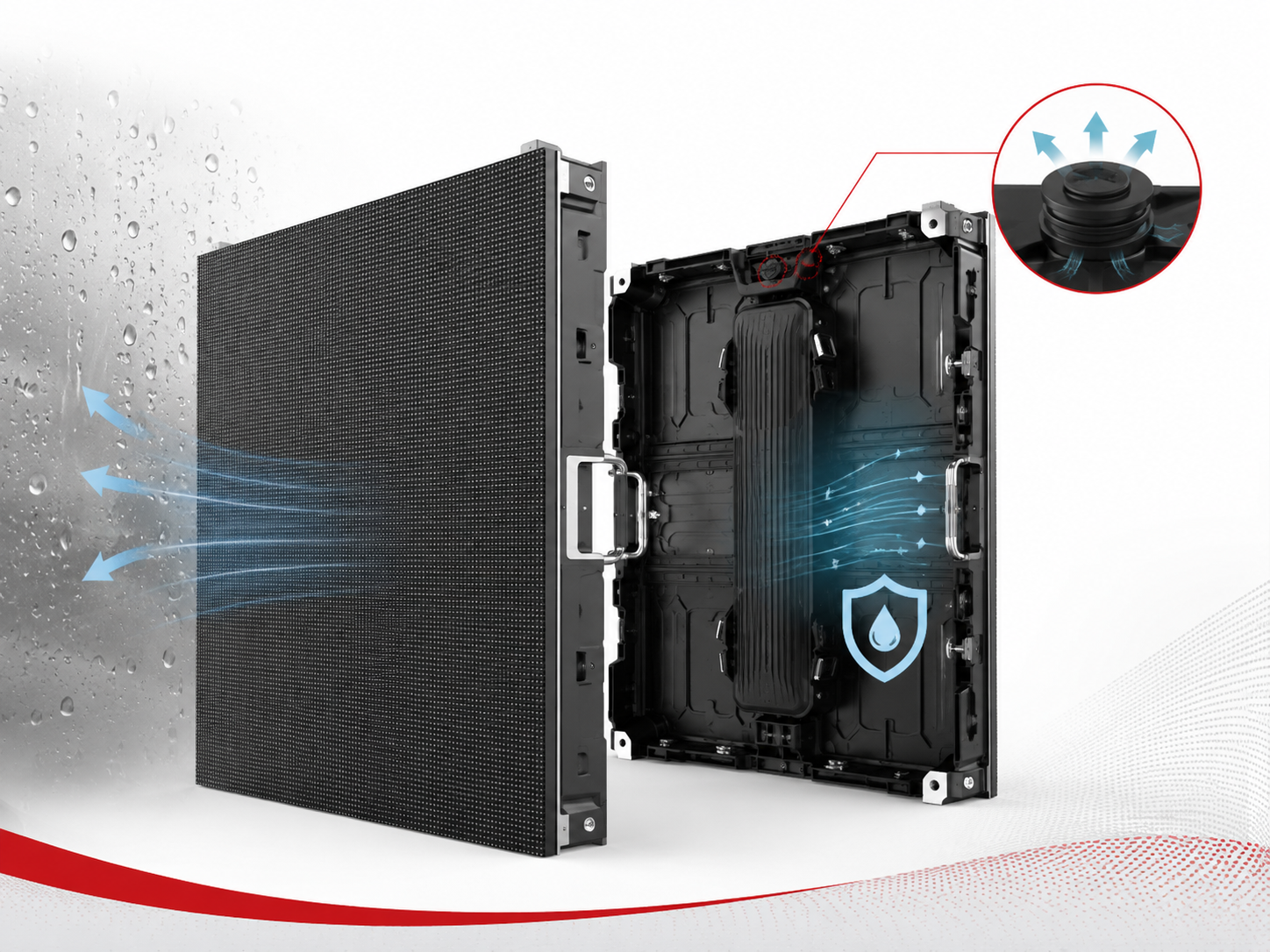
För ett DOOH-nätverk är skärmhårdvaran endast en del av driftens pålitlighet. Den större frågan är om operatörer kan verifiera vad som spelades, var det spelades och i vilket skick visningssystemet befann sig vid tillfället. Vid utvärdering leverantörer av digitala reklamskyltar , köpare bör därför gå bortom den fysiska skärmen och bekräfta spelningsrapporter, fjärrövervakning av status, larmhantering och export av CMS-data. Den här guiden fokuserar specifikt på den operativa datalagret: hur spelningsbevis, innehållsaktualitet, enhetsstatus, incidenthistorik och exporterbara register bör samverka innan ett nätverk av digitala reklamskyltar tas i drift.
En kampanjplan beskriver avsedd leverans; en operativ rapport visar vad uppspelningsystemet rapporterade efteråt. Frågan vid anskaffning är om dessa register förblir tillräckligt spårbara för att stödja kampanjrekonkiliation, felsökning och daglig reklamdrift.
Skapande, skärmgrupp, datum, dagdel och avsedd uppspelningsperiod matas in i schemaläggningsystemet.
Spelaren tar emot det krävda paketet och rapporterar om innehållet är aktuellt eller fortfarande väntar.
Händelseregister kopplar samman skapandet, spelaren, skärmen, tiden och uppspelningsresultatet.
Sjukdomshistorik och incidentrapporter förklarar varför den förväntade leveransen och den registrerade aktiviteten skiljer sig åt.
Proof-of-Play förändrar hur kampanjleverans kan verifieras
En schemalagd spellista bevisar inte automatiskt att varje kreativ innehållsdel visades enligt plan. I praktiken registrerar ett schema endast vad systemet avsåg att köra. Proof-of-Play skapar däremot bevis för vad uppspelningsystemet rapporterar som levererat.
Den skillnaden blir viktig vid kampanjrekonkiliation. En medieplan kan tilldela olika versioner av kreativa innehållsdelar till specifika platser, datum och dagdelar. Samtidigt behöver verksamheten en pålitlig väg från dessa instruktioner till enskilda uppspelningshändelser.
Ett schema registrerar avsikt; en uppspelningshändelse registrerar genomförande
Manuella kontroller kan fungera för en liten pilot, men de blir otillförlitliga när nätverket expanderar till fler skärmar, kampanjer, rotationer, innehållsversioner och driftregioner. På den här skalan bör bevisen komma från operativsystemet i stället för att återkonstrueras senare.
En användbar händelseregister bör snabbt kunna besvara fyra frågor: vilken kreativ spelades upp, när den spelades upp, vilken resurs hanterade den och om ett avvikande tillfälle förelåg under samma tidsperiod. Det innebär att bevis för uppspelning blir en del av datamodellen för drift istället för en dekorativ rapport i CMS:en.
Om en kampanjdiskrepans upptäcks flera veckor senare bör registren fortfarande kunna identifiera den berörda skärmen, den kreativa innehållsenheten, tidsperioden, spelarstatusen och den relevanta undantagsinformationen. Om den här återkonstruktionen är beroende av personalens minne eller spridda meddelanden är bevismodellen för svag.
Avslutning kräver förklarliga bevis, inte perfekt utseende summor
Reglerna för kommersiell avreglering varierar mellan kampanjer och avtal, så det bör inte antas att det finns en universell make-good- eller faktureringsregel. Den operativa kravet är mer grundläggande: bokad aktivitet och registrerad aktivitet måste ha tillräckligt med gemensamma identifierare för att stödja en korrekt granskning.
Till exempel kan en kampanj schemaläggas korrekt samtidigt som en spelare förblir frånkopplad. I ett annat fall kan spelaren förbli online samtidigt som ett äldre innehållspaket fortsätter att köras. Båda situationerna kan skapa leveransproblem, men de tekniska orsakerna är olika.
Spelbevis och enhetsstatus bör förbli relaterade men separerade
Ett temperaturvarning innebär inte automatiskt att en reklam inte spelades upp. Omvänt betyder en online-spelare inte att den avsedda kreativa innehållsenheten är aktuell. Genom att hålla uppspelningsbevis och enhetsstatusbevis i separata fält förhindras att ett enskilt varning leder till en felaktig kampanjkonklusion.
Samma gräns gäller för publikmätning. Bevis på uppspelning registrerar leverans som rapporteras av uppspelningssystemet. Det bevisar inte automatiskt hur många personer såg reklamen. Publikanalys, intryck, tillskrivning eller mobilitetsmätning tillhör olika system.
Fysisk display och driftsdata är separata projektsbeslut
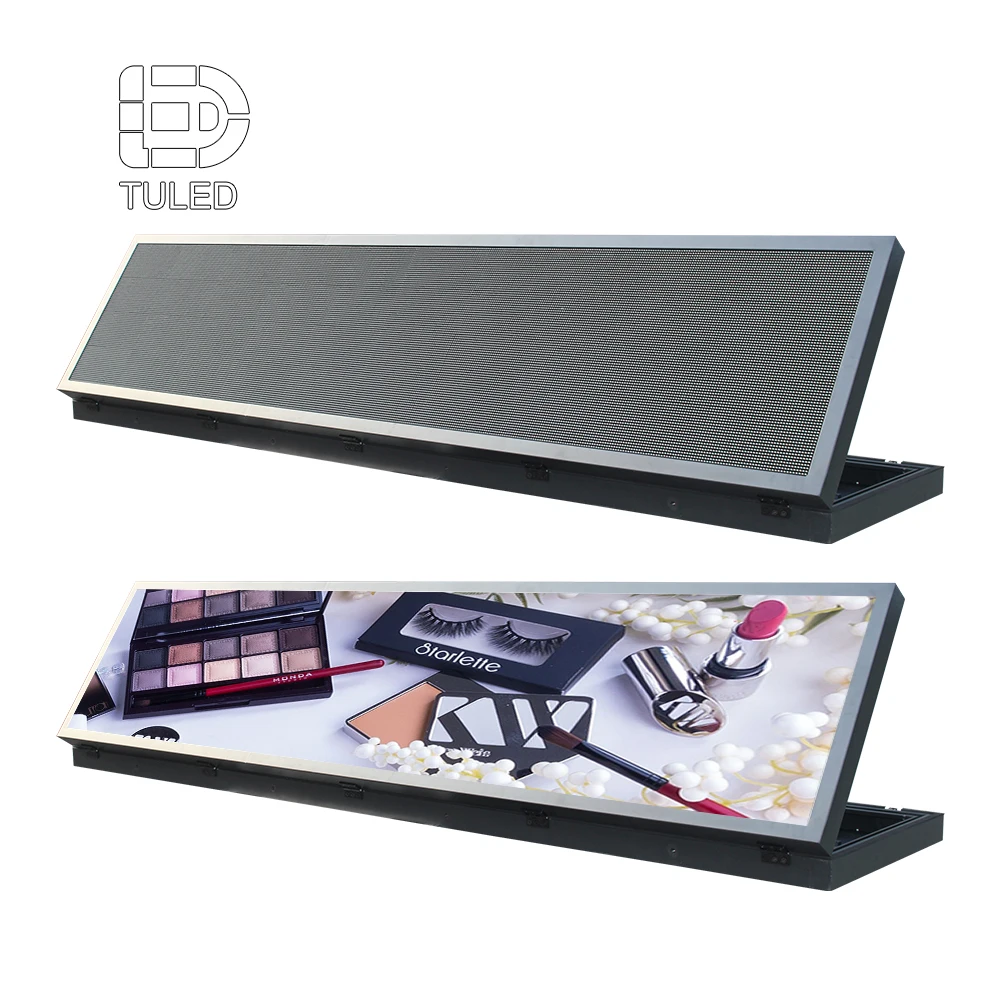
ALED-reklamskylt riktning fastställer displaykategorin. Projektfilen bör separat bekräfta spelaren, CMS:en, uppspelningsloggar, krävda hälsotillstånd, larmarbetsflöde och rapporteringsmetod.
Visa Billboard LEDHåll bevislagren separerade: schema visar vad som avsågs, uppspelning visar vad spelaren rapporterade, hälsa förklarar systemets tillstånd och publikmätning tillhör ett separat analyslager.
Bygg upp uppspelningsloggar kring stabila ID:n, tid och undantagskontext
En logg blir användbar endast när varje händelse innehåller tillräckligt med sammanhang. Annars kan ett nätverk samla in tusentals rader utan att skapa pålitlig kampanjbevisning. Kom överens om fältstrukturen innan lanseringen, inte efter den första rapporteringsdispyten.
Samma identifierare bör förbli igenkännliga över kampanjplanering, CMS-exporter, spelarregister, skärmförråd och incidenthistorik. Människoläsbara namn kan ändras, men de underliggande referenserna måste ha tillräcklig stabilitet för att bevara historiska relationer.
Börja med identifierare som överlever nätverksändringar
En plats kan ha ett kommersiellt namn, till exempel "Central Avenue North". Senare kan omstrukturering av förrådet byta namn på den skärmen. En beständig skärm-ID gör maskinnivåmatchning mer pålitlig, eftersom historiska loggar inte helt och hållet beror på den senaste kommersiella etiketten.
Kreativ identitet kräver samma disciplin. Ett filnamn ensamt kan inte skilja på en reviderad annons, en lokaliserad redigering, korrektur av grafik eller en ersättning som laddats upp under samma namn. Där det föreslagna CMS:et stödjer dem ger ett kreativt ID och en versionsreferens starkare bevis.
Tid kräver en dokumenterad referens. Tiddata blir svårare att tolka när ett nätverk sträcker sig över städer eller tidszoner. En tidsstämpel kan komma från lokal spelartid, servertid, CMS-tid eller en annan synkroniserad klocka. Därför bör exporterna tydligt ange den relevanta tidbasen.
Konsekvens är viktigare än att välja en universell modell. Om kampanjplanering och uppspelningsrapportering använder olika tidsreferenser utan tydlig omvandling kan ett korrekt levererat händelse ändå verka ligga utanför sitt avsedda fönster vid avstämning.
| Fält | Driftsyfte | Vad som ska bekräftas | Risk om det saknas |
|---|---|---|---|
| Händelses-ID | Identifierar ett avspelningshändelse | Om enskilda poster får en stabil referens | Dubbla eller tvistade händelser blir svårare att isolera |
| Kampanj-ID | Länkar händelsen till medieplanen | Om kampanjreferensen visas i exporterbara poster | Rekonsiliering kräver manuell matchning |
| Skapande-ID | Identifierar medieobjektet | Om versioner förblir skiljbara | Olika filer kan se identiska ut i rapporter |
| Kreativ version | Separerar ursprungliga och reviderade tillgångar | Om en innehållsersättning kan spåras | Föråldrad kreativ innehåll kan se korrekt ut enbart baserat på filnamn |
| Skärm-/webbplats-ID | Ansluter uppspelning till en fysisk tillgång | Om ID:t förblir stabilt efter omnamning | Historisk leverans förlorar platskontinuitet |
| Spelar-ID | Identifierar uppspelningsenheten | Hur ersättningsmaskinvara visas i historiken | Maskinvaruförändringar kan bryta spårbarheten för händelser |
| Start/Sluttid | Visar när händelsen inträffade | Källa för klockan och hantering av tidszoner | Tidsbestämning mellan system blir tvetydig |
| Uppspelad tid | Lägger till sammanhang för slutförande | Om delvis uppspelning går att skilja från fullständig uppspelning | En påbörjad händelse kan misstas för en slutförd uppspelning |
| Uppspelningsstatus | Skiljer åt normala och ovanliga händelser | Vilka tillstånd som finns: lyckad, hoppad, avbruten eller misslyckad | Aggregerade summor kan dölja undantag |
| Undantagskod | Lägger till diagnostisk kontext | Om koderna är dokumenterade och kan exporteras | Utredning av incidenter kräver manuell återkonstruktion |
| Innehållsversion | Visar hur aktuell spellistan är | Om det aktiva paketet kan identifieras | En föråldrad kampanj kan förbli odetekterad |
Kontrollera versionskontroll, tidsinställning och uppspelningsavslut tillsammans
Ett reviderat objekt kan behålla samma läsbara filnamn. En rapport som endast visar det filnamnet kan därför se korrekt ut även om en äldre version faktiskt kördes. Versionsidentitet kräver explicit bekräftelse under granskningen i CMS.
Där tillgängligt kan en unik objektreferens eller checksumma förstärka skillnaden. Trots detta bör kravet fokusera på det operativa resultatet snarare än kräva ett fält som den valda plattformen inte stödjer. Den avgörande frågan är om två innehållsversioner kan skiljas åt vid ett senare tillfälle.
Delvis uppspelning får inte se likadan ut som slutförd uppspelning. Att en video startar framgångsrikt garanterar inte att den nådde slutet. Granska den föreslagna spelaren avseende hur den registrerar starthändelser, avsluthändelser, spelad speltid, hoppade objekt eller avbrott.
Definitionen av en slutförd uppspelning kan variera mellan plattformar och kampanjregler. Därför bör projektet dokumentera den valda logiken i stället för att anta att varje funktion för "bevis på uppspelning" beter sig på samma sätt.
Bewaring kräver ett operativt beslut innan register blir otillgängliga. Ett stort nätverk kan generera omfattande händelsehistorik. Vid planering av bewaring bör man ta hänsyn till kampanjgranskning, internt rapportering, hantering av tvister, lagringspolicy och arkiveringsrutiner. Ingen enskild bewaringsperiod är lämplig för alla projekt. Men den avsedda bewaringsperioden och exportvägen bör förstås innan nätverket går in i rutinverksamhet.
Fjärrhälsomonitoring bör separera spelar-, display-, innehålls- och nätverksstatus
Bevis på uppspelning svarar på en fråga: vad rapporterade uppspelningsystemet? Fjärrhälsomonitoring svarar på en annan fråga: i vilket skick befann sig systemet under den aktuella perioden? Båda är mer användbara när de kan jämföras, men ingen av dem bör ersätta den andra.
En praktisk hälsomodell separerar spelarens anslutning, CMS-kommunikation, innehållssynkronisering, visningskontrollens tillstånd, stöd för mottagarkorts kommunikation, termisk information och tillgänglig telemetri relaterad till strömförsörjning. De exakta signalerna beror på den slutliga hårdvarukombinationen och mjukvarukombinationen.
Vad bör förbli synligt som separata tillstånd? Spelarens anslutning och uppspelning, nedströms visningskommunikation, innehållets aktualitet och synkronisering samt stödd hälsotelemetri, till exempel temperatur- eller strömförbrukningsrelaterade signaler. Värdet ligger inte i att visa fler instrumentpanelfält, utan i att förhindra att olikartade villkor sammanförs till ett enda "online"-tillstånd.
Minska inte fjärrhälsan till ett enda online/offline-tillstånd
En spelare kan svara på en nätverksheartbeat trots att den kör en föråldrad spellista, och en onlineanslutning till CMS bevisar inte att varje nedströms visningsväg fungerar normalt. En användbar instrumentpanel bör inte reducera nätverket till en enda grön eller röd anslutningslampa.
En mer användbar statusvy skiljer åt spelarkoppling, innehållsaktualitet, uppspelningshändelseflöde, skärmkommunikation och aktiva utrustningslarm. De exakta etiketterna kan variera mellan plattformar, men de operativa skillnaderna bör fortfarande vara synliga.
Strömförbrukningsstatus kräver en definierad mätkälla. Uttrycket "strömmätning" kan avse flera olika signaler. Det kan beskriva platsens strömförsörjning, ett strömförsörjningsaggregat, en hjälpsensor eller en styrenhetsläsning. Varje begärd strömmätningsrelaterad status bör ange var informationen kommer ifrån.
Ströminformation blir användbar när den begränsar felsökning. Ändå bör detaljerad strömtelemetri inte antas bara för att fjärrhantering är tillgänglig. De faktiska övervakade komponenterna måste bekräftas i projektet.
Temperaturdata kräver kontext angående plats. Ett temperaturvärde kan representera ett skåpsområde, en styrenhetsavdelning, en effektsektion eller en annan sensorplats. Utan den kontexten kan ett enskilt tal ha begränsat diagnostiskt värde. Övervakningsplanen bör identifiera vad varje avläsning representerar, där hårdvaran tillåter det.
Tröskelvärden kräver också projektbekräftelse. Lämpliga driftgränser beror på den valda utrustningen och installationsmiljön. Där lokala elektriska, säkerhets- eller tekniska krav gäller bör de slutgiltiga kraven granskas av lämpligt kvalificerade lokala experter.
Synligheten för mottagarkortet kan begränsa ett problem med delvis skärm. En stor display innehåller flera nedströmskommunikationsvägar. Som ett resultat kan ett område utveckla ett mottagnings- eller skåpskommunikationsproblem samtidigt som huvudspelaren förblir tillgänglig.
Där den valda kontrollarkitekturen stödjer det kan status för mottagarkort eller kabinett begränsa felområdet. Frågan om inköp bör därför vara specifik: vilka komponenter är synliga på distans, hur identifieras avvikande komponenter och förblir händelsen i historiken även efter att tillståndet återställts?
Innehållshälsa förtjänar ett eget statusvärde.
En spelare kan förbli ansluten även om ett nytt kampanjpaket inte lyckas laddas ner eller aktiveras. Innehållstillståndet bör därför kontrolleras separat snarare än att härledas enbart från anslutningsstatus.
Beroende på CMS kan användbara tillstånd inkludera väntande, laddar ner, synkroniserad, aktiv, misslyckad eller föråldrad. Exakt terminologi är mindre viktig än möjligheten att skilja mellan "ansluten men föråldrad" och "ansluten och aktuell".
Utomhusutrustning och övervakningsarkitekturen måste planeras tillsammans.
För ett Utomhus-LED-display projektet bör koordinera den fysiska skärmen, styrenheten, spelaren, kommunikationsvägen och hanteringsplattformen innan kraven på fjärrdrift är slutgiltiga.
Det innebär inte att själva visningssidan garanterar alla funktioner för fjärrdrift. Istället avgör den slutliga projektconfigurationen vilka enhetsstatus som kan exponeras, behållas och exporteras.
Historiska hälsoprotokoll är viktiga efter att instrumentpanelen återgått till grön. Ett aktuellt friskt tillfälle kan inte förklara en avbrott som inträffade igår. Övervakningsgranskning bör inkludera händelsestämplar, återställningstider, larmhistorik, bekräftelseregister och tillgängliga exportalternativ. Historisk kontext blir särskilt användbar när ett problem löses innan teknisk granskning påbörjas.
Offline-, svartskärms- och föråldrat-innehåll-händelser kräver olika larmvägar
Ett larm skapar värde endast om det leder till en åtgärd. Annars omvandlar fjärrövervakning helt enkelt fältsproblem till fler meddelanden på instrumentpanelen. Arbetsflödet för svar måste koppla ihop upptäckt med ansvar, diagnostik, återställning och verifiering.
Olika symtom bör inte dela en generisk väg. En offline-spelare, en mörk display, en föråldrad kreativ och ett saknat avspelningshändelse kan ha liknande kommersiella konsekvenser trots att de kräver olika tekniska kontroller.
Hantering av incidenter bör följa en tydlig väg: Upptäck → Klassificera → Bekräfta → Diagnostisera → Återställa → Verifiera. Det sista steget är viktigt eftersom att en enhet återgår online ännu inte bevisar att rätt innehåll spelas upp igen.
Offline är ett kommunikationsläge, inte en diagnos av rotorsaken
När en spelare slutar kommunicera kan CMS visa en offline-händelse. Denna händelse ensam identifierar dock inte orsaken. Undersökning kan krävas av platsens el, nätverkstjänst, routerdrift, spelarens tillstånd, kablingsförbindelser eller CMS-kommunikationsvägen.
Driftloggen bör registrera när kommunikationen försvann och när den återupptogs. Om heartbeat-logik finns tillgänglig bör larmfördröjningen anpassas för projektet i stället för att kopieras från en orelaterad installation.
En mörk display kan förbli ansluten. En skärm kan se svart ut trots att spelaren fortfarande är online. En rapport om svart utdata bör inte automatiskt klassificeras som ett nätverksfel.
Orsaken kan vara schemalagd tom utdata, innehåll, visningsström, styrenhetens utdata, signaldistribution eller ett annat projekt-specifikt villkor. Om automatisk svartskärmsdetektering ingår i det föreslagna systemet bör detektionskällan och dess gränser demonstreras. Om ingen direkt detektering finns bör driftplanen ange hur villkoret upptäcks.
Föråldrat innehåll kan bli ett reklamproblem utan hårdvarufel. Ett föråldrat skapande kan fortsätta att visas även om visningshårdvaran, spelaren, styrenheten och nätverket alla verkar normalt. Detektering av föråldrat innehåll kräver en separat driftutlösare.
En användbar metod jämför den förväntade innehållsversionen med den version som rapporteras som aktiv. Där stöd finns ger synkroniseringsstatus och tiden för den senaste lyckade innehållsuppdateringen ytterligare sammanhang.
| Incident | Primär bevisning | Initial kontroll | Återställningsverifiering |
|---|---|---|---|
| Spelare offline | Saknad heartbeat- eller CMS-anslutning | Nätverk, platsens strömförsörjning, spelarstatus | Anslutningen återställd och uppspelningshändelser återupptas |
| Svart utdata | Stödd identifiering eller fältrapport | Schema, utdata, strömförsörjning, signalväg | Förväntat synligt innehåll bekräftat |
| Utgånget innehåll | Versionen stämmer inte överens eller synkroniseringen misslyckades | Distributionsstatus och spelarpaket | Rätt version är aktiv och en ny uppspelning har registrerats |
| Spelhändelse saknas | Förväntad post saknas | Schema, spelarlogg, innehållstillstånd | Händelsesström återupptas och luckan klassificeras |
| Hälsovarning | Stödd sensor- eller enhetshändelse | Signalskälla, trender, påverkad komponent | Tillstånd återgår till förväntat läge |
| Upprepad återställning | Återkommande öppna/avsluta-händelser | Historiskt mönster snarare än endast aktuell status | Återkommande orsak granskad innan stängning |
Gruppera relaterade larm utan att förlora händelsehistorik
Ett platsnivåproblem kan utlösa flera nedströms händelser. Till exempel kan en strömavbrott på platsen även generera larm för spelare, styrenheter och mottagande kommunikation. Om varje symtom skapar ett oberoende brådskande meddelande kan händelsekanalen bli svår att tolka.
Där plattformen stödjer gruppering eller beroendelogik kan dessa funktioner minska larmbruset. Annars bör driftproceduren definiera vilken händelse som blir den primära incidenten och vilka händelser som förblir stödande bevis.
Bekräftelse och återställning är inte samma status.
Bekräftelse innebär att en incident har gått in i aktiv hantering. Det betyder inte att problemet har lösts. Av denna anledning bör tillstånden upptäckt, bekräftad, återställd, verifierad och stängd förbli skiljbara där det valda arbetsflödet tillåter dem.
En användbar incidentrapport kan även innehålla den påverkade skärmen, det upptäckta tidspunkt, den ansvariga driftrollen, diagnostiska anteckningar, tillfällig åtgärd, återställningstid och avslutningsorsak. Dessa fält säkerställer kontinuitet när en incident flyttas mellan innehållsdrift, nätverksstöd, teknik och fältservice.
Återställningen bör avslutas med avspelningsverifiering. Att en spelare återgår till online-läge bevisar inte automatiskt att reklamdriften återgått till normal drift. Återställningsprocessen bör bekräfta den förväntade innehållsversionen och verifiera att nya avspelningshändelser återkommer. Denna slutliga kontroll täcker klyftan mellan teknisk återställning och operativ återställning.
Bekräfta CMS och spelardataexport innan inköpsprocessen avslutas
Ett polerat CMS-instrumentpanel kan se fullständigt ut samtidigt som viktig driftsdata fortfarande är svår att exportera. Exportfunktionen är värd att granska under inköpsprocessen, inte vid första kampanjrekonciliationen.
Detta avsnitt fokuserar medvetet på driftsrelaterad dokumentation snarare än på allmän innehållsstyrning. De viktiga frågorna är vilka register som finns, hur länge de förblir tillgängliga, hur undantag visas och om dessa register kan lämnas CMS:en i ett användbart format.
Begär ett faktiskt exportexempel
Funktionsetiketter såsom rapportering, analys, loggning, övervakning och fjärrhantering är breda. De visar inte om enskilda uppspelningshändelser, kampanj-ID:n, kreativa versioner, skärm-ID:n eller undantagsstatus visas i nedladdningsbara data.
En mer stringent granskning kräver en representativ export från den föreslagna plattformen och kontrollerar flera praktiska punkter:
- Finns uppspelningsregister på händelsenivå?
- Förblir skärm-, plats-, spelar-, kampanj- och kreativ-ID:n synliga?
- Dokumenteras tidsstämplar och tidszohantering?
- Kan framgångsrika och ovanliga händelser skiljas åt?
- Kan innehållsversionsstatus identifieras?
- Kan hälsostatus och larmhistorik granskas senare?
- Kan data filtreras efter tillgång, kampanj, kreativt innehåll, datum eller status?
- Vilka exportformat är tillgängliga?
- Finns schemalagda exportfunktioner om det krävs?
- Beror exportfunktionerna på programvaruutgåva eller licensering?
Bekräfta var uppspelningsloggarna kommer ifrån.
Uppspelningsloggar kan ursprungligen genereras på spelaren och sedan synkroniseras med en central plattform. Detta väcker en viktig fråga om avbrott: om nätverkskommunikationen försvinner tillfälligt, sparas då händelserna lokalt och synkroniseras senare?
Svaret beror på den föreslagna spelaren och CMS:n, så det bör demonstreras snarare än antas. En spelare som fortsätter att fungera lokalt, en spelare som stoppar uppspelningen och en rapporteringsväg som tillfälligt förlorar kommunikation representerar olika driftförhållanden.
Använd händelsedatan för avstämning och sammanfattningar för rutinrapportering
En kampanjsammanfattning kan ge en snabb översikt för ledningssyften. En aggregerad total kan dock inte förklara vilken enskild skärm eller vilket tidsfönster som orsakat en avvikelse.
Händelsedata på händelsnivå stödjer detaljerad avstämning, medan sammanfattningar stödjer rutinmässig rapportering. Båda är användbara även om programvaran visar dem via olika gränssnitt.
Filtrering blir viktigare när nätverket växer. Ett litet testnätverk kan gå att hantera manuellt. Senare blir den metoden dock långsam när inventarien expanderar till fler platser och kampanjer.
Granska CMS:en för praktisk filtrering med hjälp av samma ID:n som förekommer i drift. Vanliga exempel inkluderar plats, skärm, spelare, kampanj, kreativt innehåll, datum, uppspelningsstatus och innehållsstatus.
Testa återställningsbeteende, inte bara normal drift
Normal uppspelning visar endast hälften av rapporteringsmodellen. En kontrollerad avbrott kan avslöja hur systemet hanterar offline-historik, lokala register, återställningstidsstämplar och synkronisering.
Efter att anslutningen återställts kan granskningen kontrollera om tidigare genererade uppspelningshändelser fortfarande är tillgängliga, om innehållstillståndet uppdateras korrekt och om den ovanliga perioden fortfarande är synlig i historiken. Denna test ger större operativ nytta än en annan generisk programvarutur.
Datatillträde bör följa driftroller. Kampanjoperationer, teknisk support och ingenjörsarbete kan kräva olika vyformer. CMS-planen bör identifiera vilka roller som behöver uppspelningsrapporter, larmhistorik, enhetsstatus, exporträttigheter eller konfigurationstillträde. Tydliga behörigheter säkerställer att driftsdata är tillgängliga utan att onödiga systemkontroller exponeras.
Inkludera Driftdataacceptans i DOOH-kommissionering
Visningskommissionering bekräftar normalt att den fysiska skärmen fungerar. Ett DOOH-nätverk kräver en ytterligare kontroll: driftloggar måste också bete sig som förväntat innan rutinmässig kampanjleverans påbörjas.
Syftet är inte att skapa en överdimensionerad godkännandeprocess. Istället kan ett litet antal kontrollerade tester bekräfta om kampanjbevis, fjärrstatus, larmhistorik och dataexport utgör ett användbart system.
Kör innan signering ett kontrollerat kampanjtest i stället för en lång godkännanderutin. Testet ska omfatta följande sex kontroller:
- Bekräfta skärm-, plats- och spelar-ID:n mot projektets tillgångslista. 02 Ladda upp en kontrollerad kreativ och schemalägg identifierbara testuppspelningar. 03 Exportera uppspelningsloggarna och jämför tidsstämplar, skärm-ID:n och kreativa referenser. 04 Skapa en överenskommen kommunikationsavbrott och verifiera offline- och återställningshistoriken. 05 Ersätt den testkreativa och bekräfta att den nya versionen blir aktuell. 06 Granska de tillgängliga hälsosignalerna, bekräftelsehistoriken och den slutliga exporten efter återställning.
- Bekräfta skärm-, plats- och spelar-ID:n mot projektets tillgångslista.
- Ladda upp en kontrollerad kreativ och schemalägg identifierbara testuppspelningar.
- Exportera uppspelningsloggarna och jämför tidsstämplar, skärm-ID:n och kreativa referenser.
- Skapa en överenskommen kommunikationsavbrott och verifiera offline- och återställningshistoriken.
- Ersätt den testkreativa och bekräfta att den nya versionen blir aktuell.
Håll fysisk godkännande och reklamdata-godkännande relaterade men separata. Fysisk skärmgodkännande kan inkludera visningsdrift, styrenhetskonfiguration, kabinett-kommunikation, elektriska kontroller och andra projekt-specifika tekniska objekt. Godkännande av reklamdata fokuserar på schemaläggningsreferenser, uppspelningshändelser, innehållsidentitet, händelsehistorik och rapportering.
De två arbetsströmmarna bör utväxla bevis utan att slås samman till en enda kontrolllista. Detta förhindrar att ett rapporteringsproblem felaktigt klassificeras som en visningsfel och förhindrar att ett fysiskt utrustningsproblem försvinner i kampanjtotalerna.
En kompakt inköpsbeskrivning bör göra oavlutade funktioner synliga
Innan godkännande bör driftavsnittet i projektfilen registrera åtminstone följande:
- planerat antal skärmar och platser;
- namngivningsstruktur för skärmar, platser och spelare;
- planerad nätverksanslutningsmetod;
- vald spelare eller styrenhet, om redan känd;
- CMS-preferens eller krävd CMS-arbetsflöde;
- krävda fält i uppspelningsloggar;
- krävs fjärrhälsotillstånd;
- krav på larmbekräftelse och eskalering;
- förväntningar på datakvarhållning;
- önskat export- eller rapporteringsformat.
Öppna punkter bör förbli synliga som bekräftade, väntande, valfria, ej stödda eller projektberoende. Att dölja olösta krav inom en allmän formulering som "fjärrhantering stöds" gör godkännandet svårare senare.
Drift av dagliga operationer genom undantag, inte genom manuell skärmbegranskning
När nätverket är i drift bör den operativa rutinen framhäva avvikande tillstånd. En praktisk statusvy kan kombinera offline-spelare, föråldrat innehåll, aktiva hälsolarm, olösta incidenter och skärmar utan förväntad uppspelningsbevis.
Förändringsfönster för kampanjer kräver extra uppmärksamhet. Efter en omfattande kreativ uppdatering kan driftpersonal först kontrollera innehållssynkronisering och sedan bekräfta att nya uppspelningshändelser uppstår. Detta separerar lyckad distribution från lyckad exekvering.
Återkommande incidenter är viktiga även om den aktuella instrumentpanelen ser frisk ut. Vissa problem återställs automatiskt innan teknisk granskning påbörjas. Upprepade avbrott-och-återställningscykler kan dock avslöja en instabilitet som en nuvarande grön status döljer.
Av den anledningen bör incidentgranskning ta hänsyn till historik och återkomst. Korta, strukturerade anteckningar kan också dokumentera om ett problem involverade nätverkskommunikation, innehållssynkronisering, spelarbeteende, visningskommunikation eller ingripande på plats.
Fyra dataluckor som bör identifieras före lansering
De flesta rapporteringsproblem efter lansering börjar inte med en LED-hårdvarufel. Istället börjar de ofta med svaga datorelationer.
- Ostabila ID:n: kommersiella skärmsnamn ändras och historiska register matchar inte längre den aktuella inventeringen.
- Svag kreativ versionshantering: en uppdaterad fil behåller samma namn och loggen kan inte bevisa vilken version som kördes.
- Inga historiska hälsodata: instrumentbrädan återgår till grönt innan orsaken till ett uppspelningsavbrott kan granskas.
- Exporten testades för sent: instrumentbrädans information verkar komplett tills den första externa avstämningen krävs.
Ett komplett utomhusprojekt kan också omfatta konstruktionsdesign, elskydd, tillträdesplanering, lokala tillstånd, miljöexponering, ljusstyrkeplanering och annat ingenjörsarbete. Dessa ämnen förblir viktiga men hör till separata projektarbetsflöden. Likaså ligger trafikflöden, väder-API:er, ködata, publikanalys och andra externa dataintegrationer utanför denna artikel. Fokus här är fortfarande på uppspelningsbevis, intern enhetsdrift, innehållsaktualitet, larm och exportabla driftregister.
Vanliga frågor
Vilka kreativa fält, tidsfält, skärmfält och undantagsfält bör en uppspelningslogg inkludera?
Planeringsmodellen bör omfatta stabil skärmidentifiering, kreativ identifiering, uppspelningsplanering och uppspelningsstatus. Kampanj-ID:n, spelar-ID:n, kreativa versioner, uppspelad tid, tidszonskontext, innehållsversion och undantagskoder kan förstärka spårbarheten där den föreslagna plattformen stödjer dem. Ett verkligt exportexempel bör bekräfta den slutgiltiga fältuppsättningen.
Vilka statuskategorier bör fjärrhälsomonitorering omfatta?
Användbara kategorier kan inkludera spelarens anslutning, kommunikation med CMS, visningskontrollens status, innehållssynkronisering, stödd termisk data, strömmätning och kommunikation med mottagarkort där sådana funktioner finns tillgängliga. De exakta övervakade tillstånden beror på den slutgiltiga hårdvaru- och mjukvaruarkitekturen. Liveövervakning, historisk översikt och exportfunktion bör granskas separat.
Hur ska larm för offline, svart skärm eller föråldrat innehåll kopplas samman med manuell hantering?
Varje händelse bör gå från upptäckt till klassificering, bekräftelse, diagnostik, återställning, verifiering och avslutning. Olika symtom kräver olika diagnostiska vägar eftersom en offline-spelare, ett mörkt display och föråldrade creatives kan ha olika orsaker. Efter återställning bör det aktuella innehållet och nya uppspelningshändelser verifieras på nytt.
Hur kan CMS- och spelarfunktionen för dataexport bekräftas under anskaffningsprocessen?
En representativ export från den föreslagna konfigurationen ger starkare bevis än en allmän programfunktionslista. Exemplet bör visa händelsefält, tidsstämplar, tillgångs-ID:n, creative-referenser, avvikande tillstånd, filtreringsalternativ och tillgänglig historik. En kontrollerad uppspelning, tillfällig kommunikationsavbrott, återställning och innehållsersättning kan sedan avslöja hur dessa register beter sig utanför normal drift.
Vad bör bekräftas innan arkitekturen för fjärrdrift godkänns?
Ett pålitligt DOOH-driftssystem skapar en spårbar väg från schemalagd innehåll till fältet och tillbaka till rapporteringen. Den slutliga arkitekturen bör förklara hur innehållet når spelaren, hur uppspelning blir en händelseregistering, hur utrustningsförhållanden ger sammanhang och hur avvikande händelser kommer in i en incidentarbetsflöde.
Tre åtgärder ger den starkaste grunden innan godkännande:
- Definiera driftområdena innan arbetsflödet låses. Skärm-ID:n, kreativa ID:n, tidsstämplar, uppspelningsstatus, innehållsversioner, hälsologg och exportfält bör vara synliga i projektregistret.
- Testa en avvikande förhållande samt normal uppspelning. En kontrollerad kommunikationsavbrott och återställning kan avslöja brister i rapporteringen innan distribution.
- Granska en verklig export från den föreslagna konfigurationen. En instrumentpanelsdemonstration kan inte ersätta användbara händelsedata för avstämning och incidentgranskning.
För projektjämförelse bör leverantörer av digitala reklamskärmar bedömas lika noggrant på driftsdata-nivån som på den fysiska visningsplattformen. Projektbeskrivningen bör ange antalet planerade skärmar, antalet platser, nätverksmetod, preferens för CMS, krävda uppspelningsfält, förväntade hälsostatusar, behov av larmroutning och önskat exportformat.
Skicka krav för fjärrdrift