EN
EN

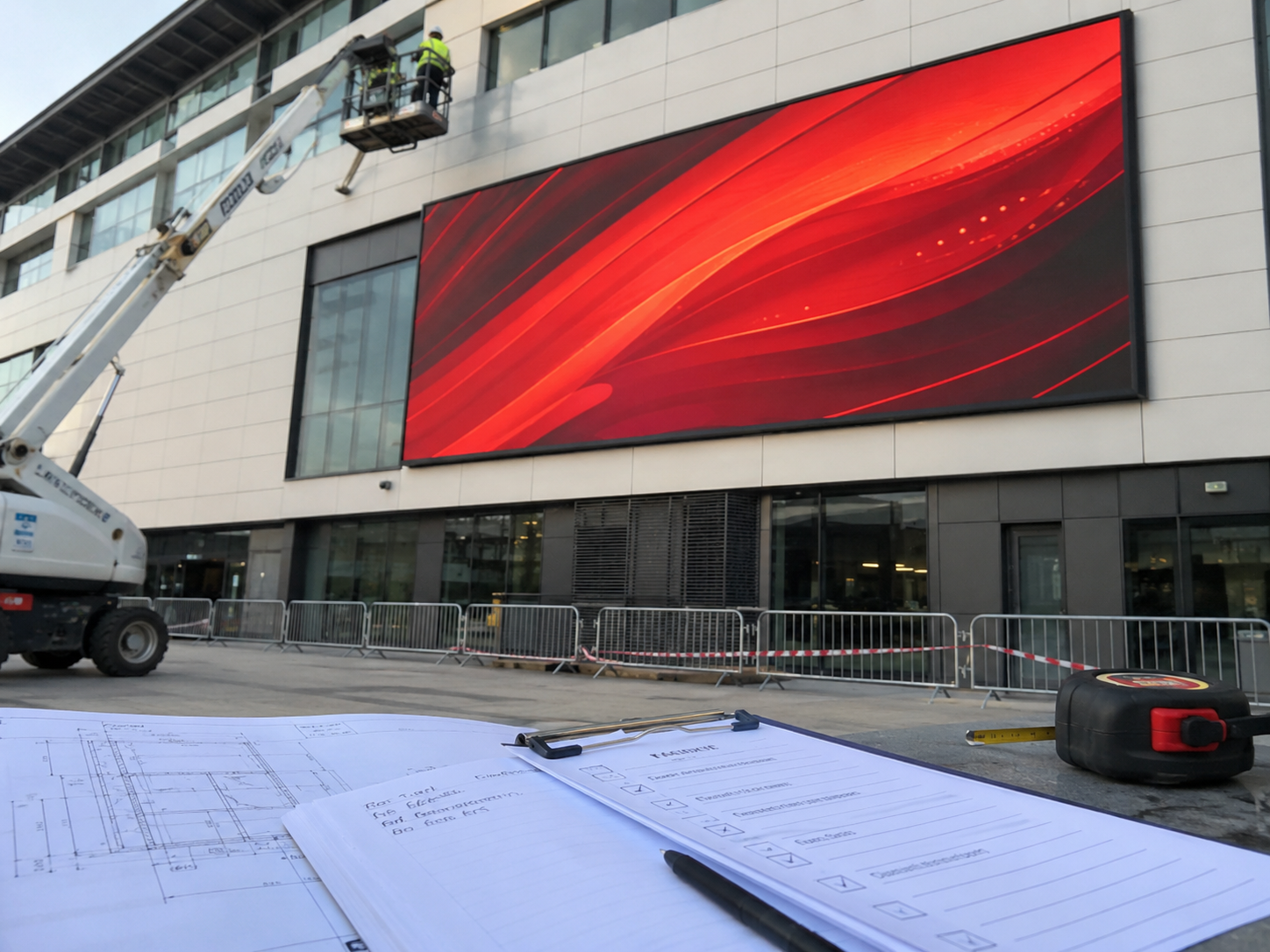
Μια γρήγορη προσφορά συχνά επιβραδύνεται από το πρώτο μήνυμα. Το αίτημα μπορεί να αναφέρει μια διάσταση, μια πόλη ή ένα γενικό διαφημιστικό σχέδιο, ωστόσο το εργοστάσιο δεν μπορεί ακόμη να δει τον τοίχο, την απόσταση προβολής, το σημείο ισχύος, την πηγή σήματος, τον χώρο συντήρησης ή την κατεύθυνση του προϋπολογισμού. Ως εκ τούτου, ένα σαφές οθόνη LED περιληπτικό έγγραφο έργου βοηθά την OUBO να αξιολογήσει την κατεύθυνση του προϊόντος, τη διάταξη των καβινετών, τη δομή εγκατάστασης, το σύστημα ελέγχου και το εύρος της προσφοράς με λιγότερα επαναλαμβανόμενα email. Αυτός ο οδηγός εξηγεί ποιες πληροφορίες πρέπει να αποσταλούν, πώς να περιγράψετε φωτογραφίες, διαστάσεις, προϋπολογισμό, εγκατάσταση και πηγή περιεχομένου, καθώς και πώς να αντιγράψετε ένα πρακτικό μήνυμα ερωτήματος για ταχύτερη αξιολόγηση.
Γρήγορη πλοήγηση
Γιατί καθυστερούν οι προσφορές για έργα με LED οθόνες
Πρώτον, πολλά μηνύματα σχετικά με έργα είναι υπερβολικά σύντομα για να επιτρέψουν πραγματική μηχανική αξιολόγηση. Μια αίτηση όπως «χρειάζομαι τιμή για εξωτερική οθόνη» ή «παρακαλώ υπολογίστε τιμή για 4 m x 2 m» παρέχει μόνο ένα μέρος της εικόνας. Ωστόσο, το κόστος της οθόνης εξαρτάται από περισσότερους παράγοντες από το πλάτος και το ύψος.
Για παράδειγμα, η ίδια διάσταση μπορεί να χρησιμοποιήσει διαφορετικούς τύπους καβινετών, διαφορετικές αποστάσεις pixel, διαφορετικά επίπεδα φωτεινότητας, διαφορετικές διατάξεις τροφοδοσίας και διαφορετικές μεθόδους υποστήριξης. Παράλληλα, οι εσωτερικές οθόνες λιανικής πώλησης, οι πινακίδες κατά μήκος των οδών, οι αίθουσες συνεδριάσεων και οι οθόνες για εκδηλώσεις απαιτούν διαφορετικές υποθέσεις για την εκπόνηση της προσφοράς.
Ως εκ τούτου, το αρχικό πλαίσιο του έργου πρέπει να καθιστά ορατό τον τόπο εγκατάστασης. Θα πρέπει να εξηγεί πού θα εγκατασταθεί η οθόνη, τι περιεχόμενο θα προβάλλει, πώς θα την παρατηρούν οι άνθρωποι, καθώς και τι είδους υποστήριξη είναι διαθέσιμη για την εγκατάσταση και τη συντήρηση.
Χρήσιμος κανόνας: ένα εργοστάσιο θα πρέπει να είναι σε θέση να κατανοήσει το έργο χωρίς να επισκεφθεί τον χώρο. Εάν το μήνυμα απαντά στις ερωτήσεις για το μέγεθος, τις φωτογραφίες, την απόσταση προβολής, τον προϋπολογισμό, την εγκατάσταση, την πηγή του περιεχομένου και το χρονοδιάγραμμα, το πρώτο προσφορά γίνεται πολύ πιο χρήσιμη.
Τι Μπορεί να Αλλάξει λόγω Ατελών Λεπτομερειών του Έργου
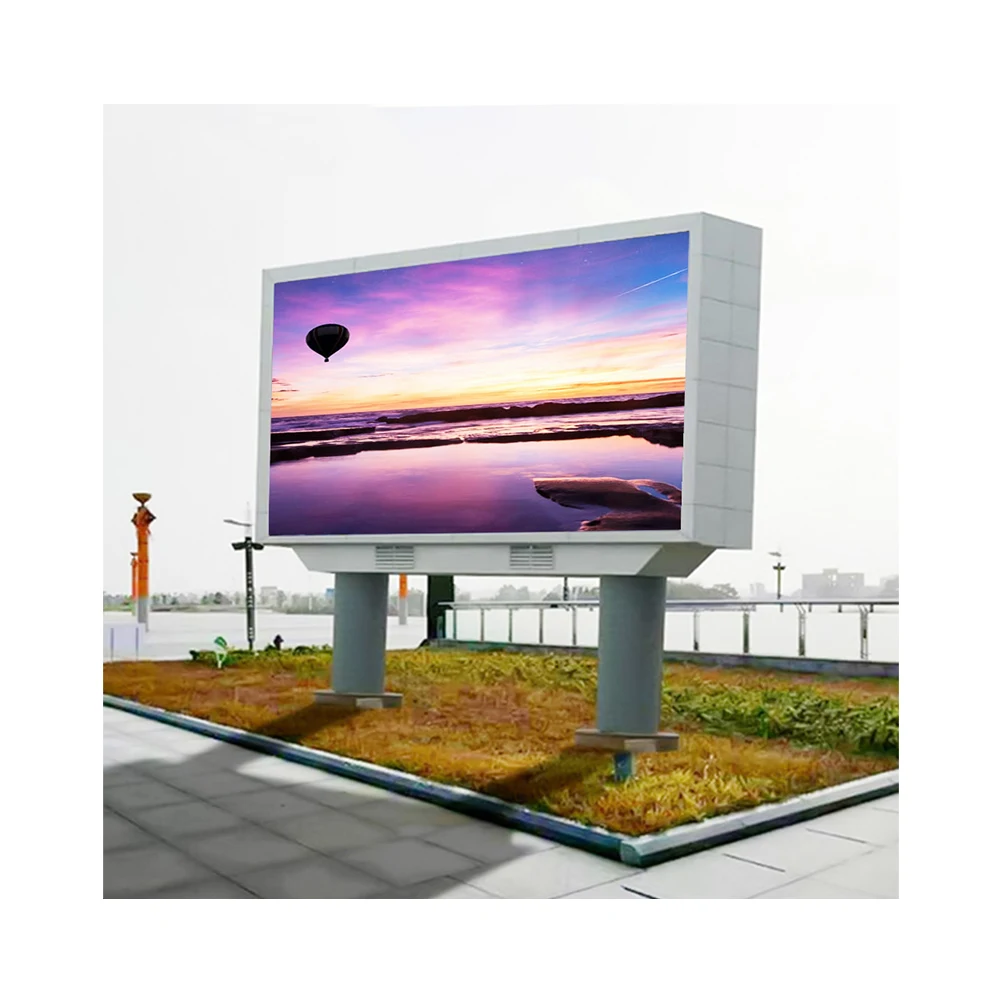
Οι ατελείς λεπτομέρειες μπορούν να αλλάξουν την προτεινόμενη λύση προϊόντος. Για παράδειγμα, μια εσωτερική οθόνη για το χώρο εισόδου (lobby) μπορεί να απαιτεί υψηλή ευκρίνεια για προβολή από κοντινή απόσταση και πρόσβαση για συντήρηση από το μπροστινό μέρος. Αντιθέτως, μια εξωτερική διαφημιστική πινακίδα μπορεί να απαιτεί υψηλότερη φωτεινότητα, κατασκευή καβινέτου ανθεκτικού στη βροχή και καλύτερο έλεγχο της θερμότητας.
Επιπλέον, η έλλειψη πληροφοριών σχετικά με τη δομή μπορεί να κρύβει επιπλέον κόστος. Ένα έργο με οθόνη προσαρτημένη σε τοίχο μπορεί να απαιτεί λεπτή βάση στήριξης, ενώ μια αυτόνομη εξωτερική πινακίδα μπορεί να απαιτεί στηρίγματα από χάλυβα, κατανομή ηλεκτρικής ενέργειας, διαδρομή καλωδίων ανθεκτικών στη βροχή και πρόσβαση με ανυψωτικό μηχάνημα.
Επιπλέον, η πηγή του περιεχομένου επηρεάζει το σύστημα ελέγχου. Μια οθόνη εμφάνισης σε κατάστημα με προγραμματισμένα βίντεο μπορεί να χρησιμοποιεί έναν απλό παίκτη μέσων. Ωστόσο, μια οθόνη για σκηνή ή ζωντανή εκδήλωση ενδέχεται να απαιτεί επεξεργαστή βίντεο, είσοδο κάμερας και μια πιο τεχνική διαδρομή σήματος.
| Έλλειψη λεπτομερειών | Τι επηρεάζει | Γιατί είναι σημαντικό για την προσφορά |
|---|---|---|
| Φωτογραφίες Τοποθεσίας | Δομή, πρόσβαση, διαδρομή καλωδίων, δυσκολία εγκατάστασης | Οι φωτογραφίες βοηθούν την OUBO να κρίνει εάν το έργο απαιτεί εξυπηρέτηση από το μπροστινό μέρος, εξυπηρέτηση από το πίσω μέρος, στηρίγματα τοίχου, χαλύβδινη υποστήριξη ή περισσότερα δεδομένα τοποθεσίας. |
| Ακριβές μέγεθος και διαθέσιμη επιφάνεια | Πλήθος καβινέτων, διάταξη module, ανάλυση, διαστάσεις για αποστολή | Μια μοντουλαρισμένη διάταξη ενδέχεται να απαιτεί μια μικρή προσαρμογή του μεγέθους για να μειωθεί η απόρριψη και να βελτιωθεί η στοίχιση κατά την εγκατάσταση. |
| Απόσταση Προβολής | Βήμα pixel, λεπτομέρεια εικόνας, επίπεδο προϋπολογισμού | Συνήθως, για πλησιέστερη προβολή απαιτείται υψηλότερη λεπτομέρεια, ενώ για μακρύτερη προβολή μπορεί συχνά να χρησιμοποιηθεί οικονομικότερο βήμα. |
| Μέθοδος εγκατάστασης | Δομή περιβλήματος, μέθοδος υπηρεσίας, τοπικό σχέδιο εργατικού δυναμικού | Τα έργα με εγκατάσταση σε τοίχο, κρεμαστά, αυτόνομα και σε στύλο απαιτούν διαφορετικές υποθέσεις εγκατάστασης. |
| Πηγή περιεχομένου | Σύστημα ελέγχου, καλώδιο σήματος, πρόγραμμα αναπαραγωγής μέσων, επεξεργαστής | Η διαφημιστική εκπομπή κατά προγραμματισμό, η είσοδος από φορητό υπολογιστή, η ζωντανή κάμερα και η απομακρυσμένη δημοσίευση απαιτούν καθεμία διαφορετική διαδρομή ελέγχου. |
| Κατεύθυνση προϋπολογισμού | Εύρος επιλογών, επιλογή pitch, εύρος αξεσουάρ | Μια κατεύθυνση προϋπολογισμού βοηθά στη σύγκριση οικονομικών, ισορροπημένων και προνομιακών λύσεων χωρίς σπατάλη χρόνου. |
Μια πλήρης περίληψη βοηθά τη μηχανική ομάδα να συγκρίνει εναλλακτικές λύσεις προϊόντων, να ετοιμάσει μια πιο καθαρή προσφορά και να μειώσει τις επαναλαμβανόμενες επιβεβαιώσεις.
Επικοινωνήστε μαζί μαςΦωτογραφίες Τοποθεσίας: Ο Ταχύτερος Τρόπος Να Δείξετε τις Πραγματικές Συνθήκες του Έργου
Οι φωτογραφίες είναι συχνά πιο χρήσιμες από μια μακροσκελή περιγραφή. Ωστόσο, τυχαίες φωτογραφίες δεν βοηθούν τόσο όσο οι προγραμματισμένες φωτογραφίες. Ένα καλό σύνολο πρέπει να δείχνει την πλήρη θέση εμφάνισης, τον περιβάλλοντα χώρο, την κατάσταση του τοίχου ή της κατασκευής, το σημείο παροχής ρεύματος και την κατεύθυνση παρατήρησης.
Για εσωτερικά έργα, οι φωτογραφίες πρέπει να δείχνουν τον φωτισμό, το υλικό των τοίχων, το ύψος της οροφής, τις γειτονικές πόρτες, τις κολόνες, τα διαδρόμια και την απόσταση παρατήρησης. Ως αποτέλεσμα, η OUBO μπορεί να κρίνει εάν είναι πιο κατάλληλη η συντήρηση από την εμπρός πλευρά, η λεπτή βάθος καλύμματος ή μια τυποποιημένη μοντουλαρή διάταξη.
Για εξωτερικά έργα, οι φωτογραφίες πρέπει να δείχνουν την κατεύθυνση του ηλιακού φωτός, την απόσταση από τον δρόμο, την πρόσοψη του κτιρίου, τη θέση του χαλύβδινου πλαισίου, την κατάσταση αποστράγγισης και την πρόσβαση για συντήρηση. Επιπλέον, μια φωτογραφία από το κύριο σημείο παρατήρησης βοηθά το εργοστάσιο να κατανοήσει τις απαιτήσεις φωτεινότητας και κλίσης.
Έλεγχος φωτογραφιών προς αποστολή μαζί με το ερώτημα
- Πλήρης εμπρόσθια φωτογραφία της προγραμματισμένης περιοχής εγκατάστασης.
- Ευρεία φωτογραφία που δείχνει το περιβάλλον.
- Φωτογραφίες της τοιχοποιίας ή της στηριζόμενης δομής από την αριστερή και τη δεξιά πλευρά.
- Φωτογραφία του πλησιέστερου σημείου παροχής ηλεκτρικής ενέργειας.
- Φωτογραφία από την κύρια θέση παρατήρησης.
- Φωτογραφία που δείχνει την κατάσταση της οροφής, μιας δοκού, ενός στύλου, ενός χαλύβδινου πλαισίου ή της πρόσοψης.
- Εξωτερική φωτογραφία που δείχνει την κατεύθυνση του ηλιακού φωτός ή την έκθεση στις καιρικές συνθήκες.
- Φωτογραφία της διαδρομής πρόσβασης για προσωπικό συντήρησης, εξοπλισμό ανύψωσης ή τοπικό εγκαταστάτη.

Πώς να καταγράψετε το μέγεθος, την απόσταση παρατήρησης και την περιοχή εμφάνισης
Το μέγεθος της οθόνης δεν πρέπει να αναφέρεται ως ένας απλός αριθμός. Αντίθετα, το ενημερωτικό σημείωμα του έργου πρέπει να περιλαμβάνει το επιθυμητό ενεργό μέγεθος οθόνης και τη διαθέσιμη περιοχή εγκατάστασης. Αυτό βοηθά την OUBO να ελέγξει εάν μια τυποποιημένη διάταξη καβινετών ταιριάζει ακριβώς.
Σε πολλά έργα, το τελικό μέγεθος μπορεί να απαιτεί μια μικρή προσαρμογή. Αυτό συμβαίνει επειδή τα καβινέτα και τα μοντέλα LED ακολουθούν καθορισμένες διαστάσεις. Ως εκ τούτου, μια ελαφρώς προσαρμοσμένη πλάτος ή ύψος μπορεί να μειώσει το κόστος, να βελτιώσει την ευθυγράμμιση και να διευκολύνει τη μελλοντική συντήρηση.
Το απόστημα παρατήρησης πρέπει να αναφέρεται μαζί με το μέγεθος. Για παράδειγμα, μια εσωτερική τοίχος που βρίσκεται κοντά απαιτεί καλύτερη λεπτομέρεια από μια μεγάλη εξωτερική πινακίδα που παρατηρείται από την απέναντι πλευρά ενός δρόμου. Ωστόσο, η μικρότερη κατάσταση pixel pitch δεν είναι πάντα απαραίτητη όταν η συνηθισμένη απόσταση παρατήρησης είναι μεγαλύτερη.
| Πληροφορίες προς σύνταξη | Συνιστώμενη μορφή | Αξία προσφοράς |
|---|---|---|
| Διαθέσιμη περιοχή | Πλάτος τοίχου ή πλαισίου ___ m × ύψος ___ m | Δείχνει το φυσικό όριο για τη διάταξη καβινέτων και τη δομή. |
| Επιθυμητό ενεργό μέγεθος οθόνης | Προτιμώμενο πλάτος οθόνης ___ m × ύψος ___ m | Βοηθάει στον υπολογισμό της ποσότητας των καβινετών, της ανάλυσης και του όγκου συσκευασίας. |
| Επιτρεπόμενη ανοχή | Το μέγεθος μπορεί να ρυθμιστεί κατά ___ εκ., ή το μέγεθος πρέπει να είναι σταθερό | Δίνει στο εργοστάσιο τον χώρο για να προτείνει μια πιο καθαρή, μοντουλαρική σχεδίαση. |
| Απόσταση πλησιέστερης παρακολούθησης | Πλησιέστερη απόσταση προβολής ___ μ, συνηθισμένη απόσταση προβολής ___ μ | Υποστηρίζει την επιλογή βήματος pixel και τη σύγκριση προϋπολογισμών. |
| Λεπτομέρειες του κύριου περιεχομένου | Κείμενο / βίντεο / λογότυπο / ζωντανή μετάδοση / εικόνες προϊόντων | Δείχνει εάν είναι πιο σημαντικές οι λεπτομέρειες, η ομαλότητα της κίνησης ή η φωτεινότητα. |
Μήνυμα μεγέθους έτοιμο για αντιγραφή
Εύρος Προϋπολογισμού: Πώς να ζητήσετε Πρακτικές Επιλογές
Η κατεύθυνση του προϋπολογισμού δεν αφορά μόνο την τιμή. Βοηθά το εργοστάσιο να προτείνει ένα ρεαλιστικό επίπεδο λύσης. Χωρίς κατεύθυνση προϋπολογισμού, η προσφορά ενδέχεται να περιλαμβάνει επιλογές που είναι υπερβολικά ευρείες, υπερβολικά ακριβές ή υπερβολικά βασικές για το συγκεκριμένο έργο.
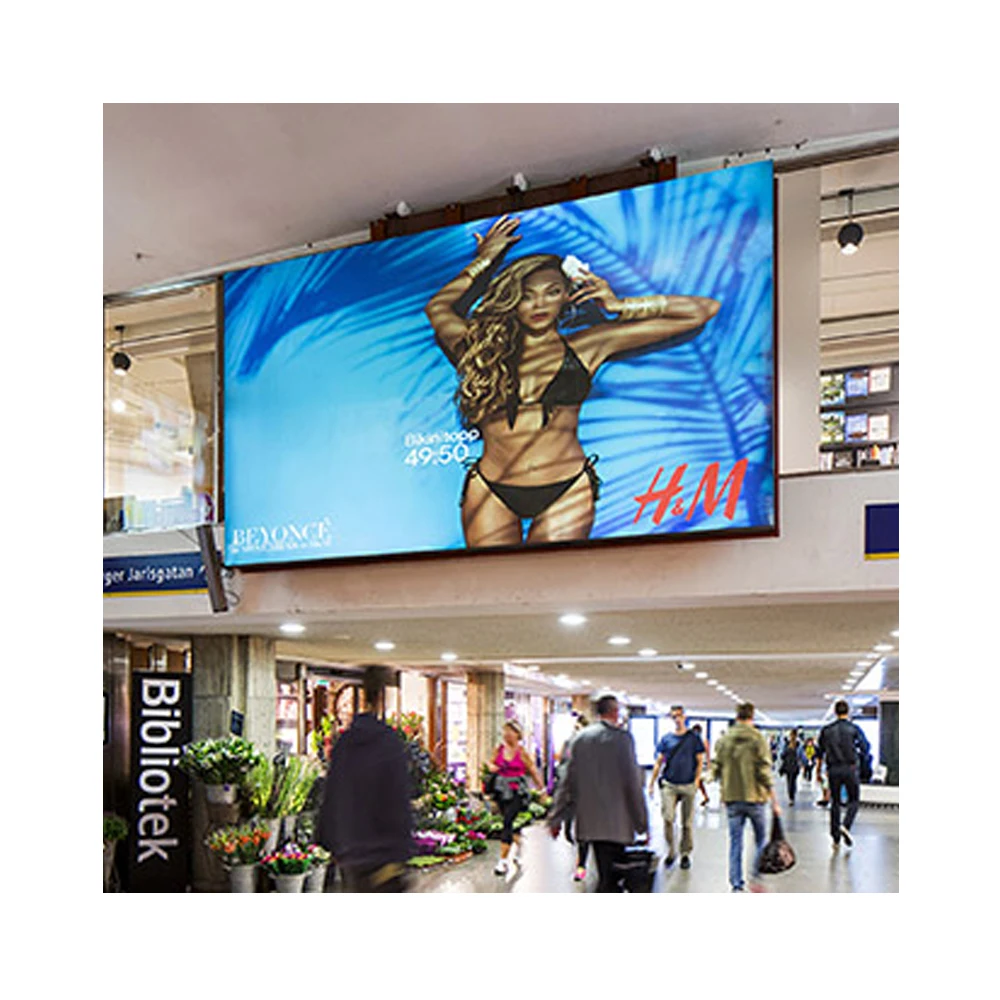
Ως εκ τούτου, το brief μπορεί να χρησιμοποιεί απλή διατύπωση, όπως «οικονομική», «ισορροπημένη» ή «πρέμιου». Μία οικονομική επιλογή μπορεί να επικεντρώνεται στην πρακτική ορατότητα και σε χαμηλότερο κόστος. Αντιθέτως, μία ισορροπημένη επιλογή μπορεί να βελτιώσει τη λεπτομέρεια της εικόνας, την ποιότητα των καβινέτων και την καθημερινή λειτουργία.
Μία επιλογή πρέμιου μπορεί να είναι χρήσιμη για εσωτερικούς τοίχους που προορίζονται για προβολή σε μικρή απόσταση, για εμπορικά έργα υψηλού προφίλ ή για εκδηλώσεις που καταγράφονται με κάμερα. Ωστόσο, το brief πρέπει να διευκρινίζει εξακολούθηση την κύρια προτεραιότητα, όπως η ευκρίνεια της εικόνας, η φωτεινότητα για εξωτερική χρήση, η ευκολότερη συντήρηση ή η ταχύτερη παράδοση.
Μήνυμα προϋπολογισμού έτοιμο για αντιγραφή
Λεπτομέρειες Εγκατάστασης: Σε Τοίχο, Χάλυβα, Κρεμαστό ή Αυτοσταθερό
Οι λεπτομέρειες εγκατάστασης επηρεάζουν την επιλογή των καβινέτων, το κόστος της δομής, την ασφάλεια και τη μελλοντική συντήρηση. Για παράδειγμα, ένας πίνακας εμφάνισης που είναι στερεωμένος σε εσωτερικό τοίχο μπορεί να απαιτεί σχεδιασμό με εμπρόσθια συντήρηση και λεπτή κατασκευή. Αντιθέτως, ένας αυτοσταθερός εξωτερικός πίνακας μπορεί να απαιτεί υποστήριξη από χάλυβα, καβινέτα ανθεκτικά στη βροχή, πρόσβαση από τα πίσω και ενισχυμένο σχεδιασμό ηλεκτρικής τροφοδοσίας.
Επομένως, το εντολή έργου πρέπει να περιγράφει τη μέθοδο εγκατάστασης όσο το δυνατόν νωρίτερα. Εάν η δομή δεν έχει ακόμη καθοριστεί, το μήνυμα πρέπει να το δηλώνει ρητά. Στη συνέχεια, η OUBO μπορεί να παρέχει υποθέσεις και να καταρτίζει τη λίστα των στοιχείων που απαιτούνται πριν από την τελική προσφορά.
Η πρόσβαση για συντήρηση είναι ιδιαίτερα σημαντική. Η συντήρηση από το μπροστινό μέρος είναι συχνά χρήσιμη όταν δεν υπάρχει χώρος πίσω από την οθόνη. Η συντήρηση από το πίσω μέρος ενδέχεται να είναι κατάλληλη για εξωτερικές δομές με διάδρομο συντήρησης. Ως αποτέλεσμα, η πρόσβαση για συντήρηση πρέπει να λαμβάνεται υπόψη πριν από την επιλογή των καβινετών.
| Αντικείμενο εγκατάστασης | Τι να γραφεί | Γιατί επηρεάζει το έργο |
|---|---|---|
| Τύπος εγκατάστασης | Με προσάρτηση στον τοίχο, ενσωματωμένη, κρεμαστή, με προσάρτηση σε στύλο, αυτόνομη ή με προσάρτηση σε δοκό | Οι διαφορετικοί τύποι εγκατάστασης απαιτούν διαφορετικές δομές καβινέτων και πρόσθετα εξαρτήματα. |
| Κατάσταση τοίχου ή πλαισίου | Σκυρόδεμα, χαλύβδινο πλαίσιο, γυάλινη πρόσοψη, υφιστάμενο πλαίσιο επιγραφής ή νέα δομή | Η κατάσταση της στήριξης επηρεάζει το σχέδιο των βραχιόνων στήριξης και τις τοπικές εργασίες εγκατάστασης. |
| Πρόσβαση στις υπηρεσίες | Μπροστινή σέρβις, πίσω σέρβις, και από τις δύο πλευρές ή αβέβαιο | Η πρόσβαση για συντήρηση επηρεάζει την επιλογή του περιβλήματος και την ευκολία της μακροπρόθεσμης επισκευής. |
| Έκθεση σε εξωτερικούς χώρους | Άμεσο ηλιακό φως, βροχή, σκόνη, υψηλή θερμοκρασία, αέρας από την ακτή ή σκιερή θέση | Οι εξωτερικές συνθήκες επηρεάζουν τη φωτεινότητα, το υδροπροστατευτικό σχέδιο, τον έλεγχο της θερμότητας και το υλικό του περιβλήματος. |
| Τοπική ομάδα εγκατάστασης | Έχει οργανωθεί, δεν έχει οργανωθεί ή αναμένεται η παράδοση των σχεδίων | Αυτό δείχνει εάν πρέπει να συμπεριληφθούν οδηγίες εγκατάστασης, σχέδια κατασκευής ή τεχνική υποστήριξη. |

Μήνυμα εγκατάστασης έτοιμο για αντιγραφή
Πηγή περιεχομένου και σύστημα ελέγχου: Τι πρέπει να εξηγηθεί
Η πηγή περιεχομένου καθορίζει τον τρόπο με τον οποίο η οθόνη λαμβάνει και διαχειρίζεται τα σήματα. Για παράδειγμα, μια διαφημιστική πινακίδα καταστήματος μπορεί να χρησιμοποιεί προγραμματισμένη αναπαραγωγή βίντεο. Αντιθέτως, μια αίθουσα συνεδριάσεων μπορεί να απαιτεί είσοδο HDMI από φορητό υπολογιστή, ενώ μια σκηνή μπορεί να χρειάζεται επεξεργαστή για ζωντανές εικόνες από κάμερες.
Ως εκ τούτου, το σύντομο περιγραφικό πρέπει να εξηγεί τον κύριο τύπο περιεχομένου και τη μέθοδο ενημέρωσής του. Στατικές εικόνες, βίντεο προϊόντων, ζωντανά γεγονότα, παρουσιάσεις και πίνακες ελέγχου δεδομένων απαιτούν όλα διαφορετικό σχεδιασμό ελέγχου.
Επιπλέον, έχει σημασία το επίπεδο λειτουργίας. Ένας απλός προβολέας μέσων μπορεί να είναι κατάλληλος για την καθημερινή ενημέρωση διαφημίσεων. Ωστόσο, η ζωντανή εναλλαγή ή η είσοδος από πολλαπλές πηγές μπορεί να απαιτεί εκπαιδευμένους χειριστές, επιπλέον συσκευές και περισσότερο χρόνο για ρύθμιση.
| Λεπτομέρειες περιεχομένου | Παράδειγμα διατύπωσης | Επίδραση του συστήματος ελέγχου |
|---|---|---|
| Βρόχος διαφημίσεων | Τα βίντεο και οι εικόνες θα αναπαραχθούν σύμφωνα με πρόγραμμα. | Μπορεί να χρησιμοποιηθεί προβολέας μέσων, δημοσίευση μέσω δικτύου ή απλός τοπικός έλεγχος. |
| Παρουσίαση σε συνάντηση | Απαιτείται είσοδος HDMI από φορητό υπολογιστή για τις συναντήσεις. | Απαιτείται επεξεργασία καθαρής εισόδου και κατάλληλη ταίριαση ανάλυσης. |
| Ζωντανή ροή κάμερας | Η ζωντανή πηγή βίντεο μπορεί να προέρχεται από κάμερα ή switcher. | Μπορεί να απαιτείται σχεδιασμός επεξεργαστή και ρυθμίσεις ανανέωσης φιλικές προς τις κάμερες. |
| Απομακρυσμένες ενημερώσεις | Το περιεχόμενο πρέπει να ενημερώνεται από γραφείο ή πλατφόρμα cloud. | Μπορεί να απαιτείται δημοσίευση μέσω δικτύου και εκπαίδευση χειριστή. |
| Οθόνη με πολύ κείμενο | Τα μενού, τα προγράμματα ή το κείμενο δεδομένων πρέπει να παραμένουν ευανάγνωστα. | Η απόσταση μεταξύ pixel (pixel pitch) και η ανάλυση απαιτούν πιο προσεκτική εξέταση. |
Μήνυμα πηγής περιεχομένου έτοιμο για εκτύπωση
Έτοιμος για αντιγραφή έλεγχος προδιαγραφών έργου για ταχύτερη προσφορά
Ένα πλήρες έγγραφο προδιαγραφών πρέπει να συγκεντρώνει όλα τα στοιχεία του έργου σε ένα μόνο μήνυμα. Αυτό καθιστά την πρώτη μηχανική αξιολόγηση σαφέστερη και μειώνει τις επαναλαμβανόμενες ερωτήσεις. Επιπλέον, διευκολύνει τη δίκαιη σύγκριση διαφορετικών προσφορών, καθώς κάθε εναλλακτική λύση βασίζεται στις ίδιες αρχικές πληροφορίες.
Ο παρακάτω πρότυπος πίνακας μπορεί να αντιγραφεί απευθείας. Έχει συνταχθεί για πρακτική εξέταση στο εργοστάσιο, όχι για μάρκετινγκ. Ως εκ τούτου, κάθε γραμμή συνδέεται με τον προϋπολογισμό, την εγκατάσταση, το οπτικό αποτέλεσμα, τη συντήρηση ή τον σχεδιασμό ελέγχου.
Πλήρης πρότυπος πίνακας ερωτήσεων
Χώρα/Πόλη έργου: ___
Εσωτερικός, εξωτερικός ή ημι-εξωτερικός χώρος: ___
Σκοπός του έργου: διαφήμιση / συναντήσεις / λιανική πώληση / εκκλησία / σκηνή / εκδήλωση / πλευρά οδού / δημόσιες πληροφορίες / άλλο
Επιθυμητό μέγεθος οθόνης: πλάτος ___ m × ύψος ___ m
Διαθέσιμη περιοχή εγκατάστασης: πλάτος ___ m × ύψος ___ m
Επιτρεπόμενη ρύθμιση μεγέθους: ναι / όχι / εντός ___ εκ.
Απόσταση προβολής: ελάχιστη ___ μ, συνήθης ___ μ, μέγιστη ___ μ
Κύριο περιεχόμενο: βίντεο / κείμενο / παρουσίαση / ζωντανή κάμερα / μενού / λογότυπο / δεδομένα / άλλο
Πηγή περιεχομένου: USB / media player / laptop HDMI / video processor / κάμερα / απομακρυσμένη δημοσίευση / άλλο
Μέθοδος εγκατάστασης: τοιχοκατασκευή / ενσωμάτωση / κρέμασμα / ελεύθερη στάση / στήριξη σε πόλο / δοκός / δεν έχει αποφασιστεί
Κατάσταση τοίχου ή κατασκευής: σκυρόδεμα / χάλυβας / γυαλί / υφιστάμενο πλαίσιο σήμανσης / νέα κατασκευή / άγνωστη
Πρόσβαση για συντήρηση: μπροστά / πίσω / και από τις δύο πλευρές / άγνωστη
Τοποθεσία τροφοδοσίας: κοντά στην οθόνη / μακριά από την οθόνη / δεν έχει προετοιμαστεί
Κατεύθυνση προϋπολογισμού: οικονομική / ισορροπημένη / προνομιακή / ανοιχτή σε προτάσεις
Κύρια προτεραιότητα: λεπτομέρεια εικόνας / φωτεινότητα / έλεγχος κόστους / γρήγορη παράδοση / εύκολη συντήρηση / λεπτό σχέδιο / αντοχή σε εξωτερικούς χώρους
Χρονοδιάγραμμα: η προσφορά απαιτείται έως την ___ , ο στόχος για την παραγγελία είναι η ___ , ο στόχος για την παράδοση είναι η ___ , ο στόχος για την εγκατάσταση είναι η ___
Συνημμένες φωτογραφίες: πρόσωπο / ευρεία άποψη / πλάγια άποψη / σημείο τροφοδοσίας / δομή / θέση παρατήρησης / διαδρομή πρόσβασης
Αίτημα προσφοράς: μία συνιστώμενη λύση / δύο εναλλακτικές επιλογές σύγκρισης / ολόκληρο σύστημα / μόνο οθόνη / συμπεριλαμβάνονται αξεσουάρ
Ειδικές σημειώσεις: ___
Ένα πλήρες μήνυμα βοηθά την OUBO να ελέγξει τη διαδρομή του προϊόντος, την επιλογή pitch, τη διάταξη των καβινετών, το σύστημα ελέγχου, τα αξεσουάρ, τα ανταλλακτικά, τη συσκευασία και τον χρόνο παραγωγής με λιγότερα επαναλαμβανόμενα email.
Αποστολή του Ενημερωτικού Σημειώματος Έργου στην OUBOΠροαιρετική Ανάγνωση
Επιπλέον, οι ακόλουθες σελίδες βοηθούν στη σύγκριση των εφαρμογών διαφήμισης, των παραγόντων τιμής και των απαιτήσεων για εξωτερικές οθόνες πριν από την αποστολή του τελικού αιτήματος.
Συχνές Ερωτήσεις
Πόσο λεπτομερής πρέπει να είναι μια περίληψη έργου πριν ζητηθεί προσφορά;
Μια χρήσιμη περίληψη έργου πρέπει να περιλαμβάνει σκοπό, διαστάσεις, φωτογραφίες, απόσταση προβολής, μέθοδο εγκατάστασης, πηγή περιεχομένου, κατεύθυνση προϋπολογισμού και χρονοδιάγραμμα. Δεν απαιτείται όμως να περιλαμβάνει κάθε τεχνική παράμετρο.
Αντίθετα, η περίληψη πρέπει να παρουσιάζει σαφώς τις πραγματικές συνθήκες. Στη συνέχεια, η OUBO μπορεί να προτείνει το pitch, τη διάταξη των καβινετών, τη μέθοδο συντήρησης και το σύστημα ελέγχου βάσει του περιβάλλοντος του έργου.
Μπορεί να ξεκινήσει η διαδικασία προσφοράς ακόμη και αν οι τελικές διαστάσεις δεν έχουν επιβεβαιωθεί;
Ναι, η προκαταρκτική προσφορά μπορεί να ξεκινήσει με εκτιμώμενες διαστάσεις. Ωστόσο, το μήνυμα πρέπει να περιλαμβάνει τη διαθέσιμη επιφάνεια τοίχου και να δηλώνει εάν είναι αποδεκτή μικρή προσαρμογή των διαστάσεων.
Ως αποτέλεσμα, το εργοστάσιο μπορεί να προτείνει μια μοντουλαρή διάταξη καβινετών που ταιριάζει καλύτερα στην παραγωγή και αποφεύγει περιττό κόστος.
Ποιες φωτογραφίες βοηθούν το εργοστάσιο να αξιολογήσει γρηγορότερα το έργο;
Οι πιο χρήσιμες φωτογραφίες δείχνουν ολόκληρη την περιοχή εγκατάστασης, τον περιβάλλοντα χώρο, τη θέση παρατήρησης, την τοποθεσία της παροχής ηλεκτρικής ενέργειας, τον τοίχο ή τη χαλύβδινη κατασκευή και την πρόσβαση για συντήρηση.
Για εξωτερικά έργα, πρέπει επίσης να απεικονίζονται η κατεύθυνση των ηλιακών ακτίνων, η απόσταση από τον δρόμο, η έκθεση στη βροχή και η πρόσβαση για τον εξοπλισμό ανύψωσης. Αυτές οι λεπτομέρειες επηρεάζουν τη φωτεινότητα, τον τύπο του καβινετίου, τον σχεδιασμό της κατασκευής και τη μέθοδο υποστήριξης.
Γιατί η απόσταση παρατήρησης επηρεάζει την τιμή και την επιλογή προϊόντος;
Η απόσταση παρατήρησης επηρεάζει την επιλογή του βήματος pixel. Μια μικρότερη απόσταση παρατήρησης συνήθως απαιτεί υψηλότερη ανάλυση, γεγονός που μπορεί να αυξήσει το κόστος. Αντιθέτως, μεγαλύτερη απόσταση παρατήρησης ενδέχεται να επιτρέπει τη χρήση οικονομικότερου βήματος pixel.
Ωστόσο, σημασία έχει επίσης ο τύπος του περιεχομένου. Το περιεχόμενο που περιέχει πολύ κείμενο, οι παρουσιάσεις και η παρατήρηση από κοντά σε λιανικά καταστήματα απαιτούν διαφορετική κρίση από την παρατήρηση μεγάλων βιντεοδιαφημίσεων από μεγάλη απόσταση.
Πρέπει το brief να περιλαμβάνει την πηγή του περιεχομένου και τις απαιτήσεις για το σύστημα ελέγχου;
Ναι. Η πηγή του περιεχομένου επηρεάζει τον media player, τον επεξεργαστή, την κάρτα αποστολής, την κάρτα λήψης, το καλώδιο σήματος και την καθημερινή μέθοδο λειτουργίας.
Για παράδειγμα, η προγραμματισμένη διαφήμιση, η είσοδος laptop μέσω HDMI, η ζωντανή ροή κάμερας και η απομακρυσμένη δημοσίευση απαιτούν διαφορετικό σχεδιασμό ελέγχου. Ως εκ τούτου, αυτή η λεπτομέρεια πρέπει να εμφανίζεται στο πρώτο μήνυμα.
Τελικό σύνοψη: Ένα σαφές brief καθιστά την πρώτη προσφορά πιο χρήσιμη
Συνοπτικά, ένα χρήσιμο ερώτημα δεν χρειάζεται περίπλοκες λέξεις· χρειάζεται σαφείς πληροφορίες. Η ομάδα εργασίας πρέπει να δείξει πού θα λειτουργήσει η οθόνη, πόσο μεγάλη πρέπει να είναι, πώς θα την παρατηρούν οι χρήστες, ποιο περιεχόμενο θα προβάλλεται, πώς θα εγκατασταθεί και ποιο είναι το αναμενόμενο επίπεδο προϋπολογισμού.
Ως εκ τούτου, το πρώτο μήνυμα πρέπει να περιλαμβάνει φωτογραφίες του χώρου, επιθυμητό μέγεθος, διαθέσιμη επιφάνεια, απόσταση παρατήρησης, μέθοδο εγκατάστασης, πηγή περιεχομένου, κατεύθυνση προϋπολογισμού και χρονοδιάγραμμα. Με αυτές τις λεπτομέρειες, η OUBO μπορεί να συγκρίνει ρεαλιστικές επιλογές αντί να αποστέλλει μια γενική λίστα προϊόντων.
Τέλος, αποστείλετε το ολοκληρωμένο οθόνη LED brief του έργου μέσω της σελίδας επικοινωνίας της OUBO και ζητήστε μία συνιστώμενη λύση και μία οικονομική εναλλακτική.
Τρεις ενέργειες πριν από την αποστολή του ερωτήματος
- Προετοιμάστε φωτογραφίες της θέσης εγκατάστασης της οθόνης, του ευρύτερου περιβάλλοντος, της γωνίας θέασης, του σημείου τροφοδοσίας, της δομής και της πρόσβασης για συντήρηση.
- Αναφέρετε σε ένα μήνυμα το επιθυμητό μέγεθος, τη διαθέσιμη επιφάνεια, την απόσταση θέασης, την πηγή περιεχομένου, τη μέθοδο εγκατάστασης, την κατεύθυνση του προϋπολογισμού και την προθεσμία.
- Ζητήστε από την OUBO να συγκρίνει μία ισορροπημένη επιλογή με μία οικονομικότερη εναλλακτική λύση, συμπεριλαμβανομένης της κύριας συμβιβαστικής απόφασης για κάθε επιλογή.
Μία δομημένη ερώτηση διευκολύνει την ταχύτερη εύρεση του κατάλληλου προϊόντος, καθορίζει με μεγαλύτερη σαφήνεια το πεδίο της προσφοράς και βελτιώνει την επικοινωνία μεταξύ της μηχανικής ομάδας του εργοστασίου και της τοπικής ομάδας που σχεδιάζει την εγκατάσταση.
Επικοινωνήστε μαζί μας