EN
EN

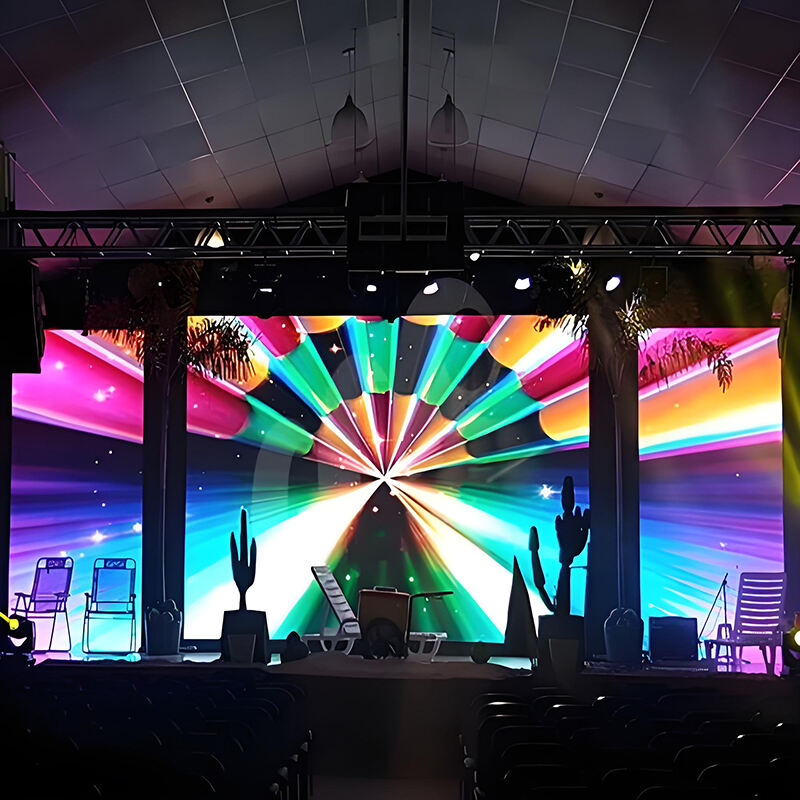
Ինչ է LED դիսպլեյ պատուհանը?
LED ցուցիչ վահանակների սահմանումն ու հիմնական ֆունկցիան
LED ցուցիչները, իրենց էությամբ, հարթ էկրանային տեխնոլոգիա են, որոնք պատկերներ են ստեղծում՝ օգտագործելով այն փոքր կիսահաղորդչային դիոդները, որոնք կոչվում են LED-ներ: Ինչո՞վ են դրանք տարբերվում սովորական LCD-ներից: LCD-ներին անհրաժեշտ է ետևի լուսավորություն՝ ճիշտ աշխատելու համար, իսկ LED-ները ինքնուրույն են լուսավորվում: Սա նշանակում է, որ դրանք կարող են հասնել 1000-ից մինչև 10000 նիտ լուսային ինտենսիվության, ինչի շնորհիվ էլ դրանք հստակ երևում են նույնիսկ այն դեպքում, երբ արևի ուղիղ շողերը ընկնում են դրանց վրա: Այսօր ձեռնարկությունները այս ցուցիչներն օգտագործում են ամենուրեք՝ հսկայական թվային գովազդային վահանակների կամ սպորտային մարզադաշտերում տեղադրված հսկայական էկրանների ձևով: Դրանց հետաքրքիր հատկությունն այն է, որ դրանք մոդուլային են: Փոքր չափի ցուցիչ է պետք? Ոչ մի խնդիր: Խոշոր ցուցիչ է պետք? Պարզապես ավելացրեք ևս մի քանի մոդուլներ: Որոշ համակարգեր հասնում են 500 քառ. մետր մակերեսի, իսկ մյուսները սկսվում են ընդամենը 2 քառ. մետրից:
LED ցուցիչների հիմնական կառուցվածքն ու հիմնական բաղադրիչները
Ժամանակակից LED մատրիցները բաղկացած են երեք հիմնարար տարրերից.
- LED Մոդուլներ : 8–8"-ից մինչև 16–16" կառուցման տարրեր՝ պարունակելով 1024-ից մինչև 4096 դիոդ
- Տուփերի շրջանակներ : Ալյումինե համաձուլվածքի կառուցվածքներ՝ ապահովելով ճշգրիտ համաչափություն (±0,1 մմ հանելուկ)
- Սիգնալ պրոցեսորներ : 32-բիթանոց կառավարիչներ՝ կարգավորելով գույնի խորությունը՝ մինչև 16,7 միլիոն երանգ
Լրիվ համակարգը միավորում է սնուցման բաշխման միավորներ (95%-ապա efficiency SMPS), ջերմային կառավարման համակարգեր (ակտիվ սառեցում ±25դԲ) և պատճենահանման տվյալների ուղիներ՝ մեկ կետի անսարքությունները կանխելու համար: Առաջատար արտադրողներն օգտագործում են ռազմական ստանդարտի կապող միջոցներ՝ հաշվարկված 10,000+ միացման ցիկլերի համար՝ ապահովելով հուսալիություն դաշտում:
LED միկրոսխեմայի կազմություն՝ Կարմիր, Կանաչ և Կապույտ կիսահաղորդիչներ
Գույների եռյակի հիմքը կազմված է՝
- Կարմիր LED-ներ : Ալյումին-Գալիում Արսենիդ (AlGaAs) միկրոսխեմաներ (620–750 նմ ալիքի երկարություն)
- Կանաչ LED-ներ : Ինդիում-Գալիում Նիտրիդ (InGaN) միկրոսխեմաներ (495–570 նմ)
- Կապույտ LED-ներ : Գալիում Նիտրիդ (GaN) միկրոսխեմաներ (450–495 նմ)
Պուլսային լայնացման միջոցով (100–2,000 Հց թարմացման հաճախականություն), յուրաքանչյուր RGB դիոդը կարգավորում է ինտենսիվությունը 256 աստիճաններով (8-բիթանոց գույն): Ընդհանուր առմամբ, դրանք ստեղծում են 16,7 միլիոն գույնային համադրություն՝ ΔE<3 գունային ճշգրտությամբ՝ պրոֆեսիոնալ կարգի վահանակներում: Վերջերս մշակվածները օգտագործում են flip-chip LED ճարտարապետություն՝ հասնելով 25,000 ժամ կյանքի տևողության՝ պահպանելով 0,01 մմ² միկրոդիոդների չափը:
LED ցուցադրման վահանակների աշխատանքային սկզբունքը
Էլեկտրալուսարձակում. Ինչպես են LED-ները էլեկտրականությունը լույսի վերածում
LED էկրանները աշխատում են էլեկտրոլյումինեսցենցիա կոչված բանի միջոցով, ինչը հիմնականում էլեկտրաէներգիան վերածում է տեսանելի լույսի: Երբ կիսահաղորդչային նյութին միջև կիրառվում է բավարար լարում, էլեկտրոնները հանդիպում են փոքր ճեղքերի՝ այսպես կոչված անցքերին PN անցման մեջ, և սա առաջացնում է լույսի փոքր արձակումներ՝ ֆոտոններ: Ոլորտի խոշոր ընկերությունների կատարած ուսումնասիրությունների համաձայն՝ այս ամբողջ գործընթացը էներգիայի մոտ 85 տոկոսը վերածում է իրական լույսի, ինչը զգալիորեն ավելի լավ է, քան հին տիպի լուսավորությունը, օրինակ՝ կայծակի լամպերը: Արտադրված գույնը կախված է էներգիայի քանակից, որն անհրաժեշտ է էլեկտրոններին կիսահաղորդչային նյութում տեղաշարժելու համար: Դրա համար է, որ մենք ունենք կարմիր, կանաչ և կապույտ LED-ներ, քանի որ դրանց միաձուլումը մեզ հնարավորություն է տալիս ստեղծել տարբեր գույներ՝ հեռուստացույցների և համակարգիչների մոնիտորների համար:
Էլեկտրական հոսանքից մինչև տեսանելի լույսի արտադրում
Լույսի մեջ էլեկտրականություն տալը պահանջում է դրա միջով անցնող հոսանքի խիստ վերահսկում: LED-ները փոխում են իրենց պայծառությունը՝ օգտագործելով այն, ինչը կոչվում է PWM՝ հիմնականում շատ արագ միացնելով և անջատում դրանք, որպեսզի մեր աչքերը տեսնեն տարբեր պայծառության մակարդակներ: Այսօրվա ցուցադրման վահանակները կարող են մշակել մոտ 16 բիթ գունային ինֆորմացիա, ինչը նշանակում է, որ դրանք կարող են ցուցադրել միլիոնավոր տարբեր գույներ՝ առանց սահուն անցումների միջև երանգներում: Շատ կարևոր է նաև հոսանքը հաստատուն պահելը: Դրա համար էլ այսօր շատ համակարգեր օգտագործում են հաստատուն հոսանքի աղբյուրներ: Առանց դրա լույսերը կմակարդեին անհանգիստ ձևով, հատկապես այն դեպքերում, երբ ստադիոններում էկրանները շարունակ թարմացվում են խաղերի ընթացքում:
Էլեկտրալուսարձակման արդյունավետություն և կատարողականություն
Լավ վարորդի սխեմաները իսկապես բարձրացնում են LED-ների աշխատանքի արդյունավետությունը, քանի որ ապահովում են լարման կայունությունը՝ կրճատելով կորուստները մոտ 30%-ով համեմատած հին համակարգերի հետ: Այս համակարգերի հատկանիշն այն է, որ դրանք ինքնակարգավորվում են ջերմաստիճանի փոփոխության դեպքում, որպեսզի լույսը մնա կայուն՝ անկախ պայմաններից: Վերցրեք, օրինակ, 2 մմ քայլով LED վահանակները: Առավելագույն լուսարձակման դեպքում դրանք քառակուսի մետրի համար օգտագործում են մոտ 80 Վտ, ինչը 60%-ով պակաս է նույն չափի LCD ետնալուսավորությունների սպառման համեմատ՝ ըստ DisplayDaily-ի անցյալ տարվա տվյալների: Եվ մի մոռացեք նաև ջերմային կառավարման մասին: Լավ ջերմային կառավարումը նշանակում է, որ այս բարձրորակ LED-ները կարող են աշխատել ավելի քան 100 հազար ժամ՝ մինչև լուսարձակումը կտրուկ նվազի:
RGB գույների խառնուրդ և լիագույն գունային պատկերի ստեղծում
Ինչպես են RGB պիքսելները ստեղծում միլիոնավոր գույներ
LED էկրանները ստեղծում են 16,7 միլիոն երանգ՝ կարմիր, կանաչ և կապույտ ենթապիքսելների ճշգրիտ համադրմամբ: Յուրաքանչյուր գունային ալիք աշխատում է 0-255 ինտենսիվության սանդղակով, իսկ լիակտրուկ ակտիվացումը առաջացնում է սպիտակ լույս: Պալսային լայնաձիգ մոդուլացիան (PWM) կարգավորում է լուսարդյունավորությունը 0,1% ճշգրտությամբ՝ ապահովելով հարթ գրադիենտներ, որոնք անզեկնելի են մարդու աչքին 300 Հց թարմացման հաճախականության դեպքում:
Պիքսելի ճարտարապետություն և գունային կալիբրացիա LED վահանակներում
Գերկարող պատկերի համար առաջադեմ SMD փոքր տարրերի տեղադրման տեխնոլոգիան կազմավորում է RGB LED-ներ 0,6 մմ պիքսելային քայլով խմբերում՝ հասնելով 300 PPI խտության: Արտադրողները օգտագործում են ավտոմատացված սպեկտրառադիոմետրներ՝ պահպանելու ΔE < 2 գունային ճշգրտությունը 100,000 շահագործման ժամերի ընթացքում, ինչը հաստատված է 2024 թվականի ցուցադրման երկարակեցության ուսումնասիրություններով՝ Հիպերտարածքային Լույսի ինստիտուտից:
Ուսումնասիրություն. Լիագույն գունային ցուցանակ՝ ճշգրիտ RGB կառավարմամբ
Վերջերս իրականացված ճարտարապետական LED տեղադրումը ցույց է տալիս RGB օպտիմալացումը մասշտաբային մակարդակով.
| Մետրիկ | Տեխնիկական բնութագրեր | Բարելավում հին համակարգերի համեմատ |
|---|---|---|
| Գունային տիրույթի ծածկույթ | 98% DCI-P3 | +15% |
| Լույսի միատեսակություն | 95%՝ 40 մ հատվածում | +22% |
| Էներգատնտեսականություն | 3,8 Վտ 1000 նիտ լուսարդյունավորության դեպքում | 28% իջում |
Համակարգը համատեղում է 16-բիթանոց PWM վերահսկիչներ իրական ժամանակում ջերմային փոխհատուցմամբ, պահպանելով <0,5% գունային շեղումը -30°C-ից մինչև 60°C միջակայքում:
Պիքսելի քայլ, լուծաչափություն և դիտման հեռավորություն
Պիքսելի քայլի հասկացությունը LED դիսփլեյների տեխնոլոգիայում
Պիքսելների տարածությունը (pixel pitch) վերաբերում է հարևան առանցքային LED խմբերի կենտրոնների միջև հեռավորությանը՝ սովորաբար չափված միլիմետրերով: Այս չափումը հիմնականում տեղեկություն է տալիս էկրանի լուսանդրության և պատկերի ընդհանուր պարզության մասին: Երբ խոսում ենք P2.5-ի նման փոքր պիքսելների տարածության մասին՝ համեմատած P10-ի նման ավելի մեծ տարածությունների հետ, պարզապես նկատի ունենք, որ էկրանի յուրաքանչյուր քառակուսի մետրում տեղադրված է ավելի շատ LED: Դա նշանակում է, որ պատկերները շատ ավելի սրածայր են երևում, երբ մարդը կանգնած է դրանց կողքին: Դիտարկենք իրական թվերը. P2 վահանակն ունի մոտ քառորդ միլիոն պիքսել յուրաքանչյուր քառակուսի մետրում, մինչդեռ P10 ցուցադրումը նույն տարածքում ունի մոտ տասը հազար պիքսել: Այս հասկացությունը շատ կարևոր է տարբեր պայմաններում ցուցադրումներ ընտրելիս: Խանութները սովորաբար օգտագործում են P3 կամ ավելի լավ ցուցադրումներ մեծ թվային նշումների համար, որտեղ մարդիկ մոտիկ են մոտենում: Սակայն սպորտային մարզադաշտերում տեղադրում են ավելի մեծ տարածություններ՝ սկսած P6-ից, քանի որ ոչ ոք չի ցանկանա լայնաձիգ մարզադաշտի մի ծայրից մյուսը կարդալու համար աչքերը կիտել:
Ինչպես է պիքսելների խտությունը ազդում պարզության և օպտիմալ դիտման վրա
Երբ էկրանները նույն տարածքում ավելի շատ պիքսելներ են տեղավորում, դա պարզապես նկարները սրելով չի սահմանափակվում. այն իրականում փոխում է նաև մարդկանց դիտման ձևը: Ըստ անցյալ տարվա SryLEDDisplay հետազոտության՝ մեր աչքերը չեն կարողանում առանձնացնել առանձին պիքսելները, երբ մենք գտնվում ենք պիքսելի չափից երեքից չորս անգամ հեռու: Վերցրեք, օրինակ, P3 դիսփլեյը. դիտողները պետք է նախընտրաբար գտնվեն ինըից մինչև տասներկու մետր հեռավորության վրա, որպեսզի ճիշտ գնահատեն այդ բոլոր մանրամասները: Այդ իսկ պատճառով էլ ինժեներները, ովքեր աշխատում են LED դիզայնների վրա, հաճախ հետևում են այն, ինչ հայտնի է որպես 10x Կանոն՝ տեղադրումներն պլանավորելիս: Կանոնը օգնում է որոշելու, թե որտեղ է դիտողը հարմարավետ կերպով կտեսնի ամեն ինչ՝ առանց աչքերի լարվածության կամ կարևոր տեսողական տեղեկատվությունը բաց թողնելու:
- Նվազագույն հեռավորություն = Պիքսելի քայլ (մմ) × 1,000
- Օպտիմալ հեռավորություն = Պիքսելի քայլ (մմ) × 3,000
| Պիքսելային քայլի տիրույթ | Լավագույն կիրառում | Օպտիմալ հեռավորության միջակայք |
|---|---|---|
| P0.9–P2 | Կառավարման սենյակներ, մանրածախ առևտուր | 1–6 մետր |
| P2–P4 | Կորպորատիվ լոբբի-ներ | 6–12 մետր |
| P4–P10 | Մարզադաշտեր, արտաքին գովազդ | 12–30+ մետր |
Այս փոխհարաբերությունը համոզված է, որ հանդիսատեսը տեսնում է համակեց պատկերներ՝ ոչ թե առանձին լույսի կետեր, այլ տեխնիկական ճշգրտության և էրգոնոմիկ դիզայնի հավասարակշռություն:
Կառավարման համակարգեր և սիգնալների մշակում LED ցուցիչներում
Շարժիչներ և կառավարիչներ. LED վահանակների աշխատանքի կառավարում
Այսօրվա LED էկրանները շատ են կախված կառավարման համակարգերից, որոնք մշակում են տեսանյութի մուտքային տվյալները և հրահանգներ են ուղարկում յուրաքանչյուր փոքրիկ լույսին: Տեղադրումը սովորաբար ներառում է ընդունող քարտեր, որոնք վերլուծում են մուտքային սիգնալը, իսկ վարիչի IC-ները կարգավորում են էլեկտրականությունը՝ ապահովելով ճշգրիտ գույներով հավասարաչափ լուսարձակում: Մի հետազոտություն, որը տեղի էր ունեցել անցյալ տարի, ցույց տվեց, որ այս առաջադեմ վարիչային համակարգերը կարող են հասնել մոտ 96,5 տոկոս գունային համապատասխանության ամբողջական LED վահանակների վրա, ինչը բավականին տպավորիչ է, հատկապես երբ դիտարկում ենք ամբողջ շենքեր կամ ստադիոններ ծածկող մեծ տեղադրումներ:
Սիգնալի հոսքը մուտքային աղբյուրից մինչև էկրանի վրա պատկերը
Ցուցադրման գործընթացը սկսվում է, երբ մեդիայի ներդրող կամ համակարգիչ թվային սիգնալներ է փոխանցում կառավարման համակարգին: Այս սիգնալները անցնում են երեք կարևոր փուլ՝
- Թույլատրելիության հարմաձայնեցում ՝ Բովանդակության մասշտաբավորում՝ համապատասխանեցնելով վահանակի սեփական պիքսելային ցանցին
- Տվյալների սինխրոնացում ՝ Կադրերի համաձայնեցում բազմաթիվ մոդուլներով/կաբինետներով
- Սիգնալի բաշխում ՝ Մշակված տվյալների ուղարկում վարորդի IC-ներին բարձր արագությամբ տվյալների կեբլների միջոցով
Իրական ժամանակում մշակումը տեղի է ունենում թարմացման հաճախականությամբ, որը գերազանցում է 3840 Հց-ը caրանական համակարգերում, որը վերացնում է շարժման անթույլատրելիությունը արագ ընթացիկ տեսանյութերի ներդրման ընթացքում:
Նոր միտում՝ ԱԻ-ի կողմից բարելավված պատկերի մշակում LED ցուցադրումների համար
Վերին ցուցիչների արտադրողները սկսում են մեքենայական ուսուցումը ներդնել իրենց արտադրանքներում՝ հիմնականում էկրանի կարգավորումները թարմացնելու համար: Խելացի համակարգերը կարող են փոխել էկրանի պայծառությունը՝ կախված շրջակա լուսավորությունից, ինչպես նաև բարձրացնել գույները տարբեր ձևով՝ ցուցադրելով տարբեր տեսակի պարունակությունների ժամանակ: Օրինակ՝ սպորտային հեռարձակումների և ֆիլմերի համար կիրառվում են տարբեր մոտեցումներ: Այս նոր մոտեցումը փորձարկած ընկերությունները նշում են, որ ընդհանուր առմամբ էներգիայի սպառումը 23 տոկոսով պակաս է: Բացի այդ, LED վահանակները գործում են մոտ 17 տոկոսով ավելի երկար, քանի որ էկրանները այլևս այդքան լարված չեն աշխատում:
Հաճախ տրամադրվող հարցեր
Ինչո՞վ են տարբերվում LED ցուցիչները LCD-ներից:
LED ցուցիչները տարբերվում են LCD-ներից այն բանով, որ LED-ները ինքնուրույն են լուսավորվում, իսկ LCD-ներին անհրաժեշտ է հետնալուսավորություն՝ ճիշտ աշխատելու համար: Ինքնուրույն լուսավորման հնարավորությունը LED վահանակներին թույլ է տալիս հասնել բարձր պայծառության և տեսանելի լինել ուղիղ արևի լույսի տակ:
Որտե՞ղ են օգտագործվում LED ցուցիչները:
LED ցուցիչները հաճախ օգտագործվում են ձեռնարկություններում՝ թվային համարների, սպորտային մարզադաշտերում մեծ էկրանների, կառավարման սենյակներում, առևտրային կենտրոններում, ընկերությունների մուտքերում, փողոցային գովազդներում և այլն: Դրանց մոդուլային կառուցվածքը հնարավորություն է տալիս կազմավորել տարբեր չափերի համակարգեր՝ փոքր կառույցներից մինչև հսկայական տեղադրումներ:
Ինչպե՞ս են LED ցուցիչները ստեղծում գույներ:
LED ցուցիչները գույներ են ստեղծում իմպուլսային լայնաշերտ մոդուլացիայի (PWM) միջոցով՝ կարգավորելով կարմիր, կանաչ և կապույտ LED-ների լուսարձակման ինտենսիվությունը: Յուրաքանչյուր գունային ալիքի տարբեր ինտենսիվությունները խառնելով՝ ցուցիչները կարող են ստեղծել միլիոնավոր գունային համադրություններ:
Ի՞նչ է պիքսելի քայլը և ինչու է կարևոր
Պիքսելային քայլը վերաբերում է հարակամ տեղադրված LED խմբերի կենտրոնների միջև եղած հեռավորությանը և սովորաբար չափվում է միլիմետրերով: Այն օգնում է որոշել ցուցիչի լուսանկարի որակն ու հստակությունը: Փոքր պիքսելային քայլը ավելի սրածայր պատկեր է ապահովում, իսկ մեծ պիքսելային քայլը նախատեսված է հեռավոր դիտման համար:
Ինչպե՞ս են կառավարման համակարգերը բարելավում LED վահանակների աշխատանքը
Կառավարման համակարգերը կառավարում են տեսանյութի մուտքային տվյալները և ապահովում են համապատասխան աշխատանքը LED վահանակների վրա: Դրանք ներառում են ընդունող քարտեր և վարիչի IC-ներ, որոնք պահպանում են գունային ճշգրտությունը և լուսային մակարդակները: ԱԻ-բարելավված համակարգերը կարգավորում են պարամետրերը՝ ապահովելով օպտիմալ դիտման պայմաններ: